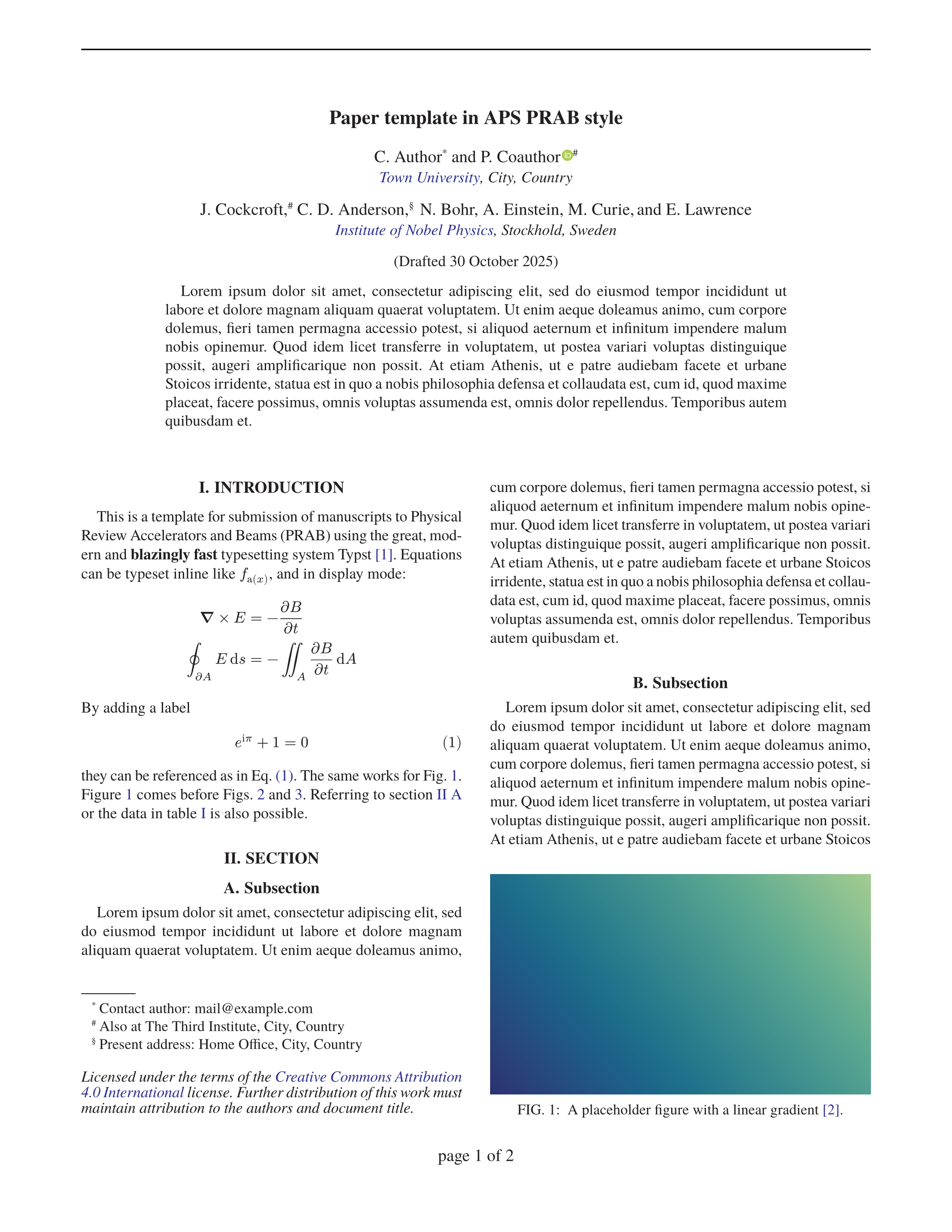


Typst template for papers in the style of the Physical Review journals.
Usage
Typst web app
In the typst web app select “start from template” and search for the revtyp template. Alternatively, use the “create project” button at the top of the package’s typst universe page.
Local
Run these commands inside your terminal:
typst init @preview/revtyp
cd revtyp
typst watch paper.typ
If you don’t yet have the TeX Gyre Termes font family, you can install it with sudo apt install tex-gyre.

See https://github.com/eltos/revtyp for more screenshots.
API documentation
See the template paper.typ for an example
Front matter
#import "@preview/revtyp:0.15.0": revtable, revtyp

#show: revtyp.with(
  journal: "PRAB",
  title: [ My Paper ],
  authors: (),
  affiliations: (:),
  group-by-affiliation: false,
  abstract: include "abstract.typ",
  date: none,
  doi: none,
  header: (:),
  footer: (:),
  footnote-text: none,
  show-line-numbers: false,
)
Available parameters:
title(content): The paper titleauthors(list): The list of authors. Each author is specified as a dict with the following keys:name(str) ornames(list of str): The name of the author, or a list of author names with the same affiliations(s). It is possible to insert a newline"\n"characters at the beginning of the name to manually adjust the layout if required.at(str or list): The affiliation of the author(s), or a list of affiliations with the first one being the primary affiliation. The affiliation is specified as string corresponding to a key in the affiliations dictionary (see below).email(str, optional): The email address for the corresponding author(s)orcid(str, optional): The ORCID for the author(s)note(str, optional): Adds a footnote with custom text for the author(s)
affiliations(dict): Dictionary mapping affiliation keys as used withatin the author list to their full form (str or content), for example(uni: [#link("https://ror.org/...")[My University], City, Country], ...). It is possible to insert newline characters to manually adjust the layout if required.group-by-affiliation(bool, optional): If the author listing is grouped by affiliation, or uses superscripts to indicate the respective affiliation(s).abstract(content): The abstract. It can be convenient to write the abstract in a dedicated file and useinclude "abstract.typ"instead of writing inline content[ My abstract here ].pubmatter(dict, optional): Pubmatter object withtitle,authors,affiliationssand/orabstractsas an alternative to the above options, e.g.pubmatter.load(yaml("frontmatter.yml"))date(content, optional): Content inserted above the abstract, typically used to indicate the datedoi(str, optional): The doi to insert below the abstractheader(dict, optional): Configuration for the page headers as a dict with the following keys:title(str or content, optional): Central header for the title page, typically the journal, volume and paper idleft(str or content or dict, optional): Left header for all but the title page. This can also be a dict of the form(even: [ Text on page 2, 4, 6,...] , odd: [ Text on page 3, 5, 7, ...])right(str or content or dict, optional): Right header for all but the title page. This can also be a dict of the form(even: [ Text on page 2, 4, 6,...] , odd: [ Text on page 3, 5, 7, ...])rule(bool, optional): En-/disable the horizontal line below the header.
footer(dict, optional): Configuration for the page footers as a dict with the following keys:title-left(str or content, optional): Left footer for the title page.title-right(str or content, optional): Right footer for the title page.center(str or content, optional): Central footer for all pages, typically used for the page number, e.g.[page #context counter(page).display()]
footnote-text(content, optional): Test in the bottom left column on the title page below the footnotes, typically used for a copyright note.show-line-numbers(bool, optional): Switch to en-/disable line numbers during review.
Widetext
Use the widetext environments to temporarily switch from two column layout to single column layout:
Use "widetext" to switch from two column mode to
#widetext-top(continue-paragraph-begin: true, continue-paragraph-end: false)[
    single column mode, e.g. to include long equations.
]
This paragraph is back in two column layout...
Currently, widetext environments are limited to appear at the top (widetext-top) or bottom of a page (widetext-bottom) or fill a full page (widetext-page), i.e. you cannot switch to widetext and back to two column mode within a single page. Also, you have to manually adjust the begin/end of the environments in the source text to match with the layout.
Set continue-paragraph-begin to true if the text at the beginning of the widetext environment belongs to the same paragraph as the text before it, or to false otherwise. Set continue-paragraph-end accordingly for the text at the end / after the widetext environment. In any case, avoid empty lines before/after the widetext environments as well as at the begining/end of their contents to ensure paragraph-continuation works as expected. See widetext/test.typ for a comprehensive example.
Licence
Files inside the template folder are licensed under MIT-0. You can use them without restrictions.
The citation style (CSL) file is based on the IEEE style and licensed under the CC BY SA 4.0 compatible GPLv3 license.
All other files are licensed under GPLv3.