Officially affiliated
A Typst template for submissions to the Annual Conference of the Cognitive Science Society (CogSci).
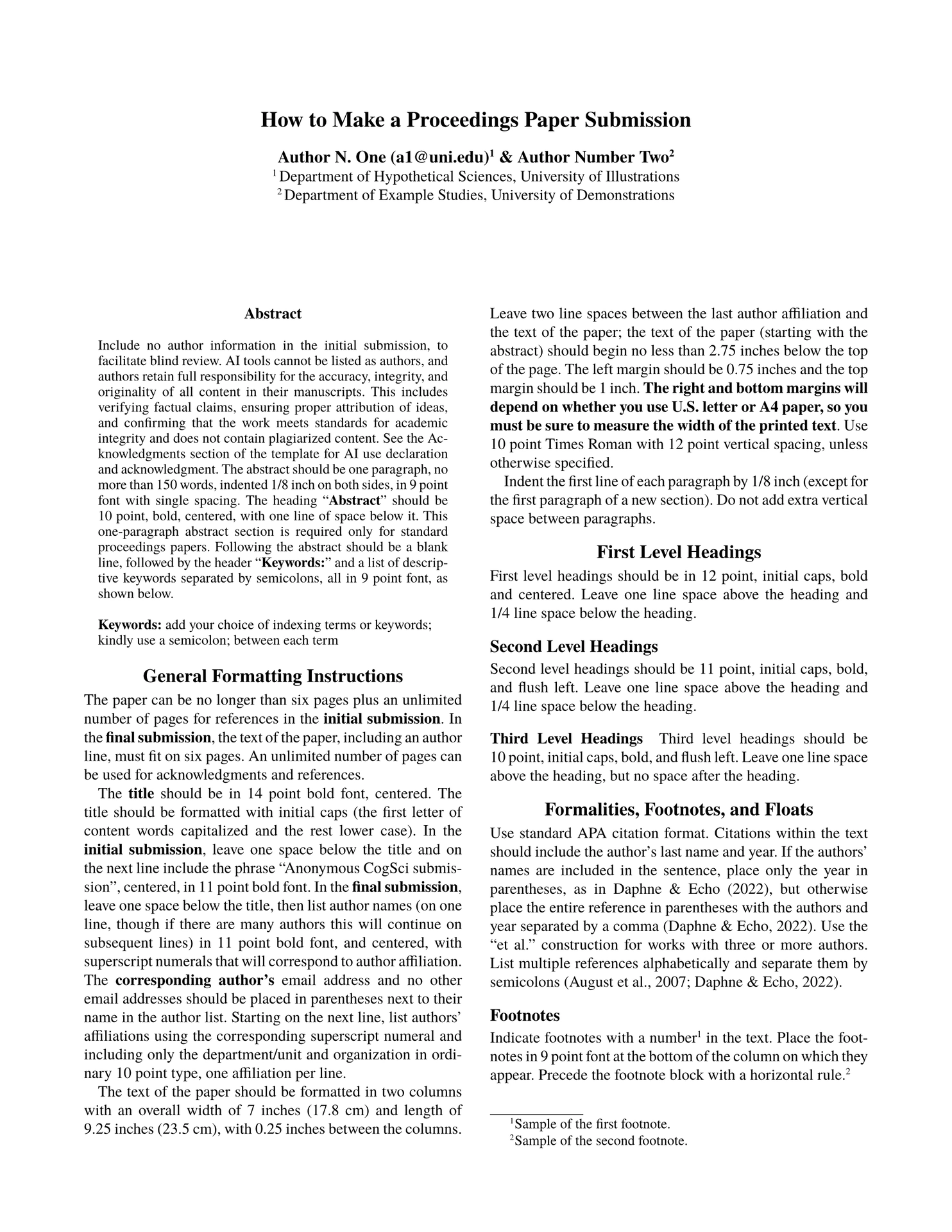
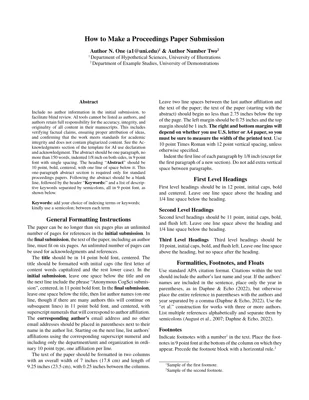
| Anonymized | Final |
|---|---|
 |
 |
Usage
You will typically want to use this template by initializing a project with the 6-page full paper example. The example document (previewed in the thumbnails) provides formatting specifications and examples of citations, figures, tables, footnotes, and acknowledgments. You can generate the example (a) in the Typst web app or (b) locally. If you don’t need the example, you can also just (c) import the template functions in any Typst document.
(a) Initialize the template in the Typst web app
In the Typst web app dashboard, click “Start from template” and search for cogsci-conference.
Note: If you don’t see the dashboard when you visit https://typst.app/, you need to create and/or log in to an account.
(b) Initialize the template locally
You can use the Typst CLI to initialize the template locally:
typst init @preview/cogsci-conference
cd cogsci-conference
See Local Usage notes below.
(c) Import the template functions
The API is described in the Parameters section below.
#import "@preview/cogsci-conference:0.1.2": cogsci, format-authors

#show: cogsci.with(
  title: [CogSci Typst Template],
  author-info: format-authors(
    authors: (
      (name: [Author N. One], email: "a1@uni.edu", super: [1]),
      (name: [Author Number Two], super: [2]),
    ),
    affiliations: (
      (super: [1], affil: [Department of Hypothetical Sciences, University of Illustrations]),
      (super: [2], affil: [Department of Example Studies, University of Demonstrations]),
    ),
  ),
  abstract: [The abstract.],
  keywords: ("keyword1", "keyword2", "keyword3"),
  anonymize: true,
  hyphenate: true,
)

// Document content...

#bibliography("bibliography.bib")
Local Usage
Word processing with Tinymist
If you’re using Typst locally, I recommend the Tinymist Typst VS Code Extension for Visual Studio Code, which provides live preview, syntax highlighting, and error diagnostics.
Fonts
This template requires the fonts TeX Gyre Termes and TeX Gyre Termes Math, which are distributed under the GUST Font License (GFL). The Typst web app includes these fonts automatically. To use this template locally, download the OTF files from:
You can either install these fonts system-wide or pass the path to a directory containing the OTF files to the compiler. See the Typst documentation on fonts for details.
Compilation
To compile a PDF using the Typst CLI:
typst compile --font-path <path-to-fonts-dir> --pdf-standard a-3u main.typ output.pdf
If the fonts are installed system-wide, you can omit --font-path. Otherwise, use --font-path <path-to-fonts-dir> to specify a directory containing the OTF files. With the Tinymist Typst VS Code Extension, specify the font directory with the tinymist.fontPaths setting (see the Tinymist documentation for details).
Specifying a PDF standard like --pdf-standard a-3u is optional but ensures that the PDF text is searchable and accessible.
For continuous compilation during editing, use watch mode: typst watch --font-path <path-to-fonts-dir> main.typ
Parameters
The cogsci() template function accepts the following parameters:
Document Metadata
-
title(content): The paper title. -
author-info(content): Formatted author information (ignored whenanonymizeistrue). The template exports theformat-authors()helper function, which formats author information automatically. If you wish to format the author information manually, pass content directly toauthor-info. -
abstract(content): The paper abstract. -
keywords(array): Array of keyword strings.
Author Formatting
The format-authors() function accepts authors and affiliations in several formats, e.g.,
keyword arguments with arrays of dictionaries:
#show: cogsci.with(
  author-info: format-authors(
    authors: (
      (name: [Author N. One], email: "a1@uni.edu", super: [1]),
      (name: [Author Number Two], super: [2]),
    ),
    affiliations: (
      (super: [1], affil: [Department of Hypothetical Sciences, University of Illustrations]),
      (super: [2], affil: [Department of Example Studies, University of Demonstrations]),
    ),
  ),
  ...
)
positional arguments without superscripts:
#show: cogsci.with(
  author-info: format-authors(
    (
      (name: [Author N. One], email: "a1@uni.edu"),
      (name: [Author Number Two]),
    ),
    [Shared Affiliation Details],
  ),
  ...
)
You can also bypass format-authors() and pass formatted content directly:
#show: cogsci.with(
  author-info: [
    #text(size: 11pt)[*Author N. One (a1\@uni.edu)#super[1] \& Author Number Two#super[2]*] \
    #super[1~]Department of Hypothetical Sciences, University of Illustrations \
    #super[2~]Department of Example Studies, University of Demonstrations
  ],
  ...
)
Bibliography
Call bibliography() at the end of your document:
#bibliography("bibliography.bib")
Typst’s bibliography() function accepts a BibLaTeX .bib file or a Hayagriva .yaml/.yml file. The template uses the APA citation style.
Note: If passing a .bib file, use the BibLaTeX format (not BibTeX).
Submission Control
anonymize(boolean): Set totruefor double-blind review submissions (hides author information and uses “Anonymous CogSci submission” placeholder). Set tofalsefor final camera-ready submissions with author details. Default isfalse.
Formatting Options
hyphenate(boolean): Set tofalseto disable hyphenation throughout the document (useful for proofreading). Default istrue.
Manual Overrides
The template exposes manual overrides for text(), page(), and document(). It’s advised that you not use these. If you absolutely need to change the region, paper size, or document metadata, you can override the defaults by supplying a dictionary.
text-kwargs(dictionary): expands intoset text(..text-kwargs)page-kwargs(dictionary): expands intoset page(..page-kwargs)document-kwargs(dictionary): expands intoset document(..document-kwargs)
Requirements
- Typst
v0.14.0or later (use the web app or install locally, e.g. withbrew install typst) - TeX Gyre Termes and TeX Gyre Termes Math fonts.
- The Typst web app includes these fonts automatically. For local compilation, download the OTF files from the links above and either install them system-wide or pass the directory containing the OTF files to the compiler.
License
This template is distributed under the MIT License.
Author