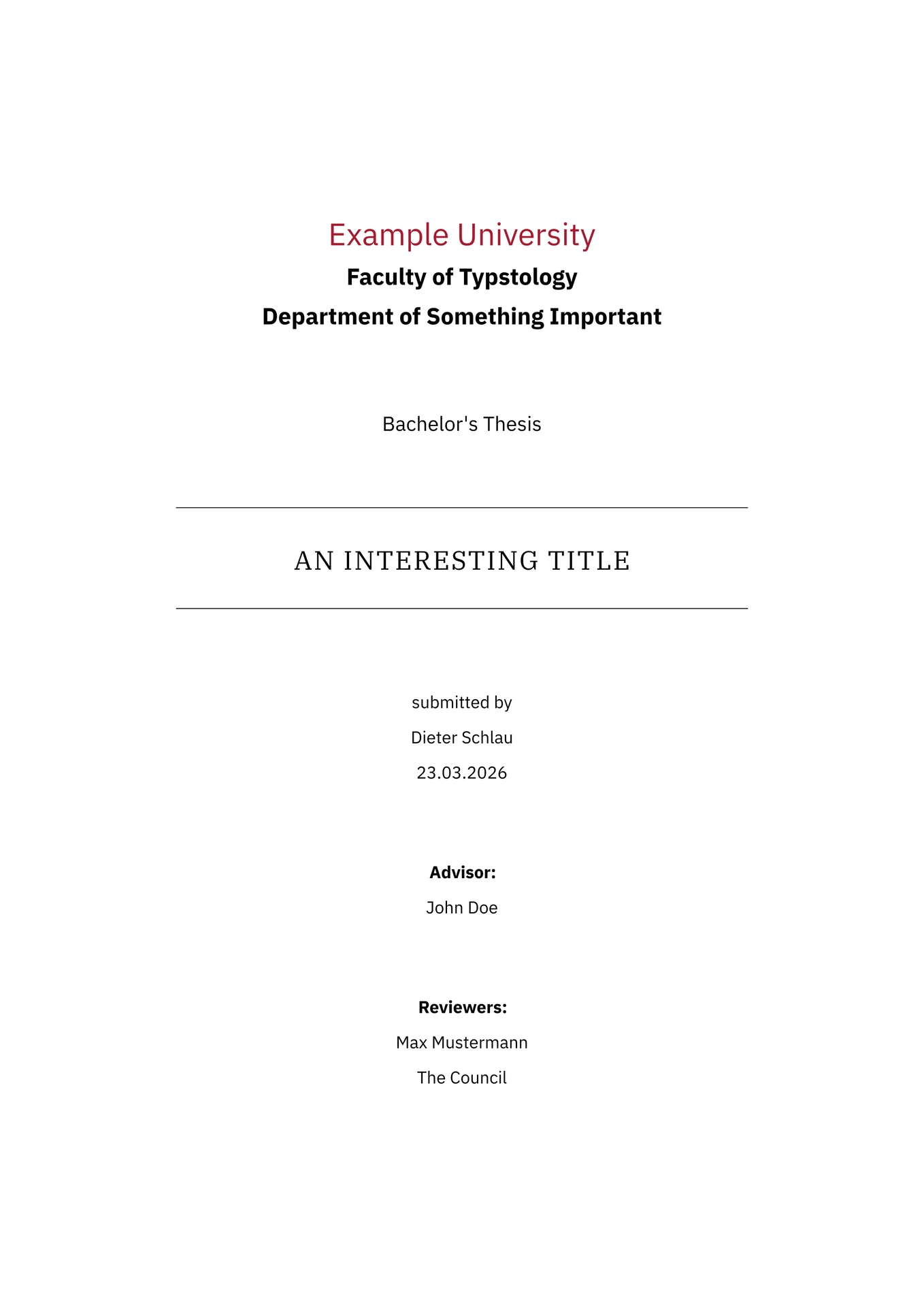
A Typst template for final theses, term papers and similar documents that can be easily customized to fit the requirements of your institution.
Getting Started
You can use this template in the Typst web editor by clicking “Start from Template” on the dashboard and searching for benplate.
In case you’re using Typst locally, you can use the CLI to initialize a project using this template with the following command:
typst init @preview/benplate my-thesis
This will create a new directory called my-thesis with a basic project structure. This also includes the default configuration for the title page and other frontmatter elements.
Fonts
This template uses the following selection of fonts:
If you use this template locally, you can install the fonts on your system via the links above. In case you’re using the Typst web app, all fonts are available out of the box.
Usage
This template exports the thesis function, which takes the following named arguments:
title (str): The title of the document.author (str): The author of the document.date (datetime): The creation date of the document. If not explicitly specified,datetime.today()is used.frontmatter (content): All content that should be included in front of the first chapter of the document.appendix (content): Optional content for the documents appendix.backmatter (content): All content that should be included at the end of the document.
While both the frontmatter and backmatter can take arbitrary content, the template also provides functions that provide a default configuration.
Frontmatter
To start off, I recommend using the default-frontmatter function to generate default configuration for the frontmatter. If you are interested in truly making this template your own, you can check out the customization section. default-frontmatter requires the following parameters:
university (str): The name of your University.faculty (str): The responsible faculty for your study.field (str): Your field of study.type (str): The type of document your writing (e.g., Bachelor’s Thesis, Master’s Thesis, PhD Thesis).author (str): Your name.date (datetime): The submission date of the document. If not explicitly specified,datetime.today()is used.city (str): The city where the document was submitted.advisor (str): The name of your advisor.first-reviewer (str): The name of your first reviewer.second-reviewer (str): The name of your second reviewer.abstract (content): The abstract of the document.acknowledgments (content): The acknowledgments of the document.
Backmatter
Similar to the frontmatter, the backmatter can also be configured using the default-backmatter function, taking the following arguments:
bibliography (content): The bibliography of the document. This should be set to Typst’s defaultbibliographywith the path to your bibliography file as an argument.bib-style (str): The bibliography and citation style this document should use.
Customization
I created the default functions above so that the final document adheres to certain requirements of my university. However, other institutions may impose different rules, or maybe you want to customize the document to fit your own style.
For that reason, the implementation of the default-frontmatter and default-backmatter functions is exposed when you initialize a new project as explained in the getting started section. This should make it relatively straightforward to change these parts of the document.
In case you want to customize the other parts of the template, like the used fonts, paragraph spacing, heading styles, etc., you need to edit the template locally. This can be done by locating your typst data directory and copying the contents of this repository to {data-dir}/typst/packages/local/benplate/0.1.0. This will create a local copy of this template that you are free to edit.
If you believe that there are configuration options that should be available from the get go, feel free to open an issue on GitHub. This of course also applies to potential inconsistencies or bugs in the template.
Utilities
In addition to functions that define the style of the document, this template also provides a couple of utility functions with the goal to streamline the writing process.
TODO Tools
First, the template provides three wrappers around functions of the drafting package, which can be used to annotate parts of the document.
The todo function creates a colored box around the content you provide it with. Optionally, you can also specify a color and a label for the box, with default values of yellow and "TODO", respectively.
#import "@preview/benplate:0.1.0": todo

#todo[This is a TODO box]
#todo(color: red, label: "ERROR")[This is a custom ERROR box]
The note function creates a box in the margins of the document, connecting to the place where it is used. Optionally, you can also specify a color for the box, with a default value of red.
#import "@preview/benplate:0.1.0": note

#note[Something really important that should be addressed]
The comment function inserts the content it is provided with as colored text into the document. The initials of the person making the comment, as well as the color it is displayed in can be optionally specified.
#import "@preview/benplate:0.1.0": comment

#comment(initials: "DS", color: green)[This is a comment]
All the functions that ship with the drafting package are also available via the template. An especially useful one is note-outline(), which creates a list with links to all drafting notes in the document. All other functions can be found in draftings documentation.
Subfigures
Subfigures can be created using the subfigure function. Its usage is exactly the same as the default figure function. To work properly, it has to be placed inside a figures body.
#import "@preview/benplate:0.1.0": subfigure

#figure(
  grid(
    columns: 2,
    [#subfigure(caption: [First subfigure caption])[First subfigure content] <first>],
    [#subfigure(caption: [Second subfigure caption])[Second subfigure content] <second>],
  ),
  caption: [Caption for the entire figure]
)
By assigning a unique identifier to each subfigure, they can also be referenced later in the document like regular figures.
Helper Functions
The prose function is a shorthand to create a citation with the prose format.
#import "@preview/benplate:0.1.0": prose

// The following lines are equivalent
#prose[@some-citation]
#cite(form: "prose", <some-citation>)
Used Packages & Inspiration
This template uses the following packages:
- hydra: To display the current chapter and section in the header.
- outrageous: To style the outline in the
default-frontmatter. - drafting: To create various kinds of comments and notes.
Aside from that, this template is inspired by the IPLeiria Thesis LaTeX template. Many design decisions and also parts of this README are based on the clean-dhbw template.