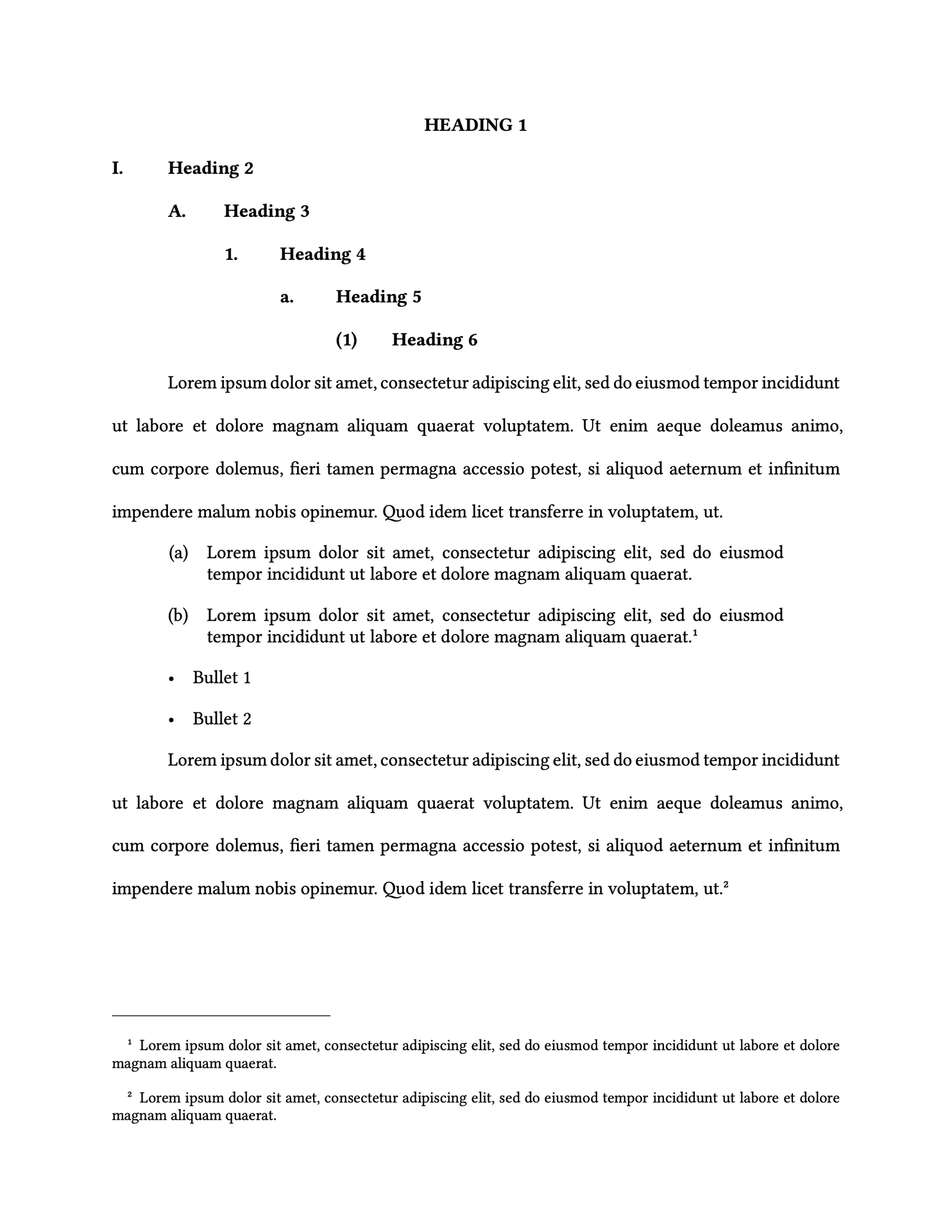
A vanilla Typst package that aims for minimalist and clean styling similar to conventional word processor defaults.
Features
- Clean and familiar document styling
- Line spacing styles similar to standard word processing defaults (e.g., “single” and “double” spaced options)
- Shadow box elements
- Customizable styles, fonts, and font sizes
Usage
#import "@preview/vanilla:0.2.0": body, vanilla

// Apply the vanilla style to the document
#show: vanilla.with(
  styles: (
    body: (spacing: "double", first-line-indent: 0.5in),
  ),
)

= Heading 1
== Heading 2
=== Heading 3

This paragraph will be double-spaced with first-line indent.

#body(spacing: "single")[
  This paragraph will be single-spaced. #lorem(20)
]
Configuration Options
The vanilla function accepts the following parameters. The auto defaults for styles inherit their value from the body parameter.
margins: default:(left: 1in, right: 1in, top: 1in, bottom: 1in)styles:body: Main paragraph stylefont: (default:"Libertinus Serif"),size: (default:12pt),first-line-indent: (default:0in),spacing: (default:"single"),justify: (default:false),
heading: Heading stylesfont: (default:auto),size: (default:auto),
footnote: Footnote stylefont: (default:auto),size: (default:10pt),spacing: (default:"single"),
list: Numbered list stylefont: (default:auto),size: (default:auto),spacing: “single”,
enum: Bulleted list stylefont: (default:auto),size: (default:auto),spacing: (default:"single"),
quote: Block quote stylefont: (default:auto),size: (default:auto),spacing: (default:"single"),padding: (default:1in),
About Spacing
| Example | Description |
|---|---|
"single" |
Single-spacing, which is approximately 115% of the text point size baseline-to-baseline |
"double" |
Double-spacing, which is approximately 230% of the text point size baseline-to-baseline |
2 |
The baseline-to-baseline distance is this multiple of the text point size |
24pt |
Sets the baseline-to-baseline distance exactly |
The line spacing parameters aim to mimic the default spacing commonly used in word processors like Microsoft Word and Google Docs. Many forums, such as legal courts, require conformance to the standards set by word processors.
"double" spacing is actually about 115% of the point size baseline-to-baseline. Double-spacing in Microsoft Word should result in 23 lines of 12-pt Times New Roman in a US letter page (8.5 x 11 in) with 1-in margins.
The new spacing also contributes to the readability of your document. This new spacing comes from a combination of three things. The new font chosen is more “open” than Times New Roman, the font previously used. We also added a bit of space between each line within the paragraph. Though some folks have described this as “double-spaced,” it is actually 115% of the line height (double-spaced would be 200%). You could call this one-and-about-a-sixth spacing if you’d like. Finally, we added space after each paragraph. That means that rather than having to press Enter twice at the end of a paragraph in order to make the start of the paragraph noticeable, you simply press Enter once and we add the space for you. Source: learn.microsoft.com: The new document look (05/21/2006)
vanilla can also reproduce the “multiple” and “exactly” options from Microsoft Word styles. These styles set the baseline-to-baseline spacing directly.
License
This package is licensed under the MIT License. See the LICENSE file for details.