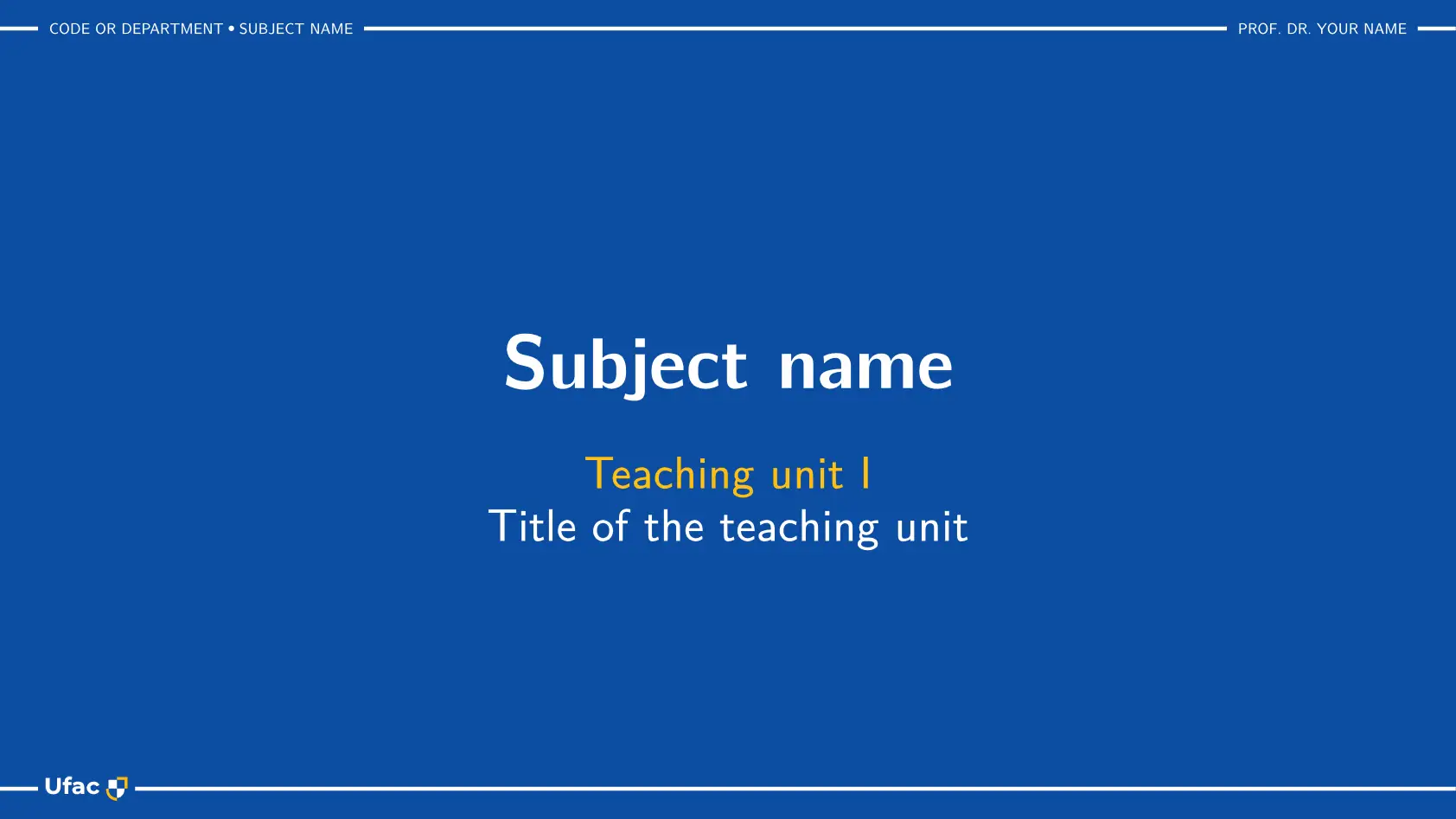



Touying slide theme in Typst for the Federal University of Acre (UFAC), Brazil.
Basic usage
typst init @preview/touying-ufac-unofficial:0.2.0
creates a deck from template/main.typ, the cover and one slide. The font New Computer Modern Sans must be installed (see Dependencies).
// Starting deck for the touying-ufac-unofficial theme. Syntax: package README; every element: example/main.typ.
#import "@preview/touying:0.7.4": *
#import "@preview/touying-ufac-unofficial:0.2.0": *

#show: ufac-theme.with(
  aspect-ratio: "16-9",
  lang: "en",   // "pt-br" (default), "en" or "es"
  config-info(
    title: [Title of the teaching unit],
    subtitle: [Teaching unit I],
    author: [Prof. Dr. Your Name],
    subject: [Subject name],
    subject-code: [CODE or Department],
    counter-prefix: [1.],   // "Exercise 1.N"; none gives "Exercise N"
  ),
)

#title-slide()

== Slide title
=== Subtitle

Text.
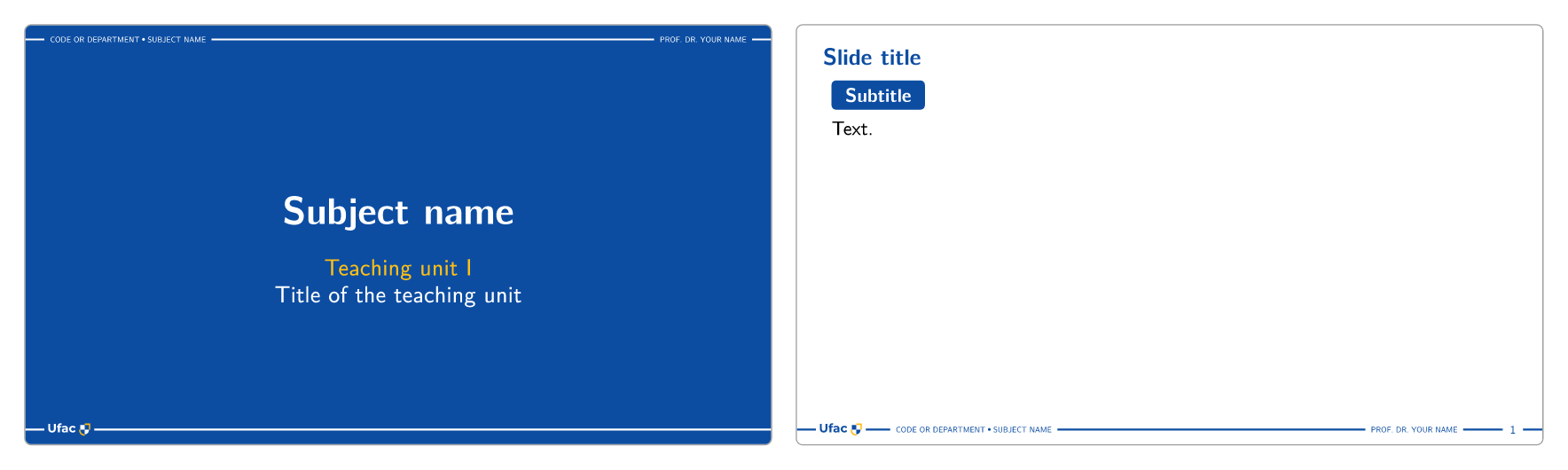
config-info fills the cover and the footer (on the cover, the footer texts go to the line at the top):
| Field | Where it goes |
|---|---|
subject |
1st line of the cover; footer, on the left, after the code (“CODE • SUBJECT”) |
subtitle |
2nd line of the cover (yellow) |
title |
3rd line of the cover (white) |
author |
footer, on the right |
subject-code |
footer, on the left |
counter-prefix |
“Exercise 1.N” / “Example 1.N”; none gives “Exercise N” |
Options of ufac-theme: aspect-ratio ("16-9", "4-3", anything Touying’s utils.page-args-from-aspect-ratio accepts), lang ("pt-br", "en" or "es"), exercise-name, example-name and part-name (override the localized names), exercise-icon and example-icon (the icon in the pill of the exercises and examples: the name of an icon, content or none; a pencil and a beaker by default), footer-left and footer-right (content or self => ...), logos (an array: the logos of the footer and of the cover, in order and separated by dots; each one is content, color => ... or auto for the UFAC logo, which is the default alone: (auto, x) keeps it and adds x, (x,) replaces it), section-margin (true keeps the page margin to the right of the content of the section slides, for images without a background; a length sets the distance; false, the default, puts it flush with the edge).
Example
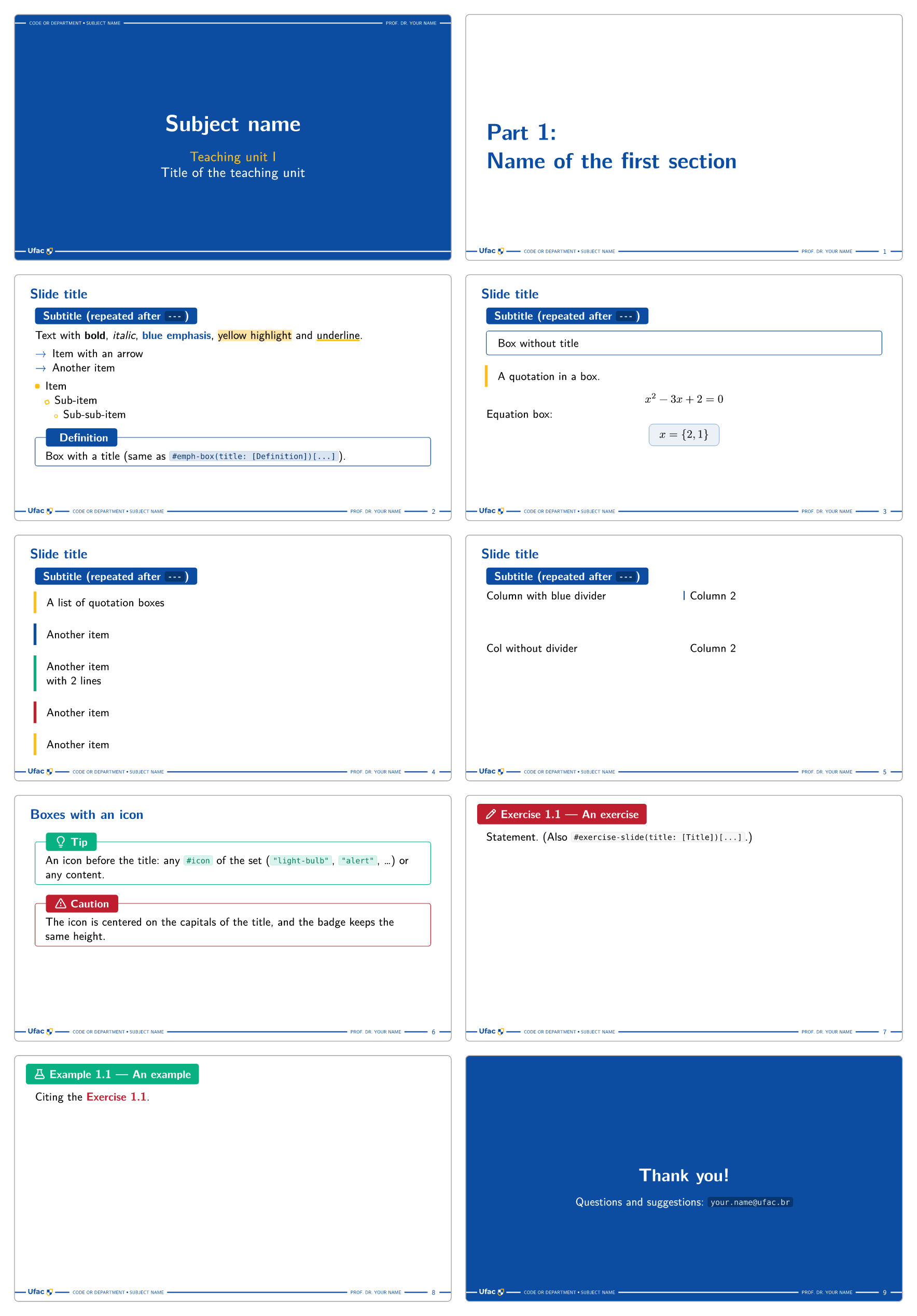
example/main.typ shows the elements of the syntax in a short deck:
// Example deck of the touying-ufac-unofficial theme: the elements of the syntax at a glance (details: package README).
#import "@preview/touying:0.7.4": *
#import "@preview/touying-ufac-unofficial:0.2.0": *

#show: ufac-theme.with(
  aspect-ratio: "16-9",
  lang: "en",                         // "pt-br" (default), "en" or "es": text language and pill/section names
  // exercise-name: [Exercise], example-name: [Example], part-name: [Part],   // override the localized names
  config-info(
    title: [Title of the teaching unit],
    subtitle: [Teaching unit I],
    author: [Prof. Dr. Your Name],
    subject: [Subject name],
    subject-code: [CODE or Department],
    counter-prefix: [1.],
  ),
)

#title-slide()

= Name of the first section
// Content right after `=` goes to the right of the section slide, flush with the page edge (usually an image):
// #image("figure.png")

== Slide title
=== Subtitle (repeated after `---`)

Text with *bold*, _italic_, ~~blue emphasis~~, ==yellow highlight== and ~underline~.

-> Item with an arrow
-> Another item

- Item
  - Sub-item
    - Sub-sub-item

> == Definition
> Box with a title (same as `#emph-box(title: [Definition])[...]`).

---

> Box without title

"A quotation in a box."


$
x^2 - 3x + 2 = 0
$

Equation box:

> $
x = {2, 1}
$

---

"A list of quotation boxes"
"Another item"
"Another item \
with 2 lines"
"Another item"
"Another item"


#cols(divider: true)[
  Column with blue divider
][
  Column 2
]

#v(3em)

#cols[Col without divider][Column 2]

== Boxes with an icon

#emph-box(color: colors.quaternary, icon: "light-bulb", title: [Tip])[
  An icon before the title: any `#icon` of the set (`"light-bulb"`, `"alert"`, …) or any content.
]

#emph-box(color: colors.tertiary, icon: "alert", title: [Caution])[
  The icon is centered on the capitals of the title, and the badge keeps the same height.
]

== An exercise <exercise-a>

Statement. (Also `#exercise-slide(title: [Title])[...]`.)

== An example <example>

Citing the @exercise-a.

== Thank you! <empty-slide-primary>
// closing slide: no header, title and text centered; `<empty-slide>` keeps the page white, and any color of the
// palette works (`<empty-slide-tertiary>`, …)

Questions and suggestions: `your.name@ufac.br`
Syntax
Headings and slide breaks
| Markup | Effect |
|---|---|
= Title + #image(...) |
Section slide “Part N: Title” (Parte in Portuguese and Spanish); the content right after = sits on the right, flush with the page edge (section-margin: true in ufac-theme, or #pad(right: 1.8em)[...] on one slide, keeps the margin) |
== Title |
New slide with a blue header |
== Title <exercise> |
Exercise slide: red pill with a pencil, “Exercise 1.N — Title” (Exercício/Ejercicio), numbered automatically; <exercise-id> makes it citable with @exercise-id |
== Title <example> |
Example slide: green pill with a beaker, “Example 1.N — Title” (Exemplo/Ejemplo), independent counter; <example-id> likewise |
=== Subtitle |
Blue pill, no new slide; repeated at the top of every --- continuation |
==== Subtitle |
Same pill, not repeated |
--- (alone on a line) |
Next page of the same slide (same header, same pill, same number) |
== Title <empty-slide> |
Closing or transition slide: no header, the title large and centered, the content centered below it (a --- continuation is a normal slide) |
== Title <empty-slide-primary> |
The same on a page of that color: any key of colors (-secondary, -tertiary, -quaternary, -neutral, tones such as -primary-dark); on a dark color the text and the footer turn white |
Functions: #title-slide() (#title-slide[...] puts content below the titles: a logo, a program), #outline() (the parts of the deck, numbered, with their slides), #slide[...], #empty-slide(color:, title:)[...] (footer only; color paints the page, title gives the centered layout of <empty-slide>), #exercise-slide(title:, color:, icon:)[...], #example-slide(title:, color:, icon:)[...], #ufac-logo-image(height:, color:, shield:) (the UFAC logo in the colours of the theme, for a handout that goes with the slides). Touying’s #pause, #uncover, #only, #alternatives, #speaker-note, #slide(composer:) etc. work as usual. Code blocks never split across pages; #local(breakable: true)[...] (the theme’s wrapper of codly’s local, which takes any codly option) lets a long block split, box included.
Inline formatting
| Markup | Result |
|---|---|
*text* / _text_ |
black bold / black italic (bold takes the box color inside emph-box, white inside pills) |
#alert[text], ~~text~~ |
blue bold (UFAC yellow inside pills) |
==text==, #highlight[...] |
light-yellow background (#highlight(fill: colors.quaternary-lighter) for other tones) |
~text~, #underline[...] |
strong yellow underline (box color inside emph-box) |
#primary, #secondary, #tertiary, #quaternary |
bold text in blue / yellow / red / green |
`code` |
gray chip; inside titles, boxes, pills and table cells it follows the container color (inverted in the blue header and in cells of a dark palette tone, light tones in cells of a light one) |
#icon("name", color: auto, size: 1em) |
one of 320 Octicons, colored by context |
Escapes: \==x==, \> text, -\> item, \~text\~, \"quote\". No shorthand is applied inside raw.
Lists and terms
| Markup | Result |
|---|---|
-> item (start of a paragraph) |
list with a blue → marker (#arrows(color:)[...] recolors it) |
- item / - sub / - sub |
yellow filled square / rotated hollow square / small circle |
+ item / + sub / + sub |
1. / a) / i., blue and bold; #set enum(numbering: "a)") starts at a) |
/ Term: description |
bold term, colon, line break |
Boxes, quotes and columns
#emph-box[...]                                        // thin blue border; `color:` for another family
#emph-box(color: colors.quaternary, title: [Title])[...]   // badge over the top border
#emph-box(color: colors.tertiary, icon: "alert", title: [Caution])[...]   // icon before the title (name or content)
$ #eq-box[$E = m c^2$] $                              // equation box, inside the equation (`color:` optional)
#quote-box(color: colors.secondary)[...]              // vertical bar on the left
#cols(divider: true, columns: (1fr, 2fr))[A][B]       // Touying's cols, optional blue divider
Markdown-like short forms (inline content only, always primary):
> Box without title.

> == Title
> Box with title.

> $ y = phi(v) $        // `>` before a block equation (same line or the line above): equation box

"A quotation."          // paragraph made only of quoted lines → one quote box per line
Colors
colors has five families (primary #0C4DA2, secondary #FFBF14, tertiary #BE1E2D, quaternary #09B081, neutral #808080) × seven tones (-darkest, -darker, -dark, base, -light, -lighter, -lightest), e.g. colors.primary-lighter. The same keys are available as self.colors.*.
Documentation
A full set of documentation in PDF can be found in the repository.
Dependencies
| Dependency | Version | Role |
|---|---|---|
| Typst | ≥ 0.14 | compiler |
| touying | 0.7.4 | slide engine (the deck imports it too) |
| codly | 1.3.0 | code blocks, re-exported by the theme |
| linguify | 0.5.0 | localized names |
| New Computer Modern Sans | font, installed on the system (not bundled with Typst, unlike New Computer Modern Math, used for the equations) |
The packages are fetched automatically. The font is not: New Computer Modern Sans belongs to the New Computer Modern family (download the archive from CTAN; the fonts are the NewCMSans10-*.otf files of its otf folder). Install them on the system, or keep them in a folder and compile with typst compile --font-path <folder> main.typ. In the Typst web app, upload the .otf files to the project: fonts inside the project are found automatically.
License
The theme is licensed under the MIT License. The contents of template/ are licensed under MIT No Attribution (MIT-0), so a deck created from the template can be used and shared without restriction, with no attribution required.
Third-party components: the icons in src/icons.typ are Octicons, © GitHub Inc., licensed under the MIT License.
The UFAC logo (assets/ufac-logo.svg) is the property of the Federal University of Acre, and the theme is used for academic purposes. This theme is unofficial: it is not affiliated with or endorsed by the university.
Changelog
0.2.0
- Closing and transition slides:
<empty-slide>,<empty-slide-primary>, … or#empty-slide. - Icons in the exercise and example pills and in
emph-box. - Content below the cover titles (
#title-slide[...]) and#outline(). - More than one logo (
logos) and the margin of the section slides (section-margin). ufac-logo-image: the UFAC logo in other colors.- Code blocks that split across pages (
#local(breakable: true)). - Code in table cells follows the cell color.
- The manual is a single document; the example deck is no longer shipped in the package.
0.1.0
- First release on Typst Universe: theme, cover, section slides, exercise and example slides, boxes, quotes, columns, icons, code blocks (codly), template and manual.