


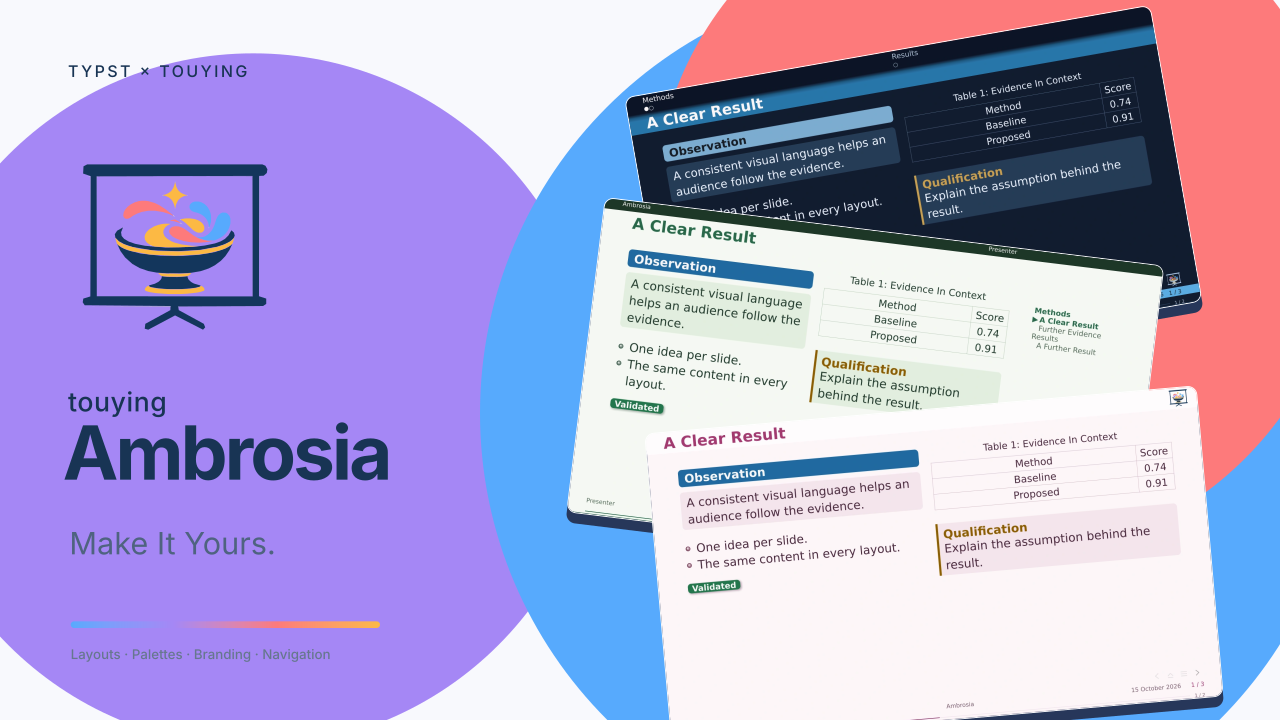
A configurable presentation theme for Typst 0.15+ and Touying 0.8.0. Choose your slide geometry, colors, and branding independently, and keep the same authoring tools as your presentation changes.
Ambrosia takes its name from the food of the Greek gods: one theme, many flavors.
Start from the template on Typst Universe, or import the package in an existing presentation.
Read the online manual
for searchable guides with copyable code beside rendered slides, or use the
user guide sources and illustrated PDF manual for a
guided tour and selected typed API references. The manual source
is editable in a Typst IDE; python3 scripts/render-manual.py refreshes the PDF.
Its slide snapshots are bundled, so ordinary compilation needs no preview-generation step.
Browse the demo · See linked slide previews
Browse the API · Draft with an agent using the optional Ambrosia skill.
Start A Presentation
#import "@preview/touying-ambrosia:0.1.0": *
#show: ambrosia-theme.with(
  flavor: "minimal", palette: "ocean",
  config-info(title: [A Research Presentation], author: [Presenter]),
)

#title-slide()
#outline-slide()

= Introduction
== A Clear Result
#ambrosia-block(style: "poster", kind: "success", title: [Observation])[
  State one useful finding and explain its evidence.
  #pause
  Add a qualification when you are ready.
]

#ending-slide(title: [Questions?])[]
To initialize the complete starter locally:
typst init @preview/touying-ambrosia:0.1.0 my-slides
The core starts without a logo or watermark symbol. Supply your own branding, or use the complete starter, which opts into Ambrosia’s project logo. It includes companion helpers and a bibliography: copy the whole template directory when starting a document.
Choose A Flavor
flavor selects a coordinated composition: header/footer treatment, logo positions, title/ending geometry, spacing, and component defaults. It also suggests a navigator; an explicit navigation choice replaces that suggestion and reserves its own space. Every flavor accepts every palette. See what a flavor defines.
The comparison below holds the content and ocean palette constant. Header geometry, navigation, logo placement, and footer treatment show the differences between layouts.
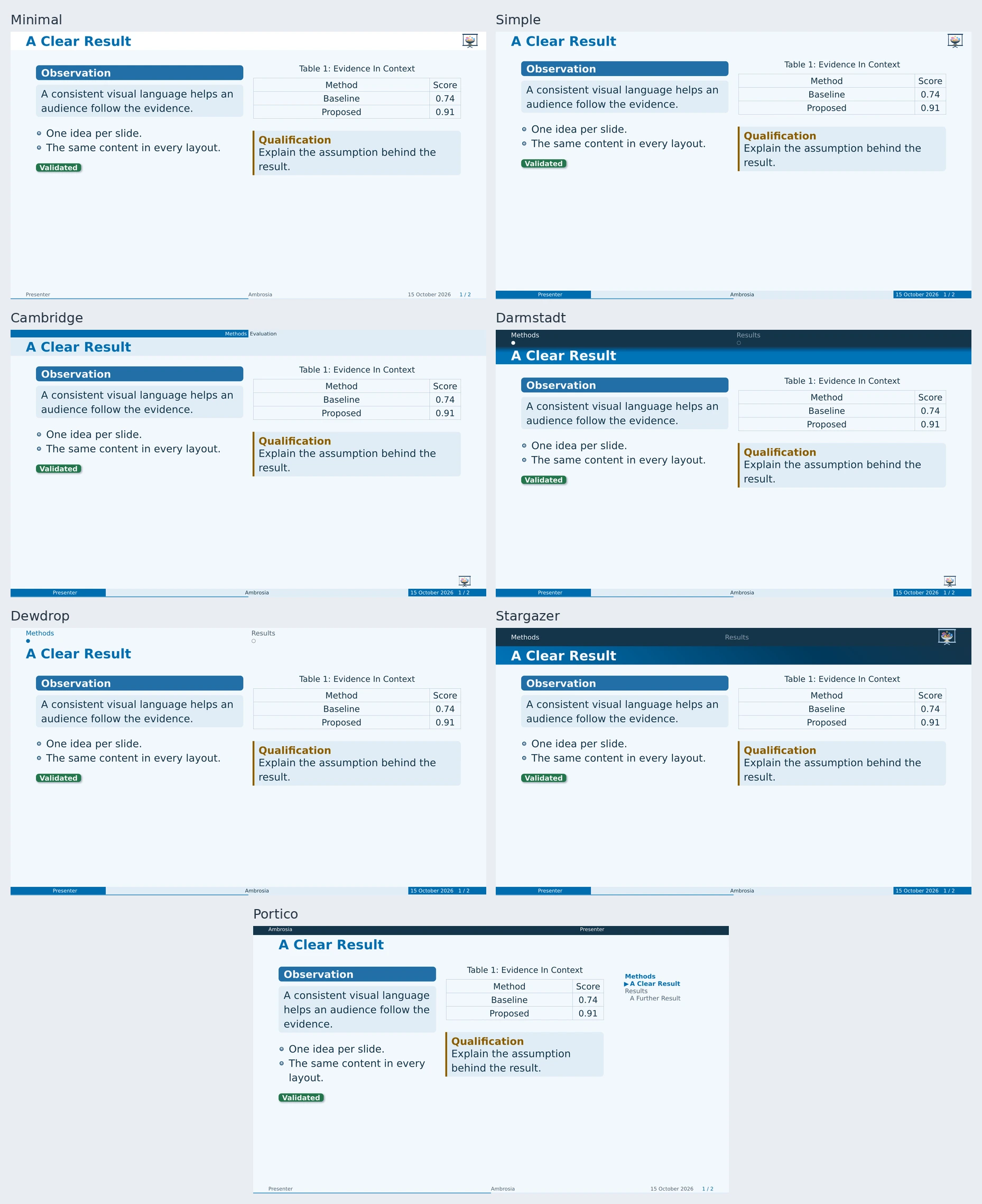
| Flavor | Character |
|---|---|
portico |
Metadata band, optional contrasting outline panel, flat surfaces, compact footer |
minimal (default) |
Quiet heading, inset logo, compact footer |
simple |
Spacious classic layout |
cambridge |
Current section/subsection band; level-three slide headings |
darmstadt |
Structured bands and miniature slide navigation |
dewdrop |
Lightweight miniature slide navigation |
stargazer |
Linked section tabs and an accent heading |
Compare Title Slides
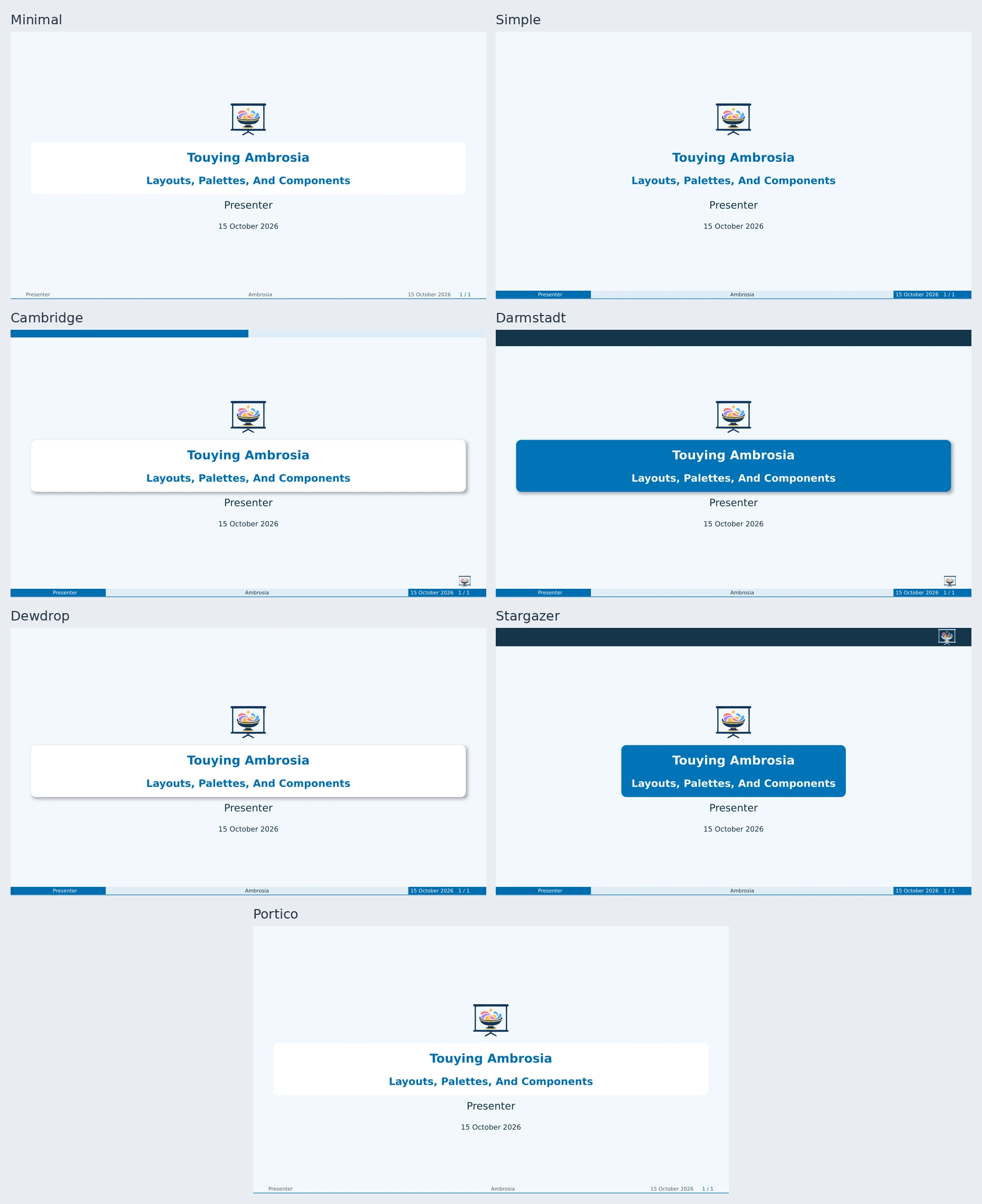
Most flavors use level-two headings (==) for slides; Cambridge uses level three (===). The low-level slide(...) helper works in every flavor. Build your own descriptor with ambrosia-flavor(base: "minimal", name: "My Layout", ...); see extensions.
Choose A Title Layout
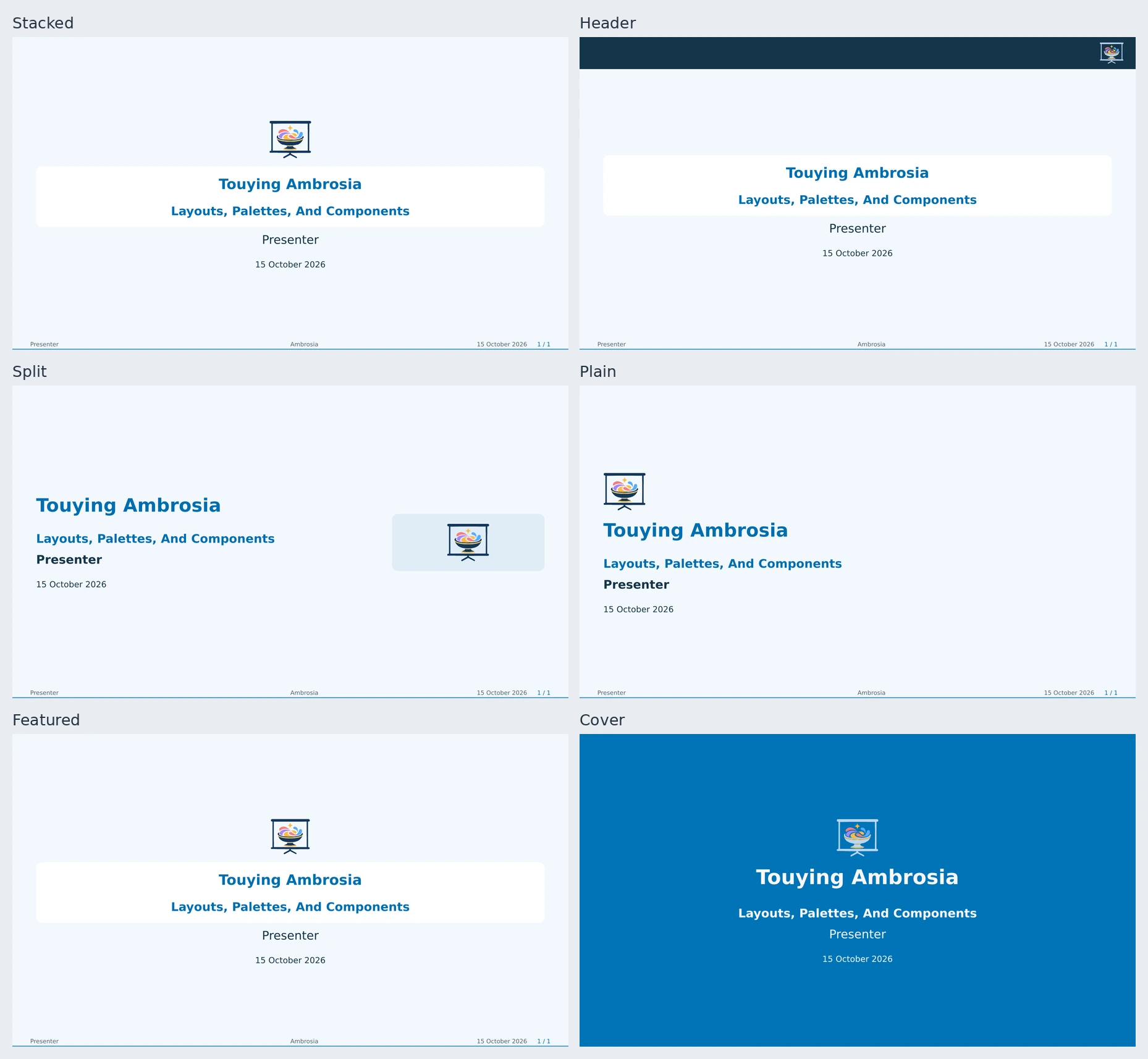
title-layout changes the opening independently of flavor: "stacked", "header",
"split", "plain", "featured", or "cover". The header preset puts all title logos in a reserved top
band. title-logos accepts a complete ordered list, including just one university
logo; no lab/institution roles are required. title-slide(layout: ..., logos: ...)
overrides one cover. Extend a preset with ambrosia-title-layout for typography,
alignment, logo sizing, and panel treatment; fully custom renderers remain available.
See the guide and editable comparison.
The featured preset gives the primary logo collection prominence and places partner marks in a smaller row, as in the demo. Cover supplies a full-page color or optional photograph. Author cards automatically flow into balanced rows; four authors use a two-by-two grid when space allows.
Choose An Ending Layout
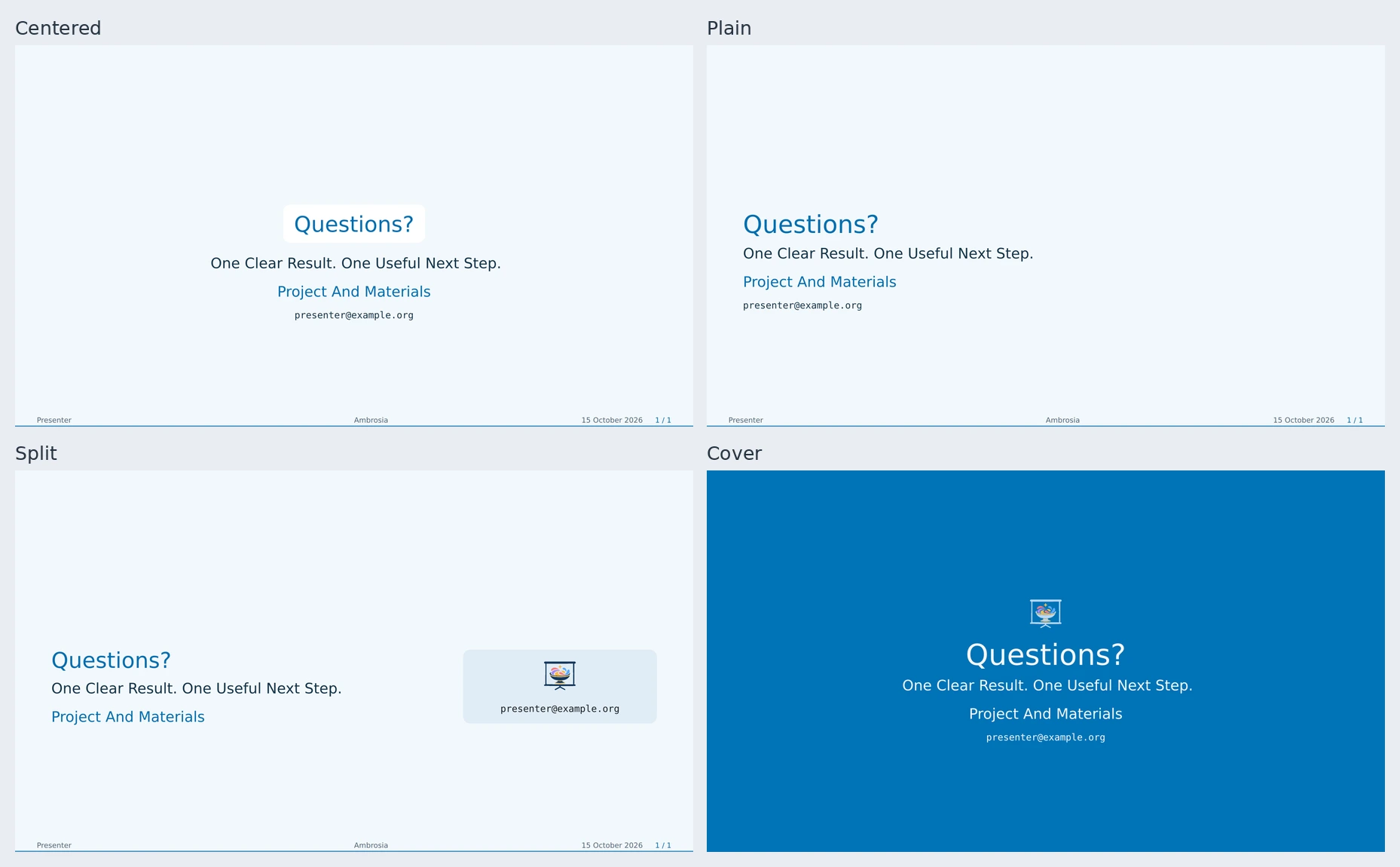
ending-layout offers "centered", "plain", "split", and "cover".
The split preset pairs takeaways with a contact/logo card. Cover also accepts an
optional photograph. Override one closing with ending-slide(layout: ...) or
adjust a preset with ambrosia-ending-layout. Bodies retain native slide flow,
footnotes, citations, and reveals. See the guide and
editable example.
Choose Or Compose A Palette
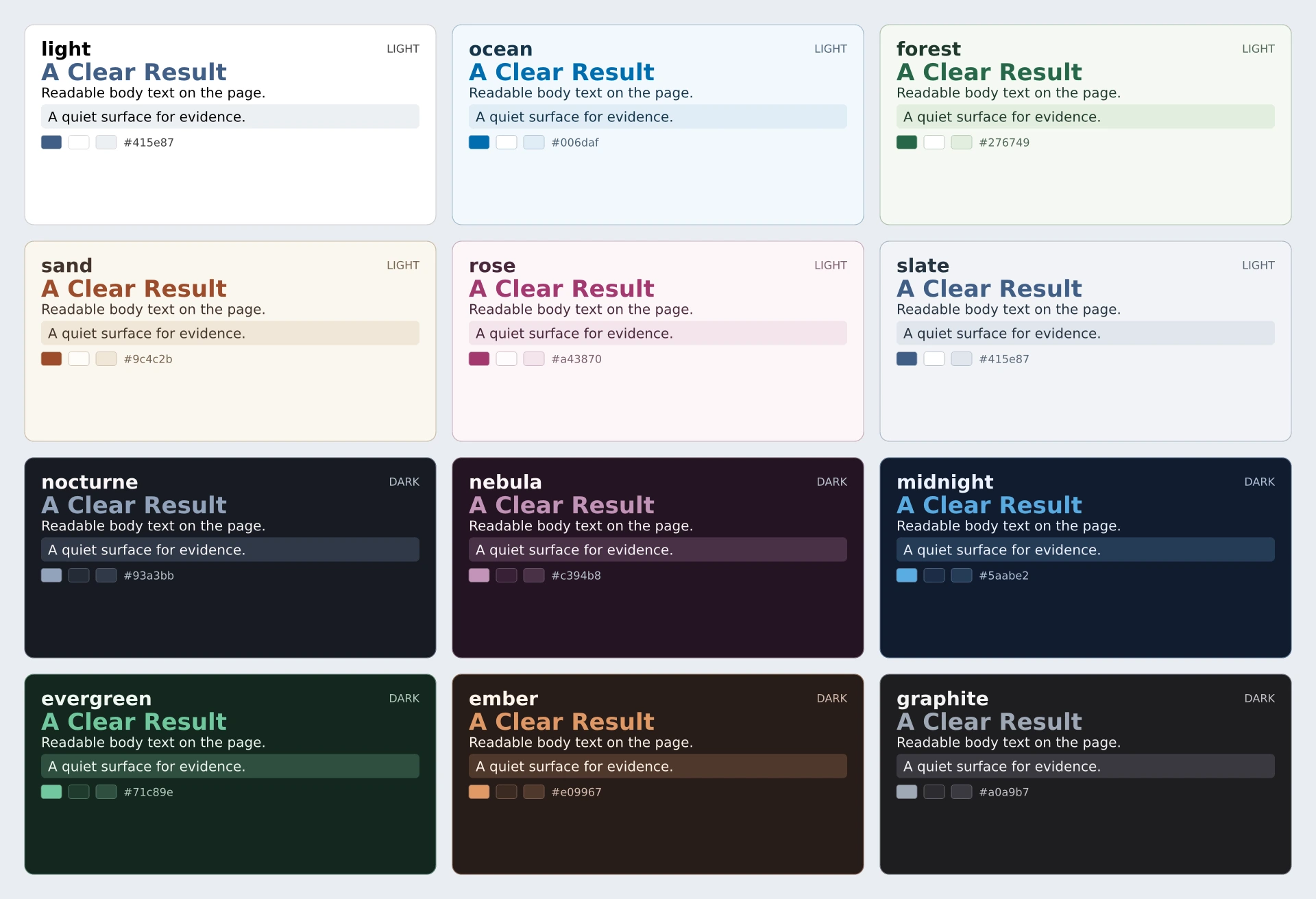
Twelve curated presets cover light paper, warm colors, and dark backgrounds. Colors are semantic roles, so blocks, headings, captions, navigation, and logos can adapt together.
Each card uses the same typography and structure, showing the page background, accent, body text, and alternate surface. Layout and palette choices combine independently.
| Mode | Presets |
|---|---|
| Light | light, ocean, forest, sand, rose, slate |
| Dark | nocturne, nebula, midnight, evergreen, ember, graphite |
To try a particular pair in your IDE, open the gallery source, edit flavor and palette near the top, and preview. Change view to inspect a cover, component, or the palette cards.
#let fieldwork = ambrosia-palette(
  base: "light", name: "Fieldwork", primary: rgb("2b6b51"),
)
#show: ambrosia-theme.with(palette: fieldwork)
#slide(title: [Our Colors])[#ambrosia-palette-showcase()]
Use rotate: 35deg for a relative OKLCH hue rotation, or override roles such as background, surface, and foreground. The showcase displays the actual current colors, including local slide overrides. See palettes and the editable palette example.
Components
The previews below render the actual package components. Each is reusable across every flavor and palette; the linked guides describe its parameters.
| Preview | Component And Purpose |
|---|---|
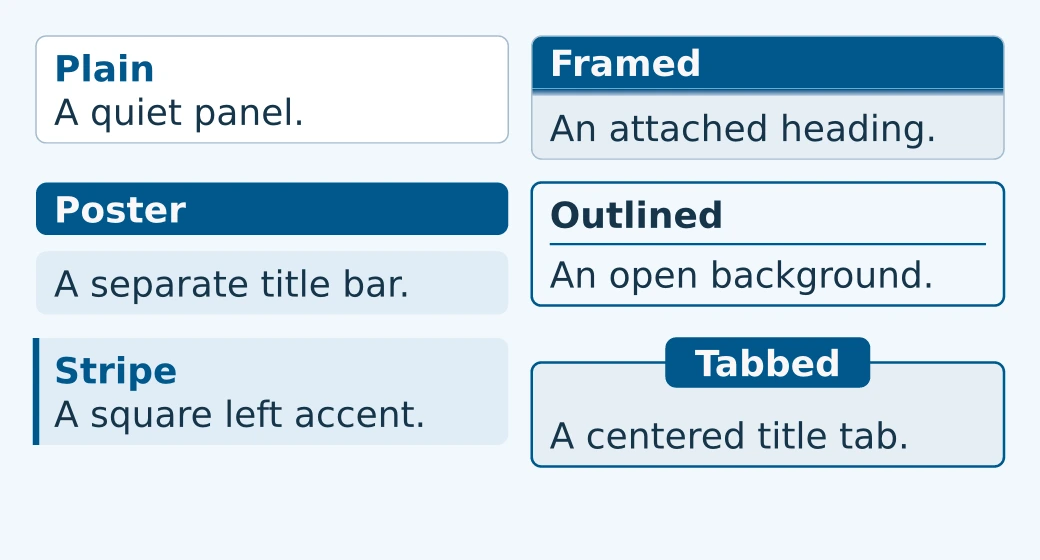 |
Blocks — ambrosia-block groups content with a title. style selects one of six geometries, including a centered title tab; kind selects a semantic accent. Supports nesting, pauses, optional shadows, and watermarks. ambrosia-shadow can decorate custom content too. Guide · Example |
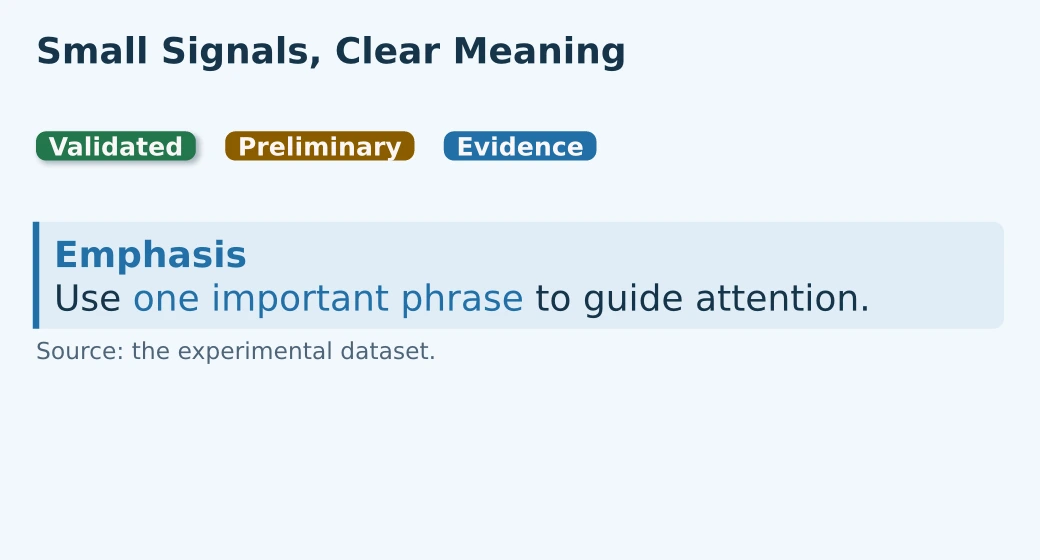 |
Annotations — alert emphasizes a phrase; muted and subtle reduce prominence while inheriting text size; ambrosia-badge adds a compact status label, optionally shadowed: true; ambrosia-source-note credits a local figure or dataset without a footnote. Guide |
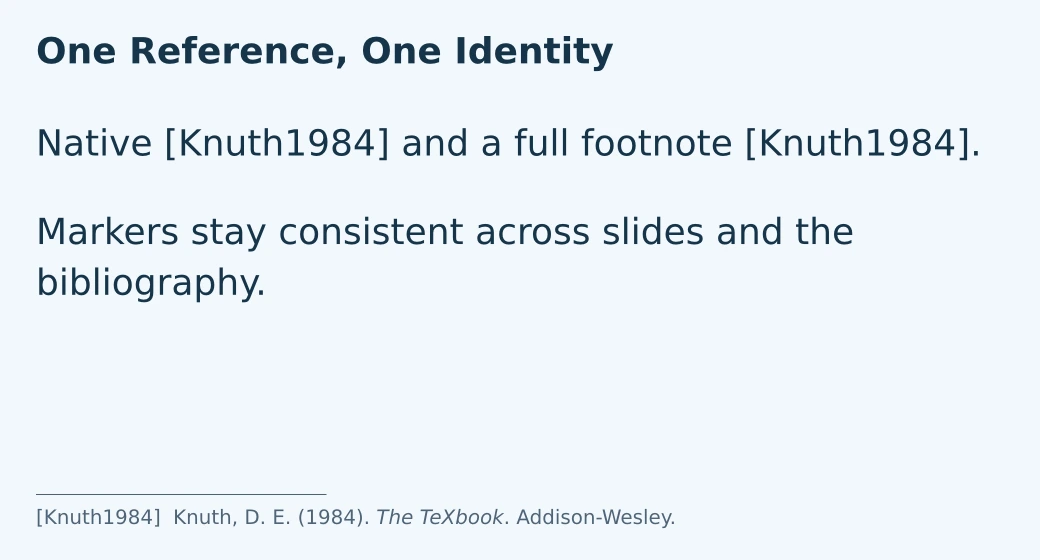 |
Citations — native cite / @key, footcite, and bibliography slides share compact author-year labels. Footcite places a full entry below the slide and respects animation visibility. Guide · Example |
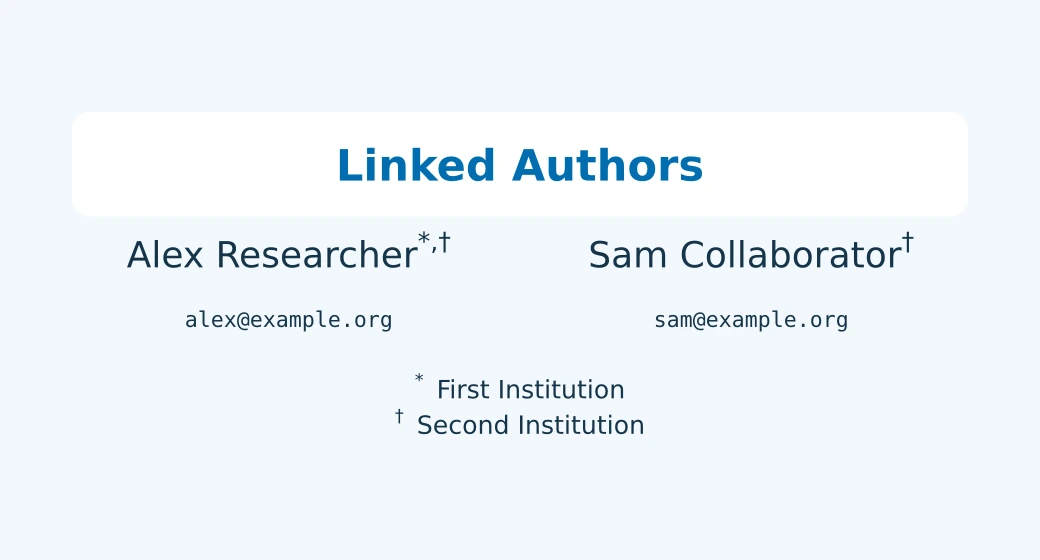 |
People — structured authors, linked institutions, personal/shared emails, and configurable affiliation numbering. ambrosia-affiliation inserts a marker manually. Guide · Example |
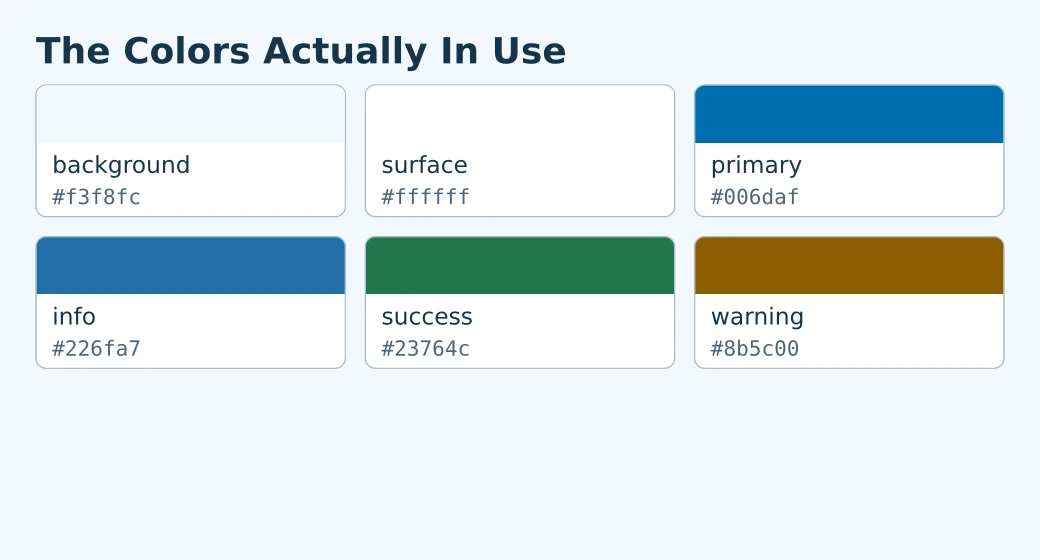 |
Palette Showcase — ambrosia-palette-showcase displays the actual colors in use, including institution accents and per-slide overrides. Select roles, columns, labels, and hex codes. Guide · Example |
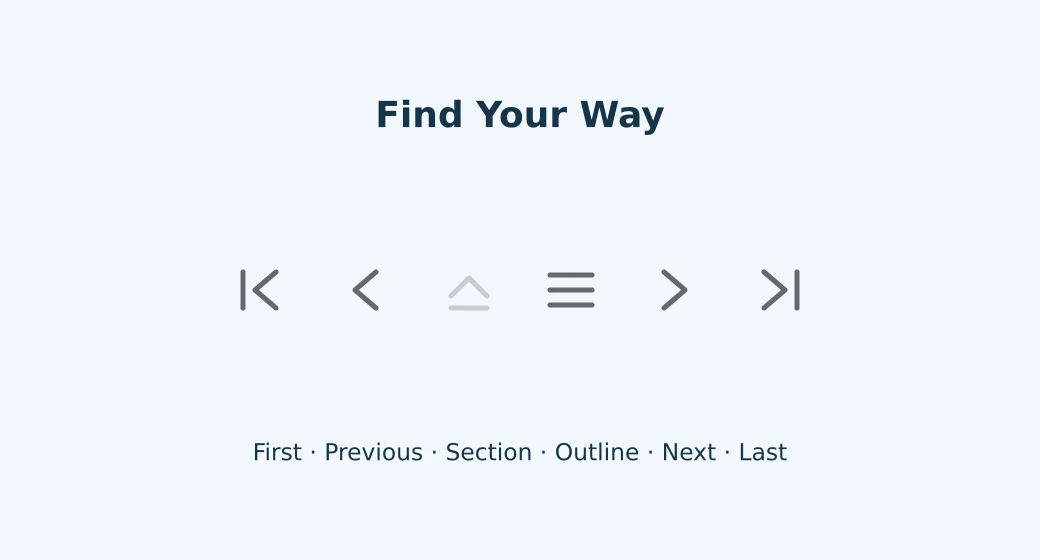 |
Navigation Buttons — ambrosia-navigation-buttons links to logical slides, sections, and outlines. Place it manually or enable the automatic footer controls. Unavailable destinations are dimmed. Guide · Example |
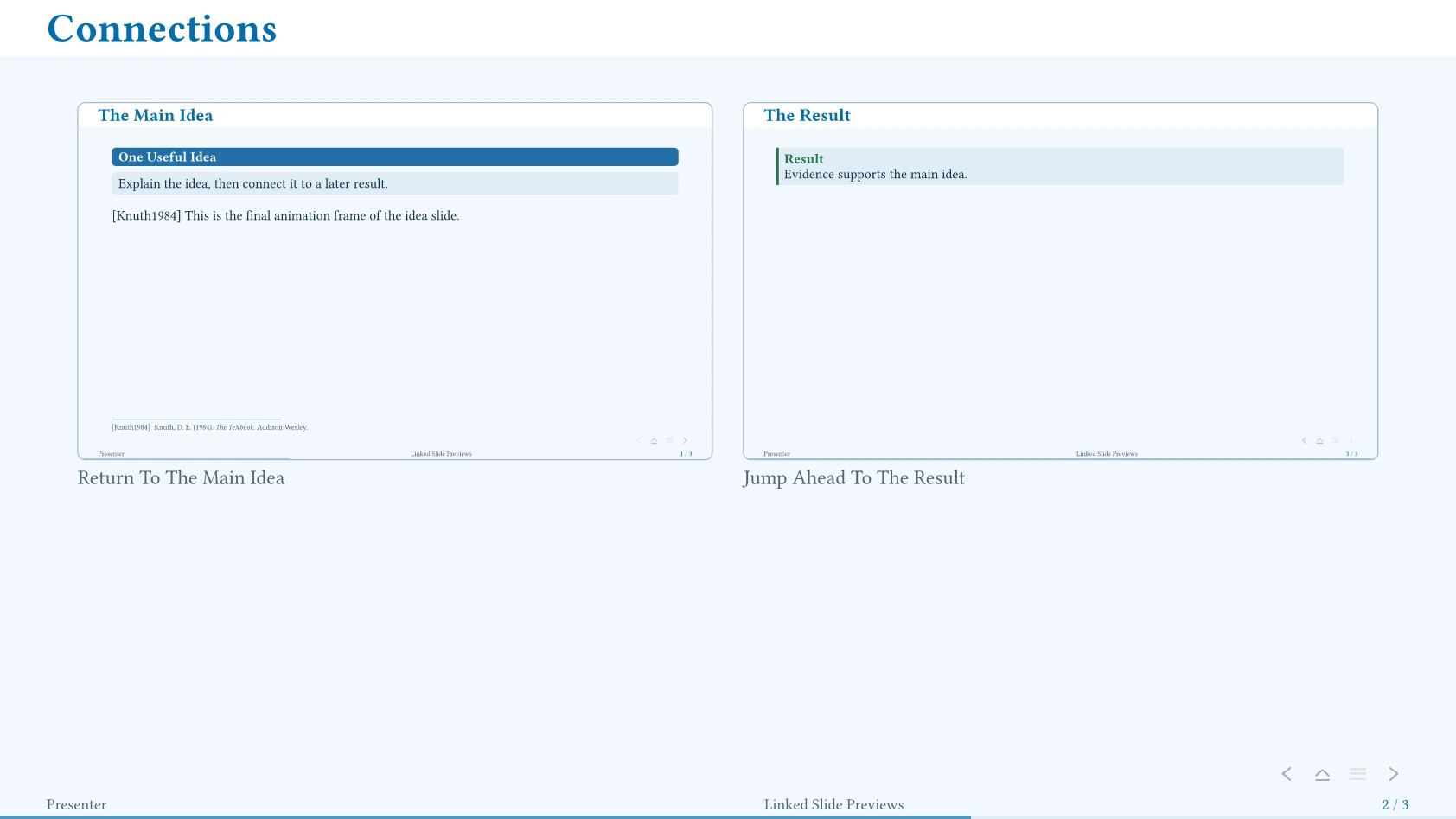 |
Slide Previews — ambrosia-slide-preview makes clickable minislides, including a chosen animation frame. An optional exporter creates exact SVG snapshots; placeholders work before generation. Guide · Example |
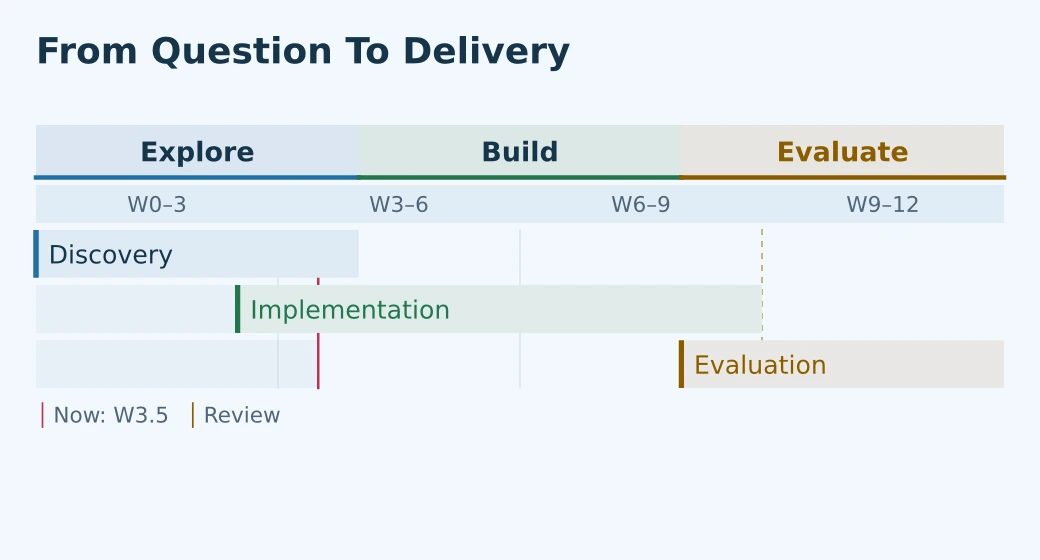 |
Roadmaps — ambrosia-roadmap presents project plans with concurrent tracks, optional detail drawers, current time, and milestones. Colors follow the palette; dense plans fit within a height budget. Guide · Example |
#ambrosia-block(style: "stripe", kind: "info", title: [Evidence])[
  Keep one idea together.
  #ambrosia-badge(kind: "success", shadowed: true)[Validated]
]
Native block code receives a palette surface; block quotations receive an accent
stripe. Inline forms retain their native layout. Use code-style: "plain" or
quote-style: "plain" to disable either treatment. See the
text/code example and utility guide.
The default text size is 18pt, with tables at 0.85em, captions at 0.8em, and footnotes at 0.65em. Metadata, outlines, and footer labels fit their available space. Cambridge and Darmstadt place their logo in a reserved footer row; footer-logo: false hides it and restores that space. footer-logo-height controls its size. See metadata and footer controls.
Keep Citation Identities Stable
Native #cite(<knuth84>), shorthand @knuth84, footcite, and bibliography-slide use matching compact labels such as [Knuth1984a] by default. Typst’s own CSL engine handles disambiguation and bibliography links; no external bibliography package is needed.
Normal @knuth84. A footnote reference #footcite(<knuth84>).
#bibliography-slide("references.bib")
Footcite includes a full reference at the foot of its first logical slide and respects animation visibility. It also supports local, presentation-wide numeric, key, and custom markers. Multiple bibliographies can use explicit scopes when keys overlap.
For conventional citation formatting, set cite-marker: "native" and bibliography-marker: "native", then choose your bibliography style. Explicit cite(..., style: "apa") remains available. See citation controls.
Authors And Branding
Structured authors link to institutions through configurable superscripts and can have individual email addresses. Set affiliation-numbering: "*" for native footnote symbols, "1" for numbers, or supply a numbering function. Shared emails, short footer names, and repeated covers are supported. See metadata.
primary-logos accepts one or more marks to repeat in the flavor’s ordinary
branding positions; logos holds title partners. Choose title-logo-distribution: "grouped" for primary marks on the left and partners on the right of horizontal
cover rows. The neutral default remains "equal". See branding
and the editable example.
The starter and gallery use Ambrosia’s own logo without partner logos. The full demo and collaboration example use fictional Kyklo Laboratory branding to show multi-institution layouts. Those institutions are illustrative, not affiliations of the package.
You can create an institution wrapper with its own logos, color presets, and flavors while reusing all core behavior. See the extension guide and the GREYC wrapper.
Slides And Navigation
Choose a slide helper to match the purpose of the content:
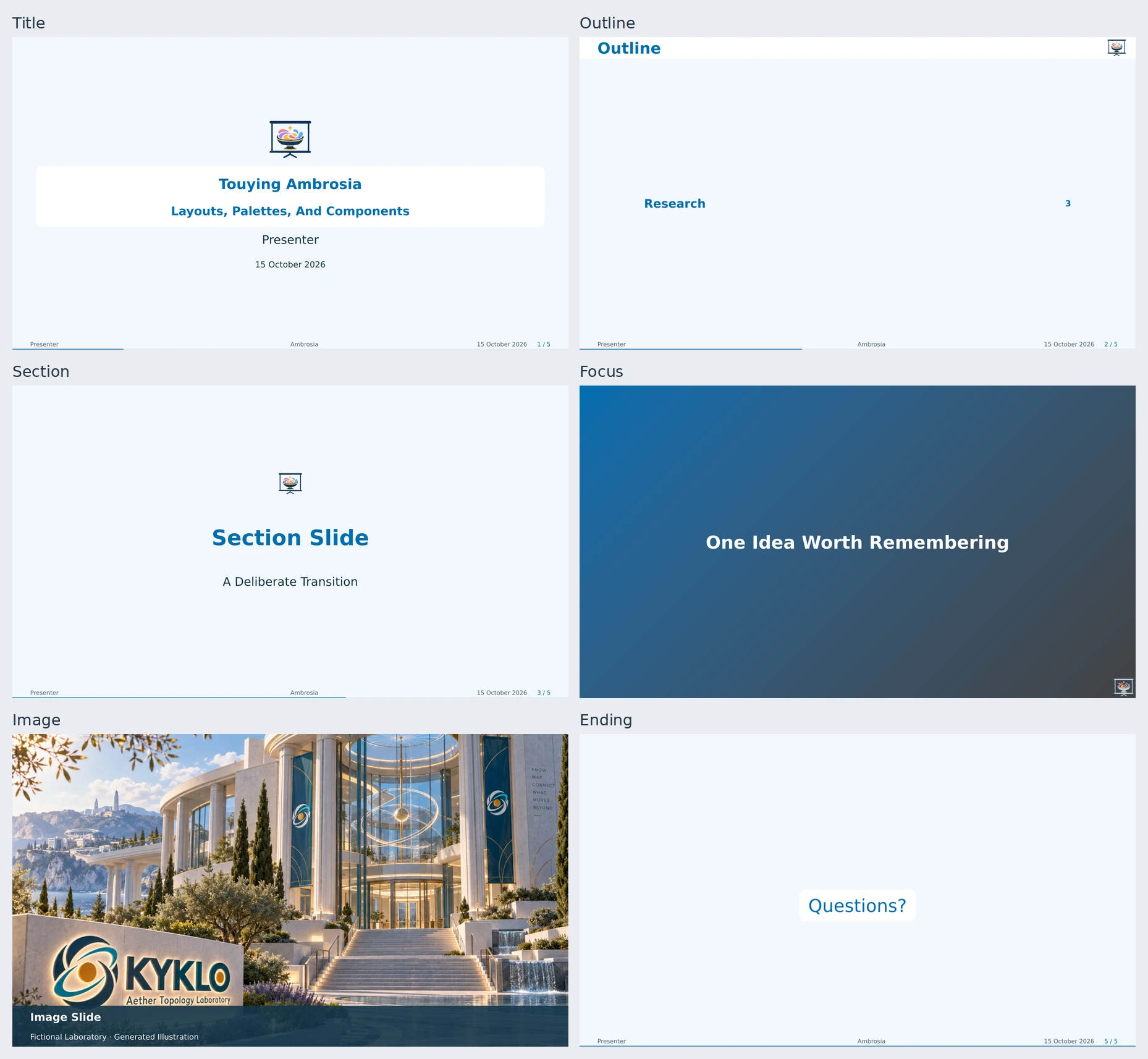
| Helper | Purpose |
|---|---|
title-slide |
Fitted title, authors, affiliations, and branding |
outline-slide |
A fitted, linked list, section cards, or connected path |
section-slide |
A deliberate transition to a new part of the talk |
focus-slide |
One statement with minimal distraction |
image-slide |
Full-page imagery with optional caption and credit |
ending-slide |
Closing message and contact details |
bibliography-slide |
References with consistent citation identities |
backup-slide, appendix |
Supporting material with appropriate slide counts |
Automatic section dividers focus on the current branch of the outline. #show: appendix keeps supporting slides visible while freezing the main slide total. See presentation patterns and slide helper options.
Image Captions
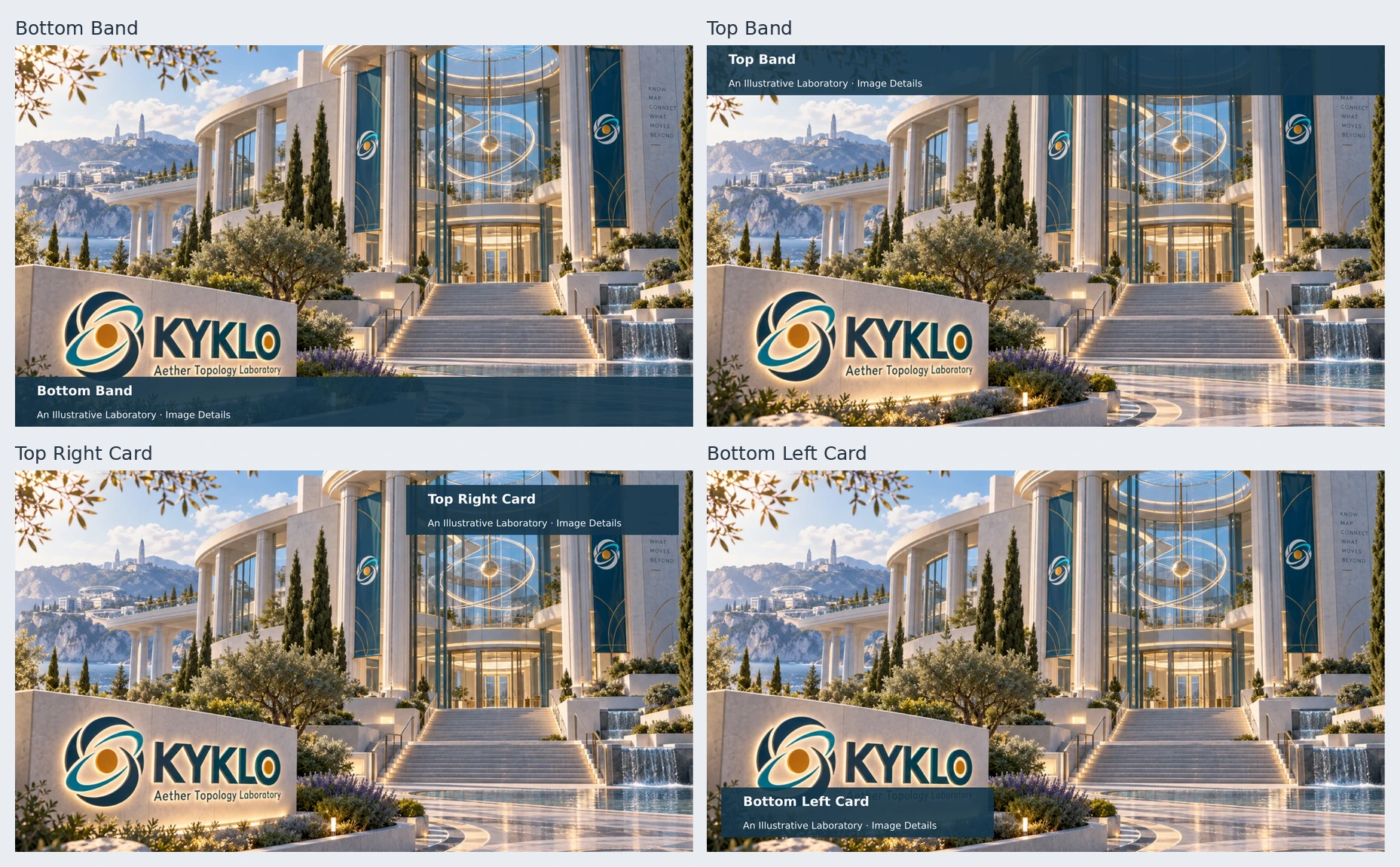
image-slide accepts native caption-position alignments, plus caption-width
and caption-margin for inset cards. Panel and text colors are configurable;
captions are measured to fit. Guide · Editable Example
Agenda Styles
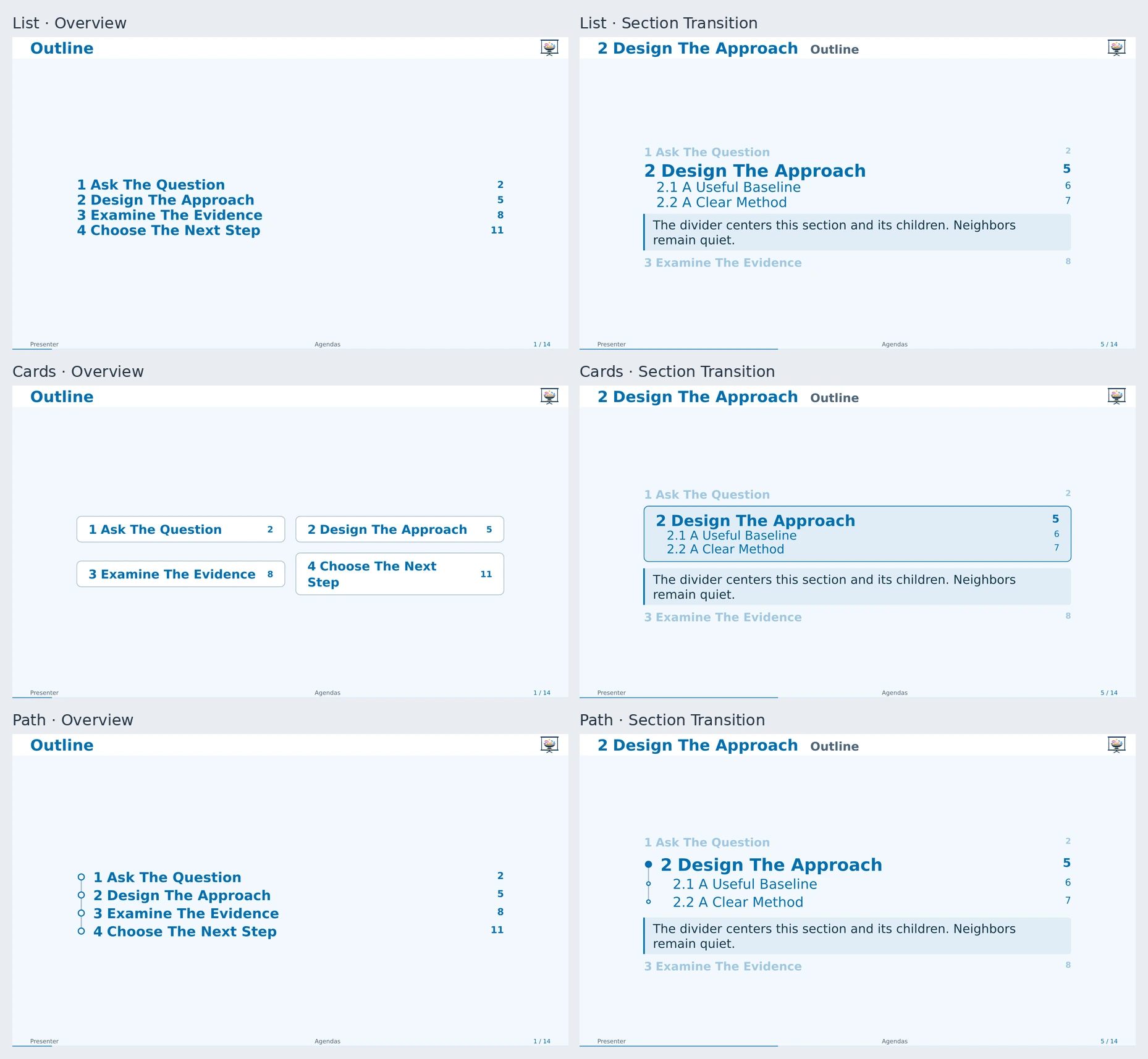
Use agenda-style: "cards" or "path" on the theme; style: on
outline-slide or new-section-slide overrides it locally. "list" remains
the compact default. Cards suit short talks and fall back to the list for a long
agenda. All styles preserve links, logical slide numbers, measured fitting,
section introductions, and main/appendix scope.
Agenda text defaults to 1.15em; set agenda-text-size on the theme or
text-size on one helper. Chapter summaries use a quiet accent panel; chapters
without summary content add no panel or extra summary gap.
Use outline-fill: repeat[.] on the theme or outline-slide(fill: repeat[.]) for dotted leaders.
Navigation
Navigation can be selected independently of flavor. Existing presets retain their defaults; none releases structural navigation space.
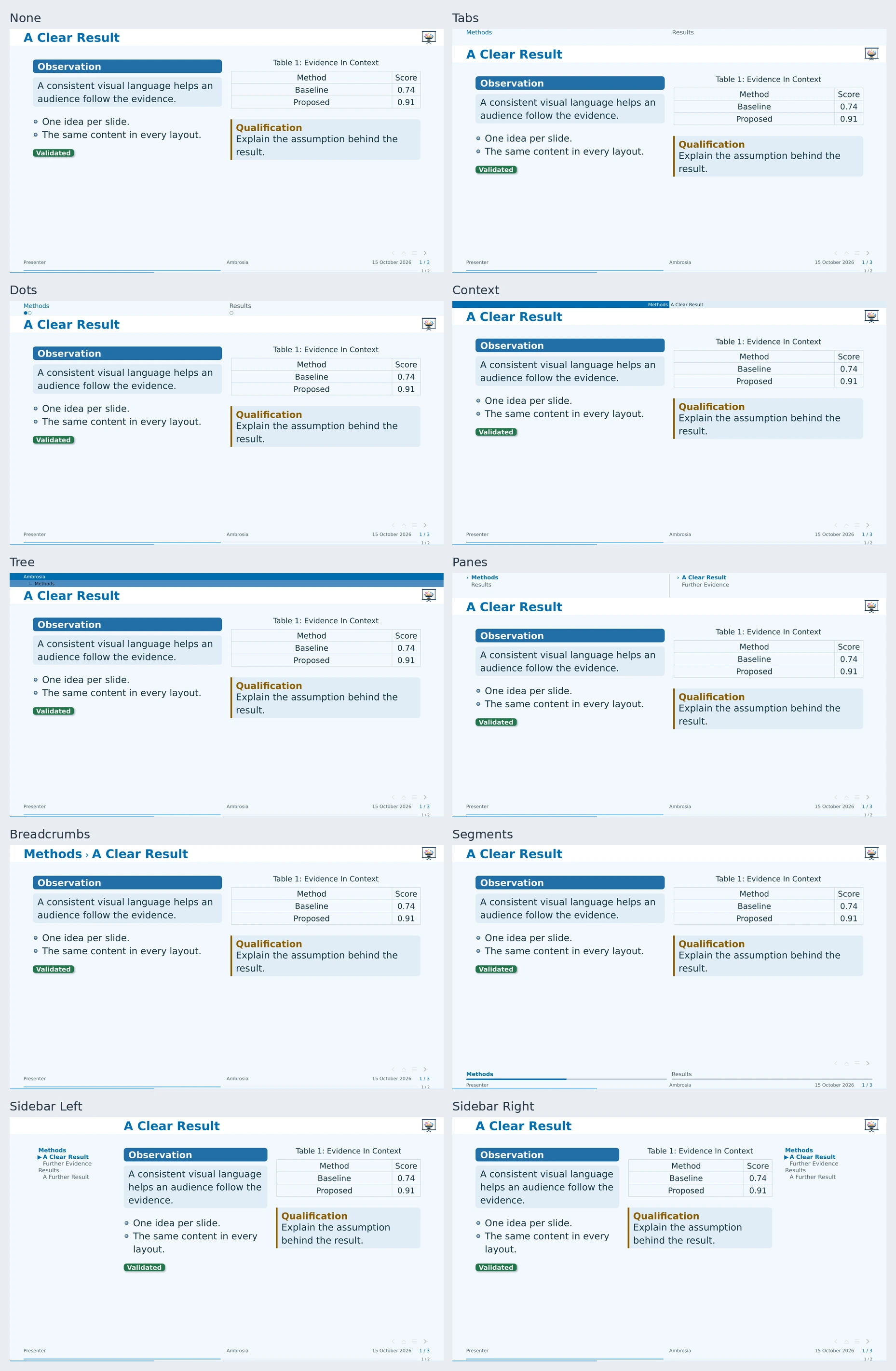
#show: ambrosia-theme.with(
  flavor: "minimal", navigation: "sidebar",
  navigation-side: "right", navigation-width: 9em, navigation-depth: 2,
  navigation-buttons: true, section-progress: true,
)
Header choices are "tabs", "dots", "context", "tree" (a stacked current path), and "panes" (section/subsection selectors). "breadcrumbs" reuses the title slot; "sidebar" reserves a bounded outline column. "segments" puts linked section segments and progress within each section in a reserved footer row. Long outlines and segmented rails window around the current branch. Global progress, section progress, and transparent buttons remain independent. Main/appendix context and logical-slide counting are shared; animation frames do not inflate progress. See navigation, its editable example.
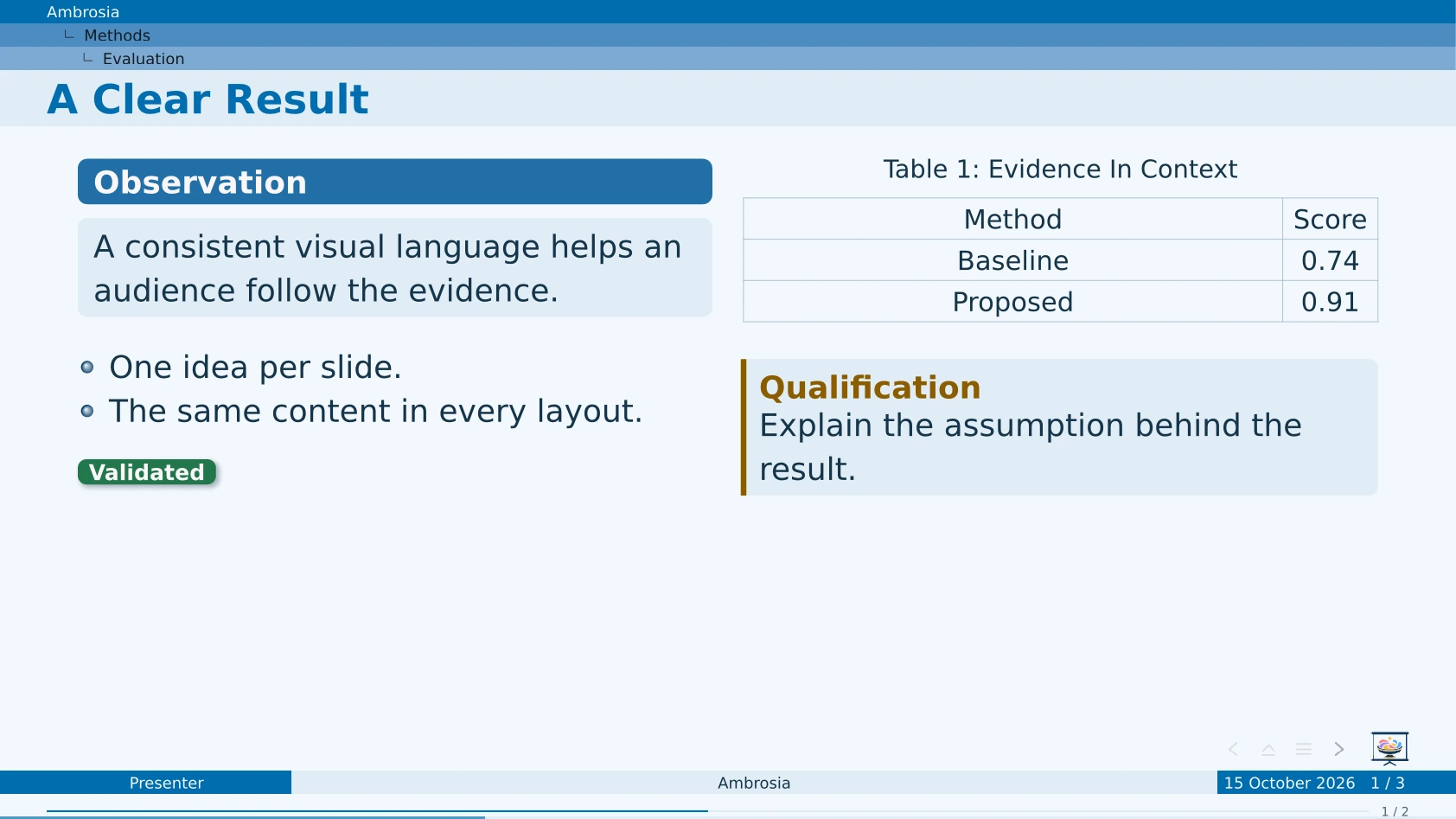
Tree keeps the current path visible in two or three rows. The slide title stays
below it; navigation-depth: 1 limits Cambridge to the talk/section pair.
Extra: Presenter Notes
Presenter notes are a Touying feature, re-exported by Ambrosia. Use a compatible presenter viewer or editor; pdfpc is one option. Split-page PDFs need a viewer that separates audience slides from the notes region; ordinary viewers display both. See the optional workflow guide and editable example, including an optional Typst bundle export that writes both files together.
Sharing The Theme
#ambrosia-credit-card() is an optional, palette-aware card with the package
logo, repository link, and a bundled QR code. It works in normal slides and
endings; qr: false hides the code. Nothing is inserted automatically.

The repository link provides source, examples, and current installation instructions independently of the installed package version. The QRs are static SVGs included in the package, so online users need no generator. See credit options and the credits/acknowledgements example.
Linked Slide Previews
ambrosia-slide-preview places a clickable framed thumbnail of another slide. It supports forward/backward targets and selected animation frames. Exact snapshots use exported SVGs; placeholders keep the source editable before generation. A small optional Python/Typst script builds the requested previews without replaying live counters or citations in the host slide. See the guide and example.
No clone or PyPI installation is needed: download the single helper file. It runs locally with Python and the Typst CLI. Browser-only projects can use uploaded slide images; exact snapshots require a local export somewhere and uploading the resulting SVGs/manifest. The Universe import cannot run Python.
Try The Examples In Your IDE
Open an example in Tinymist or another Typst IDE and start its preview. Its @preview import loads the published package. For checkout changes, follow the development setup. Change the defaults near the top of the source to compare layouts and colors; no command-line input is required. Optional --input values remain available for batch rendering.
| Source | Demonstrates |
|---|---|
| gallery | Editable layout, palette, component, and slide-type comparisons |
| sample | Small project-branded presentation |
| neutral | Completely unbranded starting point |
| demo | Fictional lab branding, blocks, citations, palette showcase, image slide, appendix |
| utilities | Container styles, badge shadows, native/footnote citations, slide patterns |
| palettes | Editable primary colors and hue rotation |
| collaboration | Multiple authors, affiliations, emails, and short metadata |
| text and code | Text hierarchy, native code panels, and quotations with attribution |
| branding | Multiple repeated primary marks and optional left/right partner groups |
| title layouts | Independent cover presets, header-only logos, equal partners, and local overrides |
| ending layouts | Closing messages, takeaways/contact cards, photograph covers, and local overrides |
| credits | Optional package credits, static QR codes, and acknowledgement composition |
| agendas | Overview/divider styles, shared fitting, current-section focus, and local overrides |
| speaker notes | Private pdfpc sidecars, split/notes-only output, and optional bundle export |
| navigation | Configurable header/sidebar navigation, breadcrumbs, buttons, and section progress |
| slide-previews | Clickable slide thumbnails, forward links, and selected animation frames |
| image captions | Native band/corner placement, widths, margins, and light panels |
| roadmap | Project/event timelines, custom units, fractional durations, and detail drawers |
Use the scoped API (ambrosia.block, ambrosia.badge, ambrosia.navigation-buttons, etc.) when combining packages. See the complete public API.
Contributing
For checkout setup, tests, artwork generation, and release preparation, see CONTRIBUTING.md.
License
MIT licensed; see LICENSE. The modified shadow renderer derives from shadowed 0.3.0, by Tim Voßhenrich; its original MIT notice is retained.