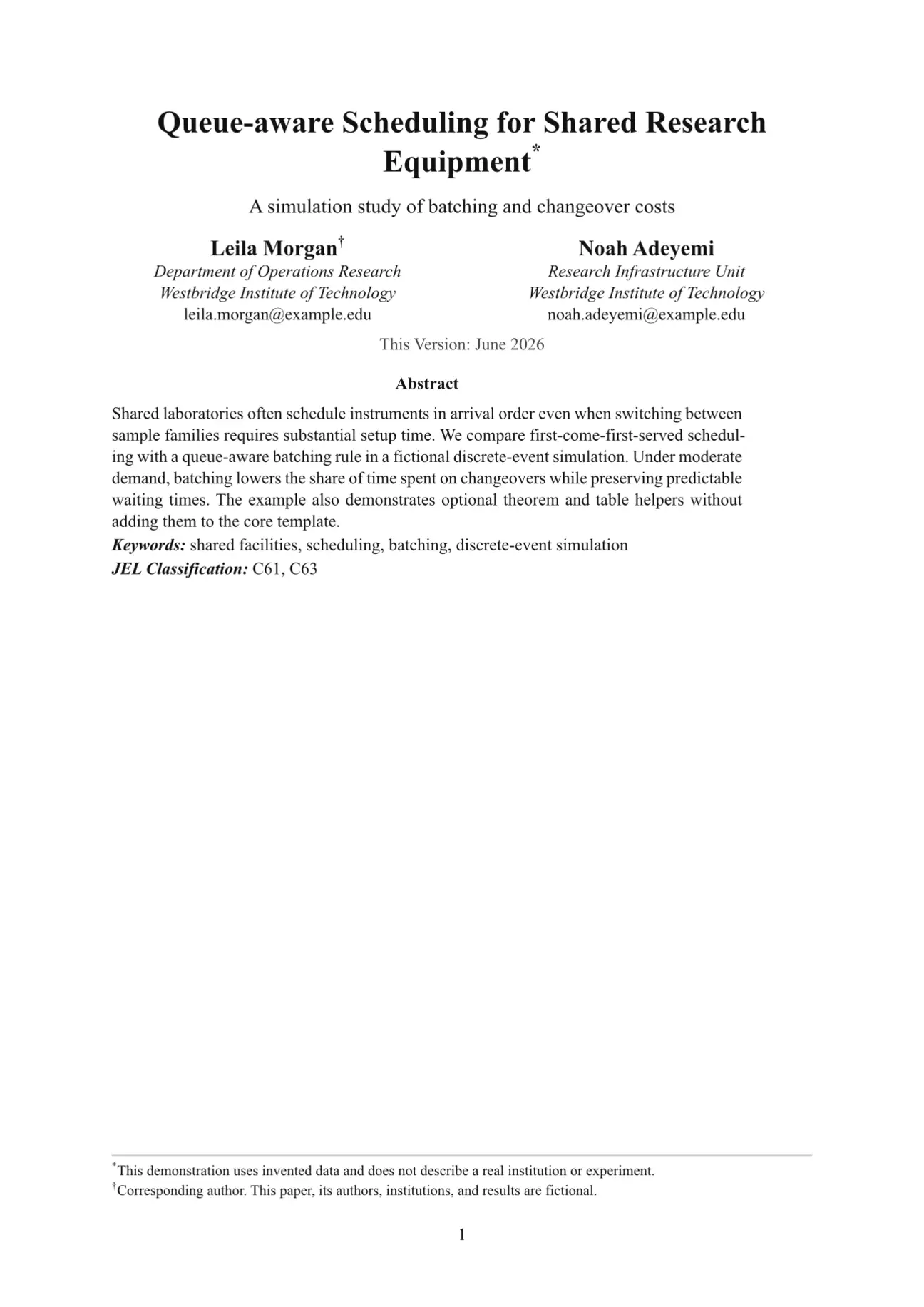
SSRN Scribe is a dependency-light Typst template for working papers, preprints, and general academic manuscripts. Its defaults follow the conventional SSRN working-paper pattern: a separate title page, centered author metadata, an abstract and keywords block, Times-style typography, numbered serif headings, grayscale output, and one-inch margins.
All authors, institutions, studies, data, and results in the repository examples are fictional.
Preview
Separate title page

Manuscript body

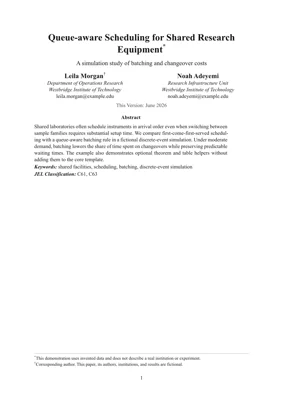
Compact inline-title variant

Choose a title mode
| Use case | Setting | Result |
|---|---|---|
| Working paper, preprint, or review manuscript | maketitle: true |
Separate title page followed by the numbered manuscript body |
| Short paper, note, handout, or internal draft | maketitle: false |
Compact title block at the top of page 1 |
The title mode changes only the front matter. Body typography and heading numbering remain consistent.
Quick start
Create a project from Typst Universe:
typst init @preview/ssrn-scribe:0.10.1
cd ssrn-scribe
typst compile main.typ
The generated project contains:
ssrn-scribe/
├── main.typ   # minimal paper starter
└── extra.typ  # optional theorem, table, and diagram helpers
The core paper template has no helper-package dependency. extra.typ is only
loaded when you import it explicitly.
During editing, rebuild automatically with:
typst watch main.typ
First edit checklist
- Replace the placeholder title, author fields, abstract, and keywords in
main.typ. - Choose separate or inline title mode with
layout.maketitle. - Write the manuscript with ordinary Typst headings.
- Add a bibliography only when citations are present.
- Compile and inspect the title page, first body page, heading hierarchy, equations, tables, and references.
Minimal example
#import "@preview/ssrn-scribe:0.10.1": paper

#show: paper.with(
  meta: (
    title: [Your Paper Title],
    authors: (
      (name: "Your Name", affiliation: "Your Institution"),
    ),
    abstract: [State the question, method, main result, and contribution.],
    keywords: [Keyword one, Keyword two],
  ),
  layout: (
    maketitle: true,
    preset: "default",
  ),
)

= Introduction
Your paper starts here.
Typst passes the remaining document body to paper.with(...) automatically.
Recommended manuscript workflow
- Keep title-page information in
meta. - Keep typography changes in
theme. - Keep page structure and rhythm in
layout. - Write the manuscript body after the
#show: paper.with(...)rule. - Import
extra.typonly when the paper needs theorem, table, or diagram helpers.
Start from the defaults and override only settings required by a venue or submission stage. This makes later migrations easier than copying individual font and spacing rules into the manuscript.
Configuration model
Settings are grouped by purpose so the starter stays memorable:
| Group | Use it for |
|---|---|
meta |
Title, subtitle, authors, date, abstract, keywords, JEL codes, acknowledgments, and bibliography |
theme |
Fonts, semantic colors, and type sizes |
layout |
Title-page mode, margins, author grid, text measure, and spacing |
Author fields
Each author accepts name and optional department, affiliation, email, and
note fields. A note becomes a title-page footnote.
Bibliography
Typst accepts BibLaTeX .bib files and Hayagriva .yaml files. Add the rendered
bibliography to meta:
meta: (
  bibliography: bibliography(
    "references.bib",
    title: "References",
    style: "apa",
  ),
)
Use citation keys normally in the document:
Prior work motivates the scheduling rule @chen2025publicaudit.
When meta.bibliography is set, SSRN Scribe renders it after the manuscript
body. The repository’s sample bibliography contains fictional records; replace
it in your own paper.
Default working-paper design
The defaults deliberately avoid a branded or editorial look. They are intended to resemble the broadly used economics, law, business, and social-science working papers commonly distributed through SSRN.
| Role | Default |
|---|---|
| Body font | Times New Roman, 11pt; Libertinus Serif fallback |
| Heading font | Same serif family, bold |
| Main text and headings | #111111 |
| Muted metadata | #444444 |
| Links | Black, preserving grayscale output |
| Rules | Neutral gray #8a8a8a |
| Page margin | 2.54cm on all sides |
| Body leading | 0.62em at the default preset |
| Paragraph spacing | 0.55em at the default preset |
| Word spacing | 100% |
body-line-leading is Typst paragraph leading, meaning the extra space between
lines rather than a CSS-style total line height.
Semantic theme values can be overridden together:
#let theme = (
  font: ("Times New Roman", "Libertinus Serif"),
  heading-font: ("Times New Roman", "Libertinus Serif"),
  body-size: 11pt,
  text: rgb("#111111"),
  heading: rgb("#111111"),
  muted: rgb("#444444"),
  accent: rgb("#111111"),
  rule: rgb("#8a8a8a"),
)
The main type-size overrides are body-size, title-size, subtitle-size, and
author-size.
Layout options
Common layout keys are:
| Key | Purpose | Default |
|---|---|---|
preset |
Coordinated rhythm: "compact", "default", or "relaxed" |
"default" |
maketitle |
Put front matter on a separate title page | true |
margin |
Page margin | (left: 2.54cm, right: 2.54cm, top: 2.54cm, bottom: 2.54cm) |
author-columns |
Override the automatic author grid | none |
author-alignment |
Align each author block | center |
cover-text-width |
Width of abstract and metadata on the title page | 86% |
body-line-leading |
Optional override for space between body lines | 0.62em at the default preset |
body-paragraph-spacing |
Optional override for space between body paragraphs | 0.55em at the default preset |
body-first-line-indent |
First-line paragraph indent | 0em |
body-text-spacing |
Word spacing | 100% |
For a wider review manuscript, select the relaxed preset without changing the visual identity:
layout: (
  preset: "relaxed",
)
preset is also accepted as a top-level argument, matching modernpro-cv and
modernpro-coverletter. The older spellings density: "balanced" and
density: "spacious" still resolve.
Each preset coordinates title-page spacing, author rows, front matter, body
leading, paragraph rhythm, and the space above and below all three heading
levels. Additional advanced keys can override individual tokens such as
heading-1-after, cover-spacing, inline-title sizes, author gutters, and
front-matter gaps. See example.typ for a complete grouped setup.
Optional advanced helpers
The generated extra.typ file provides theorem/proof blocks, equation helpers,
tablex and tablem, and CeTZ diagram utilities. Enable it only in papers that
need those features:
#import "extra.typ": *
#show: great-theorems-init
The full example.typ demonstrates theorem and table helpers.
The smaller example-brief.typ uses only the core template.
mitex remains commented out in extra.typ because compatibility depends on
the Typst and package versions you select.
Common recipes
Use an inline title
layout: (
  maketitle: false,
)
Set two author columns
layout: (
  author-columns: 2,
  author-alignment: center,
)
Add JEL codes and acknowledgments
meta: (
  JEL: [C61, C63],
  acknowledgments: [Add acknowledgments here.],
)
Prepare a roomier review copy
layout: (
  preset: "relaxed",
)
Legacy flat API
Older documents can continue to pass flat arguments such as title, authors,
font, fontsize, and maketitle directly to paper. New documents should use
meta, theme, and layout.
If grouped and flat values are mixed, grouped values win. This lets existing documents migrate one group at a time without changing their content.
Troubleshooting
- Page 1 contains only front matter: this is the expected
maketitle: trueworking-paper layout; selectfalsefor an inline title. - Times New Roman is unavailable: the default falls back to Libertinus
Serif, or set another installed serif family in
theme. - An optional helper import fails: remove the
extra.typimport when those helpers are unused, or update the package versions inside that file. - The manuscript feels too tight: select
preset: "relaxed"before changing individual leading or heading gaps. - References do not appear: pass the constructed bibliography through
meta.bibliography, not as an unused standalone expression.
Local development
From this repository, compile both examples with:
typst compile example-brief.typ
typst compile example.typ
All people, institutions, studies, and results in the examples are fictional.
License
This template is released under the MIT License. See LICENSE.