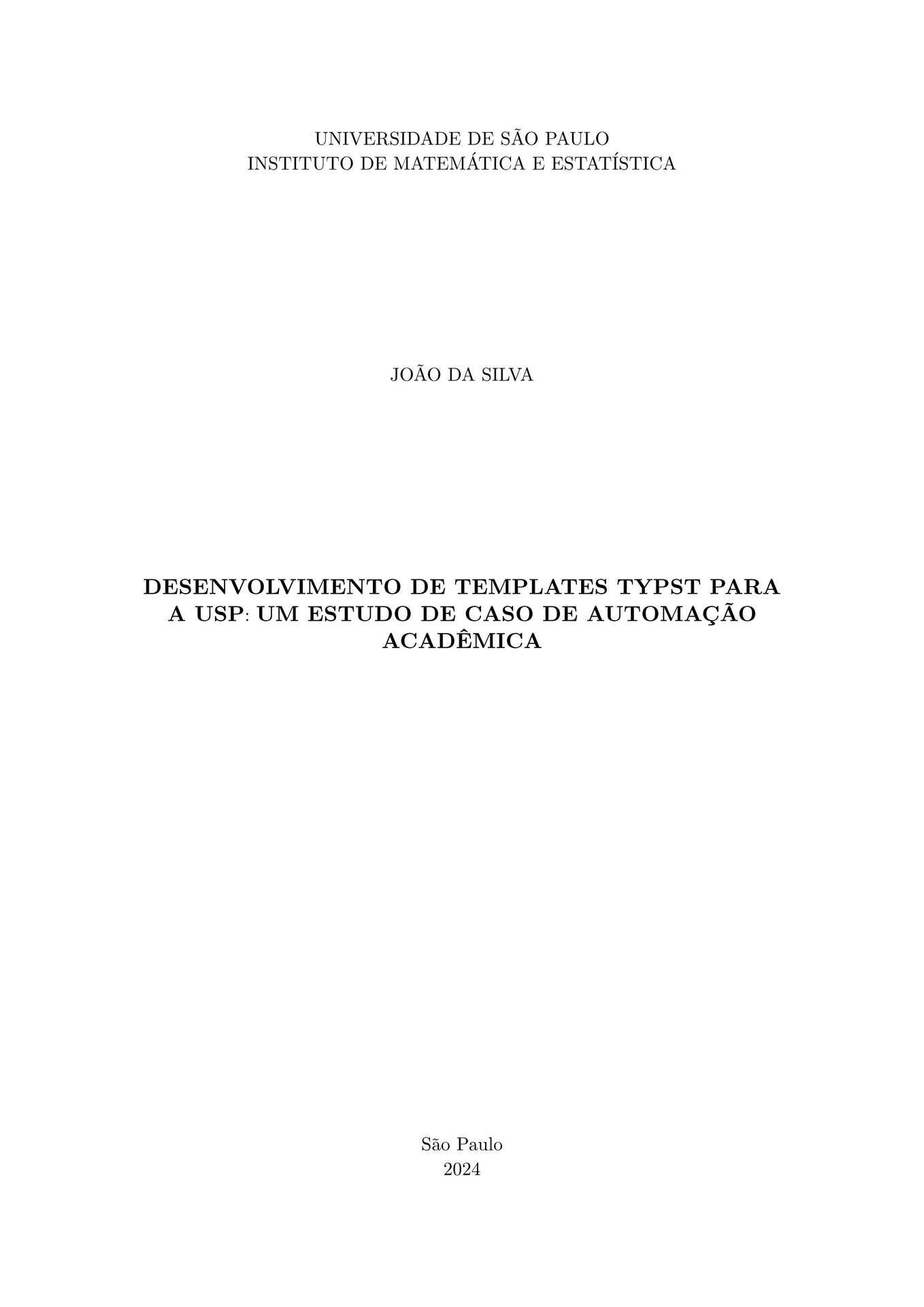
A comprehensive, extensible Typst template for theses and dissertations at the University of São Paulo (USP) and specifically the Institute of Mathematics and Statistics (IMEUSP), following the official guidelines (5th edition, 2024).

Example output PDF generated with this template: usp-example.pdf
Features
- Official Layout: Correct margins (3cm/2cm), A4 size, and 1.5 line spacing.
- Automated Elements: Generates Cover, Title Page, Approval Sheet, and Abstracts.
- IMEUSP Support: Specific branding and “Standard Statement” for the Institute of Mathematics and Statistics.
- Extensible: Easily adaptable to other USP institutes.
- Pre-textual Elements: Support for Dedication, Acknowledgments, and Epigraph.
- PDF Bookmarks: Cover, lists and table of contents appear in the PDF viewer’s outline.
- References: ABNT (NBR 6023) layout in the IME-USP author-date style by default.
- Appendices and Annexes:
#show: appendix/#show: annexgive lettered headings (“APPENDIX A – TITLE”) in the text and the table of contents. - Drafting Notes:
#todo(kind: "verify")[...]inline notes, colored by kind, listed by#note-outline().
Table of Contents
Prerequisites
-
Typst Compiler: Typst is a modern, faster, and more intuitive typesetting alternative to LaTeX, featuring cleaner syntax and instant compilation, making it ideal for new projects.
[Click to expand] How to install Typst ⚙️
MacOS
Open Terminal and run:
brew install typstLinux
Open Terminal and run:
# For Debian/Ubuntu-based distributions
sudo apt install typst
# For Fedora-based distributions
sudo dnf install typst
# Snap
sudo snap install typst
Windows
Open PowerShell and run:
winget install typst
Getting Started
Typst web app
Click Start from template on typst.app and search for modern-usp-thesis.
Command line
Create a new project from the template:
typst init @preview/modern-usp-thesis:0.1.0
Then generate the PDF with:
cd modern-usp-thesis
typst compile main.typ
To watch for changes and recompile automatically:
typst watch main.typ
Example Usage
#import "@preview/modern-usp-thesis:0.1.0": usp-thesis, appendix

#show: usp-thesis.with(
  title: [Your Thesis Title],
  author: "Your Name",
  advisor: "Advisor's Name",
  institute: "Instituto de Matemática e Estatística",
  program: "Estatística",
  degree: "Mestre", // or "Doutor"
  abstract-pt: [ ... ],
  keywords-pt: ("Keyword1", "Keyword2"),
  abstract-en: [ ... ],
  keywords-en: ("Keyword1", "Keyword2"),
  banca: (
    (nome: "Examiner 1", instituicao: "USP"),
    (nome: "Examiner 2", instituicao: "Unicamp"),
  ),
)

= Introduction
Your content starts here...

#bibliography("refs.bib") // ABNT / IME-USP style unless `style:` is given

#show: appendix
= Proofs // printed as "APPENDIX A – PROOFS", referenced as "Appendix A"
Configuration Options
The usp-thesis function accepts the following parameters. Only title, author, advisor, program and the abstracts really need to be set; everything else has a sensible default.
| Parameter | Type | Default | Description |
|---|---|---|---|
title |
content | [Título da Dissertação] |
The main title of the work. |
title-alt |
content | none |
The title in the other language (required by USP), printed in the reference above that language’s abstract. |
subtitle |
content | none |
Optional subtitle. |
author |
string | "Nome do Autor" |
Full name of the author. |
advisor |
string | "Nome do Orientador" |
Full name of the supervisor. |
coadvisor |
string | none |
Full name of the co-supervisor. |
degree |
string | "Mestre" |
"Mestre" or "Doutor" (or degrees.msc / degrees.phd). The template prints the title “Mestre em Ciências” / “Doutor em Ciências” (“Master of Science” / “Doctor of Science” in English). If your program grants another title, pass it in full, e.g. "Mestre em Engenharia". |
program |
string | "Nome do Programa" |
Name of the graduate program, printed as “Programa: …”, so write "Estatística" rather than "Programa de Pós-Graduação em Estatística". |
area |
string | none |
Concentration area (“Área de Concentração: …”). |
institute |
string | "Instituto de Matemática e Estatística" |
Full name of the USP institute. IME gets its own statement; other institutes get the general USP one. |
local |
string | "São Paulo" |
City shown on the cover and title page. |
year |
string / int / auto | auto |
Year of deposit. auto uses the current year. |
version |
string | "Original" |
"Original" or "Corrigida" (or versions.original / versions.revised), printed as “Versão Original”. |
nature |
string | none |
Overrides the inferred “Dissertação” / “Tese”. |
lang |
string | "pt" |
Main language, "pt" or "en" (or langs.pt / langs.en). |
font |
string / array | "New Computer Modern" |
Document font, or a list of fallback fonts. Applies to every page, cover included. |
cover |
bool | true |
Whether to print the cover. |
title-page |
bool | true |
Whether to print the title page. |
catalog-card |
content | none |
Optional ficha catalográfica, printed at the foot of the page after the title page (e.g. image("ficha.png")). Not printed without the title page. |
abstract-pt |
content | none |
Abstract in Portuguese (Resumo). |
keywords-pt |
array | () |
Keywords in Portuguese. |
abstract-en |
content | none |
Abstract in English. |
keywords-en |
array | () |
Keywords in English. |
reference-pt / reference-en |
content / auto / none | auto |
Bibliographic reference above each abstract (auto: built from author, title, year and institute; none: omitted). |
dedication |
content | none |
Optional dedication. |
acknowledgments |
content | none |
Optional acknowledgments. |
epigraph |
content | none |
Optional epigraph. |
errata |
content | none |
Optional errata. |
list-of-figures |
bool / auto | auto |
Whether to include the list of figures (auto: show if there are 5 or more). |
list-of-tables |
bool / auto | auto |
Whether to include the list of tables (auto: show if there are 5 or more). |
table-of-contents |
bool | true |
Whether to include the table of contents (Sumário). |
abbreviations |
content | none |
Optional list of abbreviations and acronyms. |
symbols |
content | none |
Optional list of symbols. |
banca |
array | () |
Jury members as (nome: "", instituicao: "") dictionaries. The approval sheet is only printed when this is not empty. |
front-matter |
bool | true |
Whether to print the pre-textual elements. false prints only the text, overriding the options above (see below). |
Leaving out pre-textual elements
Most pre-textual elements are only printed when you pass them (abstracts, dedication, banca…). The cover, title page and table of contents are always printed unless you turn them off with cover: false, title-page: false or table-of-contents: false. Page numbering counts from the title page (ABNT), or from the first page printed when there is no title page.
To compile only your chapters, e.g. to share a draft with your advisor, set front-matter: false. Every pre-textual element is left out, whatever the other parameters say, so they can stay as they are; the text keeps the same layout, chapter references and bibliography style, numbered from page 1.
#show: usp-thesis.with(
  title: [Your Thesis Title],
  // ...
  front-matter: false,
)
With the defaults above, the title page of an IME master’s dissertation reads:
Dissertação apresentada ao IME-USP para obtenção do título de Mestre em Ciências. Programa: Estatística
and for another institute, e.g. institute: "Escola Politécnica", degree: "Doutor em Engenharia":
Tese apresentada à Escola Politécnica da Universidade de São Paulo para obtenção do título de Doutor em Engenharia. Programa: Engenharia Elétrica
Future Extensions
To add support for a new institute with a specific “Nature Text”, modify the nature-text logic in src/usp-thesis.typ:
let nature-text = if institute.contains("Your Institute") {
  "Specific Statement for your Institute"
} else {
  // default ABNT/USP statement
}
Development and Testing
To test changes before publishing, link this repository as a local package (macOS example; use ~/.local/share on Linux or %APPDATA% on Windows, or run typst info to see the package path):
mkdir -p ~/Library/Application\ Support/typst/packages/preview/modern-usp-thesis/
ln -sfn $PWD ~/Library/Application\ Support/typst/packages/preview/modern-usp-thesis/0.1.0
Then typst init @preview/modern-usp-thesis:0.1.0 uses your local copy. Run just test to compile the files in examples/.
License
The package code is licensed under the MIT License, with two exceptions:
- The files in
src/template/, which are copied into your project bytypst init, are licensed under MIT No Attribution, so you can use and distribute your thesis without any license obligations. src/usp-ime.cslis the Universidade de São Paulo – Instituto de Matemática e Estatística citation style from the Zotero Style Repository, licensed under CC BY-SA 3.0.