Create project in app
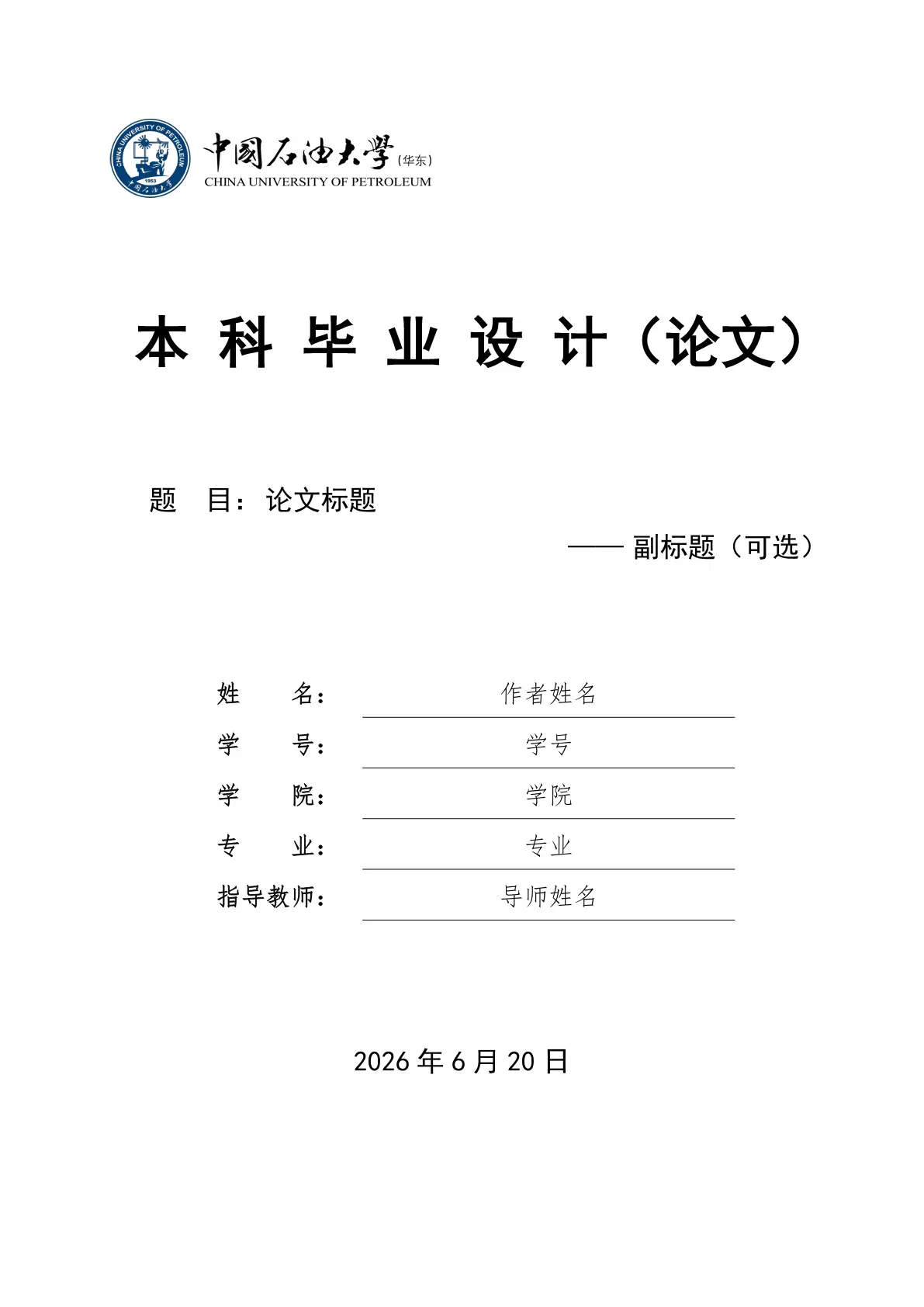
A Typst template for bachelor’s thesis of China University of Petroleum (East China).
中国石油大学(华东)本科毕业设计(论文)Typst 模板,独立框架,开箱即用。

快速浏览效果:查看 thesis-upc.pdf

🚀 第一次使用? 推荐阅读 《从零开始写论文:小白上手教程》,无需编程基础,15 分钟上手。
使用方式
Typst Universe(推荐)
模板已上传至 Typst Universe,可直接通过包管理器导入:
#import "@preview/modern-upc-thesis:0.2.0": (
  documentclass, make-outline, three-line-table, hcell,
  upc-apply as theme-apply, setup-mainmatter,
  frontmatter-header, mainmatter-header, footer-content,
  upcabstractcn, upcabstracten, upcacknowledgements,
  upcoriginality, upclicense, appendix-env, titlepage,
)
在 Typst Web App 中选择 Start from template 即可在线创建项目。
VS Code 本地编辑
- 安装 Tinymist Typst 插件。
- 通过 Template Gallery 搜索
modern-upc-thesis并创建项目。 - 打开
thesis.typ,按Ctrl + K V实时预览。
本地开发
git clone https://github.com/ttOwwA/ts-upc-thesis-typst.git
cd ts-upc-thesis-typst
# 编译开发示例
cd demo && typst compile --root .. thesis-upc.typ
测试模板(需要先安装到本地包目录):
bash scripts/package @preview
cd template && typst compile thesis.typ
项目结构
ts-upc-thesis-typst/
├── lib.typ              # 包入口(Typst Universe)
├── lib/                 # 通用库(字号、字体、工具函数等)
├── themes/upc/          # UPC 主题(封面、样式、校徽)
├── template/            # 用户模板(发布到 Universe)
│   ├── thesis.typ       # 用户论文占位符
│   ├── ref.bib          # 示例参考文献
│   └── images/          # 示例图片
├── demo/                # 开发示例(不打包)
│   ├── thesis-upc.typ   # 完整示例论文
│   ├── chapters/        # 示例章节
│   ├── img/             # 示例图片
│   └── literature/      # 示例参考文献
├── thumbnail.png        # Typst Universe 预览缩略图
└── README.md
字体安装
编译依赖以下中文字体(至少其一):
| 字体 | 用途 |
|---|---|
| SimSun / 宋体 | 正文 |
| SimHei / 黑体 | 标题 |
| KaiTi / 楷体 | 封面信息 |
| FangSong / 仿宋 | 封面信息 |
| Times New Roman | 西文正文(Windows) |
| DejaVu Serif | 西文正文(Linux) |
Linux/WSL 可安装 Fandol 作为中文字体回退:
sudo apt-get install fonts-fandol
Typst Web App:在线环境未预装 Windows 中文字体(SimSun/SimHei 等)。如需获得与本地 Windows 一致的字形,请将 Fandol 或系统字体文件(.ttf/.otf)上传至项目根目录,Typst 会自动发现并优先使用。
注意:Windows 用户编译时可能会出现 warning: unknown font family: deja vu serif,此为无害警告(Times New Roman 已被正确使用)。若想去掉该警告,可临时删除 lib/fonts.typ 中的 "DejaVu Serif"。
许可证
MIT License
说明:本模板为个人开源项目,参考学校《本科毕业设计(论文)撰写规范》制作。使用前建议与导师确认是否符合院系具体要求。