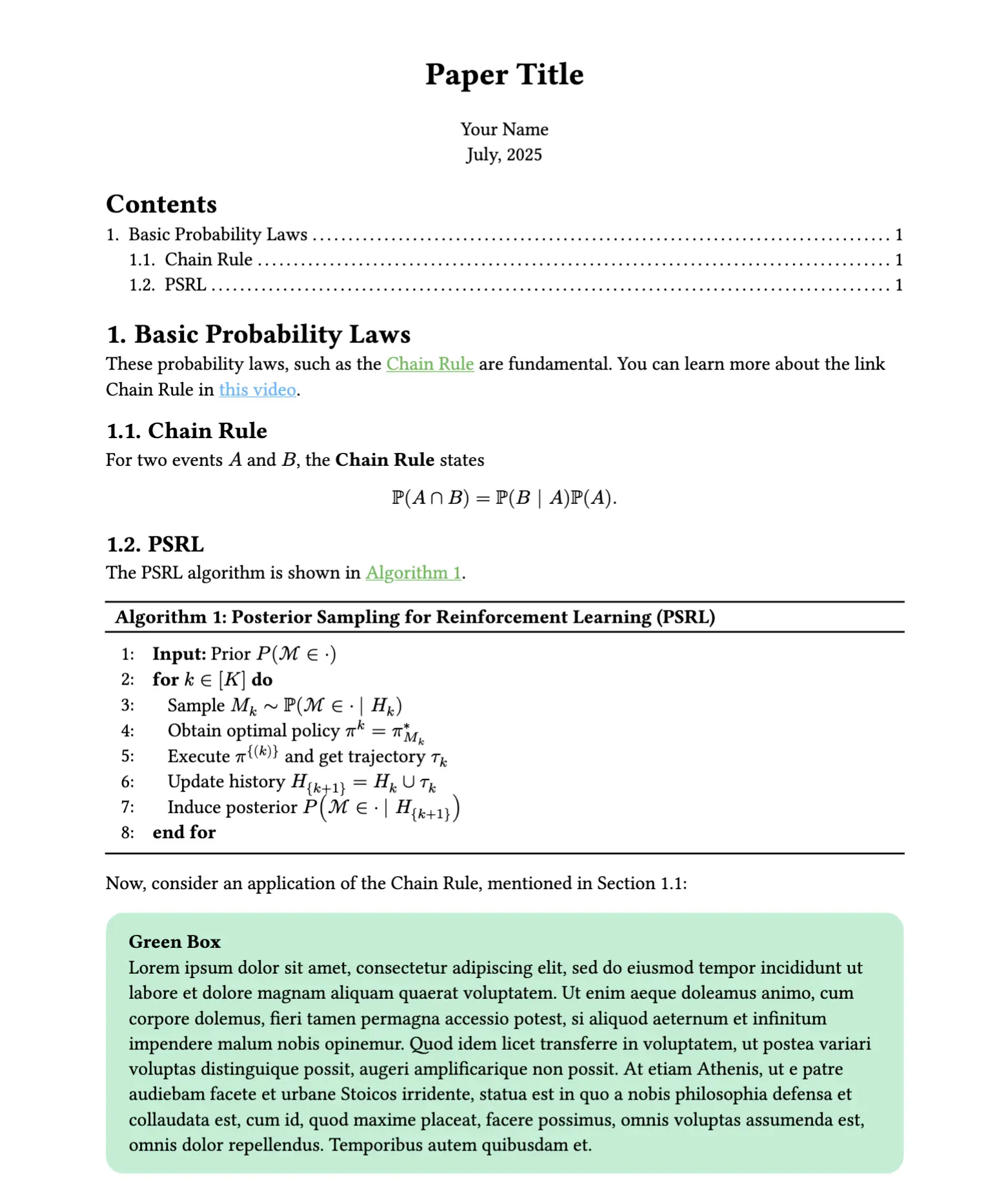
This is a Typst template for a single-column paper intended for notetaking.
Usage
You can use this template in the Typst web app by clicking “Start from template” on the dashboard and searching for minimal-note.
Alternatively, you can use the CLI to kick this project off using the command
typst init @preview/minimal-note
Typst will create a new directory with all the files needed to get you started.
Configuration
This template exports the minimal-note function with the following named arguments:
title: The paper’s title as content.author: The paper’s author as content.date: The paper’s date as datetime.show-outline: Whether to have an outline or not.
The function also accepts a single, positional argument for the body of the paper.
The template will initialize your package with a sample call to the minimal-note function in a show rule. If you want to change an existing project to use this template, you can add a show rule like this at the top of your file:
#import "@preview/minimal-note:0.10.1": minimal-note

#show: minimal-note.with(
  title: [Paper Title],
  author: [Your Name],
  date: datetime.today().display("[month repr:long], [year]"),
  show-outline: true,
)
Todo Features
Have recommendations? Please submit an issue.
Done:
- Algorithms
- Code blocks
- Bibliography
Planned:
- showybox
- Multiple authors