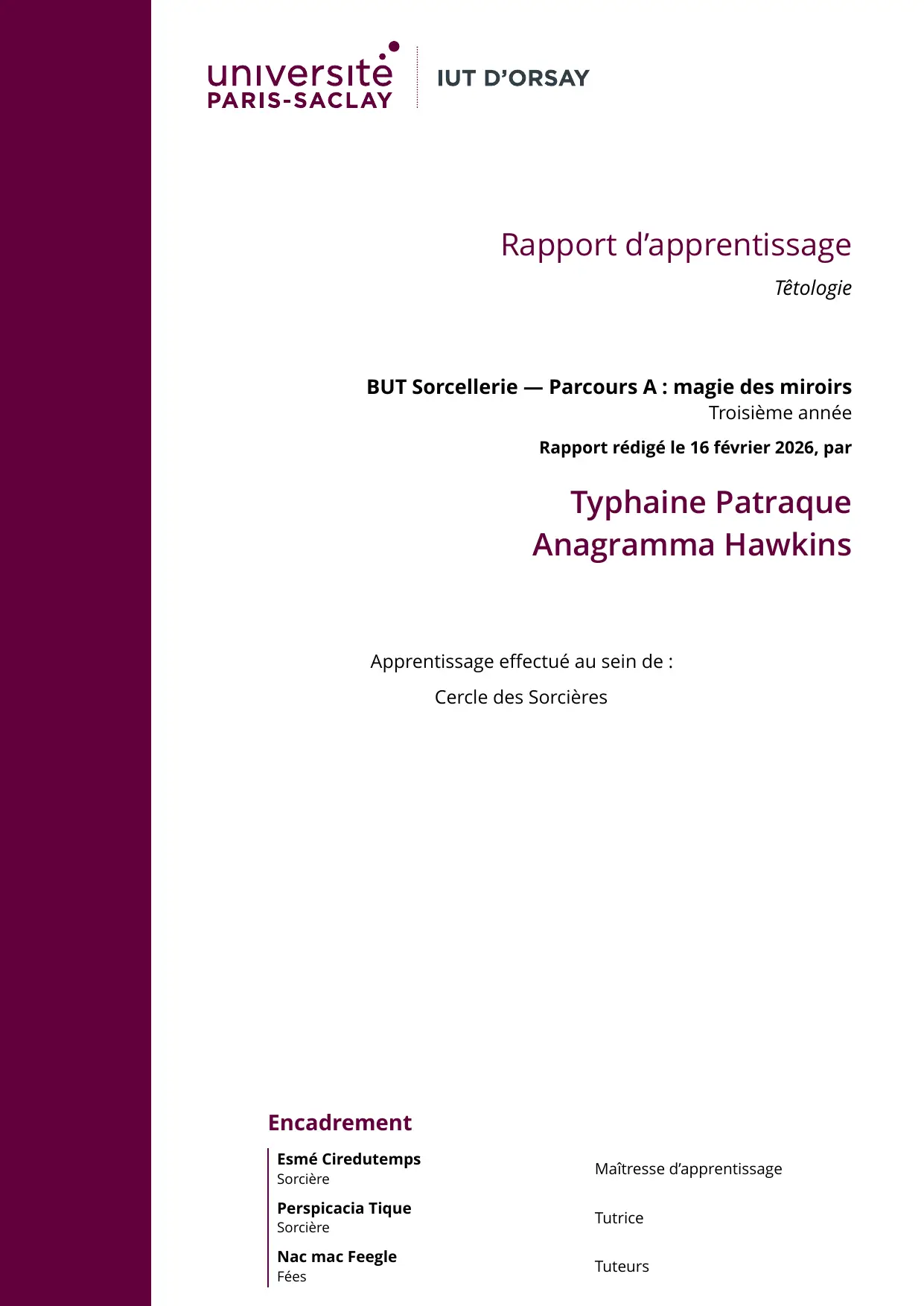
An unofficial, flat-design Typst template for IUT Orsay (part of Paris-Saclay University) reports
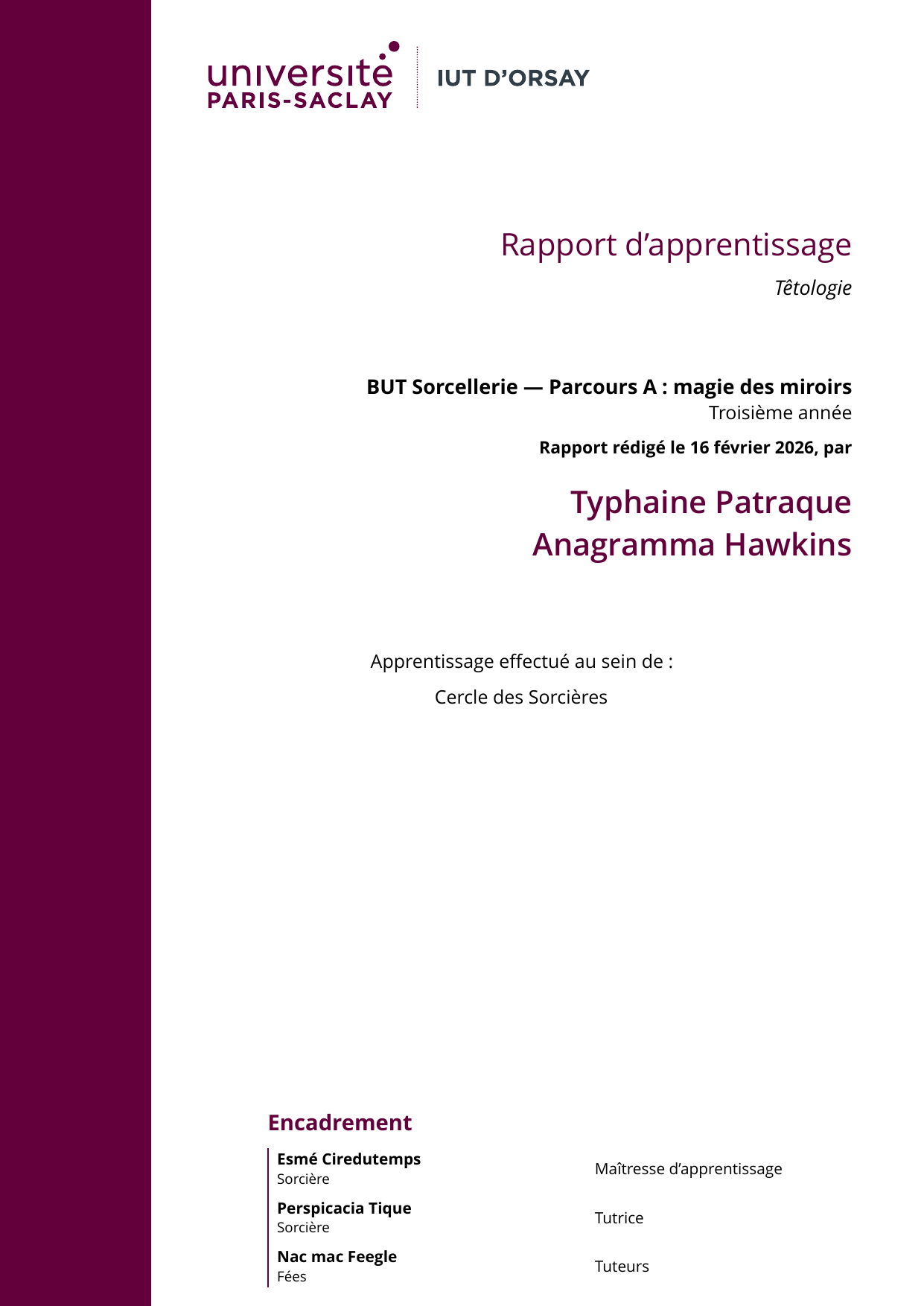
About the name
typst-iut-orsay-report-flatis the name of the GitHub repo,iut-orsay-report-flatis the name of the Typst template- The Typst template name does not contain
typst, because it is redundant[1] - The Typst template name is not just
iut-orsay-report, because it is not an official template[1:1]. It is based on the paris-saclay-thesis-flat package.
Usage
You can use this template in the Typst web app by clicking “Start from template” on the dashboard and searching for iut-orsay-report-flat.
Alternatively, you can use the CLI to kick this project off using the command:
typst init @preview/iut-orsay-report-flat
cd iut-orsay-report-flat
Then download the Open Sans font, e.g. from fonts.google.com, and place the .ttf files e.g. in a fonts/ subfolder.
If you use the CLI, you must tell the binary where to look for additional fonts with the --font-path argument:
typst watch main.typ --font-path fonts
And if you use VS Code and tinymist, set ["${workspaceFolder}/fonts"] for tinymist.fontPaths in VS Code settings.
In the web app, project fonts are automatically discovered.
Configuration
This template exports the iut-orsay-report function with the following named arguments:
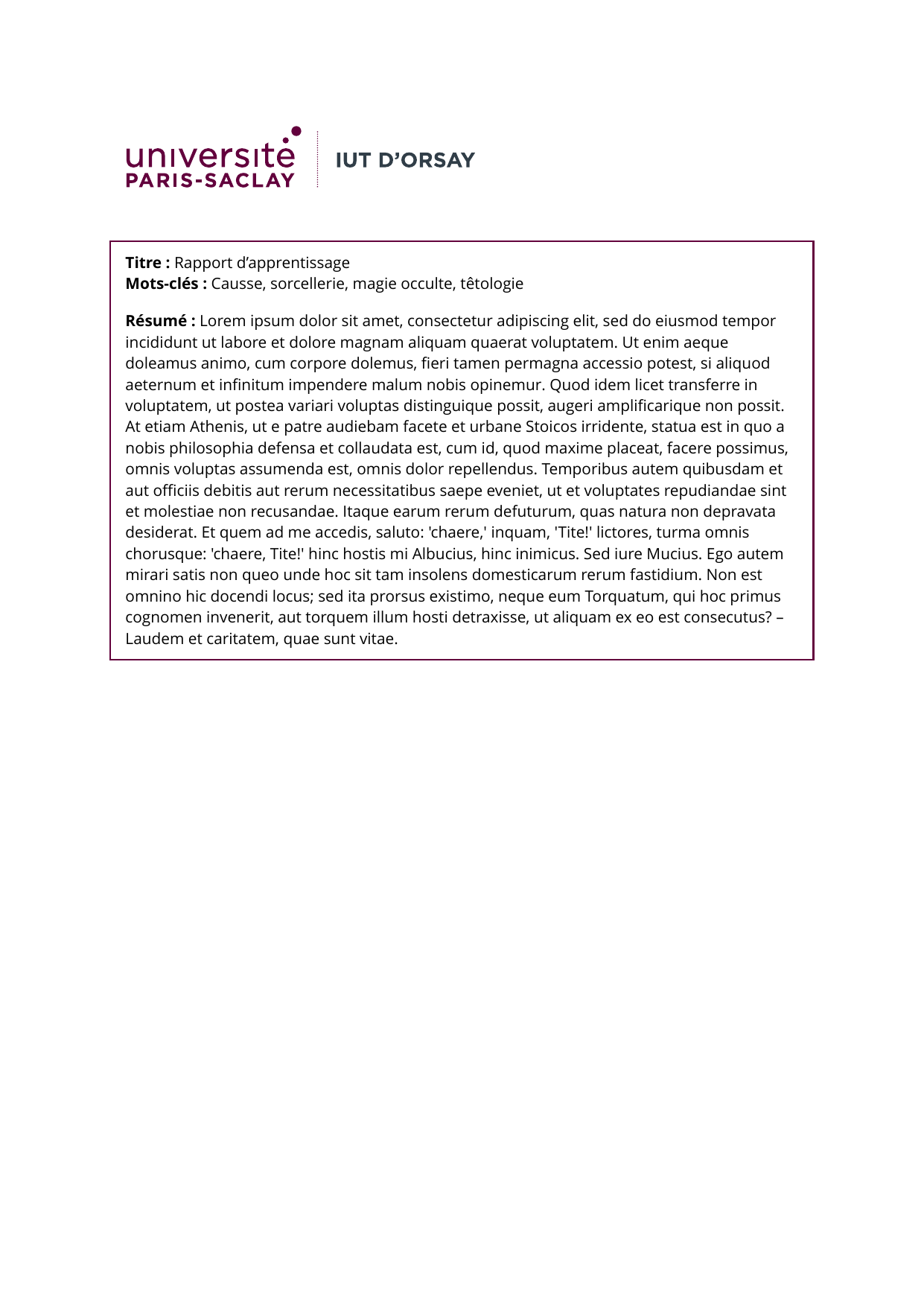
student-names: Name of the students [array of dictionaries, each with alast_nameandfirst_namefield, of type content]title: Report title [content]subtitle: Sub-title [content]keywords: Keywords of the report subject [strings array]abstract: Abstract of the report [content]diploma: Line mentioning the diploma this report is for [content]specialty: Line mentioning the specialty [content]level: Line mentioning the diploma level (e.g. first year, second year…) [content]report-date: Date of the report [content]report-type: Type of report ([stage]or[apprentissage]or ignored)report-examiners: List of report examiners [array of dictionaries, each with aname,titleandstatusfield, of type content]- Optional:
company-logo: logo of a company [path to a file]show-abstract: show or hide the abstract page [boolean, default: true]students-in-headers: show or hide the list of students from the page headers [boolean, default: false]
Some spacings are adjustable, see src/lib.typ for the complete list of arguments.
The template will initialize your package with a sample call to the iut-orsay-report function in a show rule. If you want to change an existing project to use this template, you can add a show rule like this at the top of your file:
#import "@preview/iut-orsay-report-flat:0.1.1": iut-orsay-report

#show: iut-orsay-report.with(
  student-names: (
    (
      last_name: [Patraque],
      first_name: [Typhaine],
    ),
  ),
  students-in-headers: false,
  title: [Rapport d'apprentissage],
  subtitle: [Têtologie],
  keywords: ("Causse", "sorcellerie", "magie occulte", "têtologie"),
  abstract: lorem(200),
  diploma: [BUT Sorcellerie],
  specialty: [Parcours A : magie des miroirs],
  level: [Troisième année],
  report-date: [16 février 2026],
  report-type: [apprentissage],
  company-name: [Cercle des Sorcières],
  report-examiners: (
    (
      name: [*Esmé Ciredutemps*],
      title: [Sorcière],
      status: [Maîtresse d'apprentissage],
    ),
    (
      name: [*Perspicacia Tique*],
      title: [Sorcière],
      status: [Tutrice],
    ),
    (
      name: [*Nac mac Feegle*],
      title: [Fées],
      status: [Tuteurs],
    ),
  ),
)

// Your content goes below.
Resources
- paris-saclay-thesis-flat package
- Official MS Word & LaTeX templates from the Paris-Saclay University