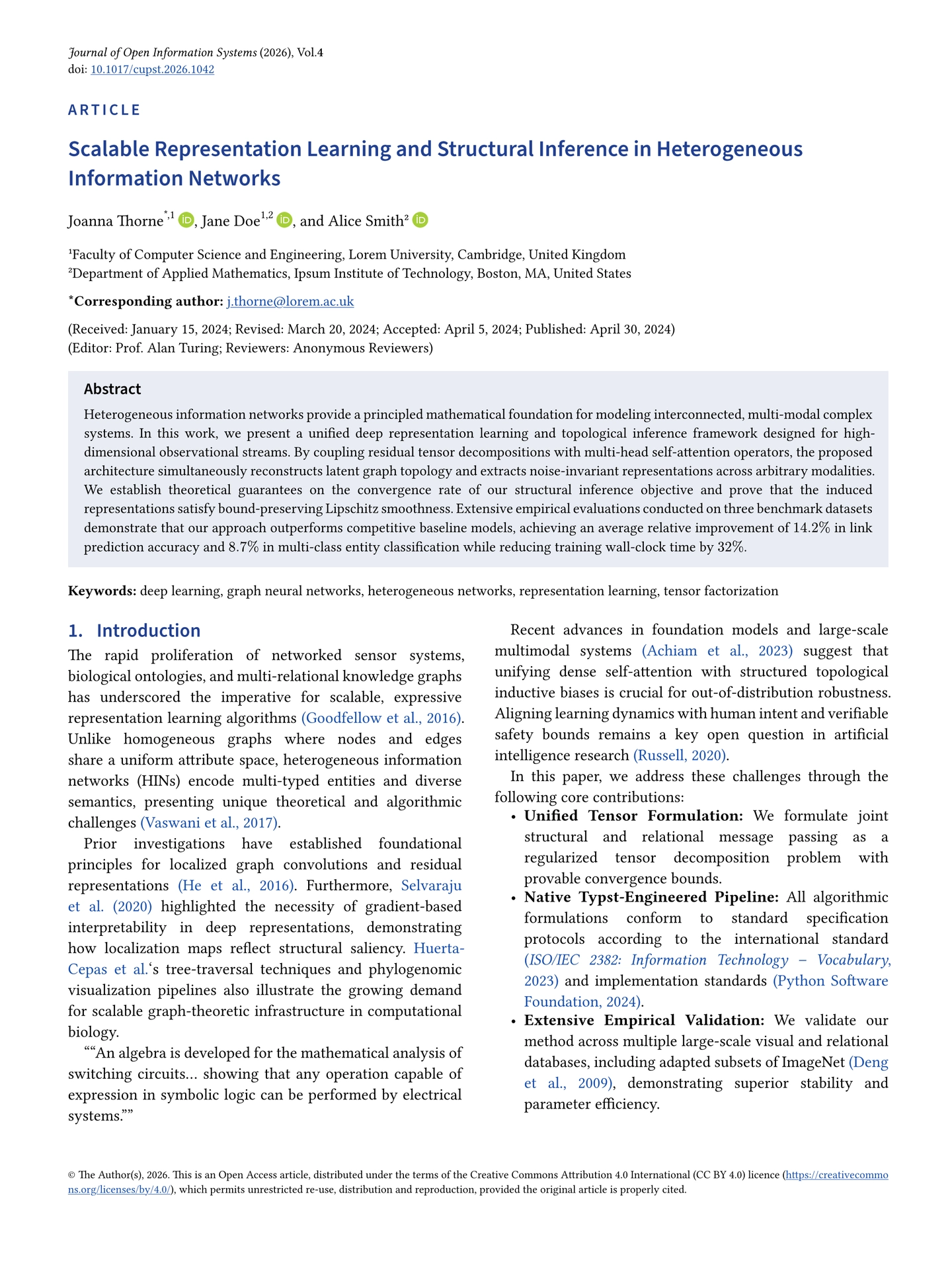
A Typst template for journal articles in the visual style
of Cambridge University Press journals. It provides a camera-ready publish
layout as well as a line-numbered preprint layout, and supports single- and
two-column paper sizes.
The layout is inspired by the cup-journal.cls
LaTeX class. This package is an independent reimplementation and is not
officially associated with or endorsed by Cambridge University Press.
Quick start
Create a new project from the template:
typst init @preview/cupst:0.1.0 my-paper
cd my-paper
typst compile main.typ
Or add the package to an existing document manually:
#import "@preview/cupst:0.1.0": *

#show: cupst.with(
  title: [A Study of Something Important],
  authors: (
    (
      name: "Jane Doe",
      affiliation: "affi1",
      email: "jane.doe@example.edu",
      orcid: "0000-0002-1825-0097",
    ),
  ),
  affiliations: (
    (id: "affi1", name: "Department of Science, Example University, Example City, Country"),
  ),
  abstract: [
    A short summary of the article.
  ],
  keywords: ("keyword one", "keyword two"),
  layout: "publish",
  paper-size: "large",
)

= Introduction

Your article starts here. See @Goodfellow2016DeepLearning for an example reference.

#bibliography("references.bib", style: "apa")
Features
- Two layouts
preprint: line numbers for review, no copyright or citation block.publish: publication metadata, open-access copyright notice, and a “Cite this article” block.
- Three paper sizes
large: 210 × 280 mm, two-column layout with full-width floats.medium: 174 × 247 mm, single column.small: 152 × 228 mm, single column.
- Article metadata — title, authors with affiliations, ORCID iDs, corresponding-author e-mail, abstract, keywords, journal, year, volume, DOI, dates, editor, and reviewers.
- Full-width figures and tables in two-column mode.
- Multi-page split tables with automatically repeated headers and continuation captions.
- Unnumbered statement sections for acknowledgements, funding, author contributions, reproducibility, and open data.
- Appendices with
A.1-style numbering. - Multilingual UI strings — English, Chinese, French, German, Spanish, Japanese, and Russian.
- Customizable colors for structure elements and links.
Template options
The cupst function is applied with a show rule:
#show: cupst.with(/* options */)
Metadata
| Option | Type | Default | Description |
|---|---|---|---|
title |
content | none |
Article title. |
authors |
array | () |
Author dictionaries (see below). |
affiliations |
array | () |
Affiliation dictionaries (see below). |
abstract |
content | none |
Abstract paragraph. |
keywords |
array | () |
List of keywords. |
journal |
str | "PREPRINT" |
Journal or venue name. |
year |
int | current year | Publication year. |
volume |
int/str | none |
Volume number. |
doi |
str | none |
DOI, without the https://doi.org/ prefix. |
received |
content | none |
Received date. |
revised |
content | none |
Revised date. |
accepted |
content | none |
Accepted date. |
published |
content | none |
Published date. |
editor |
content | none |
Handling editor. |
reviewers |
content | none |
Reviewer names. |
Authors and affiliations
authors: (
  (
    name: "Jane Doe",
    affiliation: "affi1",          // one ID or an array of IDs
    email: "jane.doe@example.edu", // marks the corresponding author
    orcid: "0000-0002-1825-0097",
  ),
),
affiliations: (
  (id: "affi1", name: "Example University, Example City, Country"),
),
When there is more than one affiliation, superscript numbers are added
automatically. An author with an email is treated as the corresponding author
and receives a * marker.
Layout
| Option | Values | Default | Description |
|---|---|---|---|
layout |
"preprint", "publish" |
"preprint" |
Document layout. |
paper-size |
"large", "medium", "small" |
"medium" |
Page size and column count. |
manuscript |
"article", "rescience", "data", "software", "editorial", "proceedings", "poster" |
"article" |
Badge shown above the title. |
lang |
"en", "zh", "fr", "de", "es", "ja", "ru" |
"en" |
Language of the generated labels. |
Display options
| Option | Type | Default | Description |
|---|---|---|---|
show-dates |
bool | true |
Show dates in publish layout. |
show-copyright |
bool | true |
Show the copyright and citation blocks in publish layout. |
show-keywords |
bool | true |
Show keywords below the abstract. |
show-email |
bool | true |
Show the corresponding author’s e-mail. |
show-line-numbers |
bool | true |
Show line numbers in preprint layout. |
section-numbering |
bool | true |
Number section headings. |
equation-numbering |
str/none | "(1)" |
Equation numbering pattern. |
Styling
| Option | Type | Default |
|---|---|---|
structure-color |
color | rgb(0, 0, 0) |
link-color |
color | rgb(0, 0, 255) |
serif-fonts |
array | ("Linux Libertine", "Libertinus Serif", "Times New Roman") |
sans-fonts |
array | ("Source Sans Pro", "Source Sans 3", "Arial") |
Fonts are tried in order. For Chinese documents, include a CJK font in both
lists, for example ("Linux Libertine", "Noto Serif CJK SC", "SimSun").
Full-width content
In two-column mode (paper-size: "large"), use full-width to span both
columns:
#full-width[
  #figure(
    table(
      columns: (1fr, 1fr, 1fr),
      [*Model*], [*Precision*], [*Recall*],
      [Baseline], [0.81], [0.79],
      [Ours], [0.88], [0.87],
    ),
    caption: [A table spanning both columns.],
  ) <tab:results>
]
Use full-width(breakable: true)[...] to let the content break across pages
inside a dedicated single-column page region.
Split tables
split-table lays a long table out across pages. In two-column mode, each chunk
floats to the top of a page while body text flows beneath it. The header is
repeated and continuation captions are added automatically. In single-column
mode, the table stays on one page if it fits; otherwise it breaks naturally.
#split-table(
  columns: (1fr, 2fr, 2fr),
  caption: [Complete parameter inventory.],
  label: <tab:params>,
  repeat-caption: false, // later pages show only "Table 1 (continued)"

  table.header([*ID*], [*Parameter*], [*Value*]),
  [1], [Learning rate], [$1.0 times 10^(-3)$],
  [2], [Batch size], [2048],
  [3], [Hidden size], [256],
)
rows-per-page and max-height can be set to control pagination. The alias
full-width-table is also available.
Statements and appendices
The template provides unnumbered statement sections:
#acknowledgement[
  The authors thank the reviewers.
]

#funding[
  This work was supported by Grant No. 123456.
]

#credit[
  *Jane Doe:* Conceptualization, Writing -- original draft.
  *John Smith:* Supervision, Writing -- review and editing.
]

#reproduce[
  Code and data are available in the supplementary material.
]

#opendata[
  The dataset is available at #link("https://example.org/data")[example.org/data].
]

#appendix[
  = Additional Derivation

  Details of the derivation go here.

  = Supplementary Tables

  More material goes here.
]
A generic inline paragraph heading is available as #paragraph("Title")[...].
Multilingual use
Set lang to translate the generated labels (dates, abstract, keywords,
statements, continuation captions, and so on):
#show: cupst.with(
  lang: "zh",
  serif-fonts: ("Linux Libertine", "Noto Serif CJK SC", "SimSun"),
  sans-fonts: ("Source Sans Pro", "Noto Sans CJK SC"),
  // ...
)
Supported languages: en, zh, fr, de, es, ja, ru.
Please note that languages except English and Chinese are machine translated. Please fell free to open an issue if it contains errors.
Repository examples
The repository contains two complete examples:
template/main.typ— English, two-columnpublishlayout.template_zh/main.typ— Chinese, single-columnpublishlayout.
Compile them after cloning the repository:
typst compile main.typ
Both examples import the development version of the package from cupst.typ
and use references.bib.
License
The package is released under the MIT License.
The visual design is inspired by cup-journal.cls by Paul Gessler and
contributors, distributed under LPPL v1.3c. This Typst implementation is an
independent work and does not contain code from that class. It is not
affiliated with or endorsed by Cambridge University Press.