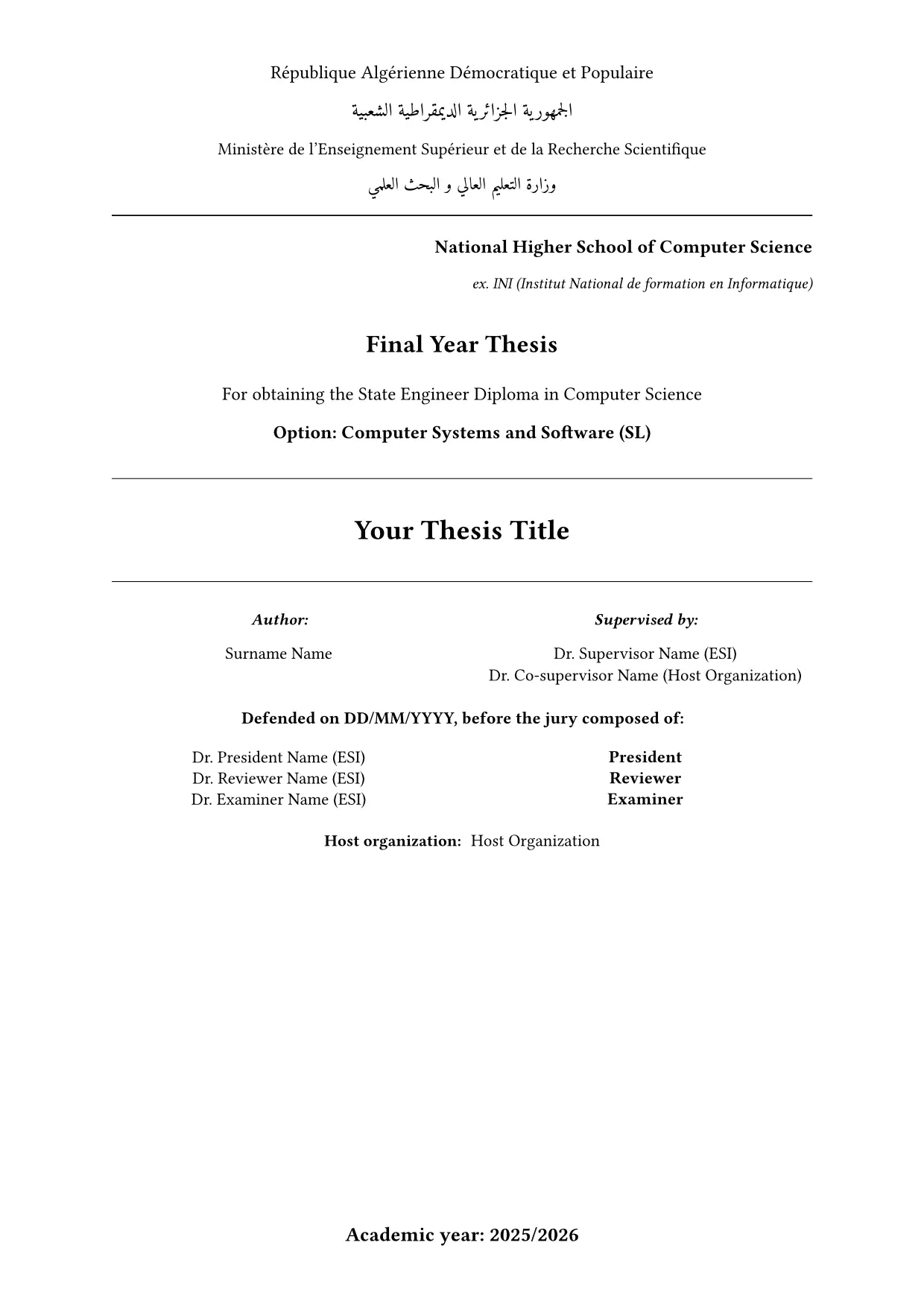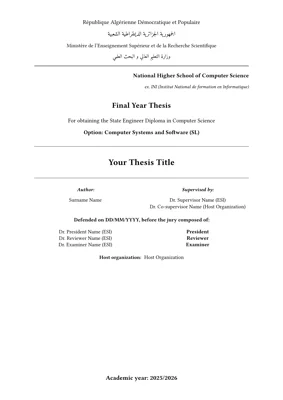
A Typst template for the final-year project (PFE) thesis at ESI Algiers (École nationale Supérieure d’Informatique), following the school’s formatting standards. It suits both State Engineer and Master theses.
See the compiled template in the example PDF.

Features
- ESI cover page with the bilingual state header, supervisors, jury, and host organization
- Roman page numbers in the frontmatter, Arabic from the introduction onward
- Running header showing the current chapter or appendix
- Optional Part I / Part II dividers, with chapter numbering running continuously across parts
- English, French, and Arabic (RTL) abstract pages, plus dedication, acknowledgments, and abbreviations
- Table captions above tables, figure captions below; tables numbered per chapter (
Table 2.1) and per appendix (Table A.1) - Table, algorithm, and code-block helpers
Usage
Open the template in the Typst web app, or create a project from the command line:
typst init @preview/clean-esi:0.1.0 my-thesis
cd my-thesis
typst watch main.typ
Fill in the metadata in main.typ, then write your chapters in chapters/. main.typ is the
only place that controls chapter order: to add a chapter, create a file and #include it there.
Before it is on Typst Universe
Clone this repository into Typst’s local package directory, then run the same typst init
command:
# Windows (PowerShell)
git clone https://github.com/Chamiln17/clean-esi "$env:APPDATA\typst\packages\preview\clean-esi\0.1.0"
# Linux
git clone https://github.com/Chamiln17/clean-esi ~/.local/share/typst/packages/preview/clean-esi/0.1.0
# macOS
git clone https://github.com/Chamiln17/clean-esi ~/Library/Application\ Support/typst/packages/preview/clean-esi/0.1.0
Logo
The package does not ship the ESI logo. Download it from
this repository or the
school website, put it next to main.typ, and set logo: image("esi_logo.png", width: 6cm).
Fonts
The body text uses New Computer Modern, which Typst includes. The Arabic parts (cover header, Arabic abstract) use Amiri. Install it on your system, upload it to your web-app project, or point the CLI at a folder containing it:
typst watch main.typ --font-path fonts/
Configuration
thesis sets up the cover page and the frontmatter. Apply it with a show rule:
#import "@preview/clean-esi:0.1.0": *

#show: thesis.with(
  title: "Your Thesis Title",
  authors: ("Surname Name",),
  supervisor: "Dr. Supervisor Name (ESI)",
  jury: (("Dr. President Name", "ESI", "President"),),
)
Fixed labels (“Supervised by”, “Chapter”, list titles) are in English; only the abstracts come in three languages.
| Argument | Type | Default |
|---|---|---|
title |
str or content | "Thesis Title" |
authors |
array of str | () |
supervisor |
str or none |
none |
co-supervisor |
array of str | () |
report-type |
str | "Final Year Thesis" |
institution |
str | "National Higher School of Computer Science" |
option |
str | "Computer Systems (SIQ)" |
degree-type |
str | "State Engineer Degree in Computer Science" |
host-organization |
str | "" (renders a blank line) |
promotion |
str, the academic year | "2024/2025" |
defense-date |
str | "XX/XX/2025" |
jury |
array of (name, affiliation, role) |
() (jury block hidden) |
logo |
content, e.g. image(...), or none |
none |
page-margin |
dictionary | 2.5cm on all sides |
Document structure
| Function | Effect |
|---|---|
main-content[...] |
Resets to Arabic page numbers and adds the running header |
part-divider(label, title, summary) |
Full-page Part divider with its own PDF bookmark |
numbered-part[...] |
Nests the chapters it wraps under the preceding Part |
appendix-content[...] |
A.1 heading numbering, tables reset per appendix |
table-of-contents(), list-of-figures(), list-of-tables() |
Contents and lists, each on its own page |
Parts are optional. Without them, drop the part-divider calls and the numbered-part
wrappers and include the chapters directly inside main-content. To keep the introduction and
conclusion unnumbered, wrap them in #[ #set heading(numbering: none) ... ], as main.typ does.
Label chapters <ch:...>, figures <fig:...>, and tables <tab:...>, and reference them
with @label. References to chapters render as “Chapter N”.
Frontmatter pages
| Function | Effect |
|---|---|
abstract-page-en(abstract-content: [...], keywords: (...)) |
English abstract; -fr and -ar (RTL) variants take the same arguments |
dedication-page[...] |
Centered, italic dedication |
arabic-dedication-page(verse, body) |
RTL dedication with a highlighted opening verse |
acknowledgments-page[...] |
Acknowledgments |
abbreviations-page(((abbr, meaning), ...)) |
Two-column list of abbreviations |
Content helpers
| Function | Effect |
|---|---|
thesis-table(..args) |
table with the thesis rules, header fill, and zebra rows |
thesis-readable-table, thesis-compact-table, thesis-wide-table, thesis-schema-table |
Same style at smaller text sizes (size: argument) for dense tables |
thesis-descriptive-table(header: (...), ..cells), thesis-booktabs-table(header: (...), ..cells) |
Plain and booktabs-style tables |
table-lines(..items), table-code-lines(..items) |
Several lines, or code lines, in one cell |
thesis-algorithm(caption: [...])[+ step ...] |
Numbered pseudocode figure, numbered per chapter |
thesis-code-block(numbering: true)[...], with a fenced raw block inside |
Code listing with zebra lines; thesis-json-block is an alias |
info-box(title, body), warning-box(title, body) |
Highlighted boxes |
definition(term, description), quote-block(body, author: ...) |
Definition line and quotation block |
todo(body), divider() |
Draft marker and horizontal rule |
Wrap tables and algorithms in #figure(..., caption: [...]) to number them and list them in the
List of Tables. template/chapters/ has a working example of each helper.
Other schools and departments
The cover page text (institution, degree, option) comes from the thesis arguments, so the
template adapts to other ESI programs or to other Algerian schools with the same thesis layout.
Adaptations and fixes are welcome as issues or pull requests.
Packages used
Contributing
Report bugs or propose changes in the GitHub issues.
License
The code and the template are under MIT-0, so you can use them in your thesis
without keeping any notice. The ESI logo in assets/ belongs to ESI Algiers, is not covered
by this license, and is not part of the Typst package.