Create project in app
A Typst template based on popular LateX template used in arXiv and bio-arXiv. Inspired by arxiv-style

Usage
Import
#import "@preview/arkheion:0.1.3": arkheion, arkheion-appendices
Main body
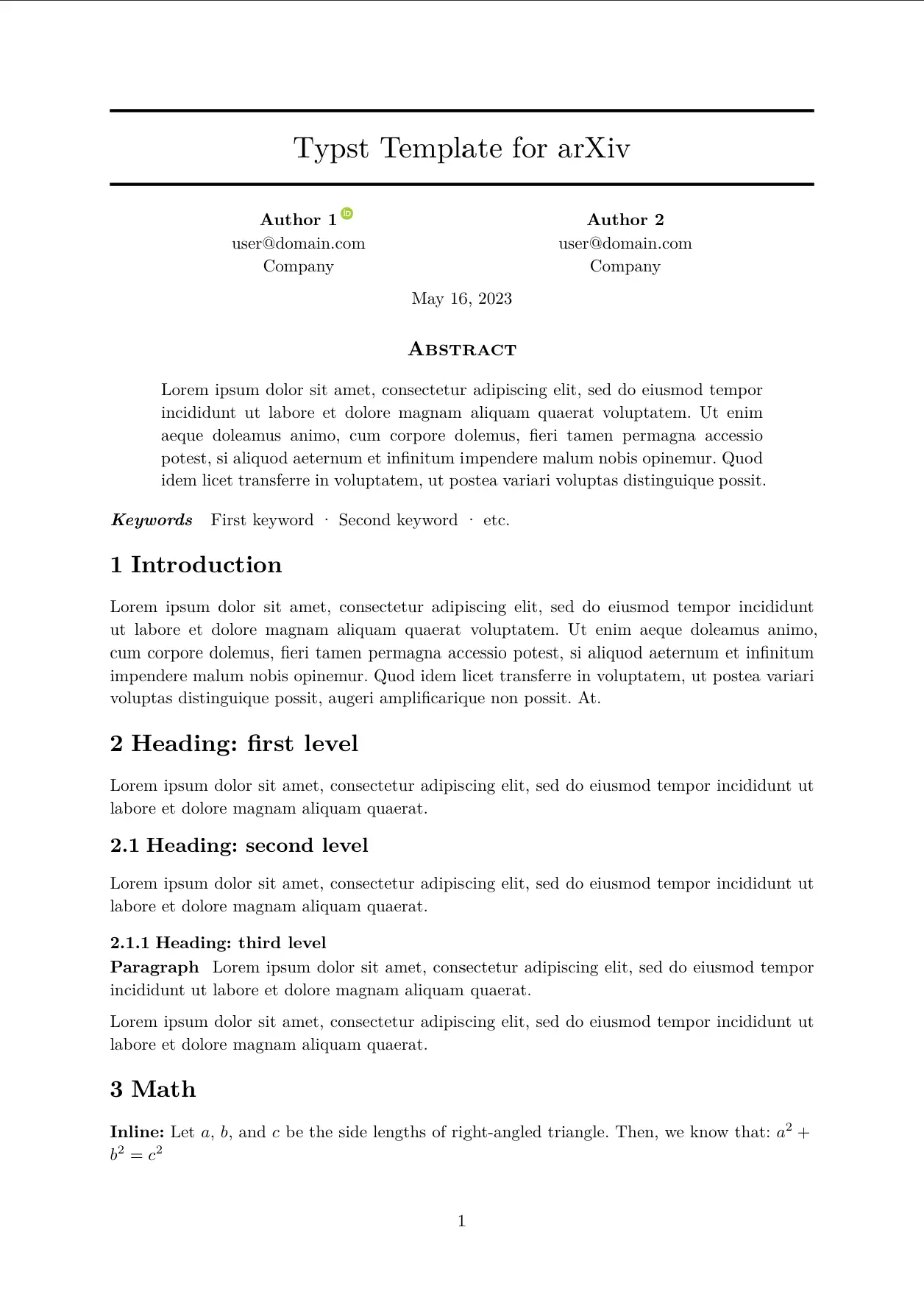
#show: arkheion.with(
  title: "ArXiv Typst Template",
  authors: (
    (name: "Author 1", email: "user@domain.com", affiliation: "Company", orcid: "0000-0000-0000-0000"),
    (name: "Author 2", email: "user@domain.com", affiliation: "Company"),
  ),
  // Insert your abstract after the colon, wrapped in brackets.
  // Example: `abstract: [This is my abstract...]`
  abstract: lorem(55),
  keywords: ("First keyword", "Second keyword", "etc."),
  date: "May 16, 2023",
)
Table of contents
Place #outline() after the #show: arkheion.with(...) rule. Appendices are listed as A, A.1, … alongside the main sections.
#outline()

= Introduction
#lorem(60)
Appendix
#show: arkheion-appendices
=

== Appendix section

#lorem(100)
API
arkheion.with
title: String- Title of the document.authors: List<Author>- List of authors.
Author: {
  name: String,
  email: String,
  affiliation: String,
  orcid: String
}
custom-authors: Content- Custom authors content that overrides the default authors content. Note: Theauthorsis still required to be passed in order to generate the metadata, however, only thenamefield is required.abstract: Content- Abstract of the document.keywords: List<String>- List of keywords.date: String- Date of the document.