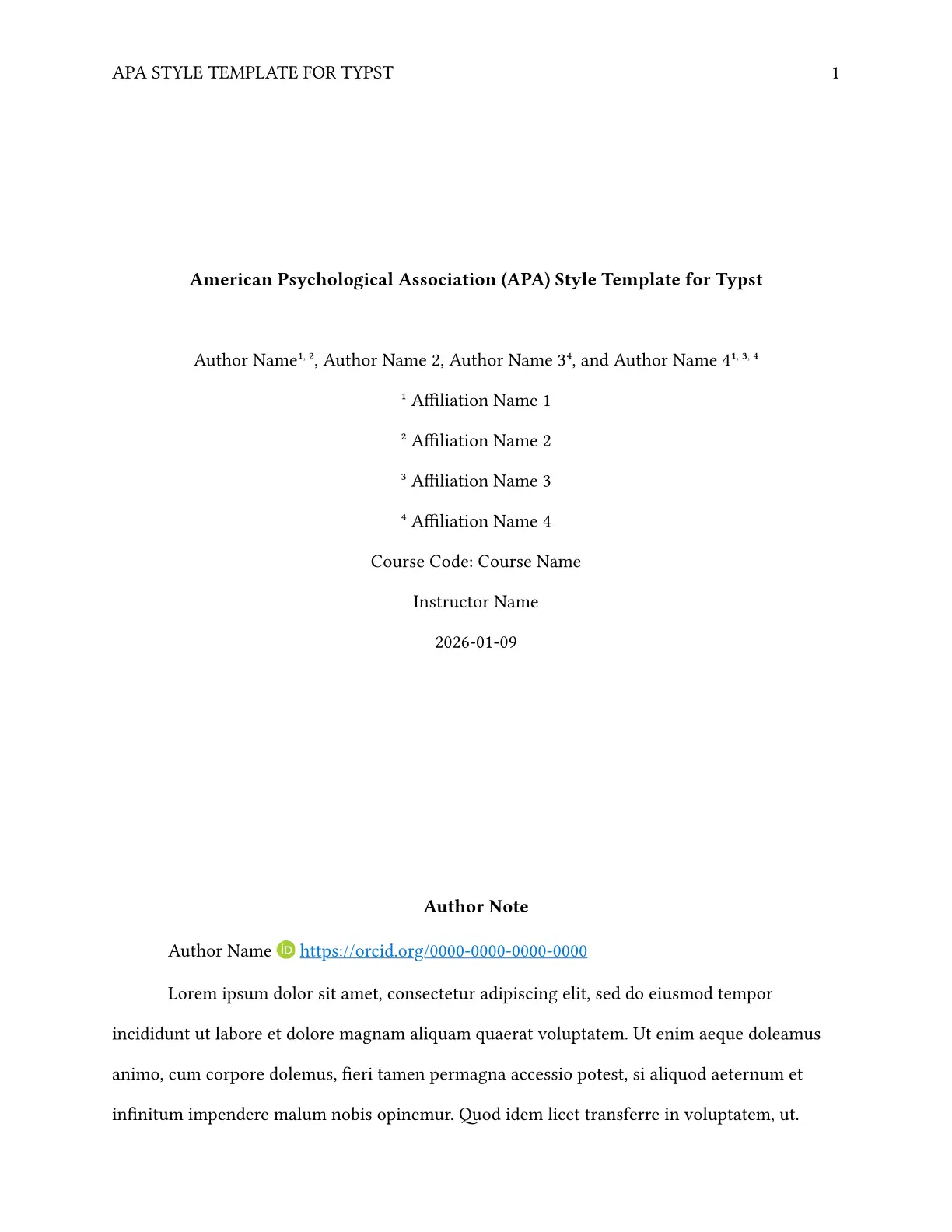
A comprehensive Typst template following the official APA 7th Edition style guidelines. This template includes all necessary components for academic research papers, essays, theses, and dissertations.
Usage
Until Typst officially supports code documentation for templates and functions, as well as manuals, the template itself will serve as an interactive and practical guide to its features, usage and some APA guidelines.
You can use this template through the Typst Universe page via the typst command locally or directly through the Typst Web App.
Alternatively, clone this repository as a git submodule. For detailed instructions, refer to this repository’s main README.
Features
This template supports, mainly, both student and professional versions of APA 7th Edition papers with:
- Title page
- Abstract
- Headings (levels 1-5, further levels will be formatted as level 5)
- Raw or computer code blocks (See
codlypackage for better code formatting) - Mathematical equations and expressions.
- References (the template initializes with a custom APA CSL file given that Typst has some issues with the hanging indent in bibliographies)
- Quotations (short and block formats based on word count)
- Quotations are automatically formatted as block if they have 40 or more words
- Otherwise, they are inline.
- Lists (ordered and unordered)
- Footnotes
Figures
The template provides an APA-style figure (apa-figure, which accepts the same parameters as figure) with extra parameters for:
- General notes
- Specific notes
- Probability notes
The footnote markers for specific and probability notes aren’t automatic, so one must add them manually.
For appendix figures, use the same apa-figure.
Language support
The template supports terms translation for the following languages:
- English
- Spanish
- Portuguese
- German
- Italian
- French
- Dutch
- Serbian
If the user wants to contribute support for more languages, they can contribute to the template, or using the custom terms option in the template.
Unsupported languages and custom terms
In the cases where the language is not supported in the template, you can either make a PR or file an issue in the repository, so it can be added and updated in the next template version. Otherwise you can use the custom-terms parameter, which expects a dictionary mapping English terms to their translations. For example for Japanese, the expected format is:
#let custom-terms = (
  "and": "と",
  "Author Note": "著者注",
  "Abstract": "要旨",
  "Keywords": "キーワード",
  "Appendix": "付録",
  "Note": "注",
)
This is also useful for overriding specific terms in supported languages. Such as:
#let custom-terms = (
  "and": "&",
  "Appendix": "Anexo",
)
Fonts
The template uses Typst’s built-in fonts by default to not cause any unknown font family errors, check APA Style suggested fonts to download and set them yourself.
Bibliography
The template bundles a custom APA CSL file to avoid issues with the hanging indent in Typst bibliographies (until it’s fixed in Typst), and other issues (such as single year with trailing comma).
Appendices
The general outline is modified to support the appendices numbering. As well as automatic formatting depending on the number of appendices. One can also change the appendix supplement to either Appendix, Annex or Addendum.
Figures numbering is also modified for independent numbering in each appendix.
-
Figure appendices with independent numbering
-
Smart appendix numbering (automatically disabled for single appendices)
Authoring
- Automatic footnote numbering for author affiliations (with a schema)
- Author notes
- ORCID integration
Authoring and affiliations
If your authors and affiliations are simple enough or you want to format it yourself, both authors and affiliations accept content and strings.
Also, they can accept an array of contents or strings to format it.
Depending on the complexity of the authors and affiliations, you can also use the following schema for automatic formatting.
Authors and affiliations dictionaries expect the following schema (both expecting an array of dictionaries).
For authors, is an array of dictionaries, where each dictionary has a name field with a content, and an affiliations field with an array of strings, each string being the ID of the affiliation.
#let authors = (
  authors: (
    (
      name: [Author Name],
      affiliations: (
        "ID-1",
        "ID-2",
      ),
    ),
    (
      name: [Author Name 2],
    ),
    (
      name: [Author Name 3],
      affiliations: "ID-4",
    ),
    (
      name: [Author Name 4],
      affiliations: ("ID-1", "ID-3", "ID-4"),
    ),
  ),
)
For affiliations, is an array of dictionaries, where each dictionary has an id field with a string (the ID of the affiliation), and a name field with a content (the name of the affiliation).
#let affiliations = (
  affiliations: (
    "ID-1": [Affiliation Name 1],
    "ID-2": [Affiliation Name 2],
    "ID-3": [Affiliation Name 3],
    "ID-4": [Affiliation Name 4],
  ),
)
Regarding LaTeX
LaTeX apa7 class inspiration: This template draws heavily from the apa7 class in LaTeX (which itself builds on the apa6 class). The journal and document formats are not included due to styling and formatting variations. While technically possible to port these formats from LaTeX, they serve limited use cases beyond academic submission, as most APA-compliant journals implement their own specific styling requirements.
If you happen to need it and want to contribute or have information about how to, please open an issue or a PR.
License
This template is licensed under the Apache 2.0 license. See the repository for complete license information.
Previous versions MIT-0 license issue
Previous to version 7.2.0, the manifest stated MIT-0 (no attribution) which wasn’t the one intended, as the template README stated MIT, thus, to cause no confusion or problems, all versions below from 7.2.0 are considered to be licensed under either MIT or MIT-0.