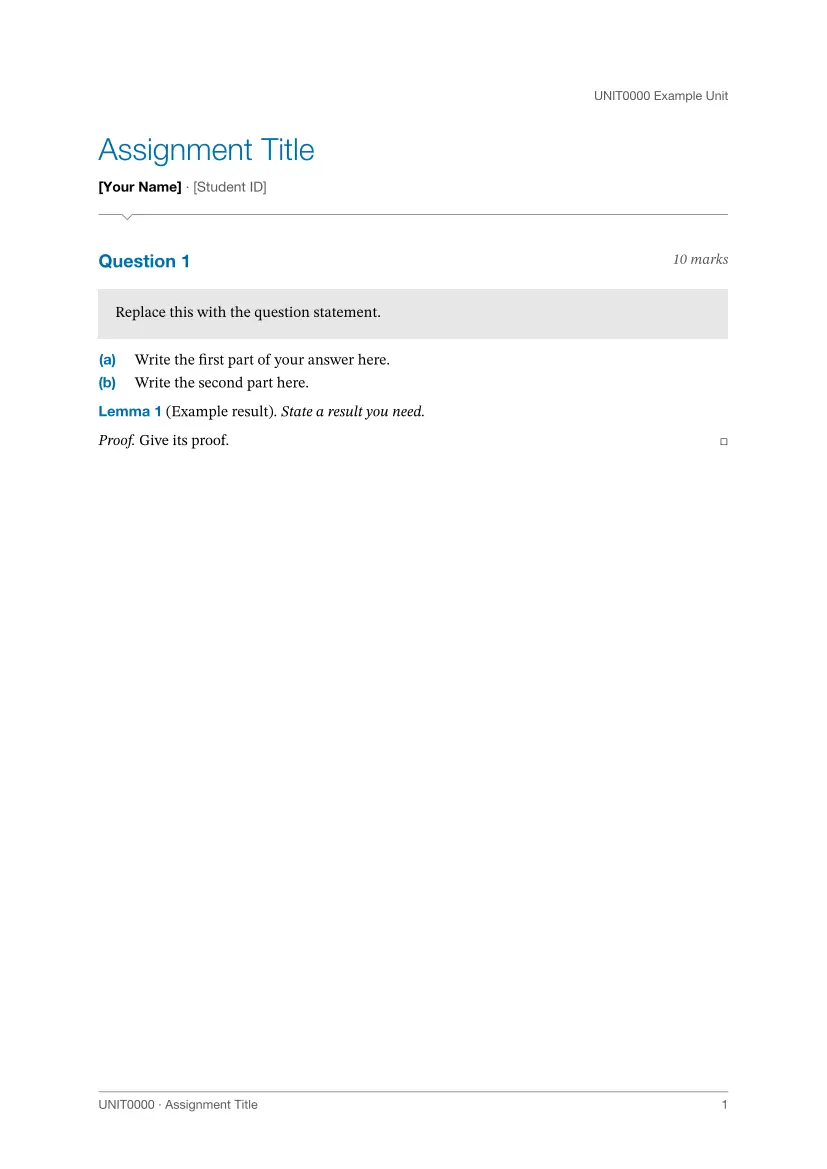
A Typst template for assignments and reports at Monash University, made for STEM units. One import gives you a title block or cover, numbered questions, theorems and proofs, three-line tables, numbered code listings and running heads, in Monash blue.
This is an unofficial community package. It is not affiliated with or endorsed by Monash University, and it does not include the Monash logo. See Adding your logo.
| Assignment | Report cover | Report body |
|---|---|---|
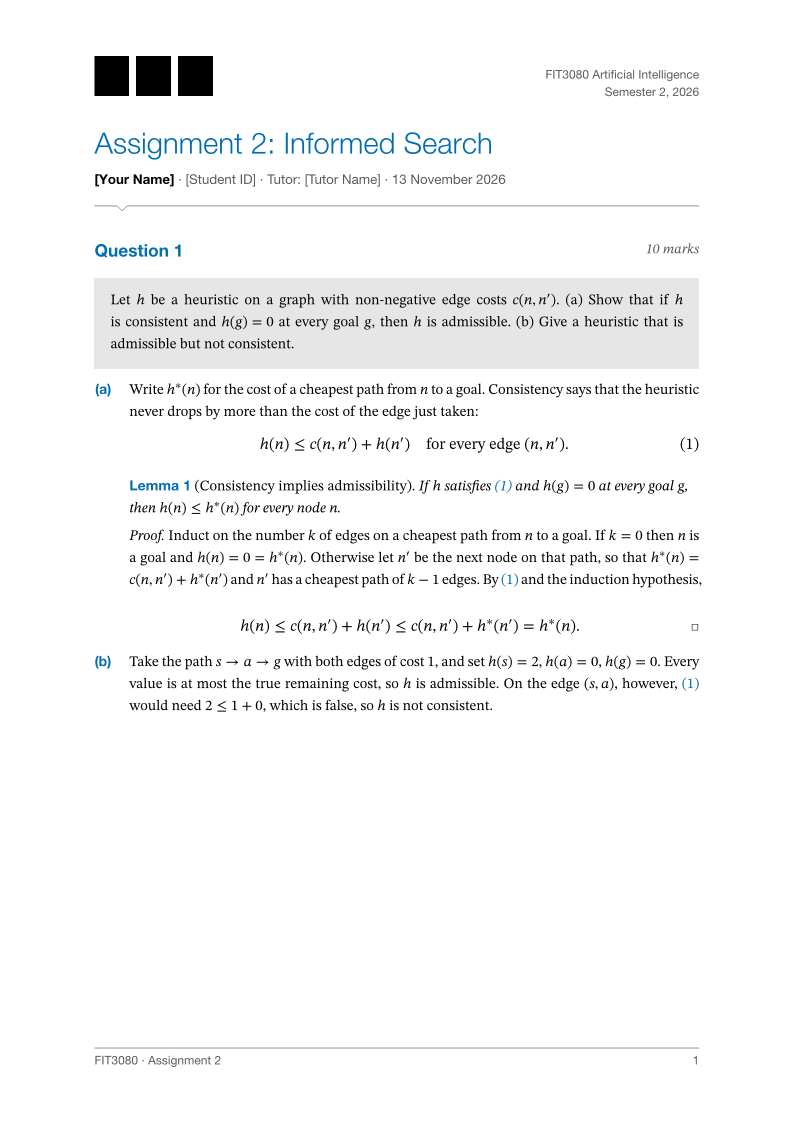 |
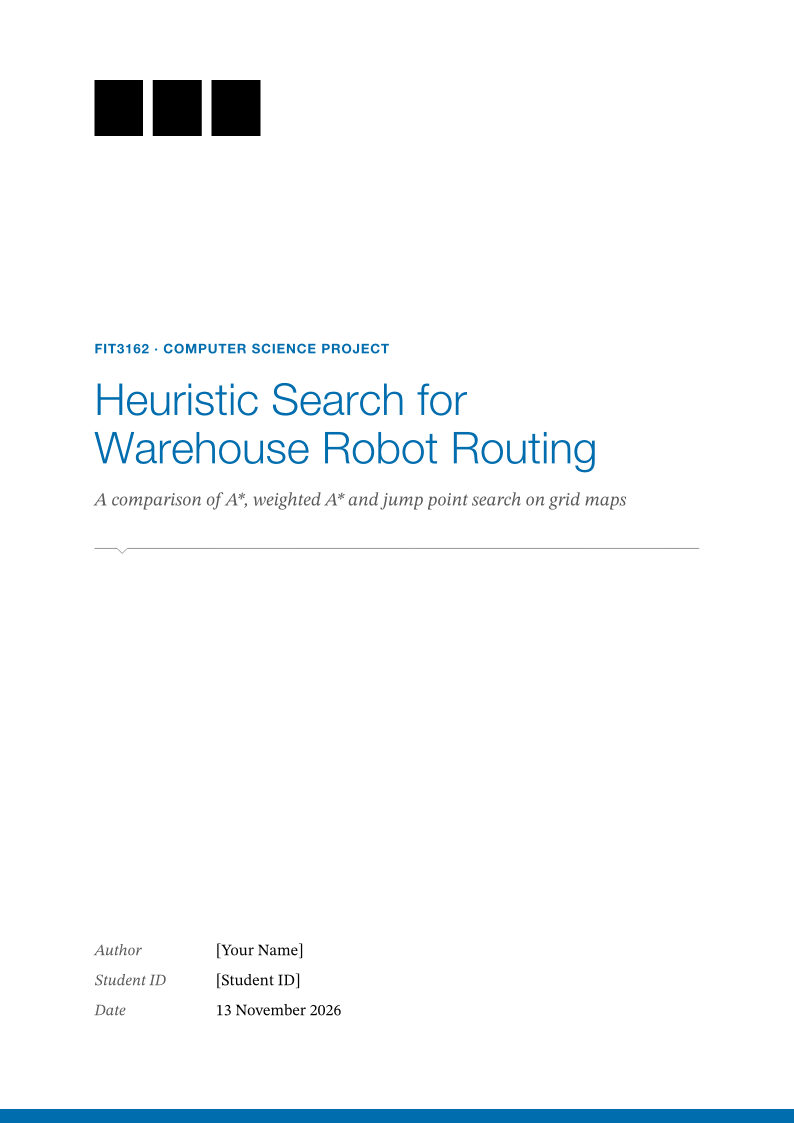 |
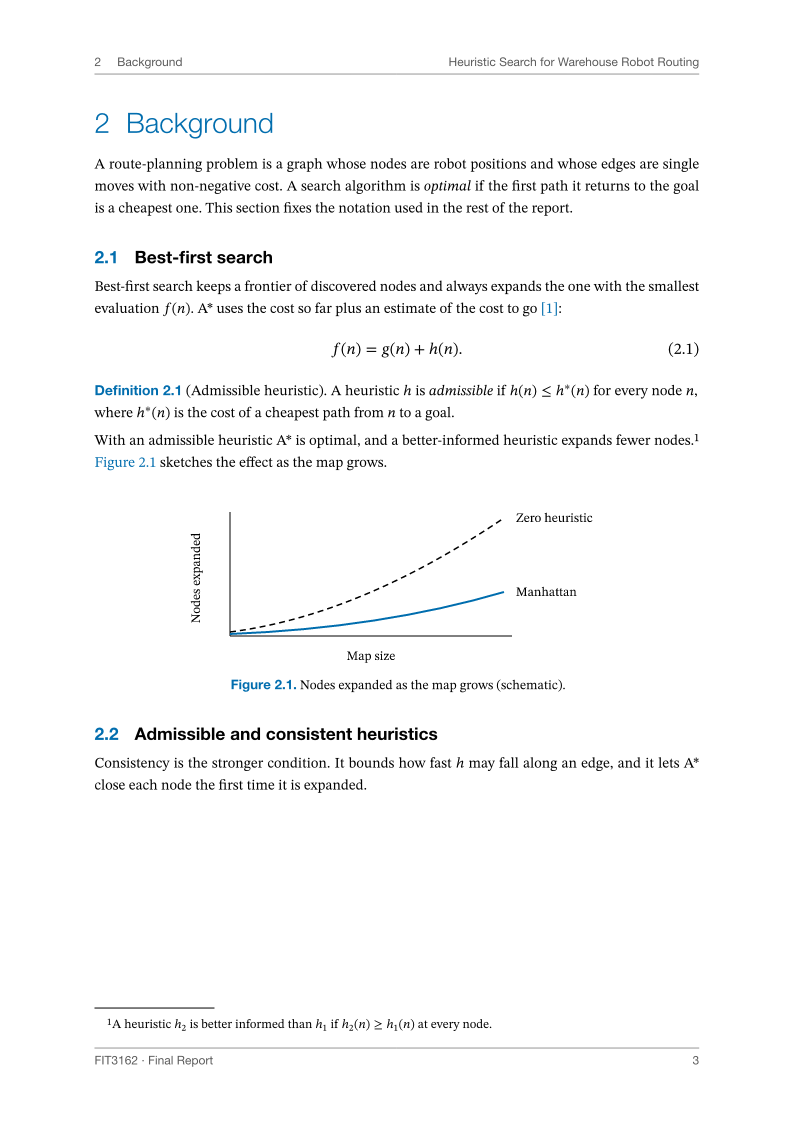 |
Quick start
Create a project from the template:
typst init @preview/unofficial-monash-report:0.1.0 my-assignment
Or start from scratch. An assignment:
#import "@preview/unofficial-monash-report:0.1.0": *

#show: assignment.with(
  title: [Assignment 2: Informed Search],
  author: "Your Name",
  student-id: "12345678",
  unit: "FIT3080 Artificial Intelligence",
)

#question(marks: 10)[Show that a consistent heuristic is admissible.]

+ Write the first part of your answer here.
+ Write the second part here.
A report:
#import "@preview/unofficial-monash-report:0.1.0": *

#show: report.with(
  title: [Heuristic Search for Warehouse Robot Routing],
  subtitle: [A comparison of three algorithms],
  unit: "FIT3162 · Computer Science Project",
  author: "Your Name",
  student-id: "12345678",
  date: datetime.today(),
  abstract: [Summarise the purpose, the method and the main result.],
  outline: true,
)

= Introduction

Start the report here.

== Problem statement

Describe the problem.
Requires Typst 0.15.0 or newer.
The two modes
assignment |
report |
|
|---|---|---|
| Opening | Title block at the top of page 1 | Separate cover page |
| Structure | question blocks with lettered parts |
Numbered chapters and sections |
| Front matter | None | Optional abstract and contents |
| Numbering | Equation (1), Lemma 1 | Equation (2.1), Definition 2.1, by chapter |
| Page numbers | 1, 2, 3 | Roman for front matter, then 1, 2, 3 |
Every component below works in both modes.
You choose what appears
Only title is required. Every other field is left out of the page when you do
not set it, with no gap and no stray label. This includes the date and the
contents page: set date: or outline: true when you want them.
Three more controls:
labelsrenames any word the template prints. Pass only the ones you want to change.show-marks: falsehides the marks of every question.question-box: falseprints question statements as plain text, without the grey box.
#import "@preview/unofficial-monash-report:0.1.0": *

#show: assignment.with(
  title: [Problem Set 3],
  author: "Your Name",
  tutor: "Their Name",
  labels: (question: "Problem", tutor: "Demonstrator", marks: "pts", mark: "pt"),
  question-box: false,
)

#question(marks: 5)[State the problem here.] <p-first>

Your answer. A reference such as @p-first prints "Problem 1".
The words you can rename, with their defaults:
| Key | Default | Key | Default |
|---|---|---|---|
question |
Question | abstract |
Abstract |
marks / mark |
marks / mark | keywords |
Keywords |
tutor |
Tutor | contents |
Contents |
author |
Author | proof |
Proof |
student-id |
Student ID | listing |
Listing |
contribution |
Contribution | theorem, lemma, proposition |
Theorem, Lemma, Proposition |
supervisor |
Supervisor | corollary, definition |
Corollary, Definition |
date |
Date | example, remark |
Example, Remark |
word-count |
Word count |
An empty label ("") hides that word. An unknown key stops compilation and
names the key.
Adding your logo
The package does not ship the Monash logo, because it is a registered mark and this is not an official template. To use it you supply the file yourself, and you are responsible for having the right to use it.
- Download the logo from the “Access logos” section of Monash’s Brand book. Monash login may be required.
- Save it in your project, for example as
assets/logo.svg. - Add one line to the show rule:
#import "@preview/unofficial-monash-report:0.1.0": *

#show: assignment.with(
  title: [Assignment Title],
  logo: image("assets/logo.svg"),
)

Your answer.
The logo appears at the top left of an assignment’s first page and of a report cover, scaled to fit. Follow Monash’s rules for it: keep it on the white background, and do not recolour, stretch or crop it. Any image works here, so the same option serves a club or project logo. Without a logo the layout closes up and looks complete.
Options
These apply to both assignment and report.
| Option | Default | Meaning |
|---|---|---|
title |
required | Document title. |
author |
none |
Your name. |
student-id |
none |
Your student ID. |
unit |
none |
Unit code and name. Top right on an assignment; the blue line above the title on a report cover. |
semester |
none |
Shown under the unit (assignment) or at the top right of the cover (report). |
date |
none |
A datetime, or any text. Use datetime.today() for today. |
short-title |
auto |
Text in the running head and footer. auto builds it from the unit code and the title. none removes it. |
info |
() |
Extra items. Assignment: an array of content added to the byline. Report: an array of (label, value) pairs added to the cover. |
logo |
none |
Your logo, usually image("..."). |
labels |
(:) |
Words to rename. See above. |
show-marks |
true |
Whether questions print their marks. |
question-box |
true |
Whether question statements sit in a grey box. |
accent |
monash-blue |
The accent colour used throughout. |
font, heading-font, math-font, code-font |
auto |
Font family, or an array of families. See Fonts. |
font-size |
11pt |
Body text size. |
paper |
"a4" |
Paper size. The layout is designed for A4. |
lang |
"en" |
Text language, used for hyphenation. |
assignment also takes:
| Option | Default | Meaning |
|---|---|---|
tutor |
none |
Your tutor’s name, added to the byline. |
report also takes:
| Option | Default | Meaning |
|---|---|---|
subtitle |
none |
Italic line under the cover title. |
doc-type |
none |
Kind of document, for example “Final Report”. |
authors |
() |
For group work: an array of (name:, student-id:, contribution:). Shown as a table and replaces author and student-id. student-id and contribution are optional in each entry. |
supervisor |
none |
Supervisor’s name. |
word-count |
none |
A number or text. |
faculty |
none |
Shown at the top right of the cover. |
abstract |
none |
Abstract text. |
keywords |
() |
An array of keywords, shown under the abstract. |
outline |
false |
Whether to include a contents page. |
A group report:
#import "@preview/unofficial-monash-report:0.1.0": *

#show: report.with(
  title: [Group Report],
  authors: (
    (name: [First Author], student-id: [12345678], contribution: [Method]),
    (name: [Second Author], student-id: [23456789], contribution: [Results]),
    (name: [Third Author], student-id: [34567890]),
  ),
  supervisor: "Their Name",
)

= Introduction

Your group's report.
Components
Questions and parts
question prints “Question N”, the marks on the right, and the statement in a
grey box. Numbering is automatic. Write your answer after it; a numbered list
gives parts (a), (b), and a nested list gives (i), (ii).
#import "@preview/unofficial-monash-report:0.1.0": *

#show: assignment.with(title: [Questions])

#question(marks: 5, title: [A short proof])[Show the claim.] <q-claim>

+ First part of the answer.
  + A nested part.
  + Another nested part.
+ Second part of the answer.

#question(number: 5)

This question has no statement and continues the numbering from 5. See @q-claim.
| Argument | Default | Meaning |
|---|---|---|
marks |
none |
A number (prints “5 marks”) or your own text. |
title |
none |
Printed after the number: “Question 1: A short proof”. |
number |
auto |
Sets the number; later questions continue from it. |
| body | none | The question statement. Leave it out for a heading only. |
Theorems and proofs
theorem, lemma, proposition, corollary, definition, example and
remark take a body, or a title and then a body. They share one counter and
can be referenced. proof ends with a square at the right.
#import "@preview/unofficial-monash-report:0.1.0": *

#show: assignment.with(title: [A Result])

#lemma[Non-negativity][For every real $x$, $x^2 >= 0$.] <lem-square>

#proof[A real square is a product of two numbers of the same sign.]

By @lem-square the sum of squares is non-negative.
Figures, tables, code and equations
Use Typst’s own figure, table, code blocks and display equations; the
template styles and numbers them. Tables get three horizontal rules with the
caption above. Code blocks get line numbers. To caption and reference a code
listing, wrap it in figure.
#import "@preview/unofficial-monash-report:0.1.0": *

#show: report.with(title: [Results])

= Results

#figure(
  table(
    columns: 3,
    table.header[Map][Nodes expanded][Path cost],
    [Small], [120], [18],
    [Large], [4310], [96],
  ),
  caption: [Search effort on each map.],
) <tab-effort>

#figure(
  ```python
  def identity(x):
      return x
  ```,
  caption: [A code listing.],
) <code-identity>

$ f(n) = g(n) + h(n) $ <eq-score>

See @tab-effort, @code-identity and @eq-score.
Appendix
In a report, put appendix chapters inside appendix. They are lettered A, B,
and their equations and figures are numbered A.1, A.2.
#import "@preview/unofficial-monash-report:0.1.0": *

#show: report.with(title: [Report with an Appendix])

= Main text

A result.

#appendix[
  = Additional experiments

  $ x = y $
]
Your own styling
Typst set and show rules written after the #show: line still work, so
you can adjust anything the options do not cover.
Fonts
By default the template uses fonts built into Typst (Libertinus Serif, New Computer Modern Math, DejaVu Sans Mono), so it compiles the same everywhere, including the Typst web app, and never warns about a missing font.
The intended look uses Helvetica Neue for headings and STIX Two for text and
mathematics. To switch it on, add ..monash-fonts to the show rule:
#import "@preview/unofficial-monash-report:0.1.0": *

#show: assignment.with(
  ..monash-fonts,
  title: [Assignment Title],
)

Your answer.
monash-fonts sets these families, each with fallbacks:
| Use | Families, in order |
|---|---|
| Text | STIX Two Text, Libertinus Serif |
| Mathematics | STIX Two Math, New Computer Modern Math |
| Headings, running heads | Helvetica Neue, Helvetica, Arial, Liberation Sans, Libertinus Serif |
| Code | JetBrains Mono, DejaVu Sans Mono |
Typst prints a warning for each listed family that is not installed and then
uses the next one. macOS has Helvetica Neue and STIX Two; on other systems
expect a few warnings, or set font, heading-font, math-font and
code-font yourself to fonts you have.
Design
Colours come from the Monash
Brand book: Monash
blue #006DAE, black, and the greys #5A5A5A, #969696 and #E6E6E6.
Helvetica Neue is the university’s primary typeface. The page layout follows
academic convention instead: serif body text, justified paragraphs, plain
theorem style and three-line tables. The package borrows the colours and
typeface and does not reproduce the brand guidelines.
Exported names
assignment, report, question, appendix, proof, the seven theorem
environments (theorem, lemma, proposition, corollary, definition,
example, remark), monash-fonts, and the colours monash-blue,
monash-black, monash-grey-dark, monash-grey, monash-grey-mid,
monash-grey-soft and monash-grey-light.
Development
scripts/check.sh                        # compile everything, fail on any warning
scripts/check.sh --ignore-system-fonts  # the same with only Typst's built-in fonts
scripts/check.sh --thumbnail            # also regenerate the previews and thumbnail
The script compiles every file in tests/, examples/ and template/, every
Typst sample in this README, and a fresh typst init of the template. The
requirements and the design mock are in docs/spec/.
Licence
MIT. See LICENSE.