Typst Universe:
#import "@preview/unofficial-icl-doc-thesis:0.1.0": project, back-matter
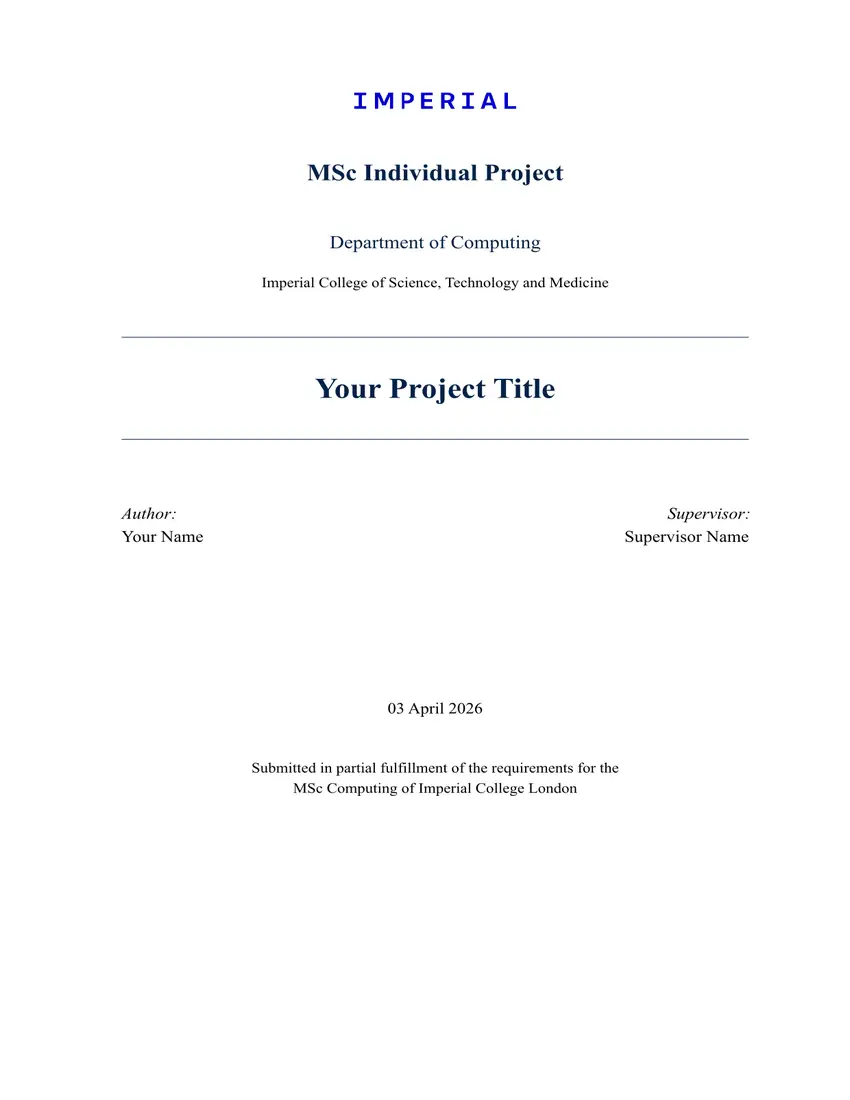
(Unofficial) Typst port of the Department of Computing Individual Project LaTeX template at Imperial College London.
Features
- Supports Imperial Sans (user-provided via
--font-path); falls back to Times New Roman / Linux Libertine - IC logo placeholder (official logo requires Imperial SSO download)
- Imperial Blue (
#003E74) colour scheme with full brand palette - Title page matching the DoC LaTeX template layout
- Roman-numeral front matter: Abstract, Acknowledgements, Table of Contents
- Numbered chapters with
CHAPTER Xlabel, auto new-page - Twoside/left/right configurable page header
- Back matter (Bibliography, List of Abbreviations) — new page, no chapter number
- Fully configurable via
theme,logo,department,header-side, and more - Helper library
utils.typ: callout boxes, tables, code blocks, equations, abbreviation tracking
Quick Start
Option A — Typst Universe (recommended)
typst init @preview/unofficial-icl-doc-thesis
cd unofficial-icl-doc-thesis
typst compile main.typ output.pdf
Option B — Clone manually
1. Install Typst
| Platform | Command |
|---|---|
| macOS | brew install typst |
| Linux | cargo install typst-cli or snap install typst |
| Windows | winget install --id Typst.Typst |
| Any | Download from releases |
2. Clone & compile
git clone https://github.com/bkmashiro/ic-individual-project-typst.git
cd ic-individual-project-typst
typst compile main.typ output.pdf
To use Imperial Sans branding, download the fonts from Imperial Brand Hub and compile with
--font-path /path/to/fonts/. Without it, the template falls back to Times New Roman.
3. Edit main.typ
Fill in your details at the top:
#show: project.with(
  title:       "Your Project Title",
  author:      "Your Name",
  supervisor:  "Supervisor Name",
  report-type: "MEng Individual Project",
  degree:      "Master of Engineering (MEng)",
)
Build Scripts
| Platform | Command |
|---|---|
| macOS / Linux | bash build.sh or make |
| Windows | .\build.ps1 |
| Live preview | make watch |
GitHub Actions will automatically compile and upload the PDF on every push.
Project Structure
.
├── main.typ            # Your document — edit this
├── template.typ        # Template engine — title page, styles, layout
├── utils.typ           # Helper components (boxes, tables, equations, abbr)
├── references.bib      # Bibliography entries
├── figures/
│   └── placeholder-logo.svg   # Placeholder logo (replace with your institution logo)
├── template/
│   ├── main.typ        # Template init file (used by typst init)
│   └── references.bib
├── thumbnail.png
└── typst.toml
Configuration Reference
project() parameters
#show: project.with(
  title:                "Project Title",
  author:               "Your Name",
  supervisor:           "Supervisor Name",
  report-type:          "MEng Individual Project",
  degree:               "Master of Engineering (MEng)",
  date:                 datetime.today(),        // or datetime(year:, month:, day:)
  abstract:             [Your abstract text.],
  acknowledgements:     [Optional acknowledgements.],
  logo:                 "figures/placeholder-logo.svg",
  logo-width:           4cm,
  department:           "Department of Computing",
  institution:          "Imperial College of Science, Technology and Medicine",
  show-acknowledgements: true,
  toc-depth:            3,
  header-side:          "twoside",   // "twoside" | "left" | "right"
  theme:                (:),         // see Theme section below
)
Theme customisation
theme: (
  // Fonts
  body-font:    "Imperial Sans Text",
  heading-font: "Imperial Sans Display",
  code-font:    "Courier New",
  body-size:    12pt,

  // Colours (Imperial brand palette)
  primary:   rgb("#003E74"),   // Imperial Blue
  secondary: rgb("#D4EFFC"),   // Imperial Light Blue
  text:      black,
  link:      rgb("#003E74"),

  // Layout
  line-spacing:      0.65em,
  paragraph-spacing: 0.8em,

  // Chapter labels
  show-chapter-label: true,
  chapter-label:      "Chapter",
)
Imperial brand colours
| Name | Hex |
|---|---|
| Imperial Blue | #003E74 |
| Imperial Navy | #002147 |
| Imperial Light Blue | #D4EFFC |
| Imperial Teal | #009CBC |
| Imperial Green | #02893B |
| Imperial Lime | #BBCE00 |
| Imperial Orange | #D24000 |
| Imperial Red | #DD2501 |
| Imperial Berry | #8F1444 |
| Imperial Violet | #653098 |
| Imperial Grey | #9C9FA4 |
Helper Components (utils.typ)
Import with #import "utils.typ": *
| Component | Usage |
|---|---|
#note[...] |
Blue info box |
#warning[...] |
Orange warning box |
#tip[...] |
Green tip box |
#definition(term: "CNN")[...] |
Definition box |
#summary[...] |
Grey chapter summary box |
#badge("Draft") |
Inline colour pill |
#todo("msg") |
Orange TODO marker |
#code-block(lang: "python", filename: "main.py")[...] |
Styled code block |
#ic-table(headers: (...), rows: (...)) |
Imperial-styled table |
#ic-figure(content, caption: "...", label: <fig:x>) |
Figure wrapper |
#eq($...$, label: <eq:x>) |
Numbered equation |
#abbr("CNN", "Convolutional Neural Network") |
First-use expansion |
#abbr-list() |
Print all abbreviations |
Back Matter
Call #back-matter() before bibliography and #abbr-list() to disable chapter numbering for those sections:
#back-matter()
#abbr-list()
#bibliography("references.bib", style: "elsevier-vancouver")
Logo Setup
This template does not bundle the Imperial College logo due to copyright. A placeholder is shown by default.
To use the IC logo:
- Go to Imperial Brand Hub — Logo downloads
- Requires Imperial SSO login (your
@imperial.ac.ukaccount) - Under “Logo RGB Blue”, download
IMPERIAL_logo_RGB_Blue_2024.svg
- Requires Imperial SSO login (your
- Place it in your project folder as
figures/ICL_Logo_Blue.svg - Set the path in your document:
#show: project.with(
  // ...
  logo: "figures/ICL_Logo_Blue.svg",
  logo-width: 4cm,
)
Black and white variants are also available on the same page if needed.
Credits
- Original LaTeX template by Marc Deisenroth (2015)
- Official brand assets from Imperial College London Brand Hub
- Typst port: bkmashiro