


Render PlantUML diagrams natively as SVG using a pure-Rust WebAssembly plugin powered by
plantuml-core. It does not require Java or any external Graphviz installation, making it ideal for use in Typst documents.
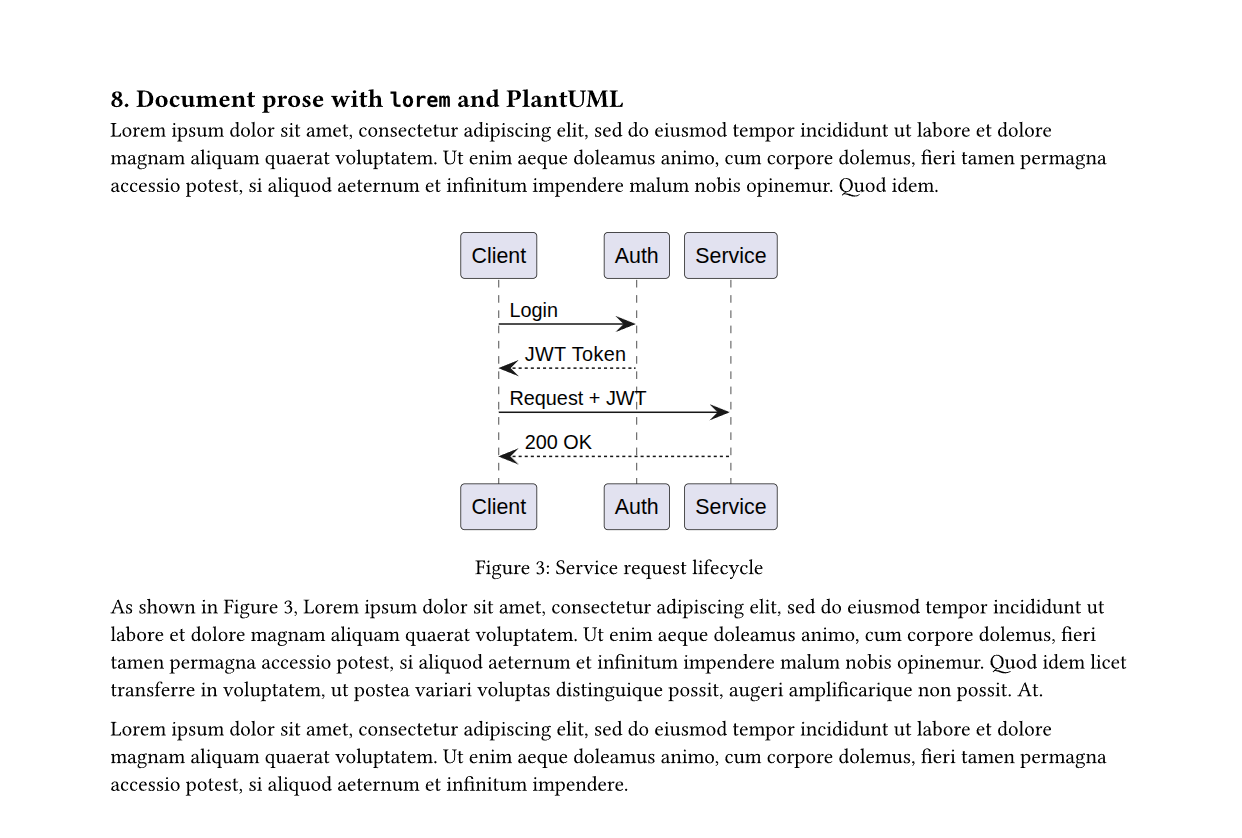
See example/demo.typ for a complete runnable document.
Usage
Import the package from Typst Universe:
#import "@preview/unimola:0.1.0": (
  unimola,
  unimola-config,
  show-unimola-blocks,
)
These imports provide:
unimola: Renders PlantUML source as an SVG diagram in the document.unimola-config: Sets default options for subsequent diagrams, such as themes, preambles, and included files.show-unimola-blocks: Creates a show-rule handler that automatically renders fencedplantumlorpumlblocks.
Render a diagram inline or as a block
The unimola function accepts PlantUML markup as a plain string, a fenced raw block, or the output of read(...), and compiles it into an embedded SVG image. When auto-wrap is enabled (the default), you can omit @startuml and @enduml and Unimola wraps the snippet automatically before rendering.
#unimola(
  width: 80%,
  ```plantuml
  @startuml
  Alice -> Bob: Hello
  Bob --> Alice: Hi!
  @enduml
  ```,
)
Render inside a figure
Because unimola returns standard Typst content, you can pass it directly into Typst’s native #figure element to attach captions, numbering, and cross-references (@fig-sequence).
#figure(
  caption: [Order processing sequence],
  unimola(
    width: 85%,
    ```plantuml
    Alice -> API: POST /orders
    API --> Alice: 201 Created
    ```,
  ),
) <fig-sequence>
Automatic rendering for fenced code blocks
Instead of calling #unimola(...) around every diagram, you can bind show-unimola-blocks to a #show raw.where(...) rule. Any fenced plantuml or puml block that appears after the rule is intercepted and rendered directly as an SVG diagram:
#show raw.where(lang: "plantuml"): show-unimola-blocks(width: 90%)
#show raw.where(lang: "puml"): show-unimola-blocks(width: 90%)

```plantuml
@startuml
class Order {
  +id: UUID
  +total(): Decimal
}
@enduml
```

```puml
[*] --> Registered
Registered --> Delivered : ship
Delivered --> [*]
```
Global configuration and custom themes
Use unimola-config(...) to define document-wide defaults for theme, preamble, auto-wrap, deterministic, or includes. Any #unimola(...) call whose arguments remain auto inherits those defaults and can override them individually.
To apply custom styles, inject skinparam or <style> rules through preamble, or pass a virtual dictionary to includes so PlantUML’s !theme and !include directives resolve directly from Typst’s read(...) output.
#unimola-config(preamble: read("themes/corporate.puml"))

// Override per diagram
#unimola(theme: "amiga", preamble: none, "Alice -> Bob: Hi")

// Resolve `!theme corporate` from a virtual includes map
#unimola(
  preamble: none,
  includes: (corporate: read("themes/corporate.puml")),
  "@startuml\n!theme corporate\nAlice -> Bob: Custom\n@enduml",
)
Load from an external .puml file
Typst scopes file access inside a package to that package’s own directory, so external .puml files must be read from your document with read("diagram.puml") and passed as a string to unimola.
#unimola(read("diagram.puml"), width: 90%)
API Reference
unimola
Renders PlantUML markup as an SVG image, or displays a framed red error box if the diagram contains syntax or encoding errors without aborting compilation. Parameters set to auto inherit from unimola-config(...).
| Parameter | Type | Default | Description |
|---|---|---|---|
source |
str, content |
— | PlantUML markup string, raw block, or read(...) output. |
theme |
none, str, auto |
auto |
Bundled PlantUML !theme name (e.g. "amiga", "plain", "cerulean"). |
preamble |
none, str, auto |
auto |
Extra skinparam or <style> block injected after @startuml. |
auto-wrap |
bool, auto |
auto |
Wraps markup in @startuml ... @enduml when no @start line exists. |
deterministic |
bool, auto |
auto |
Uses deterministic font metrics for reproducible layouts. |
includes |
dictionary, auto |
auto |
Virtual map of "name": content for !include and custom !theme. |
width |
auto, length, ratio, relative |
auto |
Target image width passed to Typst image. |
height |
auto, length, ratio, relative |
auto |
Target image height passed to Typst image. |
fit |
str |
"contain" |
Image fit mode ("contain", "cover", or "stretch"). |
scale |
none, auto, ratio, float, int |
none |
Optional reflowing scale factor applied around the rendered image. |
alt |
none, str |
none |
Alternative accessibility text for the SVG image. |
Helper Functions
unimola-config(theme: auto, preamble: auto, auto-wrap: auto, deterministic: auto, includes: auto) -> content: Updates document-wide defaults instatefor subsequentunimolaandshow-unimola-blockscalls.show-unimola-blocks(..) -> function: Returns a show-rule handler forrawcode blocks, forwarding allunimolastyling and sizing parameters.unimola-svg(source, theme: none, preamble: none, auto-wrap: true, deterministic: false, includes: (:)) -> str: Evaluates the diagram and returns the raw SVG string directly, or panics on error.unimola-result(source, theme: none, preamble: none, auto-wrap: true, deterministic: false, includes: (:)) -> dictionary: Returns the raw plugin response dictionary(ok, kind, svg, error)without rendering an image.unimola-version() -> str: Returns the PlantUML specification version reported byplantuml-core.
How It Works
When Typst evaluates #unimola(...), it serializes the diagram source and configuration options (theme, preamble, auto_wrap, deterministic, includes) into JSON bytes and passes them to assets/unimola.wasm over wasm-minimal-protocol.
Inside the WebAssembly plugin, the Rust bridge normalizes the source, resolves any virtual !include or !theme entries in memory via plantuml-core, and renders the SVG purely in Rust using graphviz-pure. Typst then decodes the JSON envelope and embeds the resulting SVG into the document with image(bytes(svg), format: "svg").
License
MIT License. See LICENSE for details.