

Typslides is a minimalist package for creating presentations with typst, designed to offer a simple and fast user experience. Structure your content with different slide styles and aesthetic elements. With a clear and concise syntax, Typslides makes it easy to create elegant and well-organized presentations.
Default themes:
🔵 bluey 🔴 reddy 🟢 greeny 🟡 yelly 🟣 purply 🔵 dusky ⚫ darky
- Quickstart
- Sample slides
- Presentation setup
- Slide types
- Text and layout components
- Dynamic display:
#pause,#onlyand#uncover - Themes and colors
- Sections, outline and progress
- Cheat sheet
This is a simple usage example:
#import "@preview/typslides:1.4.0": *

// Project configuration
#show: typslides.with(
  ratio: "16-9",
  theme: "bluey",
  font: "Fira Sans",
  font-size: 20pt,
  link-style: "color",
  show-progress: true,
)

// The front slide is the first slide of your presentation
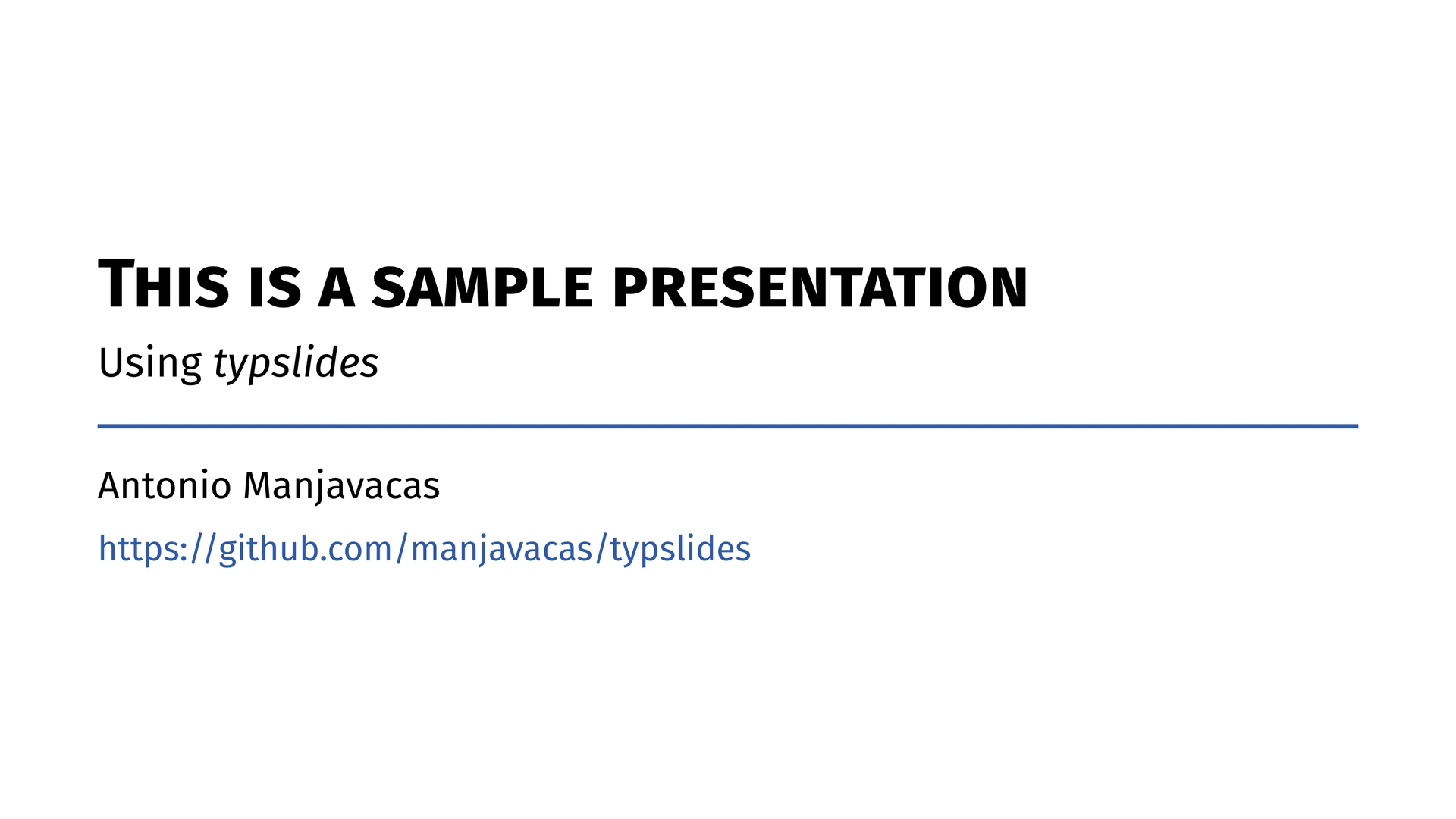
#front-slide(
  title: "This is a sample presentation",
  subtitle: [Using _typslides_],
  authors: "A. Manjavacas",
  info: [#link("https://github.com/manjavacas/typslides")],
)

// Custom outline
#table-of-contents()

// Title slides create new sections
#title-slide[
  This is a _Title slide_
]

// A simple slide
#slide[
  - This is a simple `slide` with no title.
  - #stress("Bold and coloured") text by using `#stress(text)`.
  - Sample link: #link("typst.app").
    - Link styling using `link-style`: `"color"`, `"underline"`, `"both"`
  - Font selection using `font: "Fira Sans"`, `size: 21pt`.

  #framed[This text has been written using `#framed(text)`. The background color of the box is customisable.]

  #framed(title: "Frame with title")[This text has been written using `#framed(title:"Frame with title")[text]`.]
]

// Focus slide
#focus-slide[
  This is an auto-resized _focus slide_.
]

// Blank slide
#blank-slide[
  - This is a `#blank-slide`.

  - Available #stress[themes]#footnote[Use them as *color* functions! e.g., `#reddy("your text")`]:

  #framed(back-color: white)[
    #bluey("bluey"), #reddy("reddy"), #greeny("greeny"), #yelly("yelly"), #purply("purply"), #dusky("dusky"), darky.
  ]

  // #show: typslides.with(
  // ratio: "16-9",
  // theme: "bluey",
  // ...
  // )

  - Or just use *your own theme color*:
    - `theme: rgb("30500B")`
]

// Slide with title
#slide(title: "Outlined slide", outlined: true)[
  - Check out the *progress bar* at the bottom of the slide.

    #h(1cm) `show-progress: true`

  - Outline slides with `outlined: true`.

  #grayed([This is a `#grayed` text. Useful for equations.])
  #grayed($ P_t = alpha - 1 / (sqrt(x) + f(y)) $)

]

// Dynamic display
#slide(title: "Pause, only and uncover")[

  #stress[Dynamic display] with `#pause`, `#only` and `#uncover`...

  #only(1)[*Frame 1*: this text is replaced later (`#only`).]
  #only("2-")[*Frames 2 and 3*: this is the replacement (`#only`).]
  #uncover(3)[*Frame 3*: this line was invisible, but its space was reserved (`#uncover`).]

  #pause
  - Appears in *Frame 2* (`#pause`).
  #pause
  - Appears in *Frame 3* (`#pause`).
]

// Columns
#slide(title: "Columns")[

  #cols(columns: (2fr, 1fr, 2fr), gutter: 2em)[
    #grayed[Columns can be included using `#cols[...][...]`]
  ][
    #grayed[And this is]
  ][
    #grayed[an example.]
  ]

  - Custom spacing: `#cols(columns: (2fr, 1fr, 2fr), gutter: 2em)[...]`

  - Sample references: @typst, @typslides.
    - Add a #stress[bibliography slide]...

    1. `#let bib = bibliography("you_bibliography_file.bib")`
    2. `#bibliography-slide(bib)`
]

// Bibliography
#let bib = bibliography("bibliography.bib")
#bibliography-slide(bib)


Every presentation starts by applying typslides with a #show rule. All arguments are optional:
#show: typslides.with(
  ratio: "16-9",
  theme: "bluey",
  font: "Fira Sans",
  font-size: 21pt,
  link-style: "color",
  show-page-numbers: true,
  show-progress: false,
  progress-height: 3pt,
  back-color: white,
)
| Argument | Default | Description |
|---|---|---|
ratio |
"16-9" |
Aspect ratio of the slides, e.g. "16-9" or "4-3". |
theme |
"bluey" |
Name of a built-in theme or any custom color, e.g. rgb("30500B"). |
font |
"Fira Sans" |
Font family of the whole presentation. |
font-size |
21pt |
Base font size. |
link-style |
"color" |
How links look: "color", "underline" or "both". |
show-page-numbers |
true |
Show the slide number (current / total) in slide and blank-slide. |
show-progress |
false |
Show a progress bar at the bottom of the slides. |
progress-height |
3pt |
Thickness of the progress bar. |
back-color |
white |
Default background color of all slides. |
References (@label), links and footnotes are automatically colored with the theme color.
| Function | Purpose |
|---|---|
front-slide |
Cover of the presentation. |
table-of-contents |
Automatic outline. |
title-slide |
Section title (creates a new section). |
slide |
Standard content slide, with or without title. |
focus-slide |
Full-color slide with a big, auto-resized message. |
blank-slide |
Content slide without header. |
bibliography-slide |
References slide. |
All of them accept back-color to override the default background of that single slide.
front-slide
The first slide of the presentation.
#front-slide(
  title: "This is a sample presentation",
  subtitle: [Using _typslides_],
  authors: "A. Manjavacas",
  info: [#link("https://github.com/manjavacas/typslides")],
)
| Argument | Default | Description |
|---|---|---|
title |
none |
Main title. |
subtitle |
none |
Subtitle. |
authors |
none |
Author name(s). |
info |
none |
Extra information (date, link, institution…). |
back-color |
global | Background color. |
margin |
auto |
Page margins of this slide. |
table-of-contents
Generates the outline automatically from the sections and outlined slides of the presentation. Entries are clickable links.
#table-of-contents()
#table-of-contents(title: "Index", text-size: 20pt)
| Argument | Default | Description |
|---|---|---|
title |
"Contents" |
Title of the outline. |
text-size |
23pt |
Font size of the entries. |
back-color |
global | Background color. |
title-slide
Creates a new section (it is added to the outline).
#title-slide[Introduction]
| Argument | Default | Description |
|---|---|---|
body |
— | Title of the section. |
text-size |
42pt |
Font size of the title. |
back-color |
global | Background color. |
slide
The standard content slide. Without title it only has a thin colored header.
#slide[
  - A simple slide with no title.
]

#slide(title: "With title", outlined: true)[
  - A slide with title that also appears in the outline.
]
| Argument | Default | Description |
|---|---|---|
title |
none |
Title shown in the colored header. |
outlined |
false |
Add the slide to the outline (as a subsection of the current section). |
back-color |
global | Background color. |
margin |
automatic | Custom page margins. |
subslides |
auto |
Number of dynamic frames. Normally computed automatically. |
body |
— | Content of the slide. |
focus-slide
A full-color slide for a key message. The text is automatically resized to fit the page.
#focus-slide[
  This is an auto-resized _focus slide_.
]
| Argument | Default | Description |
|---|---|---|
text-color |
white |
Text color. |
text-size |
60pt |
Initial size (reduced automatically if the text does not fit). |
back-color |
theme color | Background color. |
blank-slide
A content slide without header, with the maximum area available. It still shows the page number and the progress bar, and it supports dynamic display.
#blank-slide[
  Free layout here.
]
| Argument | Default | Description |
|---|---|---|
back-color |
global | Background color. |
subslides |
auto |
Number of dynamic frames. |
bibliography-slide
Shows the references of a .bib file. Cite with @key anywhere in the presentation.
#let bib = bibliography("bibliography.bib")
#bibliography-slide(bib)
#bibliography-slide(bib, title: "Bibliography")
| Argument | Default | Description |
|---|---|---|
bib-call |
— | The bibliography(...) call. |
title |
"References" |
Title of the slide. |
back-color |
global | Background color. |
stress
Highlights text with the theme color and a semibold weight.
This is #stress[important].
framed
A box to highlight content, with an optional title bar.
#framed[A simple box.]
#framed(title: "Title")[A box with title.]
#framed(back-color: white)[A box with custom background.]
| Argument | Default | Description |
|---|---|---|
title |
none |
Title shown in a bar with the theme color. |
back-color |
automatic | Background color of the box. |
grayed
A centered gray box, useful for equations, code or notes.
#grayed[Some note]
#grayed($ P_t = alpha - 1 / (sqrt(x) + f(y)) $)
#grayed(text-size: 20pt, fill-color: yellow.lighten(70%))[Custom]
| Argument | Default | Description |
|---|---|---|
text-size |
24pt |
Font size of the content. |
fill-color |
light silver | Background color. |
cols
Multi-column layouts.
#cols[Left][Right]

#cols(columns: (2fr, 1fr, 2fr), gutter: 2em)[
  First
][
  Second
][
  Third
]
| Argument | Default | Description |
|---|---|---|
columns |
equal widths | Widths of the columns. Must match the number of content blocks. |
gutter |
1em |
Spacing between columns. |
Color functions
Color a piece of text with any of the theme colors: #bluey, #reddy, #greeny, #yelly, #purply, #dusky.
This is #reddy[red] and this is #greeny("green").
Other useful things
Everything from plain typst works as usual: lists, numbered lists, equations, tables, images, #footnote, #link, #h/#v…
Beamer-like overlays: one slide can be revealed step by step without duplicating it. Each step is a frame (a page of the PDF). All the frames of a slide share the same slide number.
#slide(title: "Pause, only and uncover")[
  #only(1)[*Frame 1*: this text is replaced later (`#only`).]
  #only("2-")[*Frames 2 and 3*: this is the replacement (`#only`).]
  #uncover(3)[*Frame 3*: this line was invisible, but its space was reserved (`#uncover`).]

  - Always visible.
  #pause
  - Appears in *Frame 2* (`#pause`).
  #pause
  - Appears in *Frame 3* (`#pause`).
]
#pause
Hides everything after it until the next frame. The hidden content keeps its space, so the visible content does not move between frames. A slide with N pauses has N + 1 frames.
#slide[
  - First idea.
  #pause
  - Second idea.

  #framed[Shown together with the second idea.]
]
#only(spec)[...]
Shows the content only in the frames matching spec. In the other frames it is removed and takes no space.
#uncover(spec)[...]
Like #only, but in the other frames the content is hidden instead of removed, so it keeps its space.
Frame specification (spec)
spec |
Frames |
|---|---|
2 |
Only frame 2 |
"2-" |
From frame 2 on |
"-3" |
Up to frame 3 |
"2-4" |
Frames 2, 3 and 4 |
"1, 3-" |
Frame 1 and from frame 3 on |
(1, "3-") |
An array mixing any of the above |
Things to know
- A
#pausehides everything that comes after it, including#onlyand#uncover, until its frame arrives. Place them before the first#pause(or after the last one if you want them in the final frame only). #pausemust be at the top level of the slide body (list and enum items included). Inside other functions such as#framed[...]or#cols[...], use#uncover/#onlyinstead.- The number of frames is computed automatically from the pauses and from the
#only/#uncoverof the slide. If some of them are inside functions that cannot be inspected, set it manually:#slide(subslides: 4)[...]. - Available in
slideandblank-slide. - The progress bar advances with every frame, while the slide number does not.
Choose a theme in the setup:
#show: typslides.with(theme: "reddy")
| Theme | Color |
|---|---|
bluey |
🔵 #3059AB (default) |
reddy |
🔴 #BF3D3D |
greeny |
🟢 #28842F |
yelly |
🟡 #C4853D |
purply |
🟣 #862A70 |
dusky |
🔵 #1F4289 |
darky |
⚫ black |
Or use your own color:
#show: typslides.with(theme: rgb("30500B"))
The theme color is used in headers, bullets, links, references, footnotes, #stress, #framed titles, dividers and progress bars. The default background of all slides can be changed with back-color, and individually with the back-color argument of each slide.
- Every
#title-slidecreates a section. - Every slide with
outlined: truebecomes a subsection of the last section, and also shows its title in the outline. #table-of-contents()builds the outline from them. If there are no sections, only the outlined slides are listed.
#table-of-contents()

#title-slide[Introduction]
#slide(title: "Motivation", outlined: true)[...]
#slide(title: "Goals", outlined: true)[...]

#title-slide[Results]
#slide(title: "Experiments", outlined: true)[...]
With show-progress: true, a progress bar is shown at the bottom of content slides, and a progress divider under the titles of table-of-contents, title-slide and bibliography-slide. In focus-slide the bar is white.
| I want to… | Use |
|---|---|
| Configure the presentation | #show: typslides.with(...) |
| Create the cover | #front-slide(...) |
| Add an outline | #table-of-contents() |
| Start a new section | #title-slide[...] |
| Add a content slide | #slide(title: "...")[...] |
| Show a slide in the outline | #slide(outlined: true)[...] |
| Emphasize a key message | #focus-slide[...] |
| Use the whole page | #blank-slide[...] |
| Add references | #bibliography-slide(bib) |
| Highlight a word | #stress[...] |
| Add a box (with title) | #framed(title: "...")[...] |
| Add an equation/note box | #grayed[...] |
| Use columns | #cols[...][...] |
| Reveal content step by step | #pause |
| Show content in specific frames only | #only(spec)[...] |
| Show content in specific frames (keeping space) | #uncover(spec)[...] |