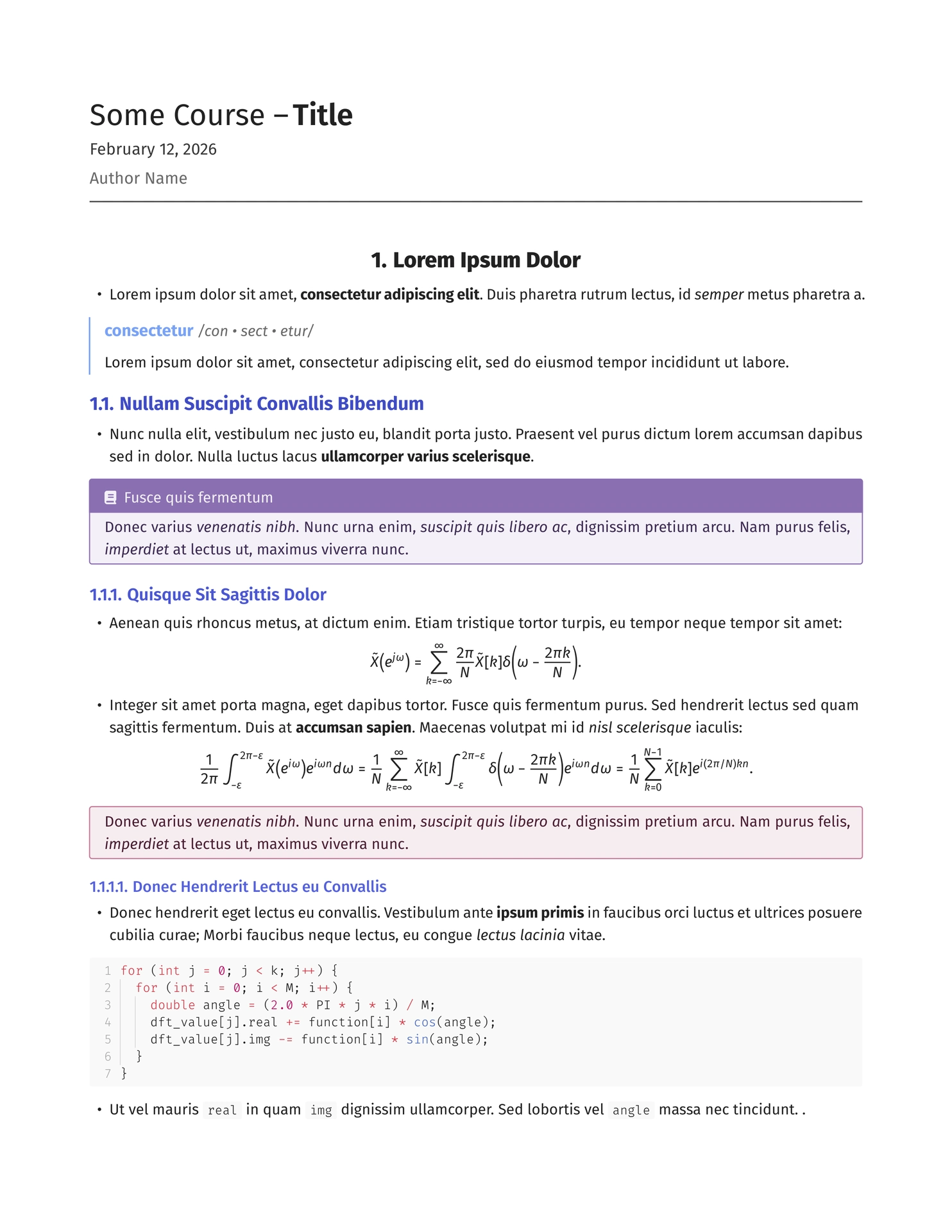
Obsidian-inspired Typst template for note taking, outlines, and knowledge management.

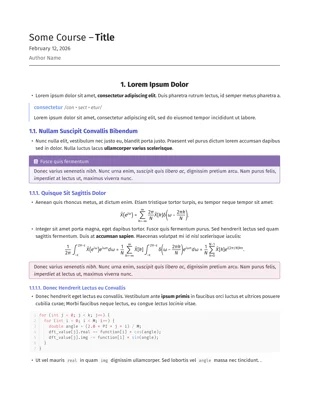
Left: theme: "light", Right: theme: "dark"
Usage
#import "@preview/typsidian:0.0.3": *
#show: typsidian.with(
  theme: "light",
  title: "My Document",
  course: "My Course",
  show-index: true,
  index-entry-list: (
    (
      key: "example",
      short: "An example index entry"
    ),
  )
)
Options
-
title- Document title. -
author- Document author. -
course- Course name or subtitle. -
text-args- Custom text styling arguments for main, mono, headings, and math text.-
Parameters
Dictionary with the following optional properties:
main- Main text styling. Takes a dictionary withfont(string),weight(string), andsize(length).mono- Monospace/code text styling. Takes a dictionary withfont(string),weight(string), andsize(length).headings- Heading text styling. Takes a dictionary withfont(string),numbering(string),weights,sizes,aligns, andsmall-caps.math- Math equation styling. Takes a dictionary withfont(string),size(length), andweight(number).
-
-
show-index- Whether to show the index at the end. Default:false. -
index-entry-list- List of glossary entries for the index. -
theme- Color theme for the document. Takes a string, either “light” or “dark”. Default:"light". -
show-heading-colors- Whether to colorize headings using theme colors. Takes a boolean. Default:true. -
show-bold-color- Whether to colorize bold text using theme colors. Takes a boolean. Default:false. -
show-italic-color- Whether to colorize italic text using theme colors. Takes a boolean. Default:false. -
standalone- True for standalone documents, false for use with my Typst for Obsidian plugin. Default:true
Functions
-
c(code, lang)- Inline code with background color.-
Parameters
code- The code text to display.lang- Language for syntax highlighting. Default:"text".
-
-
make-title(show-outline, show-underline: true, show-author, justify)- Generates title heading.-
Parameters
show-outline- Whether to display the document outline below the title.show-underline- Whether to show an underline under the title.show-author- Whether to display the author name and date.justify- Alignment of the title. Takes a string:"center","left", or"right". Default:"center".
-
-
section-title(title: "", subtitle: none, justify: "center", underline: false, icon: none)- Generates a section title.-
Parameters
title- The main section title text.subtitle- Optional subtitle text below the main title.justify- Alignment of the section title. Takes a string:"center","left", or"right". Default:"center".underline- Whether to show underline.icon- Optional Font Awesome icon to display before the title.
-
-
box(theme, title, breakable, body, box-radius, box-thickness, icon, footer, inset)- Creates a themed callout box.-
Parameters
theme- Box theme. Takes a string:"basic","info","important","example","aside","definition","frame", or"highlight". Default:"basic"title- Optional title for the box header.breakable- Whether the box can break across pages. Default:falsebody- The content in the box,box-radius- Border radius.box-thickness- Thickness of the box border.icon- Optional Font Awesome icon for the box title.footer- Optional footer content at bottom of box.inset- Inset of the box.
-
-
hr(pad, dash, cap)- Generates horizontal rule.-
Parameters
pad- Vertical padding above and below the line.dash- Line style pattern. Takes a string:"solid","dotted","densely-dotted","loosely-dotted","dashed","densely-dashed", or"loosely-dashed". Default:"solid"cap- Line end cap style. Takes a string:"round","square", or"butt". Default:"round"
-
-
term(word, definition, pronunciation)- Creates a term and definition block.-
Parameters
word- The word text.definition- The definition text.pronunciation- Optional pronunciation for the word.
-
-
note(icon, color, body)- Creates quick note box with custom icon.-
Parameters
icon- Font Awesome icon to display at the start of the note. Default:fa-note-sticky()color- Color of the note’s accent.body- The content of the note.
-
-
qa(question, answer)- Question and answer pair block.-
Parameters
question- The question text.answer- The answer text.
-
With Typst for Obsidian Plugin
- Install the Typst for Obsidian plugin
- Create a new Typst file in Obsidian and import the template with desired options:
#import "@local/typsidian:0.0.3": *
#show: typsidian.with(
  theme: "dark",
  title: "My Document",
  course: "CS4999",
  standalone: false
)
- Use
#make-title(show-outline: true)to generate the title page. - Write your document content below the title.