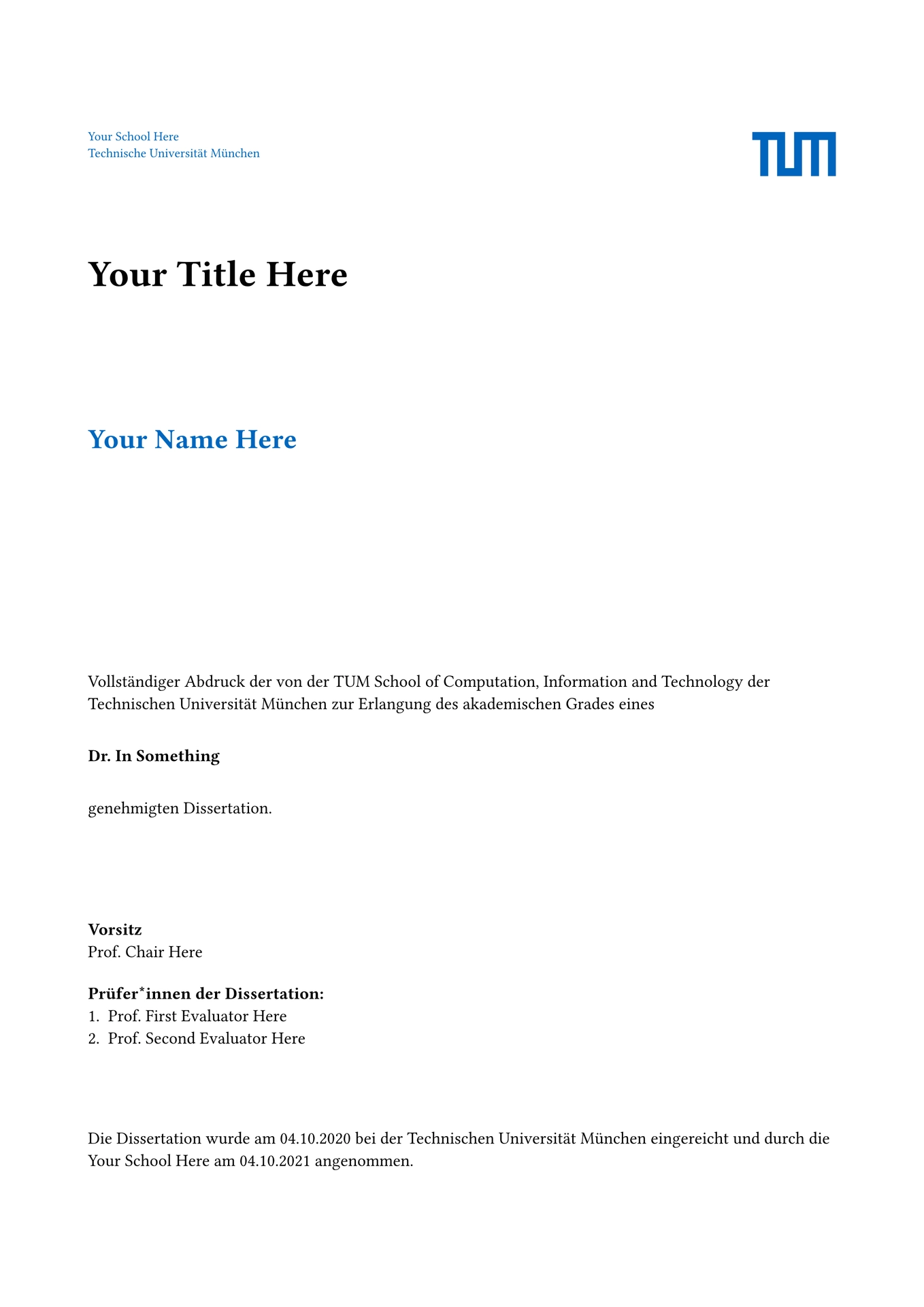

This is an unofficial typst template for TUM thesis and dissertations. It includes also a specific template to compile each Chapter as a standalone document, which can be pretty helpful for longer documents.
We designed it to have sane defaults, while being customizable. For example, by default it does:
- Numbering based on chapters (e.g.,
Figure 2.3for the third figure in the second Chapter). - Formatting of the outline.
- Labeling of reference to sections according to level (i.e., a
@ref:heading:level:1results in referenceChapter X, while a@ref:heading:level:2results inSection X.Y, whereXis the Chapter number). - Many other minor things.
Getting started
It is as simple as executing:
typst init @preview/tum-tastic-thesis
Alternatively, if you want to modify the template itself, take a look at the repository.
Usage
TUM-tastic comes with three different templates:
- The
dissertationtemplate, used for the TUM dissertation. - The
thesistemplate, used for the TUM thesis. - The
chaptertemplate, used to format standalone chapters.
It also comes with three helper functions:
flex-caption, useful to distinguish between shorter and longer captions, to show in the outline or below the element, respectively. It is based on this code snippet.listing, uses thecodefunction from algo, but handling captions. You can use labels with ourlisting, as you would do with a figure.algorithm, that creates an abstraction on top of the algo. It maintains consistency in style and handles the caption (e.g., it usesAlgorithmas a supplement in the caption). You can use labels with ouralgorithm, as you would do with a figure.
We also expose:
font-sizes, a dictionary with the font size for base and h[1-4].tum-colors, a dictionary with different colors taken from the TUM corporate design.
Dissertation
The default parameters of the dissertation template are listed below. As you
can see, there are multiple points of customization, especially on what elements
should be printed or not (e.g., the cover, different outlines).
#import "@preview/tum-tastic-thesis:0.1.1": dissertation

#show: dissertation.with(
  author-info: (
    name: "Your Name Here",
    group-name: "Your Group Or Chair Here",
    school-name: "Your School Here",
  ),
  title: [Your Title Here],
  subtitle: none,
  degree-name: "Dr. In Something",
  committee-info: (
    chair: "Prof. Chair Here",
    first-evaluator: "Prof. First Evaluator Here",
    second-evaluator: "Prof. Second Evaluator Here",
  ),
  date-submitted: datetime(
    year: 2020,
    month: 10,
    day: 4,
  ),
  date-accepted: datetime(
    year: 2021,
    month: 10,
    day: 4,
  ),
  acknowledgements: [#lorem(100)],
  abstract: [#lorem(100)],
  show-cover: true,
  cover-image: none,
  show-index: true,
  show-figures-index: true,
  show-table-index: true,
  show-listing-index: true,
  show-algorithm-index: true,
  show-chapter-header: true,
)
Thesis
The default parameters of the thesis template are listed below. It is pretty
similar to the dissertation one, but with fewer fields. The title page of
a thesis and a dissertation also differs, but TUM-tastic takes care of that.
#import "@preview/tum-tastic-thesis:0.1.1": thesis

#show: thesis.with(
  author-info: (
    name: "Your Name Here",
    group-name: "Your Group Or Chair Here",
    school-name: "Your School Here",
  ),
  title: [Your Title Here],
  subtitle: none,
  degree-name: "Bachelor in Science",
  committee-info: (
    examiner: "Prof. Chair Here",
    supervisor: "Supervisor goes here",
  ),
  date-submitted: datetime(
    year: 2020,
    month: 10,
    day: 4,
  ),
  acknowledgements: [#lorem(100)],
  abstract: [#lorem(100)],
  show-cover: true,
  cover-image: none,
  show-index: true,
  show-figures-index: true,
  show-table-index: true,
  show-listing-index: true,
  show-algorithm-index: true,
  show-chapter-header: true,
)
Standalone chapter
You can, of course, write all your thesis/dissertation on the same *.typ file.
If you do that, you simply need to enable either a dissertation
or thesis template. Nonetheless, this approach might prove messy,
especially for long documents. That is why we include the chapter template,
with the default values shown below.
#import "@preview/tum-tastic-thesis:0.1.1": chapter

#show: chapter.with(
  show-index: false,
  show-figures-index: false,
  show-table-index: false,
  show-listing-index: false,
  show-algorithm-index: false,
  show-chapter-header: true,
)
You could then have your main.typ file looking something like:
// ----- main.typ ------
#import "@preview/tum-tastic-thesis:0.1.1": dissertation

#import "introduction.typ" as introduction

#show: dissertation.with(/* configure for your needs */)

// We bring the content of the chapter
#introduction.content
And then an introduction.typ that looks like:
// ------ introduction.typ -----
#import "@preview/tum-tastic-thesis:0.1.1": chapter

// Handle undefined references when compiling a chapter as a standalone
// document. See:
//  - https://github.com/typst/typst/issues/4524#issuecomment-2221803060
//  - https://github.com/typst/typst/issues/1276#issuecomment-1560091418
#show ref: it => {
  if it.element == none {
    text(fill: red)[(??)]
  } else {
    it
  }
}

#show: chapter.with(/* configure to your needs */)

#let content = [
    // Put the chapter's content here
]
You can now compile the introduction as a standalone document! 🎉
Now, there are some caveats:
- Sadly, we could not find a way to make the bibliography work when compiling a chapter as a standalone document. Instead of the reference, you will observe
??. This does not affect the compilation of the whole document (i.e., ourmain.typ), where the references work as expected. - Related to the previous point, we need to insert a function to handle undefined references at the beginning of each chapter. If you compile the introduction and there you have a reference to a label of a different chapter, you will get
??on standalone mode.
If you decide to store your chapters in a separate folder (e.g., chapters),
then the easiest thing to compile each one of them via the CLI is to execute
from the root folder (i.e., where your main.typ is located) the following:
typst compile chapters/introduction.typ --root .
Using flex-caption
You can use flex-caption with anything that takes a caption, such a figure,
listing, algorithm, etc.
#import "@preview/tum-tastic-thesis:0.1.1": flex-caption

#figure(
    curve(
      fill: blue.lighten(80%),
      stroke: blue,
      curve.move((0pt, 50pt)),
      curve.line((100pt, 50pt)),
      curve.cubic(none, (90pt, 0pt), (50pt, 0pt)),
      curve.close(),
    ),
    caption: flex-caption(
      short: [Short caption for outline],
      long: [This is a really long caption, so a brief version should be
        displayed in the *List of Figures*. You can use it for anything that
        takes a caption],
    ),
  )
Using listing
#import "@preview/tum-tastic-thesis:0.1.1": listing

#listing(
    my-code: ```typst
    #show ref: it => {
      if it.element == none {
        text(fill: red)[(??)]
      } else {
        it
      }
    }
    ```,
    fill: luma(240), // Default value
    caption: [Code snippet using listing function],
  )
We offer this purely for convenience. You can also pass a code to a figure,
in case you want more control on the styling. Just make sure to pass
kind: raw as the figure type, so that the template handles the listing
numbering appropriately.
#import "@preview/algo:0.3.6": code

#let my-code = ```typst
    #show ref: it => {
      if it.element == none {
        text(fill: red)[(??)]
      } else {
        it
      }
    }
    ```
// Here you can use all the styling offered by the code function in the
// algo package. Mark the kind of figure as raw!
#figure(code(my-code, fill: luma(240)), caption: [my caption], kind: raw)
Using algorithm
We have a wrapper on top of the algo
package. We did so such that we could guarantee a consistent style, as well
as generate a List of Algorithms. Be aware that, as of now, we do not expose
all the algo package, but simply
d and i (i.e., you cannot get things like code, or comment from
TUM-tastic).
#import "@preview/tum-tastic-thesis:0.1.1": algorithm, d, i

#algorithm(
    title: "Fib",
    parameters: ("n",),
    my-content: [
      if $n < 0$:#i\ // use #i to indent the following lines
      return null#d\ // use #d to dedent the following lines
      if $n = 0$ or $n = 1$:#i \
      return $n$#d \
      return #smallcaps("Fib")$(n-1) +$ #smallcaps("Fib")$(n-2)$/*  */
    ],
    caption: [My algorithm],
    fill: rgb(255, 244, 204), // Default value
  )
As with listing, you can also recreate this by passing an algo to a figure.
This has the advantage that you can have additional styling options. Make sure
to mark kind: "algorithm" for the figure , and add as supplement
[Algorithm], so that the template includes it in the Algorithm section and
puts the correct caption:
#import "@preview/algo:0.3.6": algo, i, d

#let my-content = [
  if $n < 0$:#i\ // use #i to indent the following lines
  return null#d\ // use #d to dedent the following lines
  if $n = 0$ or $n = 1$:#i \
  return $n$#d \
  return #smallcaps("Fib")$(n-1) +$ #smallcaps("Fib")$(n-2)$/*  */
]

// Here you can use all the styling offered by the algo function in the
// algo package. Mark the kind of figure as "algorithm", and add as supplement
// `[Algorithm]`
#figure(
  algo(
    title: "Fib",
    parameters: ("n",),
    fill: rgb("#e4c554"),
    my-content,
  ),
  caption: [my caption],
  kind: "algorithm",
  supplement: [Algorithm],
)
Contributing
All the help is welcomed! If you choose to do so, simply go to my github repository 😉.