Create project in app
Render D&D 5e Character Sheets with auto-calculation
Features
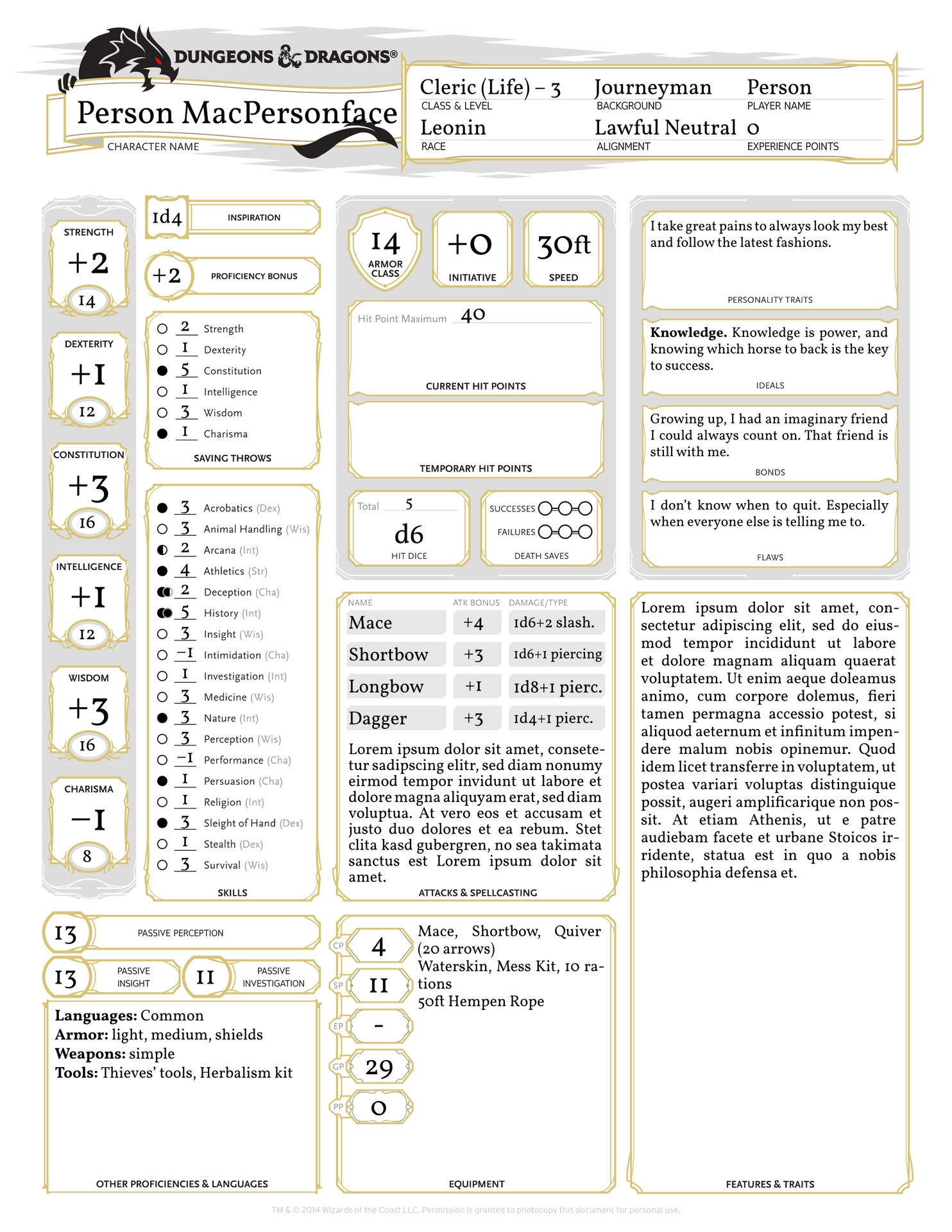
- 3-page character sheet for 5th edition 2014 D&D
- Character Sheet
- automatically calculate proficiency bonus, stat modifiers, skill modifiers and more
- support double and half proficiencies (Expertise, Jack of All Trades, …)
- Character Details Sheet
- include images and fit them to the sheet boxes
- multi-column boxes for text
- Spell Sheet
- automatically size sections for each spell level, allowing the user to add more spells than the static original sheet
- optional: mark spells as prepared and track expended spell slots
- All auto-calculation can be overwritten (see
/characters/README.md) - Various Customization Options (see below)
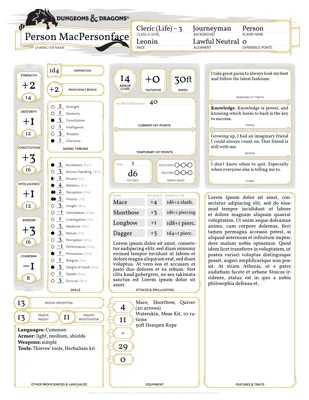
Example:

For example code, please refer to example.typ.
Usage
typst init @preview/tressym-dnd(some systems may require adding:0.2.4)- Make a copy of
example.typ,empty.typorempty-mini.typ. This can have any filename you’d like. - Edit the SETTINGS section to your liking
- Fill the fields with your characters data
- You may delete code lines for fields you’d like to leave blank / on their default value.
- The
example.typandempty.typfiles includes info on how to use each field and what input it expects in comments (“reading the code explains the code”). If you are a pro and would like a more lightweight sheet, chooseempty-mini.typinstead. - Each page has its own block. You can render only select pages by deleting one of the blocks from your file.
- Export to pdf (e.g. via tinymist or cmd)
Customization
The template comes with various ways of altering a sheet, differing from the standard pdf character sheet. If you are unsure, just test each option in your preview.
- Mono / Col:
settings -> printer-monoPick between field outlines in standard black or in modern gold/brown - Spell Rainbows:
settings -> spell-rainbowsChange the paper ruling of the spell sheet from black to rainbow gradients - Money Display:
display-moneyShow the standard boxes for each coin type or remove them, enlarging the space for Equipment text - Big Equipment:
big-equipShrink the FEATURES & TRAITS box to instead enlarge the EQUIPMENT box to a two-column one (compatible with money display) - XP type:
xp-typePick between “XP” and “MILESTONE” text in the header, or remove the XP field entirely (e.g. for a OneShot character), using the freed up space for an extra “SUBCLASS” field - Stat or Mod in Big Field?
big-number-big-fieldChoose whether Stats are printed in the big boxes and Modifiers in small ovals underneath, or the other way around - More Passive Stats:
more-passiveIf your table frequently uses Passive Checks for more than Perception, you can enable two extra fields that show Passive Insight and Passive Investigation
Overwriting auto-calculation
All stats that are usually automatically calculated can be overwritten by the user, by passing them as additional arguments to the sheet.
These are not listed in example or empty, as to not clutter those, so here is a list:
- Proficiency Bonus:
prof-bonus(only write the number, do not add+) - Stat Modifiers:
strmod,dexmod,conmod,intmod,wismod,chamod(do not add+) - Save Modifiers:
strsavemod,dexsavemod, …- for filling the circles correctly, a normal save proficiency entry is still needed, only the number changes with the overwrite
- Skill Modifiers:
acrobaticsmod,animal-handlingmod,arcanamod, …- for filling the circles correctly, a normal proficiency entry is still needed, only the number changes with the overwrite
- note that overwriting skill mods will also affect the passive skills, unless you overwrite those as well
- Weapons: No need to overwrite, just use the option without auto-calculation
- Passive Stats:
passive-perception,passive-insight,passive-investigation - Overwrites can be
int,floatorstringand will still print correctly.- However, be aware that if the overwritten stat is used in calculations later, you will have to overwrite all other stats dependant on this one if you pass a string.
- Example: Setting
perceptionmod: "abc",will cause an error in the calculation of passive perception, so you have to ALSO setpassive-perception: 16,orpassive-perception: "def",
Troubleshooting
- Arguments that are passed, but left empty (e.g.
level; ,) can lead to errors. Please make sure to either pass a valid value OR remove the argument to use default/auto-calculated values.
Contribute
If you find bugs or have feature requests, please submit an issue or pull request to tressym’s github repo.
Credits & Licensing
- This package was inspired by the LaTeX DnD 5e Character Sheet by matsavage.
- The game Dungeons&Dragons and the layout of the character sheet belong to Wizards of the Coast.
- This template is a fan project and not officialy endorsed by WotC. It was made with regard to the Fan Content Policy.
- All mechanics implemented in the auto-calculation of this template are part of the System Reference Document v5.1 and therefor used under Creative Commons Licensing.
- Names of Spells, Classes, Species in the example document are being used as per the Fan Contect Policy.
- No specific class mechanics, spell descriptions, stat blocks, etc. are being published.
- This template is and always will be available for free.
- The license given in the manifest file covers only the
typstimplementation, example images inimgand themdnotes, not the contents of\outlines\, nor the name and concepts of the game Dungeons&Dragons presented herein.
- This template is intended for personal, non-commercial use.