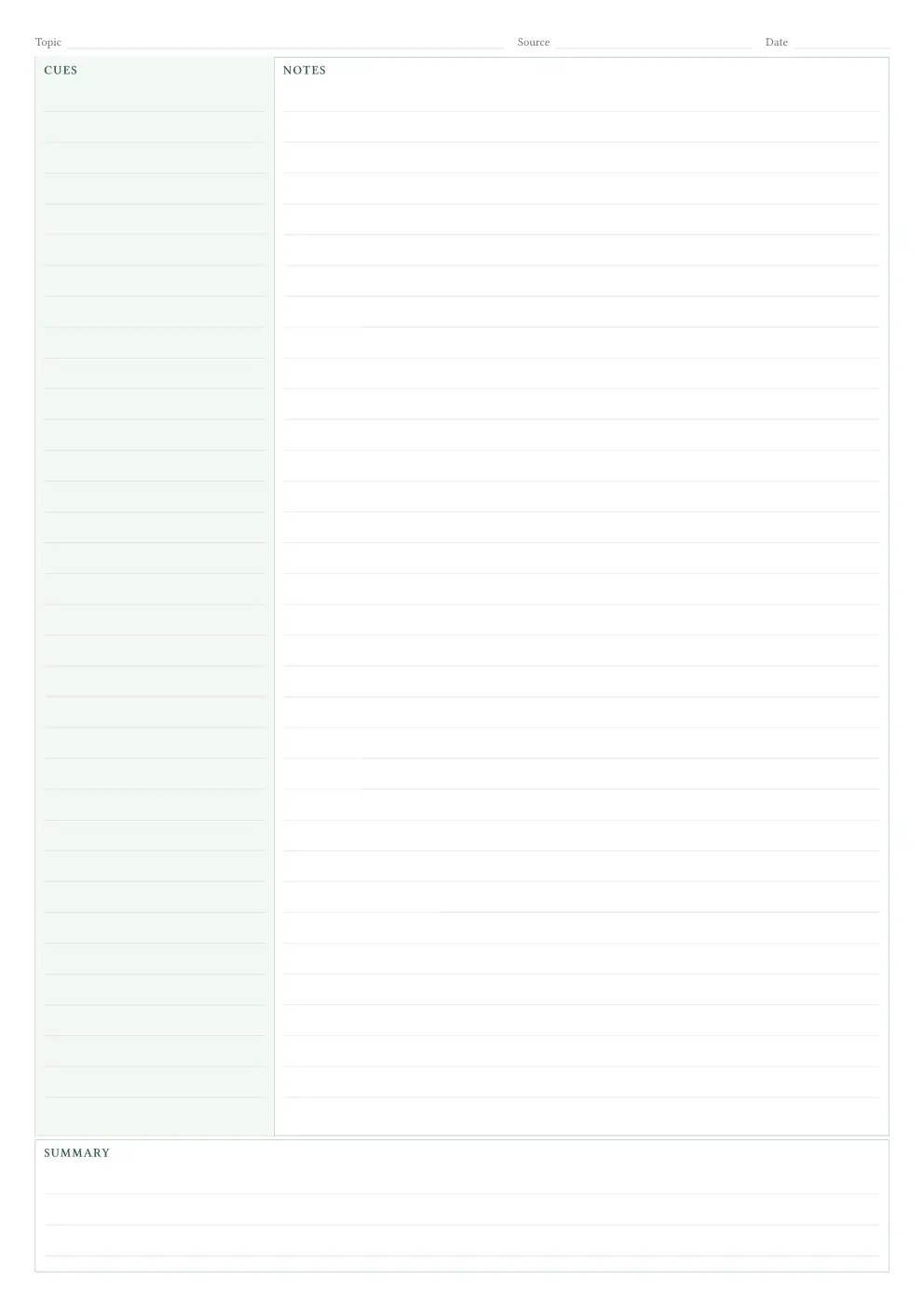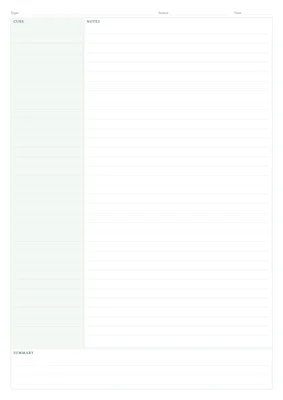
A customizable Typst template for handwritten or typed Cornell notes. Each sheet has a narrow cues column, a wider notes column, and a summary across the bottom and three out of the box themes (“mono”, “sage” and “blue”). An optional, single-line header contains the topic, source, and date. Page numbers are hidden by default, and the footer is empty.
Getting started
typst init @preview/simple-cornell-notes:0.1.0 my-notes
// main.typ
#import "@preview/simple-cornell-notes:0.1.0": cornell-page

#set document(title: "My study notes", author: "Name")

#cornell-page(
  title: [Understanding a new idea],
  course: [Software engineering],
  date: datetime.today(),
  ruling: "none",
  cues: [
    *Key question*

    How would I explain this without looking at my notes?
  ],
  notes: [
    == The main idea
    Write your explanation here.

    - Include an example.
    - Note a connection to something you already know.

    == An open question
    What do I still need to understand?
  ],
  summary: [
    Explain the main idea in two or three sentences.
  ],
)
typst watch main.typ
When the header is visible, none leaves a topic, source, or date field empty and draws a writing line. Set show-header: false to hide the entire row, including the optional name field, and give its space to the cues and notes sections. [] is empty content for a notes section. Dates accept text, content, or a Typst datetime; datetime.today() formats the date as DD.MM.YYYY. Pass [October 12, 2026] if you prefer your own format.
Reuse your settings across sheets
Use .with(...) to create a version of the function with your preferred defaults. This is called partial application: it remembers settings and lets each call supply the actual content.
#import "@preview/simple-cornell-notes:0.1.0": cornell-page

#let sheet = cornell-page.with(
  theme: "blue",
  cue-width: 30%,
  ruling: "none",
)

#sheet(title: [Lecture 1], notes: [Your first notes.])
#sheet(title: [Lecture 1 · continued], notes: [More notes.])
#sheet(title: [Lecture 2], theme: "mono", ruling: "lined")
Each call creates exactly one sheet. You do not need to add #pagebreak(). An individual call can override the shared defaults. If you enable show-page-numbers: true, the footer contains only a number, continuing throughout the document.
For several blank sheets:
#import "@preview/simple-cornell-notes:0.1.0": cornell-page

#for _ in range(5) {
  cornell-page(theme: "mono")
}
Options
| Option | Default | What it controls |
|---|---|---|
title, course, date |
none |
Compact header fields; none draws a writing line. |
author |
none |
Optional name field; hidden unless a name is provided. |
show-header |
true |
Show the topic, source, date, and optional name row. Set false to reclaim its space for notes. The starter sheet uses false. |
cues, notes, summary |
[] |
Content inside each section. |
paper |
"a4" |
Typst paper name, such as "us-letter" or "a5". |
margin |
8mm |
Page margins; also accepts a dictionary such as (x: 10mm, y: 8mm). |
cue-width |
28% |
Left-column width; the notes column uses the remaining width. |
summary-height |
30mm |
Height of the complete summary panel, including its label and padding. |
padding |
2mm |
Space inside each section. |
font |
("Libertinus Serif", "New Computer Modern") |
Body and heading font, with a fallback. |
font-size |
11pt |
Body text size. |
theme |
"sage" |
"sage", "blue", or "mono". Monochrome uses grayscale and removes the cue background. |
accent |
auto |
Color of headings and the topic text. |
cue-fill |
auto |
Cue-column background; use none to remove it. |
border-color |
auto |
Section border color. |
line-color |
auto |
Color of handwriting guides. |
text-color |
auto |
Body text color, from the selected theme. |
muted-color |
auto |
Metadata labels and optional page numbers, from the selected theme. |
ruling |
"lined" |
"lined", "dotted", "grid", or "none". Applies to all sections by default. |
cue-ruling |
auto |
Override the cues’ guides; auto follows ruling. |
summary-ruling |
auto |
Override the summary’s guides; auto follows ruling. |
line-spacing |
7mm |
Distance between writing lines or between grid/dot positions. |
line-weight |
0.35pt |
Thickness of line and grid guides. Dots use a fixed radius of 0.55pt. |
show-page-numbers |
false |
Optionally show only the current page number in the footer. |
labels |
(:) |
Override individual labels using a dictionary. |
lang |
"en" |
Text language, for example "de". Labels are translated separately. |
When your notes do not fit
This template reserves a fixed area for every section. It measures typed content and reports a compile error if a section is too tall. It also checks code width and explicit widths on images, rectangles, boxes, and blocks, and rejects layouts that leave too little writing space. It does not automatically shrink your text or paginate a section. Check the preview when using complex tables, equations, or nested layouts.
If you see a fit error:
- Move some notes into another
#sheet(...)call. - Reduce
font-sizeormargin. - Decrease
summary-heightto give the notes more room, or increase it when the summary needs more space. - Adjust
cue-widthto give the overflowing column more width. - Wrap long code lines and size images or tables to their column.
Footnotes, floating figures, and manual page breaks inside a section are not supported. Use normal paragraphs, lists, equations, code blocks, and inline images/tables. Cues and notes are independent sections; their paragraphs are not automatically aligned row by row.