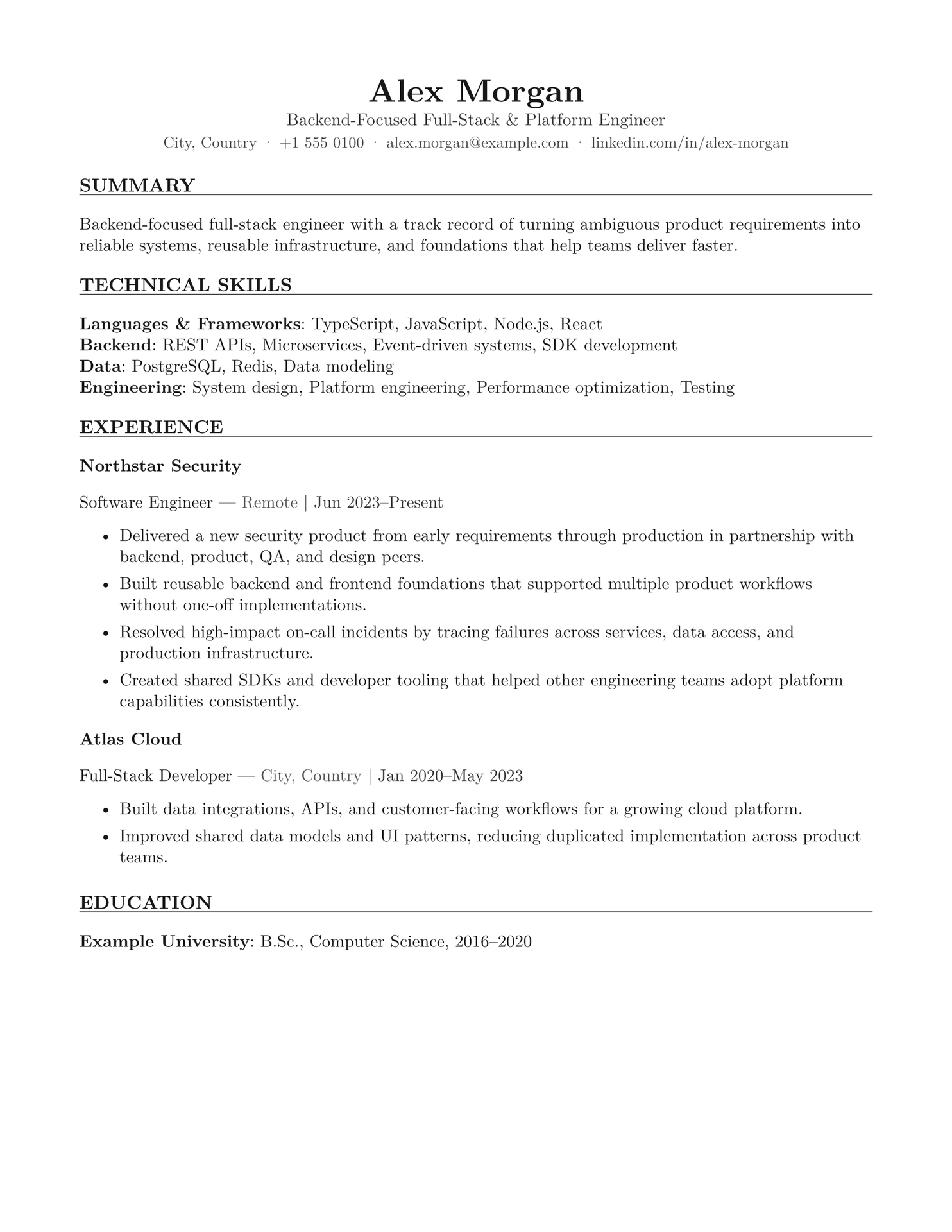
An open-source, evidence-informed, ATS-first Typst resume framework for experienced professionals.
It prioritizes reliable parsing, rapid human scanning, evidence-dense accomplishments, and maintainability. It deliberately avoids sidebars, icons, skill bars, profile photos, charts, and decorative graphics.
What makes it different
This repository documents not only how to build a resume, but why the framework uses its structure. Recommendations are separated into robust constraints, context-dependent practices, and aesthetic preferences.
Design principles
- Single-column, reverse-chronological structure
- US Letter by default; A4 supported
- 11 pt body text and restrained hierarchy
- 18 mm margins (approximately 0.7 inches)
- Standard, explicit section names
- Contact information in the document body
- Selectable-text PDF output
- Flexible optional sections
- No keyword stuffing or hidden text
Quick start
Install Typst and create a new resume project:
typst init @preview/signal-resume:0.1.1 my-resume
cd my-resume
typst compile main.typ resume.pdf
Edit main.typ with your own experience and evidence.
You can also import the framework into an existing Typst project:
#import "@preview/signal-resume:0.1.1": resume
The public resume function is exported from lib.typ; its implementation lives in template/resume.typ.
The package defaults to New Computer Modern because it is bundled with Typst and renders consistently across platforms. Pass body-font: "Your Font" to use another installed or project-provided family.
Develop from source
Clone the repository and run the package checks:
git clone https://github.com/DavidSasson22/david-resume-template.git
cd david-resume-template
TYPST_BIN=typst ./scripts/check-package.sh
To work directly from the feature-rich fictional example:
typst compile --root . examples/generic/resume.typ examples/generic/resume.pdf
Typst compatibility note:
contextis a reserved Typst keyword and cannot be used as a dictionary field name. This framework usesdescriptionfor optional role or entry context.
Canonical example
The fictional, feature-rich example at examples/generic is the canonical demonstration of the framework. It explores optional sections such as engineering highlights, certifications, languages, and community work without publishing anyone’s personal resume. Replace its fictional details and claims with your own truthful evidence.
Preview
Download the fictional generic resume PDF.

Optional sections
The sections parameter supports:
kind: "bullets"for Projects, Awards, Publications, Speaking, or similar listskind: "labeled"for Certifications, Languages, Tools, or compact metadatakind: "entries"for dated roles such as Volunteering or Military Service- custom Typst content for other needs
Include only sections that improve fit for the target role.
Use featured-sections for strong Projects, Open Source, Publications, or Architecture Highlights that should appear before Education. Use sections for Education-following material such as Certifications, Languages, or additional details.
Use A4
Pass page-size: "a4" to resume.with(...).
Documentation
ATS validation checklist
After generating the PDF:
- Select all text and paste it into a plain-text editor.
- Verify that reading order is correct.
- Confirm that contact details and dates are extractable.
- Check for clipped text and unexpected page breaks.
- Keep a DOCX fallback when an employer specifically requests it.
License
MIT. See LICENSE.