Create project in app
A CV/resume typesetting package for academics and engineers. Part of RenderCV.
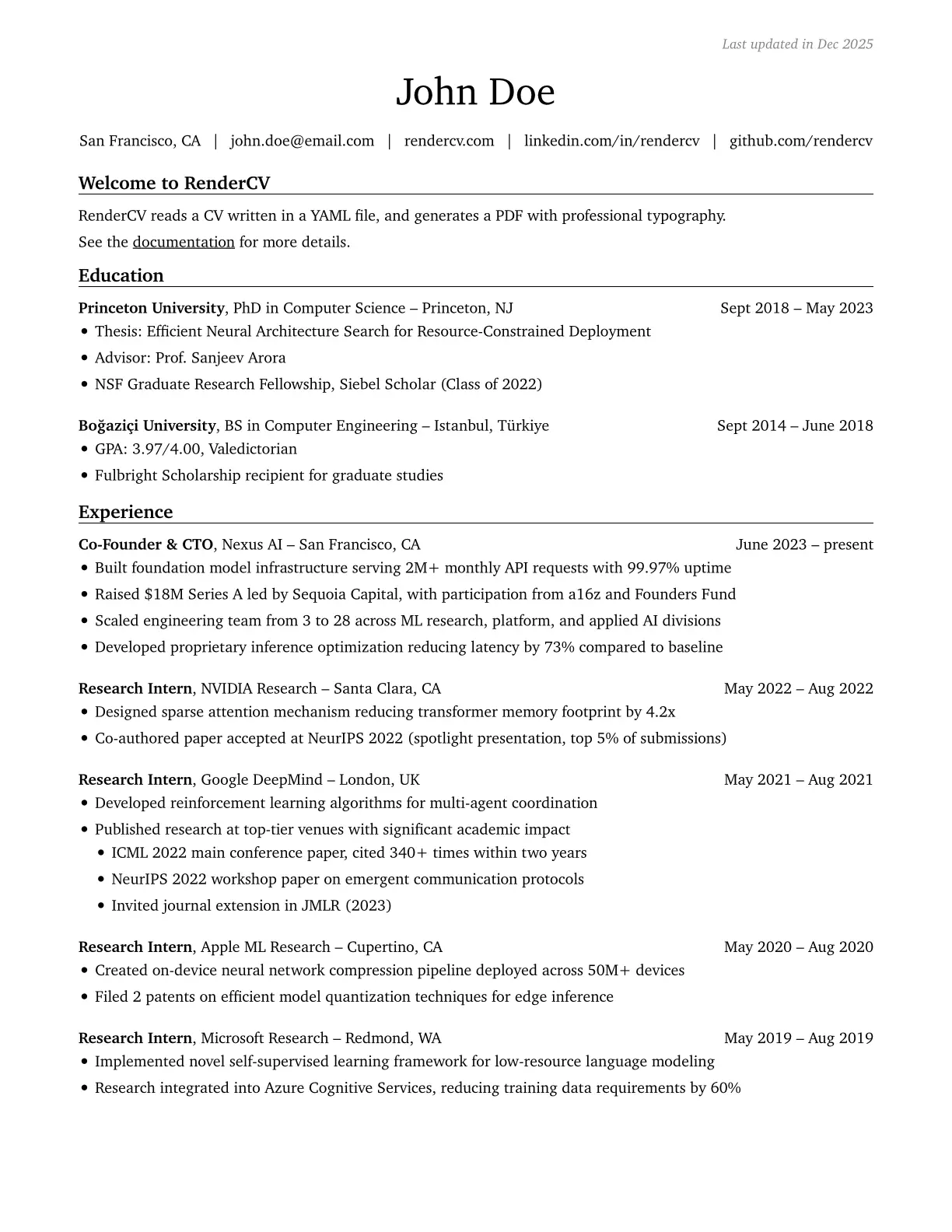
All six looks below are produced by the same package with different parameter values.
 |
 |
 |
 |
 |
 |
See the examples directory for the full source of each.
Getting Started
typst init @preview/rendercv
Or import into an existing file:
#import "@preview/rendercv:0.3.0": *
Usage
#import "@preview/rendercv:0.3.0": *

#show: rendercv.with(
  name: "John Doe",
)

= John Doe

#headline([Software Engineer])

#connections(
  [San Francisco, CA],
  [#link("mailto:john@example.com")[john\@example.com]],
  [#link("https://github.com/johndoe")[github.com/johndoe]],
)

== Education

#education-entry(
  [*Princeton University*, PhD in Computer Science -- Princeton, NJ],
  [Sept 2018 -- May 2023],
  main-column-second-row: [
    - Thesis: Efficient Neural Architecture Search
    - GPA: 3.97/4.00
  ],
)

== Experience

#regular-entry(
  [*Software Engineer*, Company Name -- City, State],
  [June 2023 -- present],
  main-column-second-row: [
    - Developed and deployed scalable web applications
    - Improved system performance by 40%
  ],
)

== Skills

*Languages:* Python, JavaScript, TypeScript, Rust
Components
headline(content)– Headline below the nameconnections(...items)– Contact info with automatic line wrappingconnection-with-icon(icon-name, content)– Connection item with a Font Awesome iconregular-entry(main-column, date-and-location-column, main-column-second-row: none)– Standard entry for experience, projects, publicationseducation-entry(main-column, date-and-location-column, degree-column: none, main-column-second-row: none)– Entry with an optional degree columnsummary(content)– Summary line within an entrycontent-area(content)– Text content wrapper (applied automatically to sections without entry components)reversed-numbered-entries(content)– Reverse-numbered listlink(dest, body, icon: none, if-underline: none, if-color: none)– Enhanced link with customizable styling
Customization
Everything is customizable through rendercv.with(). A few examples:
#show: rendercv.with(
  // Page
  page-size: "a4",
  page-top-margin: 0.7in,
  text-direction: rtl,                    // right-to-left support

  // Colors
  colors-name: rgb(0, 79, 144),
  colors-section-titles: rgb(0, 79, 144),

  // Typography
  typography-font-family-body: "Source Sans 3",
  typography-font-size-body: 10pt,
  typography-alignment: "justified",       // "left", "justified-with-no-hyphenation"
  typography-bold-name: true,

  // Header
  header-alignment: center,
  header-connections-separator: "|",
  header-connections-show-icons: true,

  // Section titles
  section-titles-type: "with_partial_line", // "with_full_line", "without_line", "moderncv", "centered_without_line", "centered_with_partial_line", "centered_with_centered_partial_line", "centered_with_full_line"

  // Entries
  entries-date-and-location-width: 4.15cm,
  entries-highlights-bullet: "■",

  // Links
  links-underline: true,
  links-show-external-link-icon: true,
)
For the full list of parameters with defaults, see lib.typ.
RenderCV
This package is part of RenderCV, which also offers a CLI tool and a web app at rendercv.com – write your CV in YAML and get a PDF using this same package under the hood.