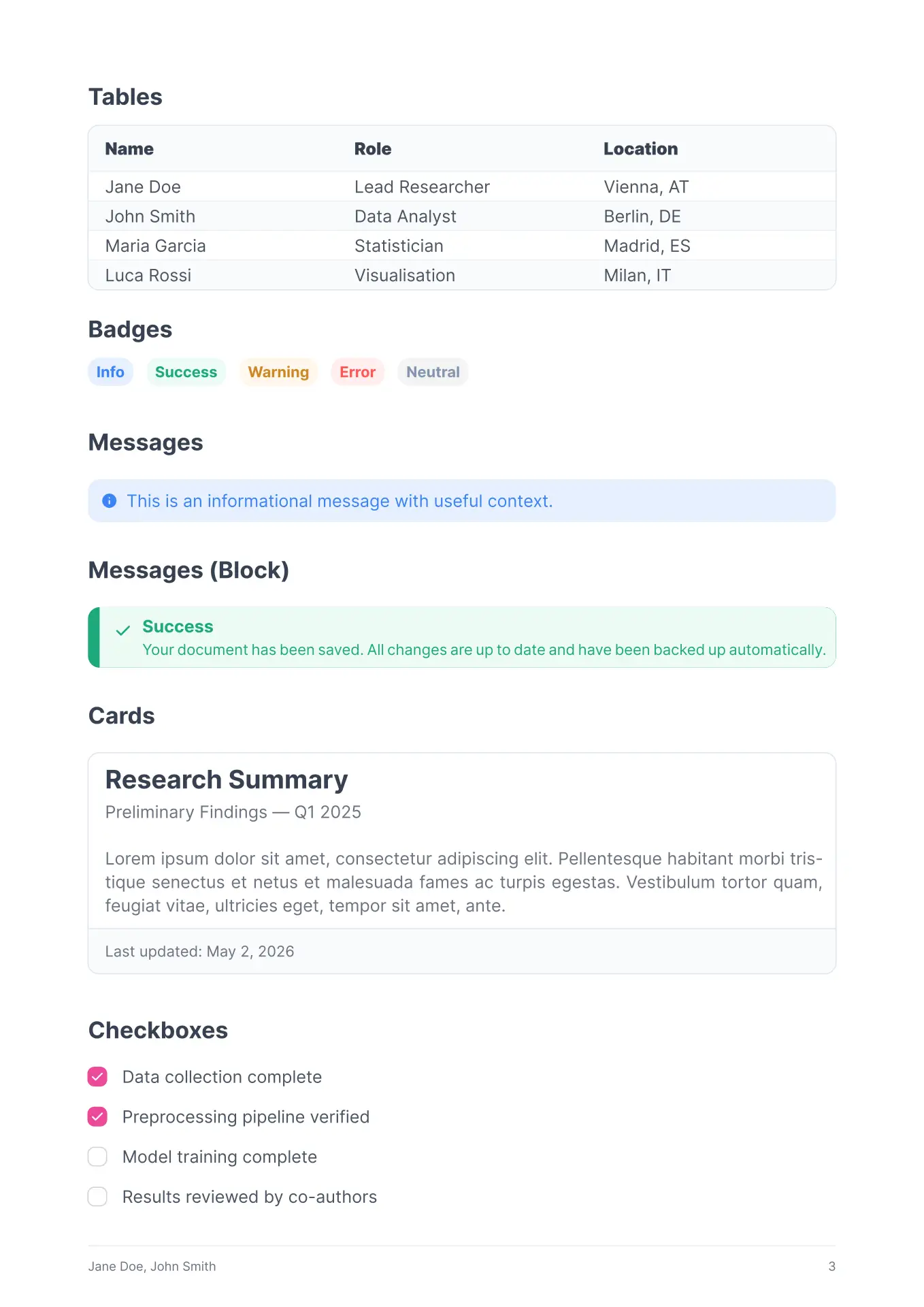
A clean, modern and component-based article template for Typst, visually inspired by the PrimeReact UI framework. This template brings the familiar look and feel of high-quality web UI components to the world of PDF typesetting.



Features
- Component-Driven Design: Includes built-in functions for UI elements like Cards, Badges, Messages, and Panels.
- Multiple Color Themes: Choose from several PrimeReact “Lara” color palettes (Cyan, Purple, Green, Blue, Teal, Indigo, and Pink).
- Responsive Components: Elements like cards and panels automatically adapt to their content and container width.
- Modern Typography: Uses “Inter” font and “Material Symbols” for icons to ensure a clean, professional look.
- Rich Table Layouts: Custom-styled tables with headers and striped rows that match the UI theme.
Setup & Usage
To use this template in your Typst project, import the article function, the theme you want to use and the components.
Fonts Requirement
This template uses the following fonts. Please ensure they are installed on your system:
- Inter (Primary text & Headings)
- Material Symbols Rounded Filled (Icons)
- Liberation Mono (Code blocks)
Switching themes
The template ships with seven pre-built themes:
theme-lara-cyan(default)theme-lara-purpletheme-lara-greentheme-lara-bluetheme-lara-tealtheme-lara-indigotheme-lara-pink
If you want to change the theme pass the theme to the article show rule:
#import "@preview/primeone:1.0.0": article, theme-lara-green

#show: article.with(
  title: "My Document",
  theme: theme-lara-green,
)
Custom theme
If none of the presets fit, supply your own dictionary with the same four keys:
#let my-theme = (
  primary:       rgb("#ff5733"),
  primary-dark:  rgb("#aa3a22"),
  primary-light: rgb("#ffd8cc"),
  primary-bg:    rgb("#fff5f2"),
)

#show: article.with(theme: my-theme)
Quarto
You can use the Typst template also in Quarto.
- Clone or download the GitHub repository into your Quarto project folder.
- Reference the template in your
.qmdfile’s YAML front matter:
---
title: "My Document"
subtitle: "A subtitle"
authors:
  - name: Jane Doe
    affiliations:
      - name: University of Example
    email: jane@example.com
date: today
theme: theme-lara-green
format:
  primeone-typst: default
  syntax-highlighting: idiomatic
---
Components
All components are available globally once the template is imported.
Badges
Small status indicators with different severities:
badge("Label", severity: "info")(Options:info,success,warning,error,neutral)
Cards
Versatile containers for content:
card(title: "Title", subtitle: "Subtitle", footer: "Footer content")[Body content]
Messages & Alerts
Inline notifications for highlighting information:
message(severity: "success")[Simple message]messages(severity: "error", title: "System Error")[Detailed explanation]
Panels
Grouped content sections with a distinct header:
panel(title: "Settings")[Panel content]
Checkboxes
UI-like indicators for lists or options:
checkbox(label: "Completed task", checked: true)
Article Parameters
The main article() function accepts the following parameters:
| Parameter | Default | Description |
|---|---|---|
title |
none |
Document title |
subtitle |
none |
Document subtitle |
authors |
none |
List of author objects |
date |
none |
Publication date |
abstract |
none |
Abstract text |
abstract-title |
none |
Abstract section heading |
cols |
1 |
Number of content columns |
margin |
(x/y: 20mm) |
Page margins |
paper |
"a4" |
Paper size |
lang |
"en" |
Document language |
font |
"Inter" |
Body font |
fontsize |
1em |
Base font size |
title-size |
3em |
Title font size |
subtitle-size |
2em |
Subtitle font size |
heading-family |
"Inter" |
Heading font family |
heading-size |
1.5em |
H1 size (H2/H3 scale from this) |
heading-weight |
"semibold" |
Heading font weight |
sectionnumbering |
none |
Typst section numbering pattern |
pagenumbering |
"1" |
Typst page numbering pattern |
titlepage |
true |
Show title page |
toc |
false |
Show table of contents |
toc-title |
none |
TOC heading |
toc-depth |
none |
TOC depth |
toc-indent |
1.5em |
TOC indentation |
theme |
theme-lara-cyan |
Theme colors |
Attribution
The color palette, theme naming convention and layout of the components used in this template (e.g. theme-lara-cyan, severity colors) are inspired by the PrimeReact Lara UI themes, which is developed by PrimeTek and distributed under the MIT License.
This template is an independent Typst implementation and is not affiliated with, endorsed by, or derived from the PrimeReact source code. Only the visual design language (color values and naming) served as inspiration.