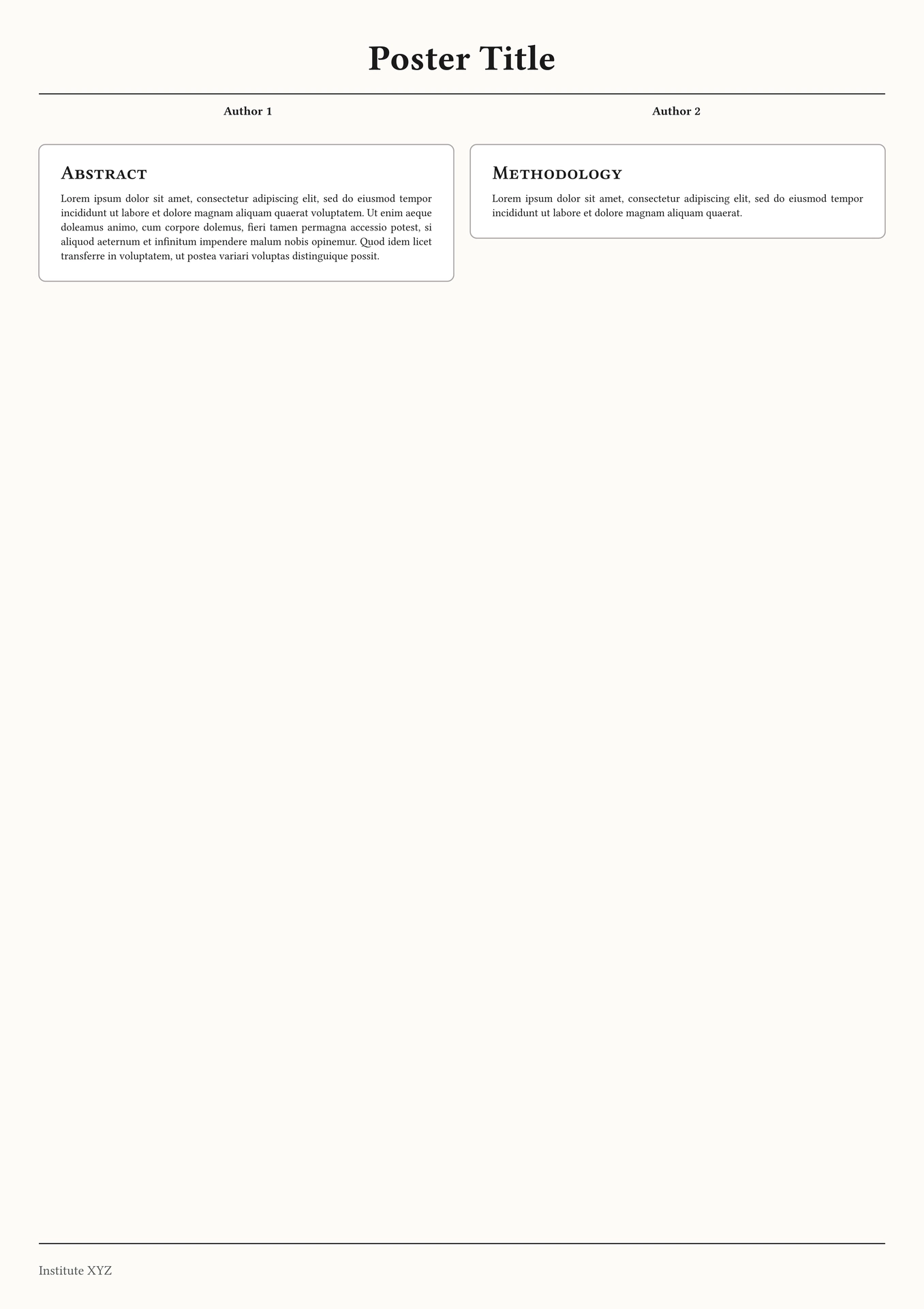


placard (noun) A sign or notice for display in a public place.
A Typst package for creating simple posters.
#import "@preview/placard:0.1.0": placard, card

|

|
Configuration
The placard function is designed to be highly modular. You can pass dictionaries to colors, sizes, fonts, and styles to override specific elements without touching the rest of the theme.
Core Parameters
| Parameter | Type | Default | Description |
|---|---|---|---|
title |
string |
"Poster Title" |
The main heading of the poster. |
authors |
array |
() |
A list of author names displayed below the title. |
scheme |
string |
"light" |
Base theme: "light" (Warm Linen) or "dark" (Midnight). |
paper |
string |
"a1" |
Standard poster paper size (e.g., "a0", "a1", "a2"). |
num-columns |
int |
2 |
Number of columns for the body content. |
gutter |
length |
1.5em |
Spacing between columns. |
scaling |
float |
1.0 |
Global multiplier for all text sizes (great for scaling A1 to A0). |
Modular Dictionaries
In addition to the parameter above, the placard-function can override its default values using the following dictionaries and their options:
Colors (colors)
Overrides the monochromatic theme defaults.
paper-fill: Background color of the entire poster.card-fill: Background color inside the cards.card-border: Color of the card outlines.title/heading/text: Respective text colors.accent: Used for Level 2 headings and lines.
Sizes (sizes)
Values are automatically multiplied by the scaling factor.
title: Main title size (Default:65pt).h1/h2: Card headings and sub-headings.body/card: Main text sizes.authors/footer: Supporting text sizes.
Fonts (fonts)
Configure fonts for each part of the poster.
title,authors,body,headings,card,footer.
Styles (styles)
Toggles specific typographic features.
title-smallcaps: (Default:false)h1-smallcaps: (Default:true)h2-smallcaps: (Default:true)
Footer Configuration
The footer parameter takes a dictionary to e.g. manage the institutional information.
footer: (
  content: [Company XY7],
  logo: image("logo.png"),
  logo-placement: right,
  text-placement: left,
)
The card Element
Use the card function within your body to wrap content in a consistent container.
| Parameter | Type | Description |
|---|---|---|
title |
string |
Automatically creates a Level 1 heading inside the card. |
fill |
color |
Override the background for a specific card. |
border-stroke |
stroke |
Override the border style for a specific card. |
gap |
length |
Vertical space after the card (Default: 1em). |
Example Usage

#show: placard.with(
  title: "Creating Posters using Typst",
  authors: ("John Doe", "Max Mustermann"),
  flipped: true,
  sizes: (card: 23pt),
  paper: "a2",
  colors: (
    accent: rgb("#498ca9"),
    title: rgb("#498ca9")
  ),
  footer: (content: [*Institute of Typesetting* \ Jan 2026]),
  fonts: (
    title: "SF Pro Rounded",
    card: "Monaspace Neon NF",
    headings: "SF Pro Rounded",
    authors: "Monaspace Neon NF"
  )
)

#card(title: "Introduction")[
  #lorem(25)
]

#colbreak()

#card(title: "Methodology")[
  #lorem(20)
]