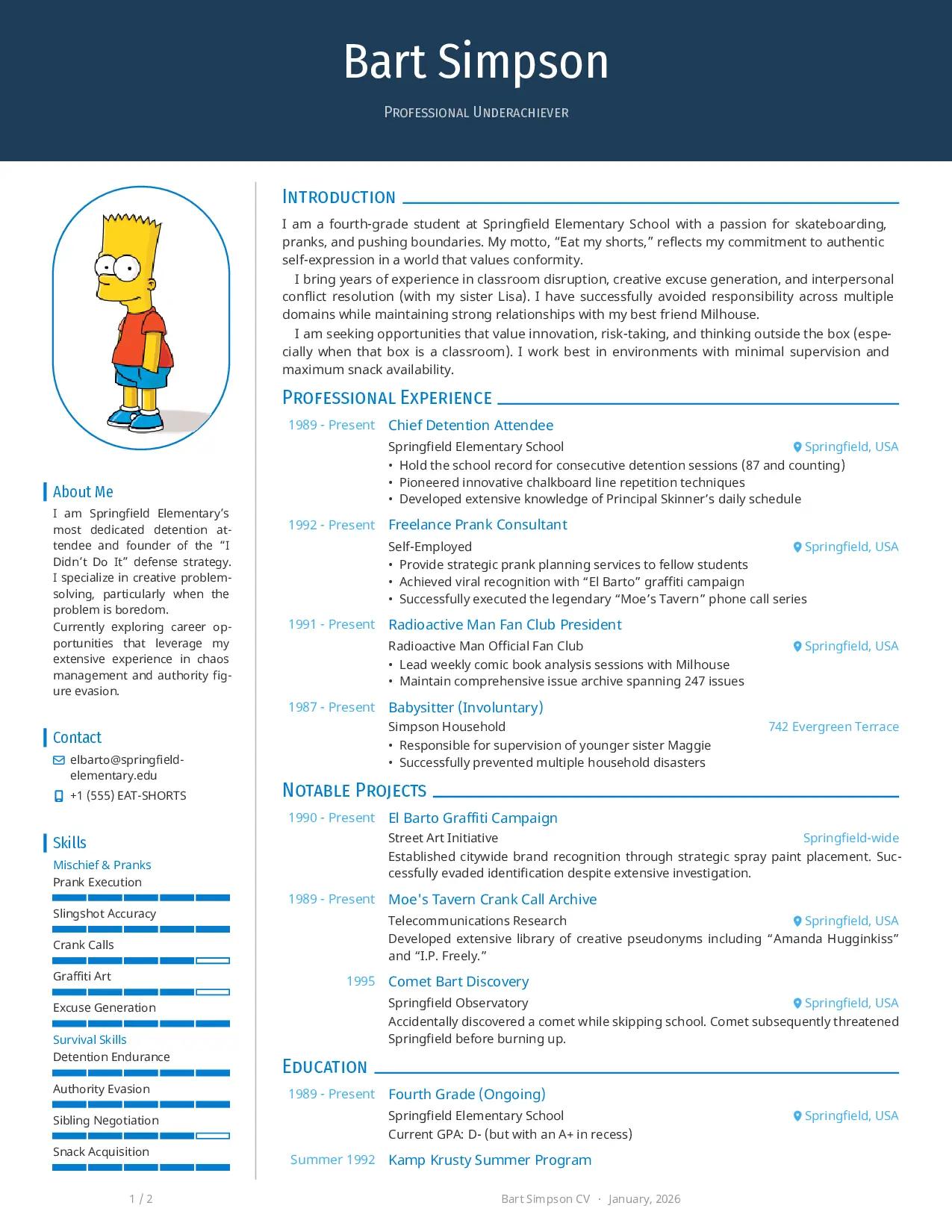


A modern and elegant CV template for Typst, inspired by Awesome CV and based on neat-cv.
Features
Other than the features already offered by neat-cv, this template introduces the following specific features:
- Content/Template Separation - Your data lives in
content/, template logic inlib/ - Multi-language - Switch languages with a single parameter; English and Italian included
- Modular Architecture - Each section is an independent file; add, remove, or reorder freely
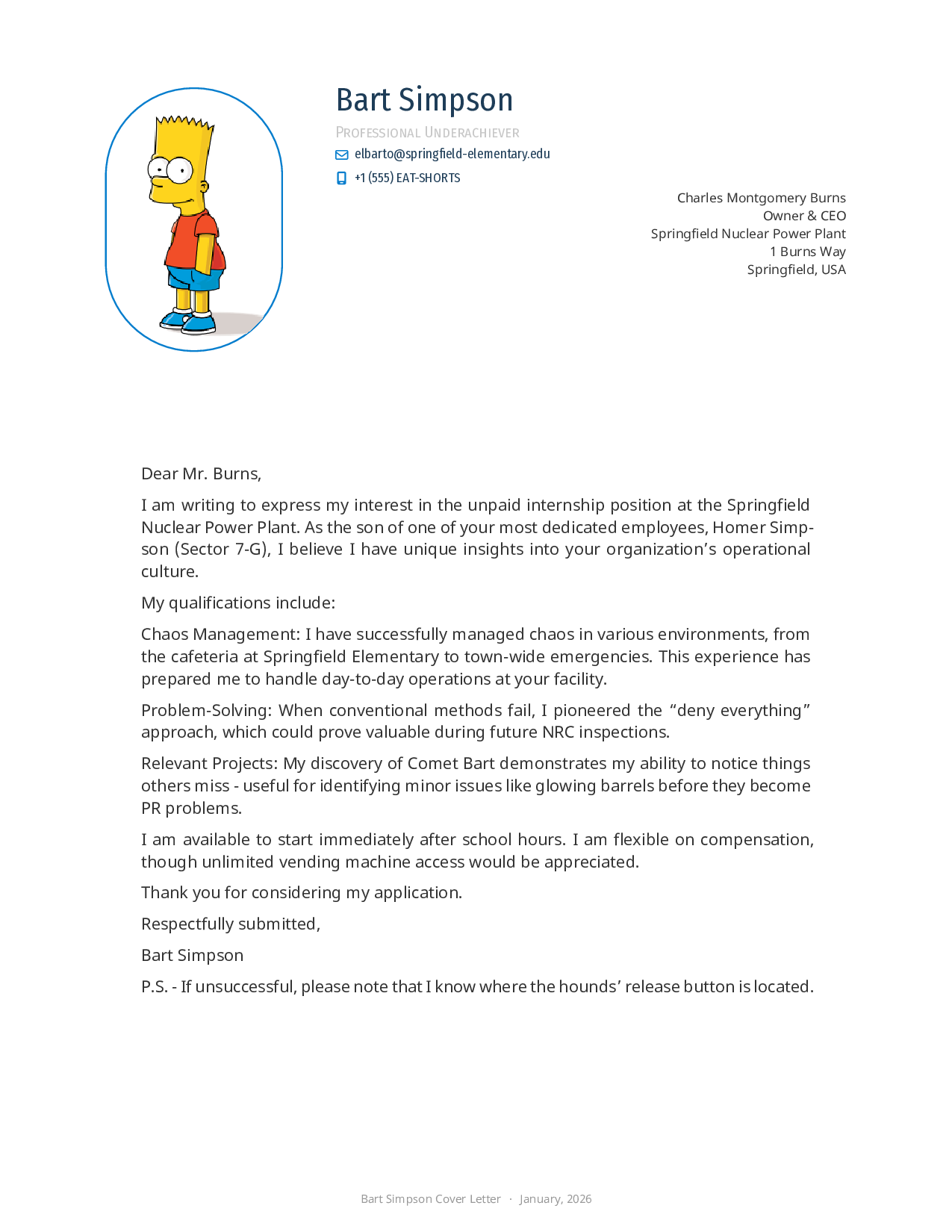
- Cover Letters - Matching letter template with the same styling
- Theme System - Change colors in one file; changes propagate everywhere
- FontAwesome Icons - Professional icons for contact info and social links
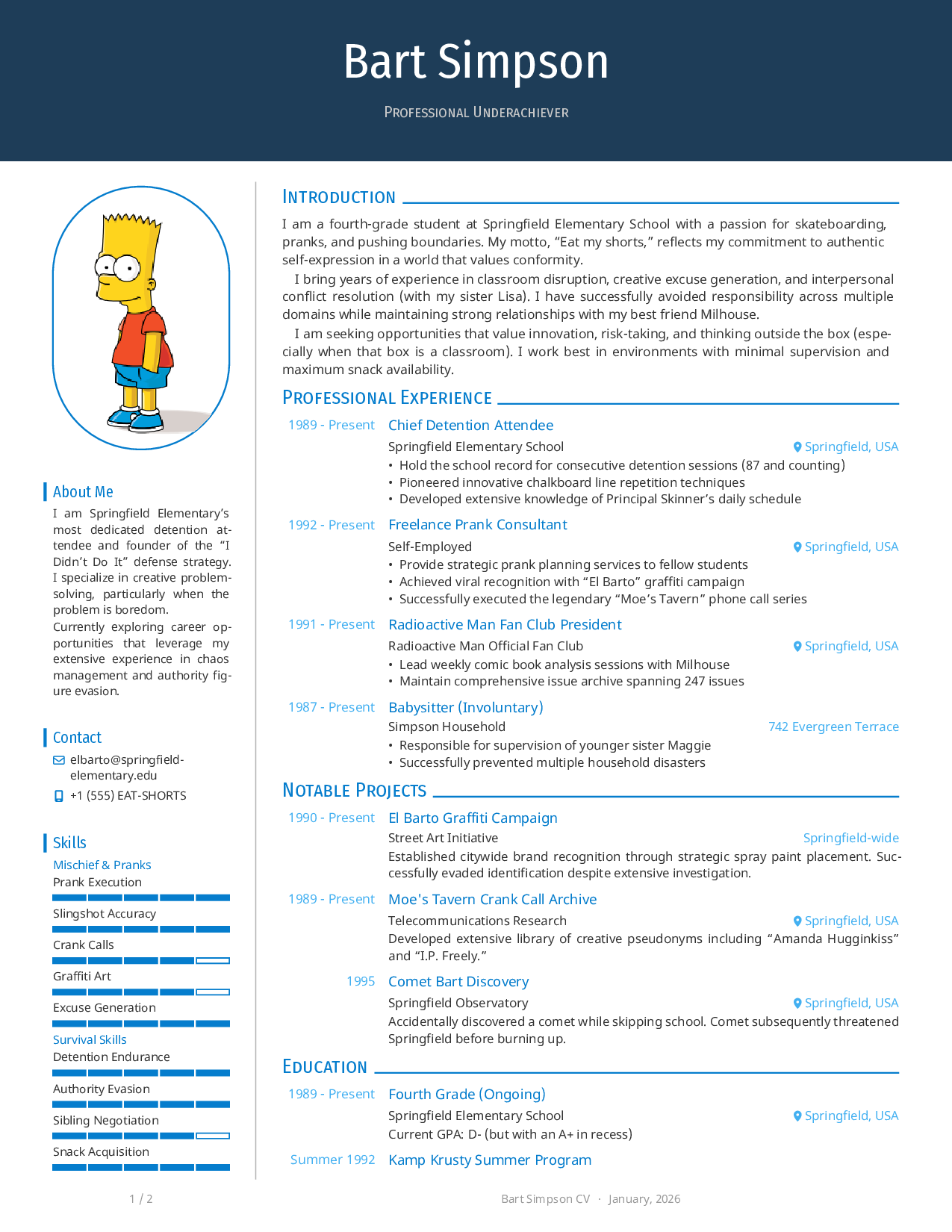
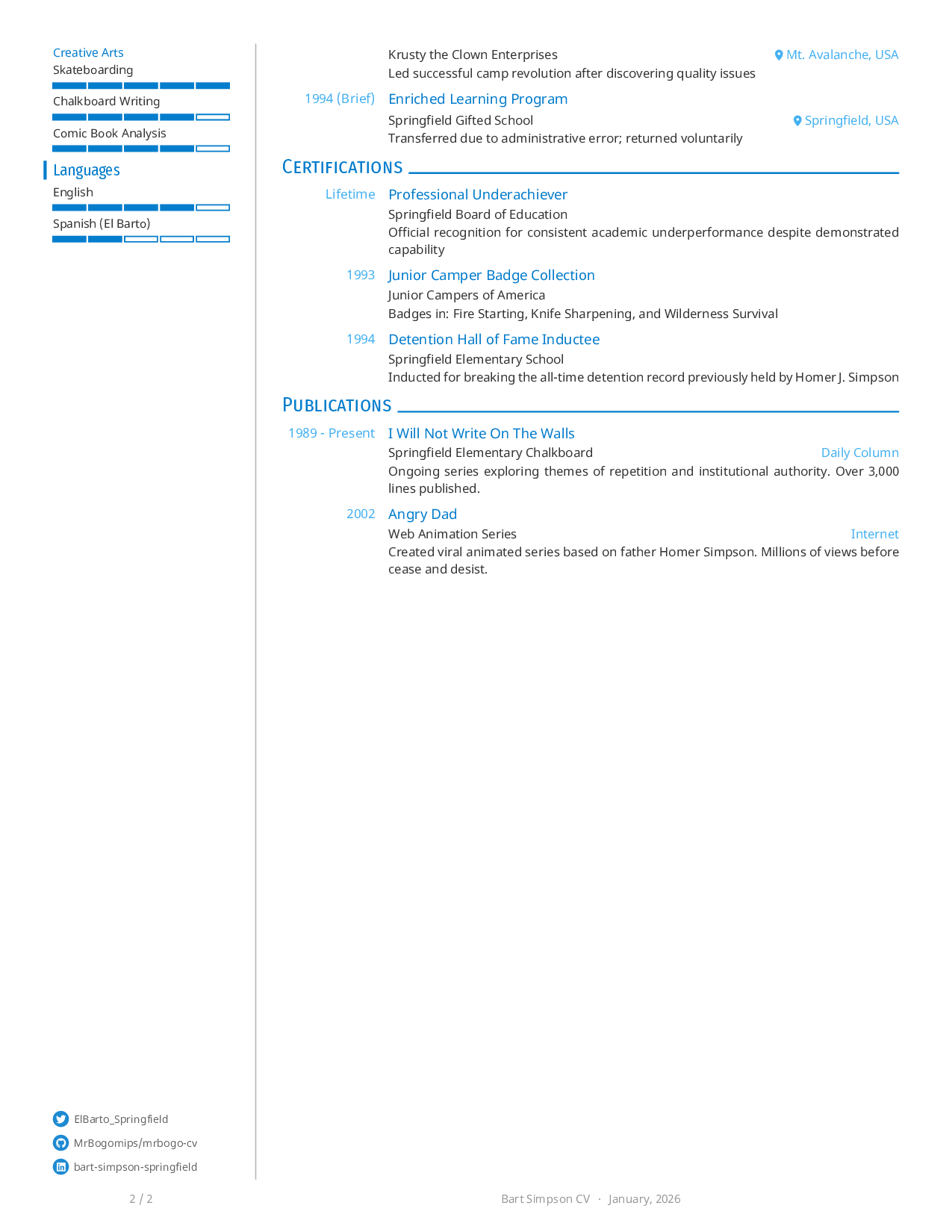
Preview
CV
Cover Letter
Usage
Initialize a new project
typst init @preview/mrbogo-cv
cd mrbogo-cv
This creates a ready-to-use CV project with placeholder content you can customize.
Or import in existing project
#import "@preview/mrbogo-cv:1.0.5": cv, entry, side, contact-info, social-links
Build your CV
# Build English CV
typst compile --input lang=en main.typ cv.pdf

# Build cover letter
typst compile --input lang=en --input letter=example letter.typ letter.pdf
Architecture & Modularity
This template improves on traditional CV templates by enforcing strict separation of concerns:
mrbogo-cv/
├── cv.typ                  # Entry point - orchestrates imports
├── letter.typ              # Letter entry point
│
├── content/                # YOUR DATA (edit these)
│   ├── en/                 # English content
│   │   ├── profile.typ     # Name, title, contact, intro
│   │   ├── labels.typ      # UI strings ("Experience", "Skills", etc.)
│   │   ├── skills.typ      # Skill categories with levels
│   │   ├── experience.typ  # Work history entries
│   │   ├── education.typ   # Education entries
│   │   ├── projects.typ    # Project entries
│   │   ├── certifications.typ
│   │   └── publications.typ
│   ├── it/                 # Italian (same structure)
│   └── letters/            # Cover letter content
│
├── lib/                    # TEMPLATE LOGIC (modify for layout changes)
│   ├── cv-layout.typ       # Page structure, header, footer
│   ├── theme.typ           # Colors, fonts, spacing constants
│   ├── entry.typ           # Entry component (experience, education, etc.)
│   ├── contact.typ         # Contact info rendering
│   ├── sidebar.typ         # Sidebar state management
│   └── skill-level.typ     # Skill bars with levels
│
├── templates/              # Convenience re-exports
│   ├── cv.typ              # Imports all lib/* for content files
│   └── letter.typ          # Letter-specific imports
│
├── assets/
│   └── profile.png         # Profile photo
│
└── fonts/                  # FontAwesome (downloaded by setup.sh)
Why This Matters
| Traditional CVs | mrbogo-cv |
|---|---|
| Content mixed with formatting | Content in content/, formatting in lib/ |
| Hard to add languages | Copy content/en/ → content/xx/, translate |
| Theme changes touch many files | Edit lib/theme.typ once |
| Adding sections requires template knowledge | Add a file, import it in cv.typ |
Customization Guide
1. Replace Profile Photo
Replace assets/profile.png with your photo. Supported formats: PNG, JPG, SVG.
2. Update Personal Information
Edit content/en/profile.typ:
#let author = (
  firstname: "Your",
  lastname: "Name",
  email: "you@example.com",
  phone: "+1 234 567 8900",
  position: "Your Title",
  github: "yourusername",      // optional
  linkedin: "yourprofile",     // optional
  twitter: "yourhandle",       // optional
)

#let about-me = [
  Brief sidebar description of yourself.
]

#let intro-text = [
  Longer introduction for the main content area.
]
3. Update Experience
Edit content/en/experience.typ:
#import "../../templates/cv.typ": entry

#let title = "Professional Experience"

#let content = [
  #entry(
    title: "Senior Developer",
    institution: "Tech Company",
    location: "San Francisco, USA",
    date: "2020 - Present",
  )[
    - Led team of 5 engineers on customer-facing features
    - Reduced API latency by 40% through caching optimization
  ]

  // Add more entries...
]
4. Update Skills
Edit content/en/skills.typ. Skills are organized into blocks:
#import "../../templates/cv.typ": item-with-level, side-block
#import "labels.typ": *

#let skills-languages-platforms = {
  side-block(label-languages-platforms, first: true)[
    #item-with-level("Python", 5)      // 5 = expert
    #item-with-level("JavaScript", 4)  // 4 = advanced
    #item-with-level("Rust", 3)        // 3 = intermediate
  ]
}
5. Change Theme Colors
Edit lib/theme.typ:
// Color palette - change these to match your brand
#let color-dark = rgb("#1e3d58")      // Header background
#let color-primary = rgb("#057dcd")   // Titles, section lines, accents
#let color-secondary = rgb("#43b0f1") // Dates, locations, subtle text
#let color-light = rgb("#e8eef1")     // Light backgrounds (unused by default)
Example: Dark theme
#let color-dark = rgb("#1a1a2e")
#let color-primary = rgb("#e94560")
#let color-secondary = rgb("#f39c12")
6. Add a New Section
To add a new section (e.g., “Volunteer Work”):
Step 1: Create content/en/volunteer.typ:
#import "../../templates/cv.typ": entry

#let title = "Volunteer Work"

#let content = [
  #entry(
    title: "Mentor",
    institution: "Code.org",
    location: "Remote",
    date: "2022 - Present",
  )[
    - Mentored 20+ students in web development fundamentals
  ]
]
Step 2: Add the import and section in cv.typ:
// Add this import near the top
#import "content/" + lang + "/volunteer.typ": title as title-volunteer, content as volunteer

// Add this section where you want it to appear
= #title-volunteer

#volunteer
7. Remove a Section
To remove a section (e.g., Publications):
- Delete or comment out the import line in
cv.typ - Delete or comment out the section rendering (
= #title-publicationsand#publications)
8. Add a New Language
# Copy English content as starting point
cp -r content/en content/de

# Edit each file in content/de/ to translate
# Update labels.typ for UI strings ("Experience" → "Berufserfahrung")

# Build German CV
typst compile --font-path ./fonts --input lang=de cv.typ output/cv-de.pdf

# Or add to Makefile for automatic builds
# Edit Makefile and add 'de' to LANGS:
# LANGS := en it de
# Then run: make cv
9. Create a Cover Letter
Create content/letters/acme-corp.typ:
#let recipient = [
  Jane Smith\
  Hiring Manager\
  Acme Corporation\
  123 Main Street\
  New York, NY 10001
]

#let letter-body = [
Dear Ms. Smith,

I am writing to express my interest in the Senior Developer position...

// Your letter content here

Sincerely,

Your Name
]
Build it:
typst compile --font-path ./fonts --input lang=en --input letter=acme-corp letter.typ output/letter-acme-corp.pdf
10. Modify Layout Constants
Fine-tune spacing and sizes in lib/theme.typ:
#let SIDE_CONTENT_FONT_SIZE_SCALE = 0.72  // Sidebar text size
#let FOOTER_FONT_SIZE_SCALE = 0.7         // Footer text size
#let HEADER_BODY_GAP = 2mm                // Gap below header
#let HORIZONTAL_PAGE_MARGIN = 12mm        // Page margins
#let ENTRY_LEFT_COLUMN_WIDTH = 5.7em      // Date column width
Project Structure Reference
| Path | Purpose | Edit When… |
|---|---|---|
content/en/profile.typ |
Personal info, intro | Updating your info |
content/en/labels.typ |
Section titles (“Experience”) | Changing UI text |
content/en/experience.typ |
Work history | Updating jobs |
content/en/skills.typ |
Skill blocks | Changing skills |
lib/theme.typ |
Colors, fonts, spacing | Changing appearance |
lib/entry.typ |
Entry component styling | Changing entry layout |
lib/cv-layout.typ |
Page layout, header | Major layout changes |
cv.typ |
Main orchestrator | Adding/removing sections |
About the Example Content
The template ships with a sample persona to demonstrate all features. This serves several purposes:
- Privacy - No real personal data in the public template
- Demonstration - Shows all features with realistic-looking content
- Easy identification - Makes it obvious what needs to be replaced
The example content includes experience entries, skills, certifications, and even a cover letter - all demonstrating the template’s capabilities.
Contributing
See CONTRIBUTING.md for development setup and build instructions.
License
MIT License - See LICENSE file.