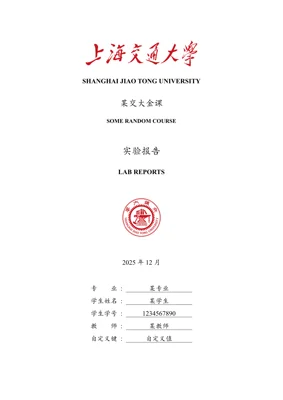

An unofficial Typst template for Shanghai Jiao Tong University course general laboratory reports.
Usage
Using VS Code
-
Install the Tinymist Typst extension.
-
Press
Ctrl + Shift + P(Windows/Linux) orCommand + Shift + P(MacOS) to open the Command Palette. TypeTypst: Initialize a New Typst Project based on a Templateand press Enter. Select@preview/modern-sjtu-report:0.2.0, choose an empty folder as your project directory, and you can start editing.
Using the CLI
-
Download and install the Typst Compiler.
-
Initialize the project using the command:
typst init @preview/modern-sjtu-report:0.2.0.
Using the Web App
- Create a new project in the Typst Web App, select
Start From Template, and choose themodern-sjtu-reporttemplate.
References & Acknowledgements
Referenced the Word version of the lab report template provided by the instructor of the BME2305 Analog Circuits and Laboratory.
Referenced parts of the styling from the SJTU-Thesis project.
Referenced parts of the styling from the modern-sjtu-thesis project.
Thanks you @EveOfAugust for providing lab reports as references.
License
This project is licensed under The Unlicense (Public Domain). The third-party packages lovelace, cuti, lilaq used in this project are licensed under the MIT License.
The copyrights of the Shanghai Jiao Tong University logos and other assets used in this project belong to Shanghai Jiao Tong University. Their use and modification must strictly comply with the regulations of the Shanghai Jiao Tong University Visual Identity System.
