Create project in app
minicise provides a minimal exercise sheet template with a simple header and title. It is based on grape-suite’s exercise sheet template.
Usage
#import "@preview/minicise:0.1.0": sheet

#show: sheet.with(
  title: "My Title",
  course: "My Course",
  author: "John Doe, Jane Doe",
  date: "2025-12-05",
  semester: "Winter semester 2025/26"
)

= Exercise 1

...
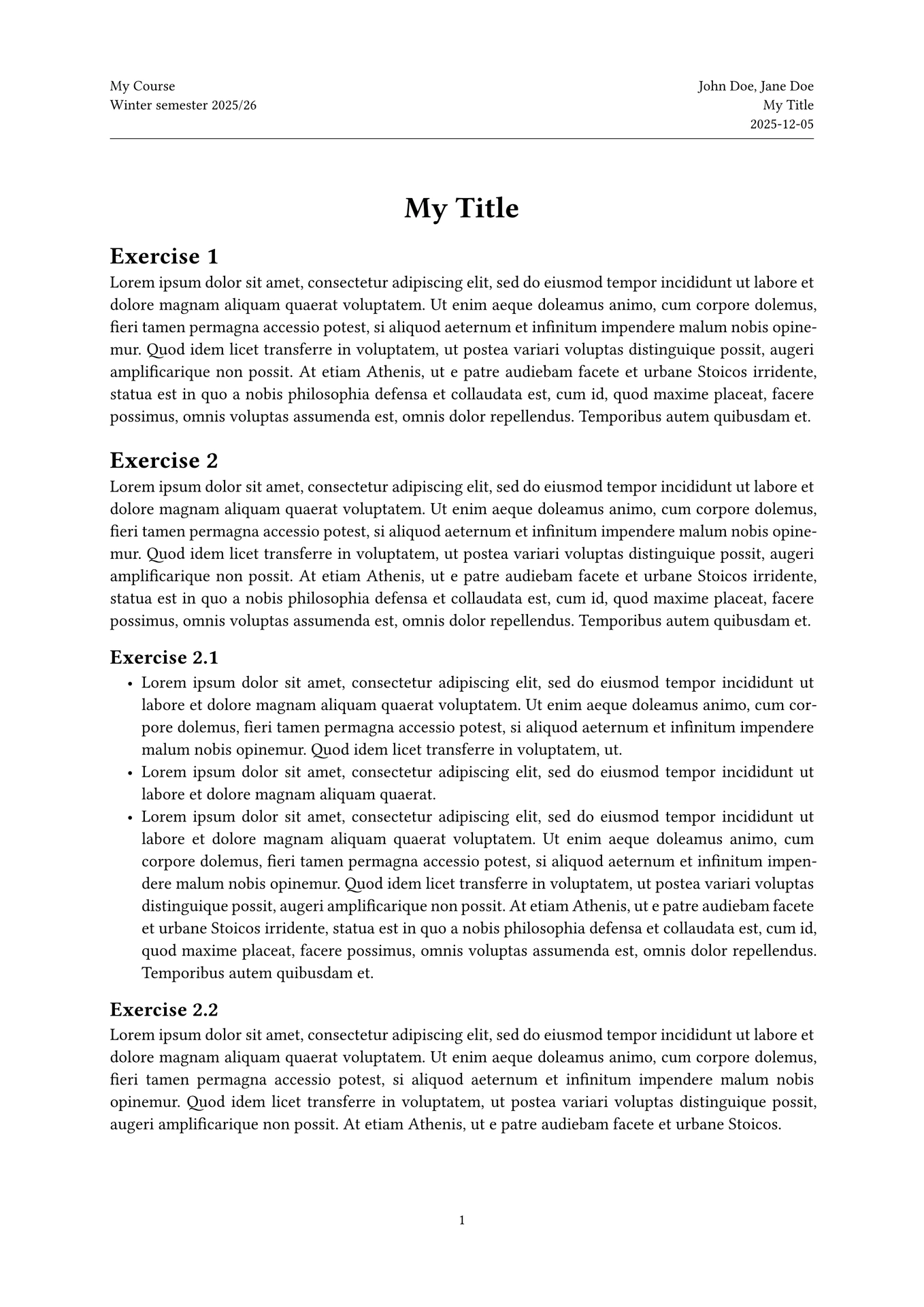
The code above produces something like the following:

Documentation
The following variables can be used to change the information displayed in the header:
| variable | usage |
|---|---|
title |
default: none. A title, appears in large text at the document’s beginning. |
document-title |
default: none. The document’s title, displayed in the header. If none, the value of title is used instead. |
course |
default: none. The name of the course, appears in the header. |
semester |
default: none. The current semester, appears in the header. |
author |
default: none. The document’s author(s), appears in the header. |
date |
default: none. The date, appears in the header. |
show-header-line |
default: true. Whether to show a line between the header and the page’s content. |