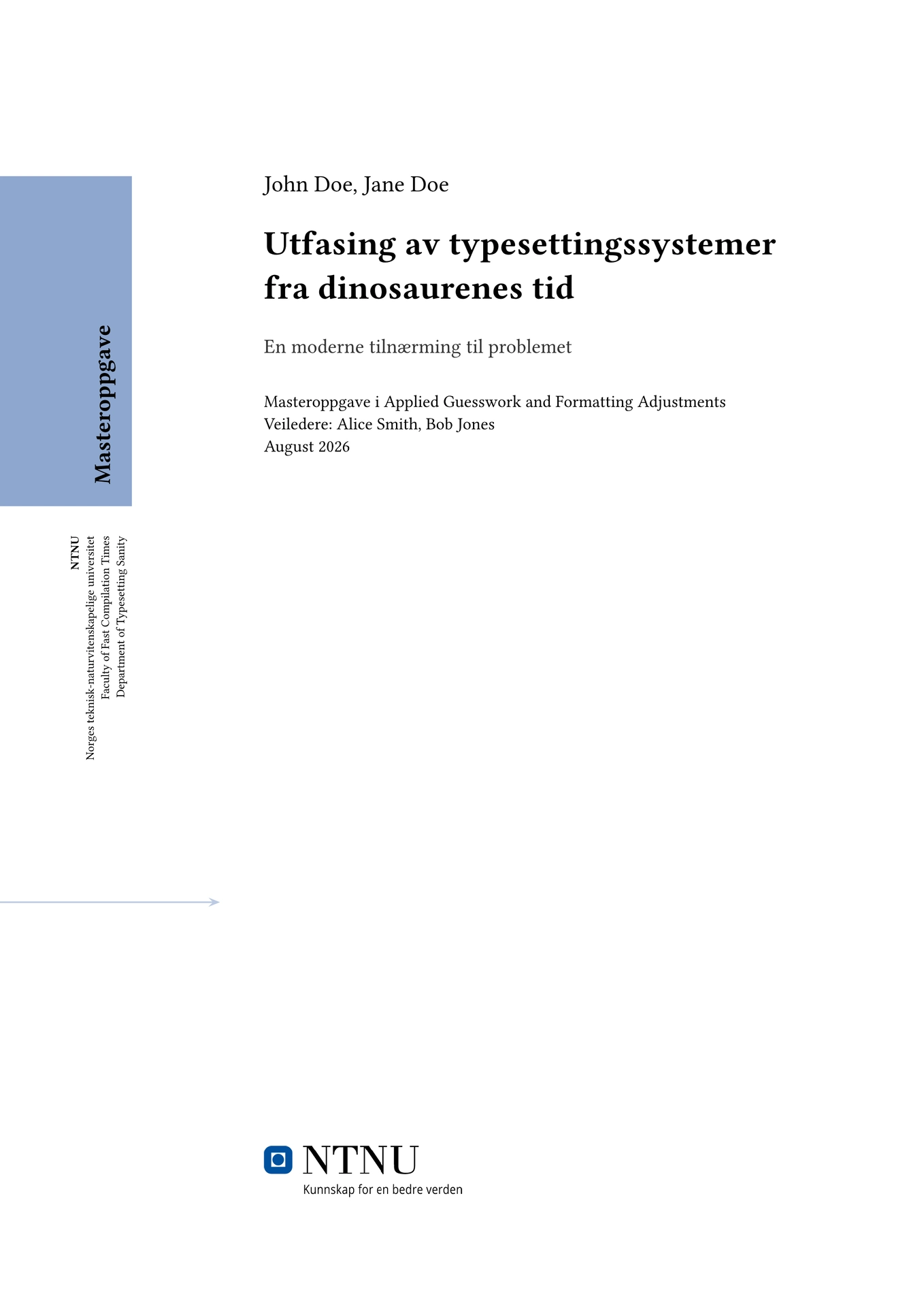
An unofficial, slightly opinionated, extensible Typst template for writing a Degree Project thesis for NTNU in Trondheim, Norway.
Note that the front- and title-pages for theses at NTNU are automatically generated upon submission, so the ones present here serve only as temporary replacements.
Forked and currently maintained for NTNU by Theodor Johansson. Originally created by Rafael Oliveira at https://github.com/RafDevX/kthesis-typst, which was inspired by and partially adapted from Gerald Q. Maguire Jr.'s LaTeX template and KTH’s official degree project report covers as published on the institution’s website.
Overview
This template is primarily targeted at Master’s Degree theses, though it aims to be sufficiently generic so to also be suitable for other kinds of reports. It strives to simplify drafting and counts with the following features, among others:
- Supports both English and Norwegian as primary language, with built-in translations for template-managed headings and sections;
- Supports additional Abstracts in other languages;
- Supports arbitrary extra preamble sections, such as a Glossary / Table of Acronyms - i.e., integrates well with glossarium or similar;
- Does not conflict with Typst’s native bibliography mechanism even without requiring any additional configuration - “plug and play”;
- Uses hydra to show the current Chapter title in the page header;
- Uses headcount to make figure, table, and listing numbers dependent on Chapter number;
- Uses codly to format
rawblocks. - Uses equate to add support for sub-equation numbering.
- Includes built-in selective inclusion of indices: an index for figures, tables, and listings is automatically added if needed and omitted if not; and
- Provides a simple interface and tuning options.
Getting Started
Visit the template’s homepage and click “Create project in app” to try it out in the Typst web app.
Alternatively, you can also run typst init @preview/master-piece-ntnu to bootstrap a new
project via the Typst CLI.
Usage
The main entrypoint is the function master-piece-ntnu, which should be invoked with
a show rule at the beginning of the document:
#show: master-piece-ntnu.with(primary-lang: "en")
Additional configuration options are passed as needed. After this rule has been
declared, you can write your thesis’s content as normal. Level 1 headings (=)
mark Chapters, Level 2 headings (==) delimitate Sections, Level 3 headings
(===) indicate Subsections, and so on.
The second and last point of contact with the template is the function
setup-appendices, which you may (if needed) opt to invoke in a show rule to
mark the subsequent sections as appendices and switch the numbering to letters:
#show: setup-appendices
Configuration
There are a number of options that can be passed to the master-piece-ntnu function to
customize how the final document looks. All of them are optional since they come
with default values, but in most cases you’ll gradually end up having to set
all of them to get the behavior you want. Here’s a description of what is
available:
primary-lang: Primary document language; eitherenornolocalized-info: Language-specific information, including title, subtitle, abstract, and keywordsauthors: Information about who is conducting the degree projectsupervisors: Information about who is supervising the degree projectdegree: Degree within the scope of which this project is being conductedfaculty: NTNU faculty hosting the projectdepartment: NTNU department hosting the projectcover: Information about the cover page, like whether to generate it at all and the color it should displaylogo: Logo to display on the cover- and title-pages.alternating-margins: Whether to enable alternating margins (opposite of mirrored margins)acknowledgements: Body of acknowledgements sectionextra-preambles: Additional, arbitrary front-matter sections, if neededdoc-date: Document authoring/submission datedoc-city: Document city, for acknowledgments signaturedoc-extra-keywords: Additional keywords for document metadata (but not text)style: Miscellaneous settings affecting the document’s appearance
Exact syntax and semantics for each option are shown in the starter thesis.typ
main file provided by this template.
Logo
This template does not include the official NTNU logo. There are usually copyright restrictions on university assets, but if you are authorized to use the logo for your thesis, include the image file in your own project directory and pass it to the template as content:
#master-piece-ntnu(
  ...
  logo: image("assets/ntnu-logo.png", width: 45mm),
)
Future Work
Feature requests (via issues) and patch submissions (via PRs) are very welcome.
Conformance
This template is unofficial and has not been verified to fully conform to NTNU’s requirements, therefore you should use it at your own risk.
The covers use Arial, which is a proprietary font and may be difficult to get
access to. This template will use Arial if it is available on the system at
compile-time and style.use-arial is manually enabled (opt-in); otherwise, it
will be replaced by an open, metric-compatible substitute: Liberation Sans.
Licensing
This project and all materials in this repository are made available under the
MIT License, except for the contents of the /template directory (i.e., the
files given for the thesis authors to edit), which are instead licensed under
MIT No Attribution.
SPDX-License-Identifier: MIT AND MIT-0