


Maquette is a Typst plugin that renders 3D models directly inside your documents — no screenshots, no external tools, no manual re-exports when you tweak the camera angle.
Maquette takes STL, OBJ, and PLY files and turns them into SVG or PNG images at compile time, right inside the Typst pipeline. Point a camera, set up lighting, pick a shading model, and the result lands in your PDF. Change a parameter, recompile, done. This makes it practical to embed technical 3D illustrations in engineering reports, research papers, and documentation without maintaining a separate asset pipeline.
Everything runs as a single WASM plugin (~505 KB), with focus on speed.
Try it live in your browser → — drag to orbit, tweak every setting, and copy the generated Typst code. It runs the exact same WASM as the plugin, fully client-side. Because your browser JIT-compiles the WASM (Typst runs it in an interpreter), the demo is dramatically faster to iterate on — the quickest way to dial in a camera angle and lighting before pasting the code into your document, with no recompile between tweaks.
Check the documentation to see examples of all the features.
Example
A back-lit Stanford bunny: a red point light placed inside the model glows through the thin ears (subsurface scattering), with the camera framed from behind. Lighting, camera and material all live in the source.
|

|
Gallery
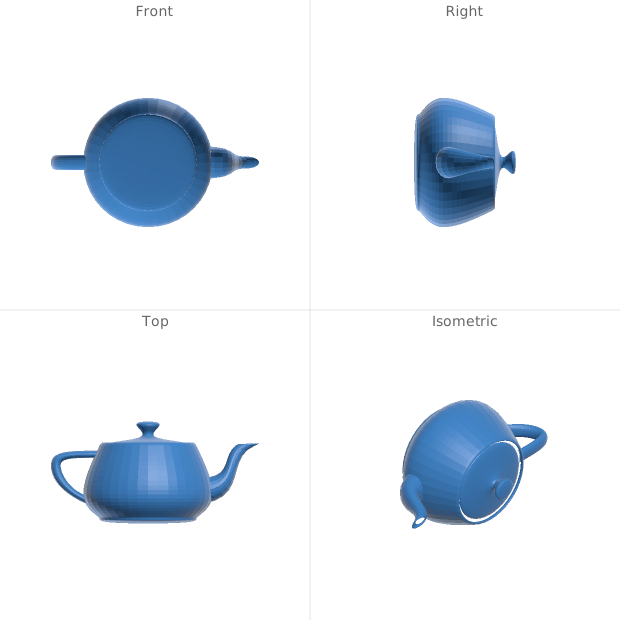 Multi-view grid — front / right / top / isometric on one sheet |
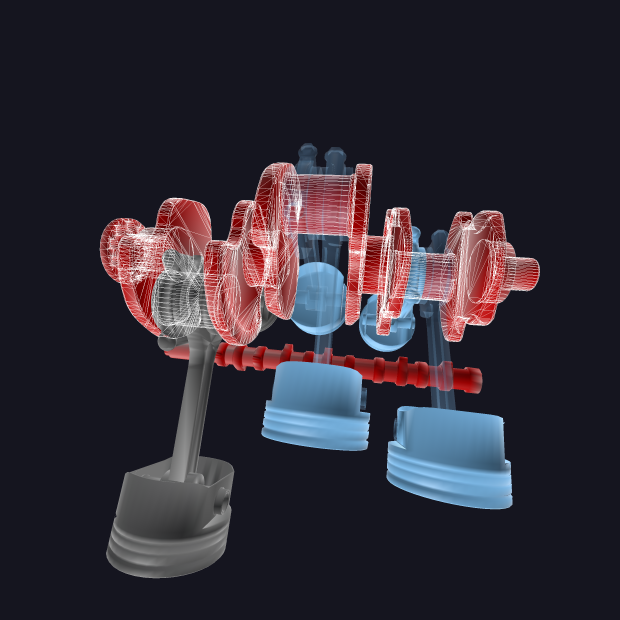 Per-group appearance — per-part colour, stroke & opacity from OBJ groups |
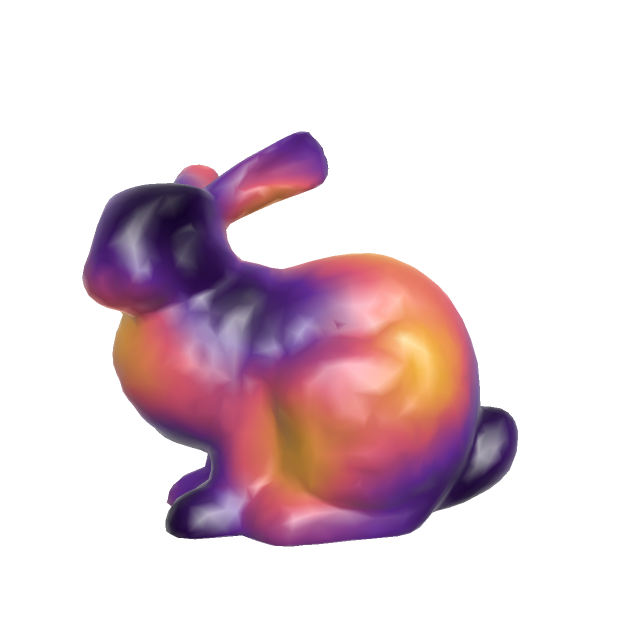 Scalar color map — a math expression f(x,y,z) over a custom palette
|
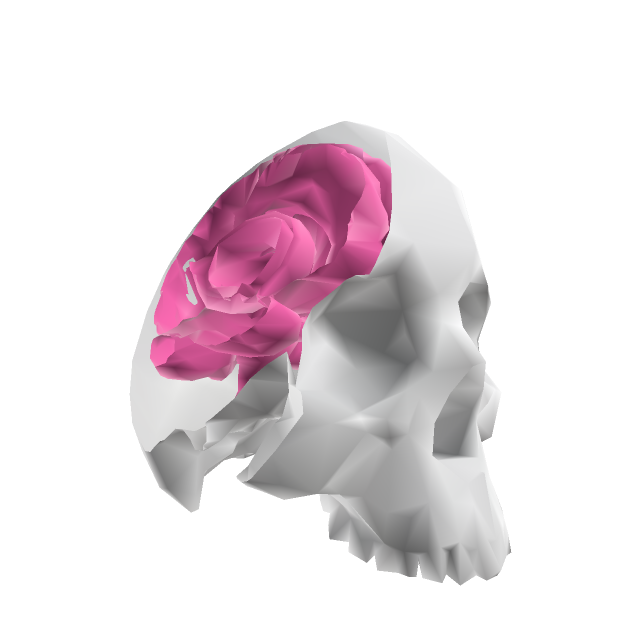 Clipping plane — a mathematical cut opens the model to its interior |
Once again, the documentation has many examples covering all the features offered by maquette.
Functions
render-stl / render-obj / render-ply
#render-stl(read("model.stl", encoding: none), ..config, width: auto, height: auto, format: "png")
#render-obj(obj-data, ..config, width: auto, height: auto, format: "png")
#render-ply(read("model.ply", encoding: none), ..config, width: auto, height: auto, format: "png")
Renders a 3D model. Data must be read with encoding: none (required for binary STL/PLY, optional for OBJ). Configuration parameters are passed as named arguments (e.g. color: "#c0ffee"), or bundled into a single dictionary passed positionally (render-stl(data, (color: "#c0ffee"))) — both are equivalent. Any parameter set to none falls back to its default. width/height/format control display sizing and output format; set format: "svg" for vector output.
Read PLY & STL models with
encoding: none. This hands maquette the raw file bytes. Binary STL/PLY — and any file with non-UTF-8 bytes — otherwise fail Typst’s default UTF-8read()with a “file is not valid UTF-8” error.encoding: noneavoids that and works for every format (OBJ included), so it’s the pattern to use everywhere.
get-stl-info / get-obj-info / get-ply-info
#let info = get-stl-info(stl-data)
#let info = get-obj-info(obj-data)
#let info = get-ply-info(ply-data)
Returns JSON with model metadata (triangle count, vertex count, bounding box, groups).
Output Formats
- PNG (default): Z-buffer rasterized. Best for high-poly models and smooth shading. Set
width/heightfor resolution andantialiasfor supersampling. - SVG (
format: "svg"): Vector output via painter’s algorithm. Best for low-to-medium poly models. Supports debug overlays and silhouette outlines.