Documentation · API reference · Examples · Changelog
lookscanned turns any Typst document into a convincing scan, photocopy, fax, typewritten letter, stencil copy, microfilm or yellowed newspaper, with a single show rule.
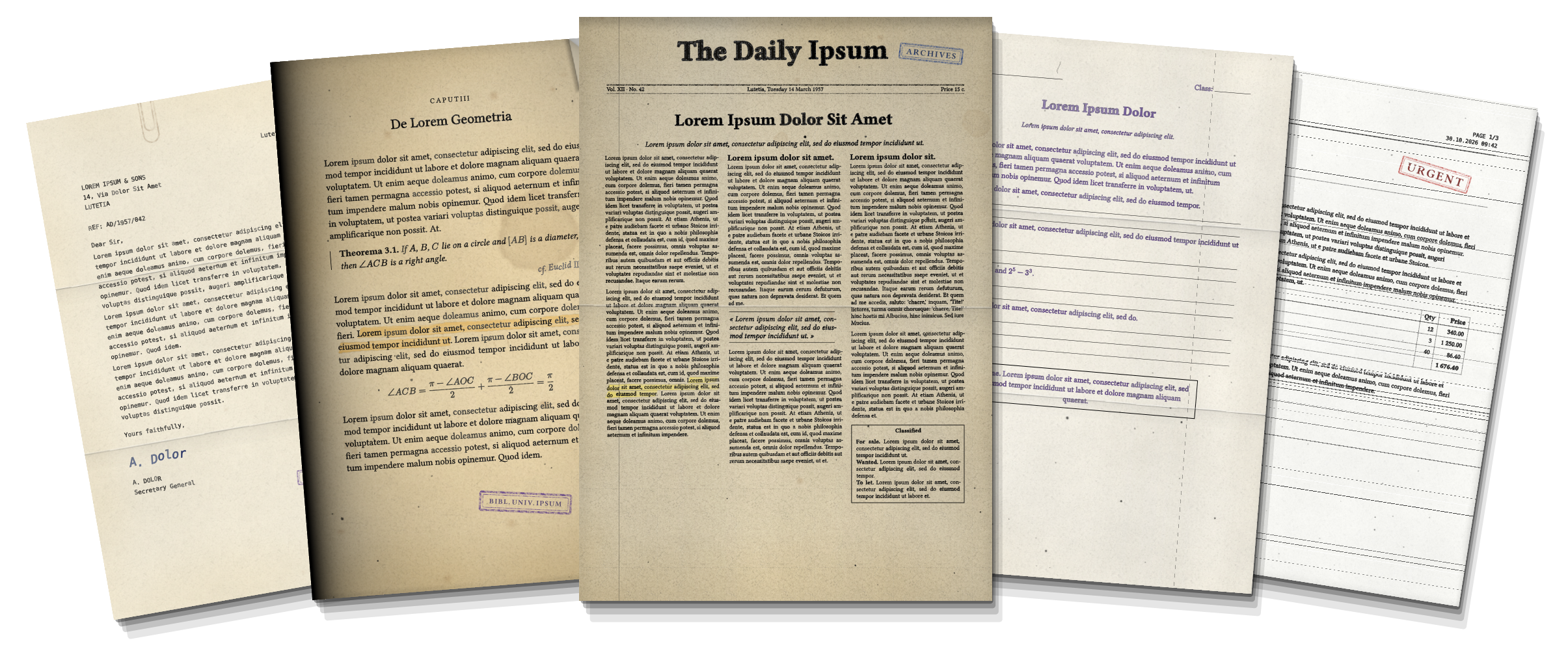
| Still real text | Text and equations stay selectable, searchable and copyable. |
| Same layout | Line and page breaks are exactly those of the clean document. |
| Reproducible | The same seed gives the same PDF, every time. |
| Ten presets, 33 settings | From a clean office scan to a torn, stapled, coffee-stained memo. |
Quick start
#import "@preview/lookscanned:0.2.0"

#show: lookscanned.scan.with(preset: "old-paper")
That’s it. Put the rule after your set page rules (or just before a template’s own show rule), and change the
seed to get another copy of the same page.
Presets
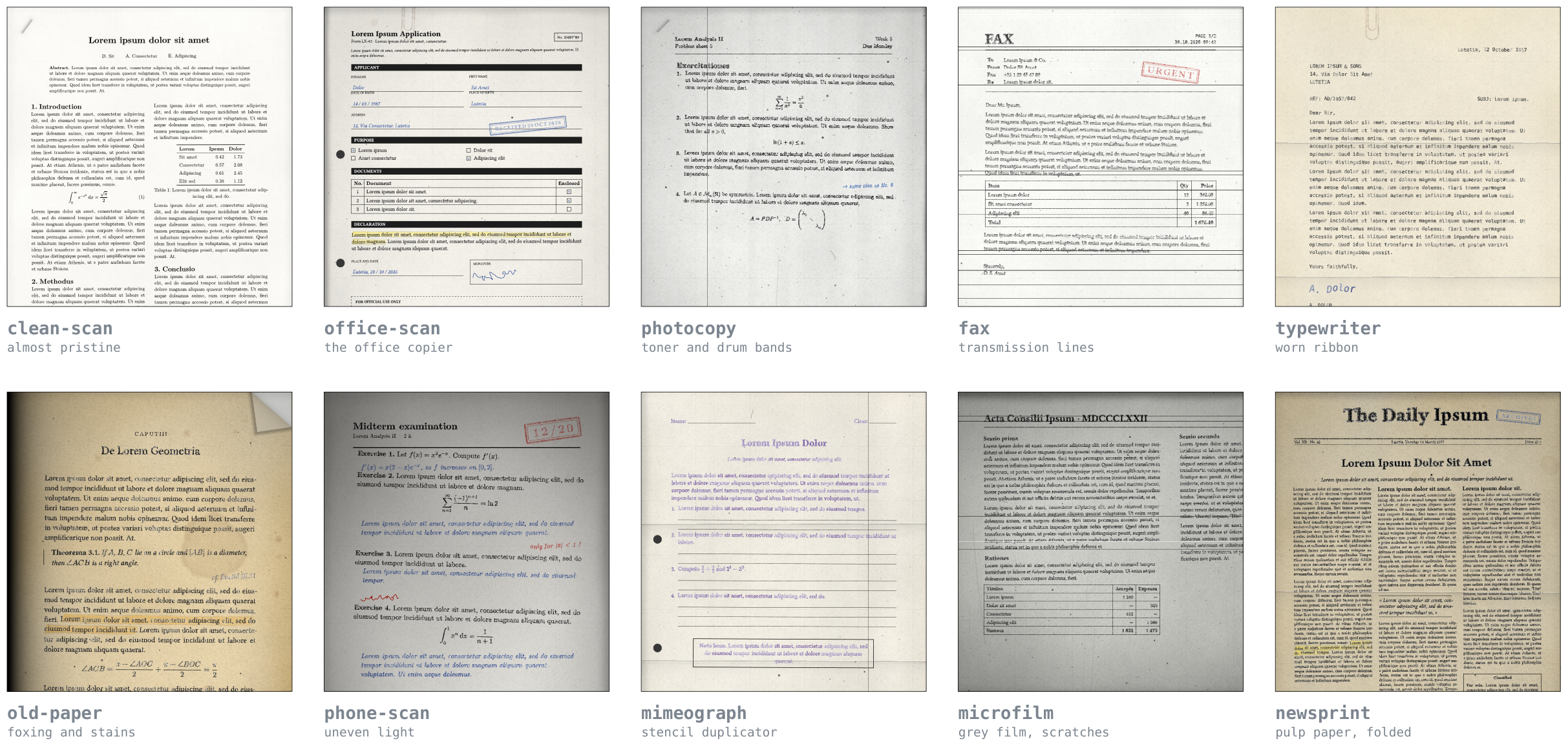
| Preset | Look |
|---|---|
clean-scan |
Off-white paper, faint grain, almost straight |
office-scan (default) |
Moderate grain, edge shadow, slight drift between pages |
photocopy |
Heavy toner, drum bands, dust and scratches |
fax |
Transmission lines, jittery words, low legibility |
typewriter |
Jittery characters, uneven inking, worn ribbon |
old-paper |
Yellowing, foxing, stains, vignette |
phone-scan |
Strong rotation, uneven lighting |
mimeograph |
Stencil-duplicator bleed, punch holes, letter folds |
microfilm |
Grey film, deep vignette, scratches |
newsprint |
Rough yellowed pulp, folded once |
Every preset can be tuned, scaled or used as the base of your own:
// Tune a few keys; `intensity` scales everything (0 = off, > 1 = exaggerated).
#show: lookscanned.scan.with(preset: "fax", intensity: 0.6, ink: (bleed: 0.2))

// Or derive a reusable preset.
#let archive = lookscanned.derive("old-paper", edges: (staple: true, folds: 2))
#show: lookscanned.scan.with(preset: archive)
Damage and decorations
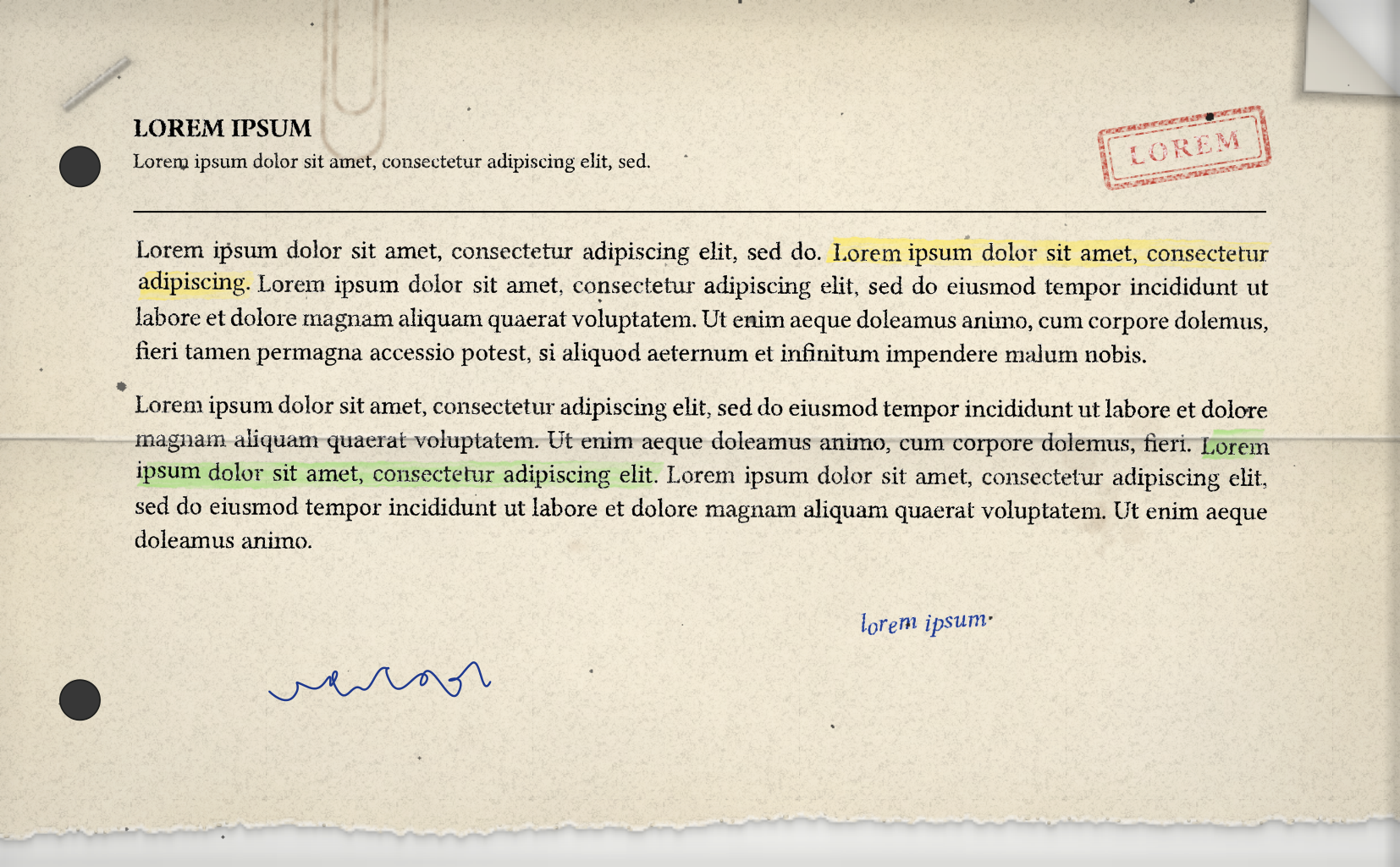
#show: lookscanned.scan.with(
  edges: (staple: true, paperclip: true, dog-ear: true, folds: 1, torn: true, punch-holes: true),
)

#lookscanned.stamp("Received", angle: -9deg)
#lookscanned.highlighter[Grades must be entered before Friday noon]
#lookscanned.scribble(body: "done, 12/03", color: blue)
#lookscanned.scribble(width: 3cm)                                   // a signature
#lookscanned.stain(at: (x: 80%, y: 60%), size: 25mm, over: true)    // coffee, on top of the text
Settings at a glance
Settings are grouped in seven themes; keys you leave out keep the preset’s value, none resets them, and a typo
stops compilation with a clear error.
| Theme | What it controls |
|---|---|
paper |
Colour, grain, yellowing and foxing, fibres |
stains |
Blotches, coffee rings, splatters, dust, hairs, scanner-glass scratches |
ink |
Bleed into the paper, uneven inking, legibility, worn glyphs, ghost copies |
skew |
Rotation per page, block, word or character; drift across pages |
edges |
Shadow, vignette, uneven light, binding, punch holes, folds, dog-ear, staple, paperclip, torn edge |
scanner |
Fax lines, photocopier bands |
quality |
Texture resolution, shared tiles, jitter granularity |
Every key, with its default and an image, is in the settings reference.
More than a show rule
// Other page effects for a few pages.
#lookscanned.page(stains: (amount: 0.8), skew: (page-rotation: 2deg))[= Appendix]

// Text effects on one block only.
#lookscanned.region(preset: "typewriter")[*Proof.* Let $epsilon > 0$ …]

// The raw textures, anywhere: paper, grain, toner, ink, stains, dust, lines, edges, damage, marker.
#set page(background: lookscanned.texture("paper", seed: 3, color: rgb("#f0e6d2"), grain: 0.5))
Good to know
- There is no true blur or perspective:
phone-scanrelies on rotation and lighting. "word"granularity prevents hyphenation in justified text;"char"only shifts characters vertically.scanuses the pagebackgroundandforeground, and page-sized textures need a fixed page height.- Poppler-based viewers draw the textured ink as plain ink. For PNG output, export a PDF and convert it with Ghostscript.
Part of the Rust code and documentation was build using Claude, the rest was typed by hand. A “scanned” document is harder to read, so keep a clean version around
(intensity: 0). lookscanned is meant for design, fiction, games, props and OCR testing, not for forging documents.
License
lookscanned is released under the Apache License 2.0.