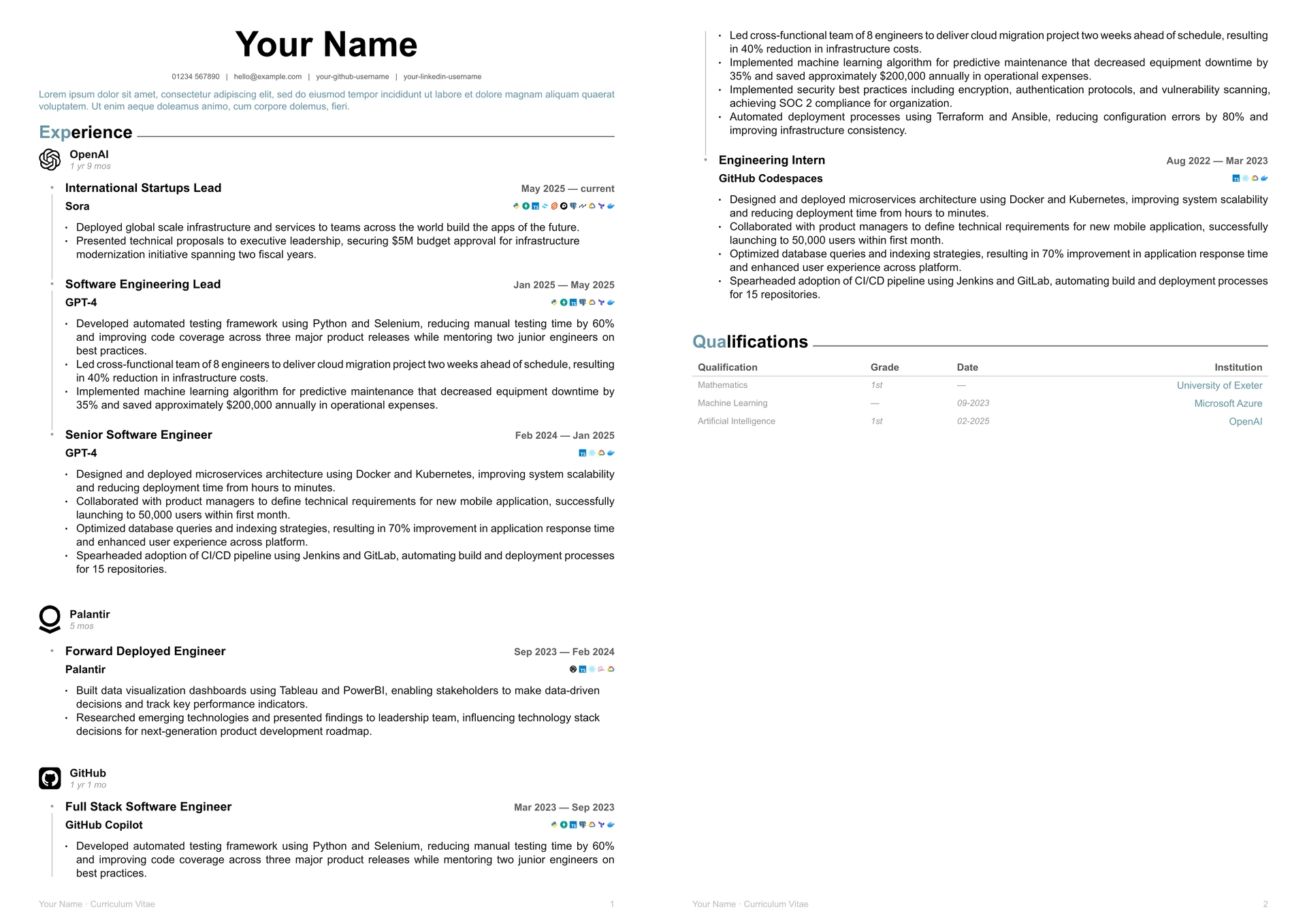
A beautiful, timeline-based CV template for Typst that emulates the LinkedIn UI aesthetic.

Features
- LinkedIn-inspired design with clean, professional layout
- Timeline visualisation for multiple roles at the same company
- Tech stack icons with 100+ built-in technology logos
- Customisable colours and fonts to match your personal brand
- Responsive layout optimised for A4 paper
- Easy to use with simple, intuitive component API
Installation
Import the package using the Typst package manager:
#import "@preview/linked-cv:0.1.0": *
Quick Start
#import "@preview/linked-cv:0.1.0": *

#show: linked-cv.with(
  firstname: "Your",
  lastname: "Name",
  socials: (
    email: "hello@example.com",
    mobile: "01234 567890",
    github: "your-github-username",
    linkedin: "your-linkedin-username",
  ),
  accent-colour: colours.accent,
  fonts: (
    headings: "Roboto",
    body: "Source Sans Pro",
  ),
)

#typography.summary[
  Experienced software engineer who values learning and growing with people, teams, and technologies...
]

#components.section("Experience")

#components.employer-info(
  image("path/to/logo.svg"),
  name: "Company Name",
  duration: ("01-2023", "current"),
)

#frame.connected-frames(
  "company-id",
  (
    title: [Software Engineer],
    duration: ("01-2023", "current"),
    body: [
      #components.workstream(
        title: "Project Name",
        tech-stack: ("python", "typescript", "react", "postgresql")
      )
      - Key achievement or responsibility
      - Another achievement
    ]
  ),
)
Components
Header & Personal Info
The linked-cv template automatically generates a header with your name and contact information:
#show: linked-cv.with(
  firstname: "First",
  lastname: "Last",
  socials: (
    email: "email@example.com",
    mobile: "+1234567890",
    github: "username",
    linkedin: "username",
  ),
)
Sections
Create section headers:
#components.section("Experience")
#components.section("Education")
#components.section("Skills")
Company Experience
Display company information with optional logo, followed by timeline entries for roles:
#components.employer-info(
  image("path/to/logo.svg"),  // content placeholder available
  name: "Company Name",
  duration: ("01-2020", "current"),
)
Timeline Frames
Create connected timeline entries for multiple roles at the same company:
#frame.connected-frames(
  "unique-company-id",
  (
    title: [Senior Engineer],
    duration: ("01-2022", "current"),
    body: [
      #components.workstream(
        title: "Project Name",
        tech-stack: ("python", "docker", "kubernetes")
      )
      - Key achievement
      - Another achievement
    ]
  ),
  (
    title: [Engineer],
    duration: ("01-2020", "12-2021"),
    body: [
      - Earlier achievements
    ]
  ),
)
Tech Stack Icons
Display technology icons inline with your projects:
#components.workstream(
  title: "Project Name",
  tech-stack: ("python", "typescript", "react", "postgresql", "docker")
)
Supports 100+ technologies including: Python, JavaScript, TypeScript, React, Vue, Angular, Node.js, Docker, Kubernetes, AWS, GCP, Azure, PostgreSQL, MongoDB, and many more.
Custom Icons: You can mix built-in icon names with custom images:
#components.workstream(
  title: "Project Name",
  tech-stack: ("python", image("path/to/custom-logo.svg"), "docker")
)
You can also use tech icons standalone:
#tech-icon("python")
#tech-icon("docker", size: 1em)
#tech-icons(("python", "typescript", image("custom.svg")))
Education & Qualifications
#components.qualification(
  "Degree Name",
  "Grade",
  "Year",
  "Institution"
)
Customisation
Colours
Choose from predefined accent colours or create your own:
#show: linked-cv.with(
  accent-colour: colours.accent,
  // accent-colour: blue,
  // accent-colour: rgb("#1a73e8").lighten(20%),
)
Fonts & Type
Customise fonts and text settings:
#show: linked-cv.with(
  fonts: (
    headings: "Roboto",
    body: "Source Sans Pro",
  ),
)
Override default text settings for fine-tuned control:
#set text(size: 8pt, hyphenate: false)
#set par(justify: true, leading: 0.52em)
Example
See example/cv.typ for a complete working example with multiple companies, roles, and sections.
Licence
MIT License - see LICENCE for details.
Contributing
Contributions are welcome! Please feel free to open issues or submit pull requests.