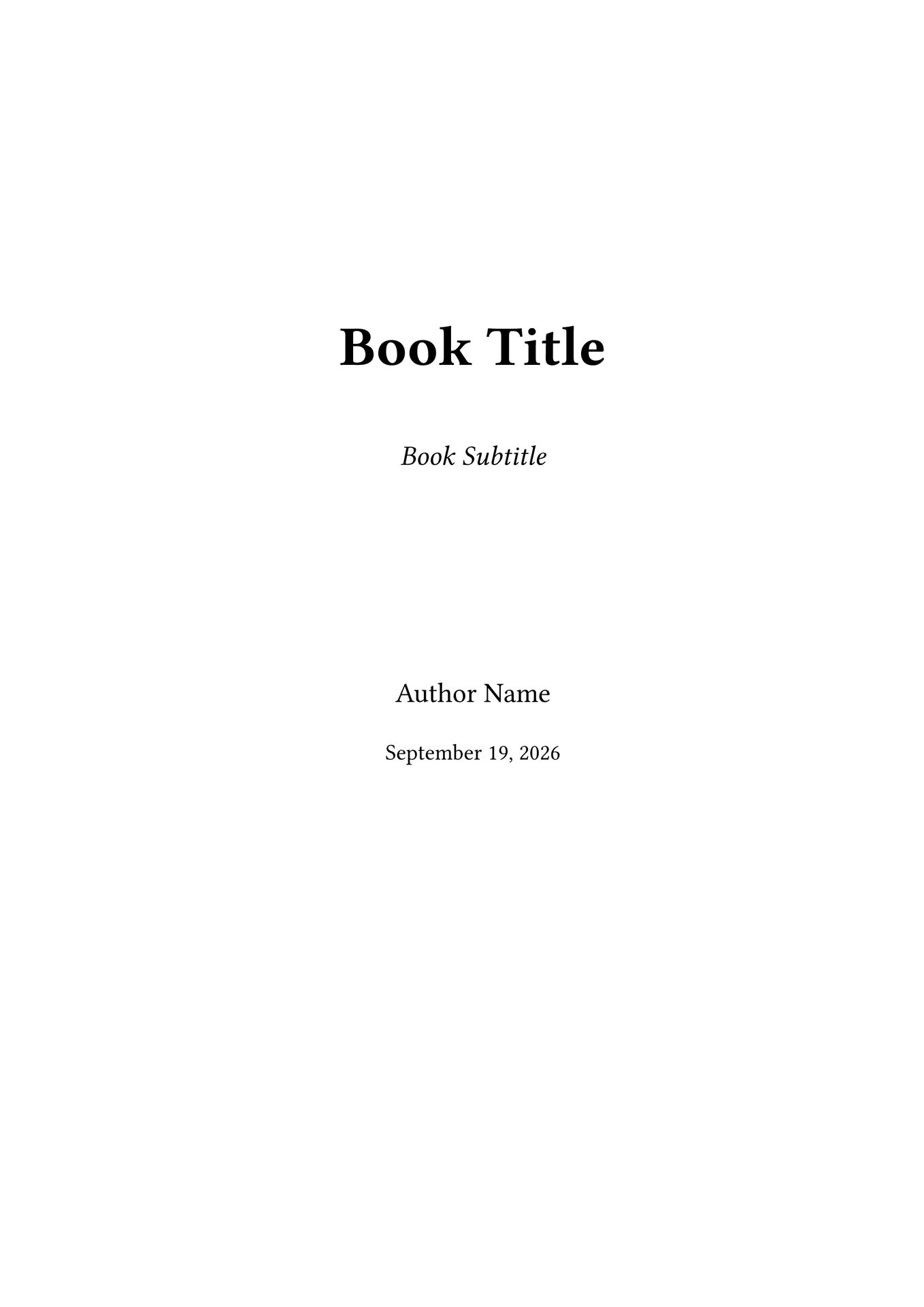
A LaTeX-style book template for Typst. Provides part/chapter/section structure, frontmatter/mainmatter/appendix/backmatter book parts, theorem environments, subfigures, citations, and bibliography.
Version: 0.0.4 · Updated: 2026-10-21
Quick Start
#import "@preview/latexy-book:0.0.4": book, frontmatter, mainmatter, appendix, backmatter

#show: book.with(
  title: "Book Title",
  subtitle: "Book Subtitle",
  author: "Author Name",
  date: datetime.today().display("[month repr:long] [day], [year]"),
  titlepage: true,
)

// Front matter: roman page numbers, no heading numbering
#frontmatter()
= Foreword
Some text...

// Insert table of contents here
#content()

// Main matter: arabic page numbers, Part/Chapter numbering, counters reset
#mainmatter()
= Part I
== Chapter 1
Some text in Chapter 1.

== Chapter 2
More text.

// Appendix: chapters labeled A, B, C...
#appendix()
= Appendix A
Appendix content.

// Back matter: no heading numbering
#backmatter()
= Afterword
Closing remarks.

// Bibliography (Chicago author-date style)
#bibliography("refs.bib")
book() parameters
| Parameter | Default | Description |
|---|---|---|
title |
"" |
Book title shown on the title page |
subtitle |
none |
Optional subtitle |
author |
none |
Author name |
date |
none |
Publication date |
titlepage |
true |
Set to false to skip the title page |
Book Parts
| Function | Description |
|---|---|
#frontmatter() |
Before main content, page numbering in roman numerals |
#mainmatter() |
Main content, resets page numbering to 1 |
#appendix() |
Appendices, chapters labeled A, B, C… |
#backmatter() |
After appendices (afterword, index, etc.) |
Transitions between parts automatically reset all figure / equation / theorem counters so numbering restarts from 1.
Heading Structure
| Level | Example | Description |
|---|---|---|
= Title |
= Part I |
Part (mainmatter) or Appendix (appendix) or front/back matter title |
== Title |
== Chapter 1 |
Chapter — increments chapter counter |
=== Title |
=== Section 1.1 |
Section |
==== Title |
==== Subsection 1.1.1 |
Subsection |
===== Title |
===== Subsubsection 1.1.1.1 |
Subsubsection |
====== Title |
====== Paragraph 1.1.1.1.1 |
Paragraph |
Numbering format:
- mainmatter:
1.1,1.1.1, … (chapter.section.subsection) - appendix:
A.1,A.1.1, … (letter.section.subsection) - frontmatter / backmatter: no heading numbering
Theorem Environments
All theorem-like environments are rendered as styled boxes with numbered captions. Counter resets at each Chapter or Appendix.
#theorem(caption: "Pythagorean Theorem")[
  For a right triangle with legs a, b and hypotenuse c:

  $a^2 + b^2 = c^2$
]
| Environment | Default label | Border | Background |
|---|---|---|---|
#definition(...) |
Definition | Bold | White |
#theorem(...) |
Theorem | Bold | White |
#assumption(...) |
Assumption | Bold | White |
#proposition(...) |
Proposition | Bold | White |
#lemma(...) |
Lemma | Bold | White |
#corollary(...) |
Corollary | Bold | White |
#exercise(...) |
Exercise | Gray | Light gray |
#example(...) |
Example | Gray | Light gray |
#notice(...) |
Notice | Gray | Light gray |
All environments accept a caption: parameter (optional) and an optional
label for cross-referencing (e.g. <def:my-definition>).
Code
The #code environment renders a syntax-highlighted code block with a header
bar, optional line numbers, and optional language label. It is numbered like
other theorem environments (1.1, A.1, …).
#code(caption: "Bubble Sort")[
```python
def bubble_sort(arr):
    n = len(arr)
    for i in range(n):
        for j in range(0, n - i - 1):
            if arr[j] > arr[j + 1]:
                arr[j], arr[j + 1] = arr[j + 1], arr[j]
```
]
Optional parameters:
| Parameter | Default | Description |
|---|---|---|
caption |
none |
Caption text shown in the header |
lineno |
true |
Show line numbers |
language |
none |
Language of the code block |
show-language |
true |
Show detected language in the header |
Subfigures
Use #subfigure() inside a #figure() to create labeled sub-figures (a),
(b), ©, … Each subfigure is optionally captioned. The subfigure counter
resets at each new parent figure.
#figure(
  caption: "System components",
)[
  #grid(
    columns: (1fr, 1fr),
    subfigure(
      image("a.png"),
      caption: "Data collection module",
    ),
    subfigure(
      image("b.png"),
      caption: "Processing module",
    ),
  )
] <fig:sub>
Citations
Harvard author-date style via citep (parenthetical, support prefix parameter) and citet (textual):
#citep(<famaCrossSectionExpectedStock1992>, <lamontFinancialConstraintsStock2001>)
// → (Fama & French, 1992; Lamont, 2001)

#citet(<famaCrossSectionExpectedStock1992>)
// → Fama and French (1992)
Bibliography uses Chicago author-date style:
#bibliography("refs.bib")
Tutorial
For more information, see the template file template/main.typ. I strongly recommend you to read it.