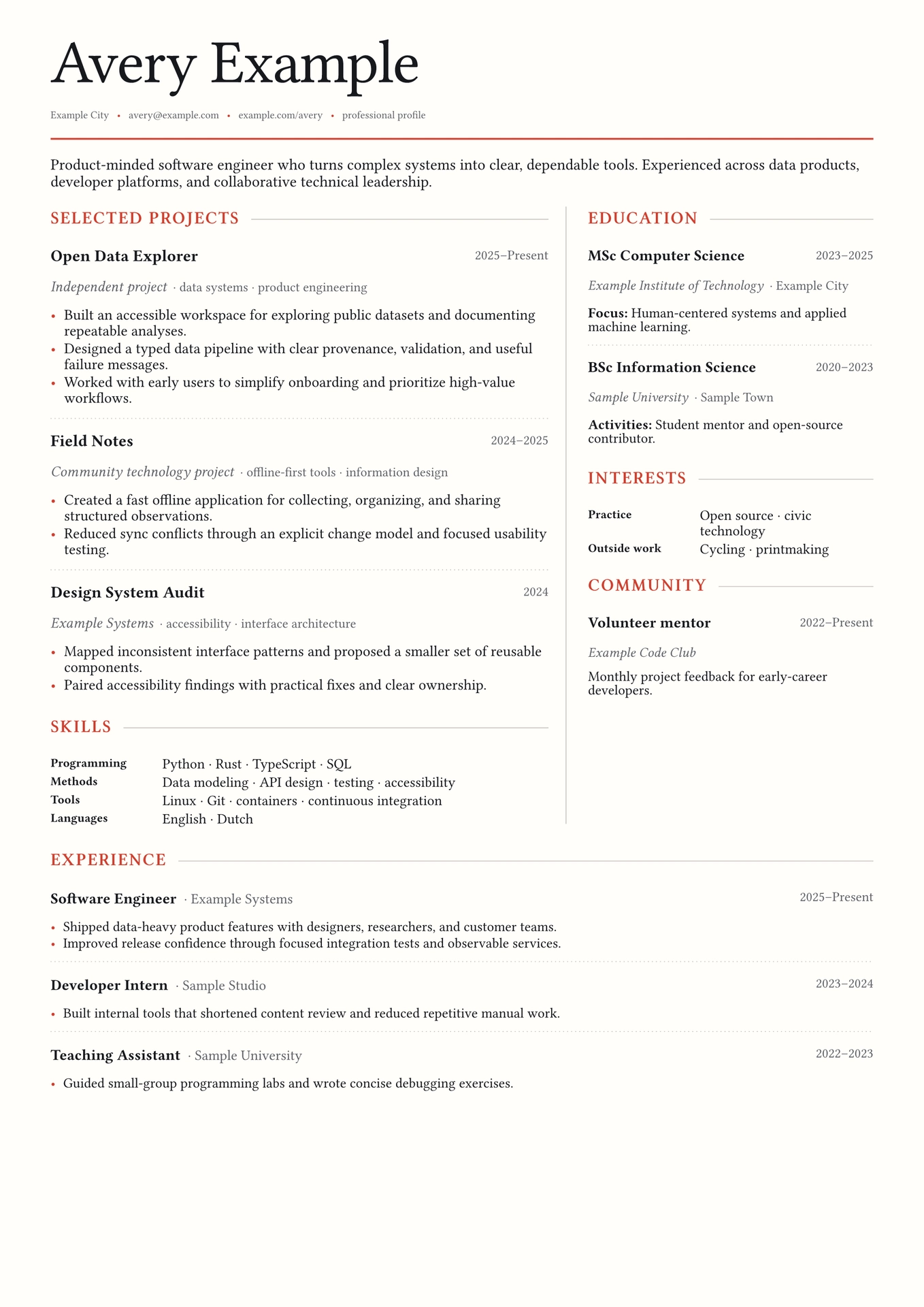
Heading Resume creates a polished editorial resume with a compact two-column layout. It keeps content in small semantic data structures, uses fonts bundled with Typst, and needs no images or external assets.
Quick start
Create a ready-to-edit project:
typst init @preview/heading-resume:0.1.0
Or import the package into an existing document:
#import "@preview/heading-resume:0.1.0": contact, entry, entry-section, resume, skill, skill-section

#show: resume.with(
  name: [Avery Example],
  contacts: (
    contact([avery\@example.com], url: "mailto:avery@example.com"),
    contact([example.com], url: "https://example.com"),
  ),
  profile: [Short professional profile.],
  main-sections: (
    entry-section(
      [Projects],
      (
        entry(
          [Useful project],
          organisation: [Independent work],
          dates: [2025–Present],
          body: (
            [Explain the problem and your contribution.],
            [Show a concrete outcome.],
          ),
        ),
      ),
    ),
    skill-section(
      [Skills],
      (skill([Programming], [Python · Rust · SQL]),),
    ),
  ),
)
Public definitions
resume
Use resume with a show rule. Its first argument is the document body supplied
by that rule. Named arguments:
name: required display name.contacts: array of values returned bycontact.profile: optional introductory content.main-sections: sections in the wider left column.aside-sections: sections in the narrower right column.full-sections: sections below both columns.language: document language. Default: English.document-title: title stored in document metadata. Default:"Resume".footer: optional footer content.style: visual overrides grouped by page region. Default:(:).
default-style
default-style contains every visual default used by resume. Normal use does
not need it: pass only the values you want to change in style. Each supplied
group is merged with its defaults.
#show: resume.with(
  name: [Avery Example],
  style: (
    typography: (
      base-size: 10.5pt,
      display-font: ("New Computer Modern", "Libertinus Serif"),
    ),
    header: (
      name-size: 3.3em,
      contact-size: 7pt,
    ),
    columns: (widths: (1.7fr, 1fr),),
  ),
)
Relative em lengths scale with typography.base-size; absolute lengths such
as 7pt remain fixed. Unknown groups and keys produce an error with the full
path.
Available style groups:
page:paper,fill,margin,footer-size,footer-fill, andfooter-alignment.colors:accent,ink,muted,hairline,link,emphasis, andmarker.automakes the last three use their semantic default.typography:base-size,display-font,body-font,label-font,section-font,emphasis-font,emphasis-style,paragraph-justify, andparagraph-leading. Optional font roles fall back to their related base role.header:name-size,name-weight,name-tracking,name-after-gap,contact-size,contact-separator,contact-separator-gap,rule-length,rule-stroke,profile-size, andprofile-weight.columns:widths,gutter,divider-stroke,aside-inset, andfull-section-gap.sections:before,title-columns,title-rule-gap,title-size,title-weight,title-tracking,title-transform,rule-length,rule-stroke,rule-start, andafter.entries:heading-columns,column-gutter,title-size,compact-title-size,title-weight,inline-organisation-size,dates-size,organisation-size,compact-organisation-size,organisation-style,subtitle-size,metadata-gap,metadata-separator,body-size,compact-body-size,body-before,body-leading,compact-body-leading,after,compact-after,divider-before,divider-after,divider-length, anddivider-stroke.skills:size,label-weight,columns, androw-gutter.list:indent,body-indent,spacing, andmarker.
Stroke values accept none, any value supported by Typst’s line or grid
stroke parameters, or a function that receives the relevant semantic color.
Use none to remove a rule or divider.
contact
contact(value, url: none) creates one item in the contact row. With url, the
displayed value becomes a link.
entry
entry(title, organisation: none, dates: none, subtitle: none, body: none)
creates a project, education, or work item. An array passed as body renders as
a bullet list; other content renders directly.
entry-section
entry-section(title, entries, compact: false, inline-organisation: false)
groups entries. compact tightens their spacing. inline-organisation places
the organization beside each entry title.
skill
skill(label, value) creates one labeled skills row.
skill-section
skill-section(title, rows) groups one or more skills rows.
Layout tips
- Keep the initialized example to one page by shortening content before
reducing
text-size. - Put the most important evidence in
main-sections, compact facts inaside-sections, and work history infull-sections. - Pass a font fallback array when using optional local fonts. Do not assume other readers have those fonts installed.
License
Heading Resume is licensed under the MIT No Attribution license.