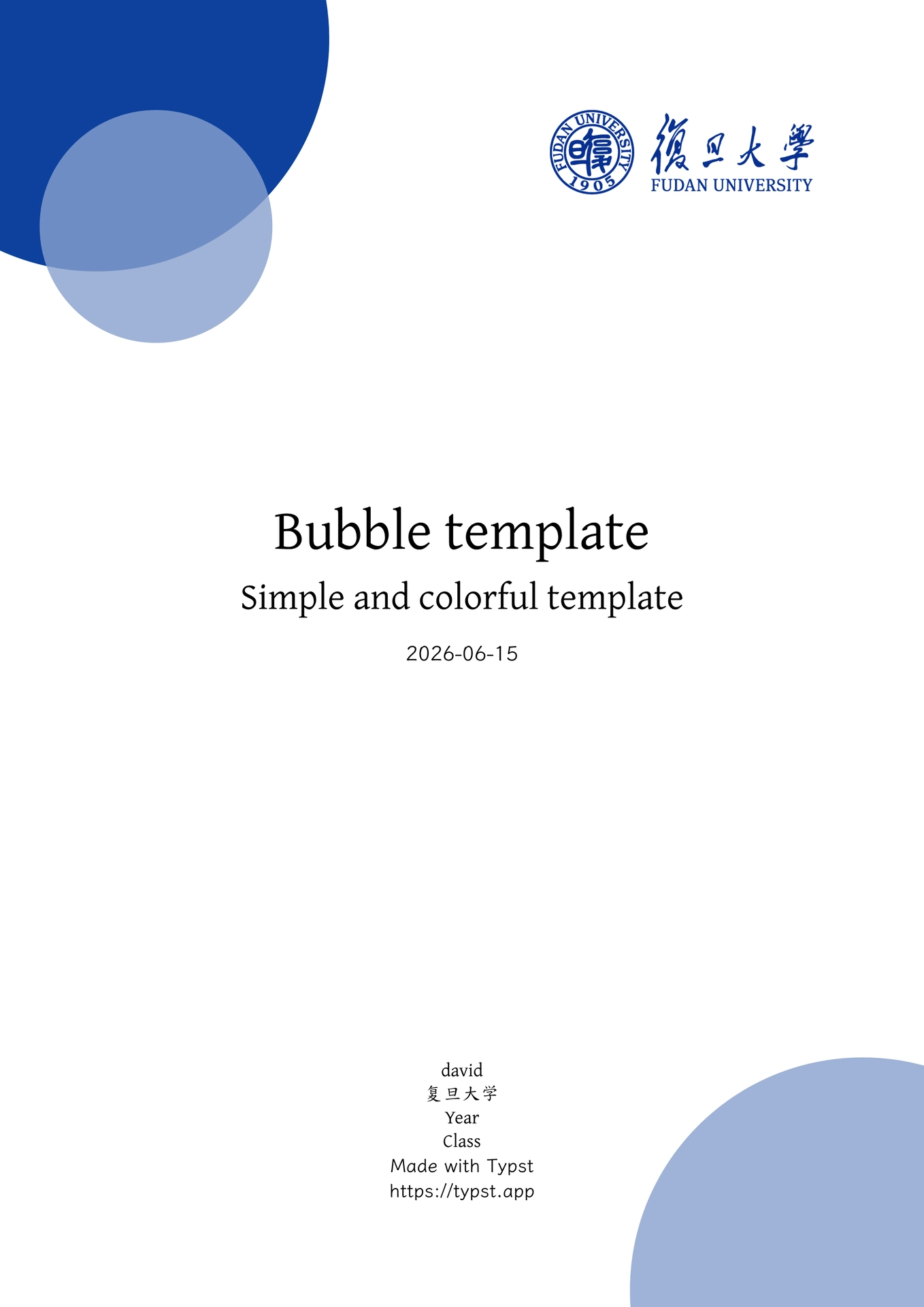
FDU Bubble is an unofficial FDU-style Typst template for Chinese report writing, with a colorful cover, Chinese typography defaults, and styled code blocks.
一个面向中文报告写作的非官方 FDU 风格 Typst 模板,基于
@preview/bubble:0.2.2 调整而来。样式集中在 lib.typ,官方模板入口位于
template/main.typ。
Logo and Trademark Notice
The bundled Fudan University logo is included based on Wikimedia Commons’
File:Fudan University Logo.svg,
which marks the logo as public domain in China and the United States and cites
Fudan University’s official logo.zip as its source. The logo may still be
protected as a trademark. This package does not grant trademark rights or imply
endorsement by Fudan University; users are responsible for following the
university’s identity guidelines and applicable trademark rules.
特性
- 开箱即用,可以直接在vscode下载tinymist使用,高度可定制(自行修改lib.typ即可)
- 适配中文排版,默认正文语言为
zh - 封面、页眉、标题、列表和链接使用统一主色
- 一级、二级标题自动编号
- 数学公式自动编号
- 使用
codly优化代码块显示,支持行号、语言标签和 header - 内置常见语言标签:
python、java、cpp、rust、js、ts、go、sql、bash等
文件结构
.
├── typst.toml         # Typst Universe 包清单
├── lib.typ            # 模板样式
├── main.typ           # 本地预览入口
├── template/main.typ  # typst init 使用的官方模板入口
├── template/pics/     # 初始化项目时复制的图片资源
├── thumbnail.png      # Typst Universe 模板缩略图
└── LICENSE
快速开始
发布后可以通过 typst init 初始化:
typst init @preview/fdu-bubble:0.1.0
在当前仓库本地预览:
typst compile main.typ main.pdf
或使用 VS Code / Tinymist 预览:
Typst Preview: Preview
基本配置
在 main.typ 顶部修改模板参数:
#import "@preview/fdu-bubble:0.1.0": *

#show: bubble.with(
  title: "Bubble template",
  subtitle: "Simple and colorful template",
  author: "david",
  affiliation: "复旦大学",
  date: datetime.today().display(),
  year: "Year",
  class: "Class",
  other: ("Made with Typst", "https://typst.app"),
  main-color: "0E419C",
  logo: image("pics/logo.png"),
)
常用参数:
| 参数 | 说明 |
|---|---|
title |
文档标题,也用于页眉 |
subtitle |
封面副标题,可设为 none |
author |
作者 |
affiliation |
学校、机构或单位 |
date |
日期 |
year |
年级、年份或其他信息 |
class |
班级或课程信息 |
other |
封面底部补充信息 |
main-color |
模板主色,使用十六进制 RGB 字符串 |
logo |
封面右上角图片,可设为 none |
代码块
模板使用 @preview/codly:1.3.0 渲染块级代码。普通代码块会自动显示行号和语言标签:
```python
print("Hello Typst")
```
可以给代码块添加 header:
#codly(header: [hello.cpp])
```cpp
#include <iostream>
using namespace std;

int main() {
  cout << "hello world!";
}
```
header 的默认样式在 lib.typ 的 header-transform 中配置,目前使用 #0E419C 强调。
行内代码继续使用普通 Typst 写法:
这是 `inline code` 示例。
数学公式编号
模板已启用公式编号:
$
  (a + b)^2 = a^2 + 2 a b + b^2
$
如需引用公式,可以加标签:
$ E = m c^2 $ <eq:energy>

见 @eq:energy。
字体依赖
建议安装以下字体以获得最佳效果:
LXGW WenKai:正文ChillKai:标题和封面信息JetBrains Mono NL:代码
字体配置位于 lib.typ:
let body-font = "LXGW WenKai"
let title-font = ("ChillKai", "LXGW WenKai")
let code-font = "JetBrains Mono NL"
如果预览字体没有刷新,可以重启 Tinymist:
Tinymist: Restart Server
自定义
修改主色:
main-color: "0E419C"
隐藏 logo:
logo: none
图片建议统一放在 pics/ 目录,方便管理和引用。封面 logo 默认使用:
logo: image("pics/logo.png")
正文中插入图片也可以使用同一个目录:
#figure(
  image("pics/example.png", width: 80%),
  caption: [示例图片],
)
引用块:
#blockquote[
  这是一段引用内容。
]
标题编号、代码块样式、公式编号等细节都在 lib.typ 中集中维护。