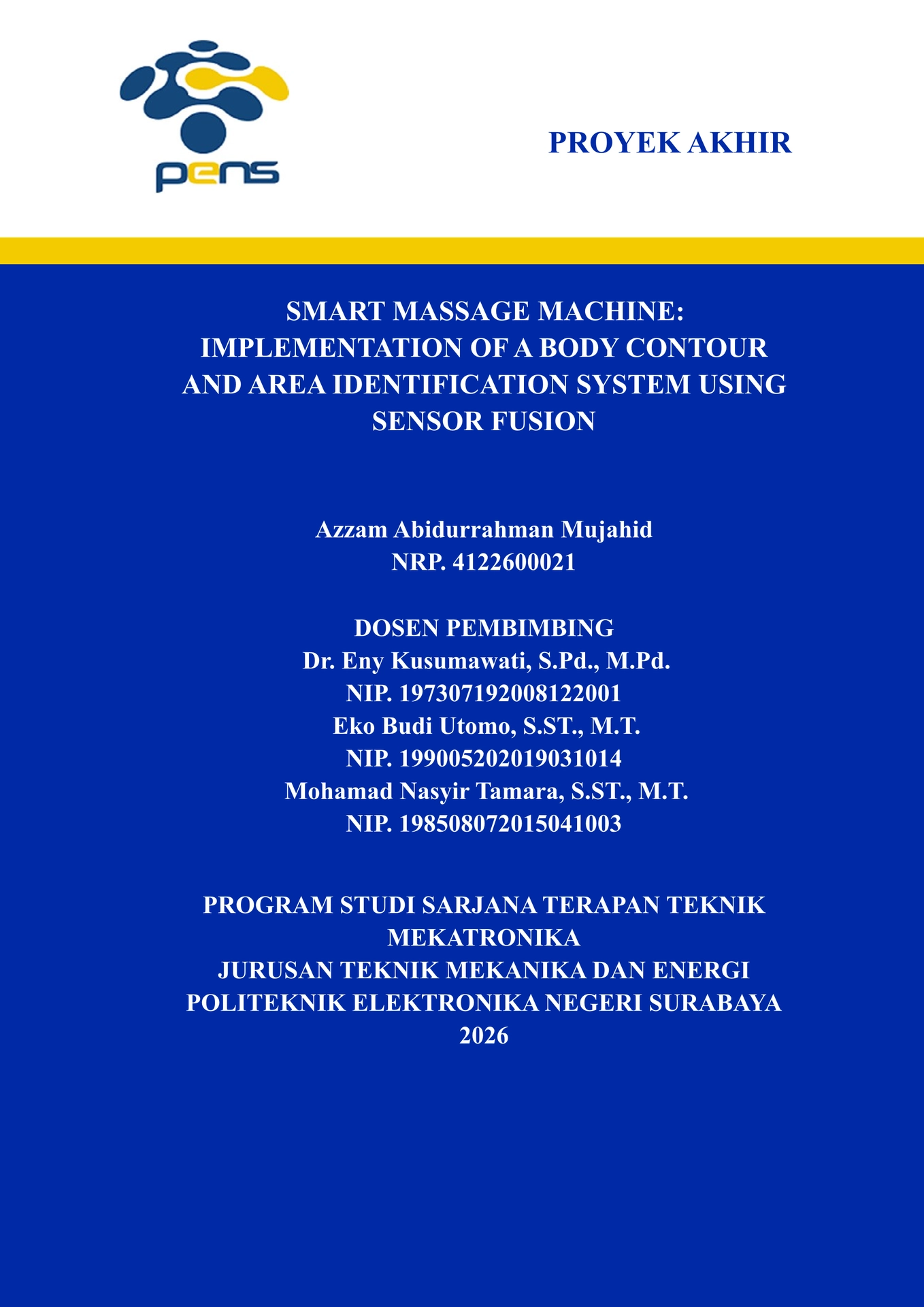
Final project (proyek akhir) / thesis report template for Politeknik Elektronika Negeri Surabaya (PENS), written in Typst. It mirrors the classic Word/LaTeX layout: mirrored A4 book margins, Times New Roman, per-chapter figure/table numbering, coloured cover page, approval page, Indonesian originality & copyright statements, abstracts, foreword, acknowledgements, list of contents/figures/tables/equations, references, and optional end matter (supplementary material, author biography).
Everything personal — title, author, advisors, examiners, institution text,
brand colours, abstract texts — is a parameter of the thesis function, so
the template can be reused by anyone at PENS (or adapted to another
institution by overriding the PENS defaults).
Getting started
# Create a new project from the template
typst init @preview/community-pens-report:0.1.0

# Edit main.typ, then compile
typst compile main.typ
Or, if you prefer to write the document yourself, import the function and apply it as a show rule:
#import "@preview/community-pens-report:0.1.0": *

#show: thesis.with(
  title: [MY FINAL PROJECT TITLE],
  author: "Your Name",
  student-id: "0000000000",
  // ... all other options are optional (PENS defaults apply)
)

// The body of your report starts here.
#include "chapters/01_introduction.typ"

// Keep references at the end.
#heading(level: 1, numbering: none, outlined: true)[REFERENCES]
#bibliography("references.bib", title: none, style: "ieee")
The generated project contains a sample main.typ, one sample chapter
(chapters/01_introduction.typ) and a small references.bib to get you
started.
Options
All options have PENS-style defaults; only title, author and
student-id really need to be set.
Document identity
| Option | Type | Default |
|---|---|---|
title |
content |
[Final Project Title] — used on the covers |
document-title |
str |
"Final Project Report" — PDF metadata |
document-type |
str |
"PROYEK AKHIR" |
degree |
str |
"Gelar Sarjana Terapan (S.Tr.T.)" |
year |
str |
"2026" |
city |
str |
"Surabaya" |
date |
str |
"16 Juli 2026" — used on the statements |
Author
| Option | Type | Default |
|---|---|---|
author |
str |
"Author Name" |
student-id-label |
str |
"NRP." |
student-id |
str |
"0000000000" |
Institution
| Option | Type | Default |
|---|---|---|
study-program |
str |
"PROGRAM STUDI SARJANA TERAPAN TEKNIK MEKATRONIKA" |
department |
str |
"JURUSAN TEKNIK MEKANIKA DAN ENERGI" |
institution |
str |
"POLITEKNIK ELEKTRONIKA NEGERI SURABAYA" |
coordinator-role |
str |
"Koordinator Program Studi Sarjana Terapan Teknik Mekatronika" |
coordinator |
dictionary | (name: "...", id: "...") |
People
advisors and examiners are arrays of person dictionaries:
advisors: (
  (name: "Dr. Eny Kusumawati, S.Pd., M.Pd.", id: "NIP. 197307192008122001"),
  (name: "Eko Budi Utomo, S.ST., M.T.", id: "NIP. 199005202019031014"),
),
examiners: (
  (name: "Examiner 1, S.T., M.T.", id: "NIP. 000000000000000000"),
),
Branding
| Option | Type | Default |
|---|---|---|
colors |
dictionary | (primary: rgb("#002AA6"), accent: rgb("#F2CB00")) |
logo |
str/path |
"assets/pens_logo.jpg" (package asset) |
gray-logo |
str/path |
"assets/pens_logo_gray.jpg" (inner cover) |
background-image |
str/path |
"assets/pens-bg.png" (approval page) |
basmalah-image |
str/path |
"assets/basmalah-cropped.png" |
show-basmalah |
bool |
true (foreword page) |
To use your own logos/backgrounds, pass a path relative to your own
main.typ (e.g. logo: "figures/my-logo.jpg").
Frontmatter content
| Option | Type | Default |
|---|---|---|
originality-text |
content |
Indonesian statement (built from params) |
copyright-text |
content |
Indonesian copyright transfer statement |
abstract-en |
content |
none — omit to skip the page |
abstract-en-keywords |
str |
"Keywords" |
abstract-id |
content |
none — omit to skip the page |
abstract-id-keywords |
str |
"Kata Kunci" |
foreword |
content |
none — omit to skip |
acknowledgement |
content |
none — omit to skip |
author-bio |
content |
none — rendered after references |
supplementary |
content |
none — rendered after references |
Tip: the frontmatter pages are rendered automatically in the correct order (covers → statements → abstracts → foreword → acknowledgement → lists → body). You only supply the text content.
Helpers available in chapters
chapter, section, subsection, subsubsection, cref, quote-block,
to-odd-page, blankpage, person — import them with the same package
import at the top of each chapter file.
Reusing / adapting for another institution
All defaults live in the thesis function signature in template.typ.
Override the institution fields, brand colours, logos, and the default
originality-text / copyright-text content to adapt the template.
Development
# Test the template as a local package (Linux/macOS)
mkdir -p ~/.local/share/typst/packages/preview/community-pens-report/0.1.0
cp -r ./* ~/.local/share/typst/packages/preview/community-pens-report/0.1.0/
typst init @preview/community-pens-report:0.1.0 myreport
typst compile myreport/main.typ
On Windows the data directory is %LOCALAPPDATA%\typst.
Publishing to Typst Universe
The full release workflow — including how to release updates — is documented in RELEASING.md.
- Push this folder to a public GitHub repository.
- Create a release tagged
v0.1.0(the tag must match theversionintypst.toml). - Fork
typst/packages, add the package contents underpackages/preview/community-pens-report/0.1.0/and open a pull request. - Maintainers will review and merge; the package then becomes available at
@preview/community-pens-report:0.1.0on Typst Universe.
License
MIT — see LICENSE.
The PENS logos (assets/pens_logo.jpg, assets/pens_logo_gray.jpg) and the
PENS building background (assets/pens-bg.png) are the property of Politeknik
Elektronika Negeri Surabaya and are not covered by the MIT license. They are
bundled for use in reports produced for PENS; replace them via the logo,
gray-logo, and background parameters if your institution requires otherwise.