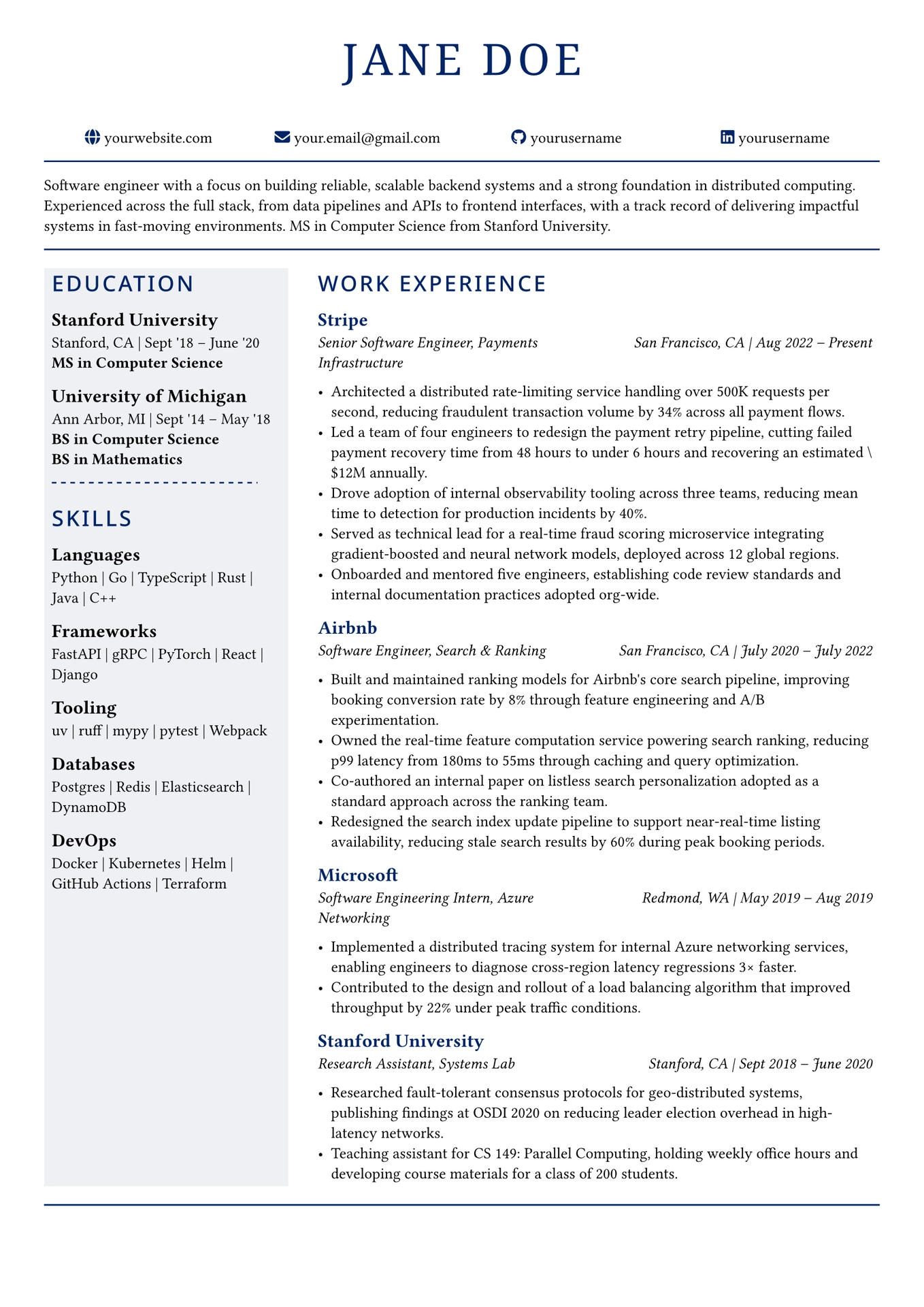
A clean, professional resume template for Typst featuring a two-column layout with a shaded sidebar, Font Awesome icons, and a fully customizable accent color.
Features
- Two-column layout with a shaded sidebar for education and skills
- Customizable accent color, fonts, and column proportions
- Font Awesome icons in the header
- Optional professional summary section
- Helper functions for experience, education, and skill categories
Requirements
- Typst
- Noto Sans and Noto Serif fonts (or substitute your own)
- The
fontawesomeTypst package (imported automatically)
On macOS with Homebrew, install the fonts with:
brew install --cask font-noto-sans font-noto-serif
Usage
1. Configuration
At the top of template.typ, edit the configuration block to match your details:
#let name         = "Your Name"
#let accent       = rgb("#002366")   // Change to any color you like
#let sidebar-fill = rgb("#eef0f5")   // Left column background
#let sans-font    = "Noto Sans"      // Heading font
#let serif-font   = "Noto Serif"     // Name font
#let col-ratio    = (3fr, 7fr)       // Sidebar to content width ratio
2. Header links
Update the four contact links in the header section with your own URLs:
#link("https://yourwebsite.com")[yourwebsite.com]
#link("mailto:your.email@gmail.com")[your.email@gmail.com]
#link("https://github.com/yourusername")[yourusername]
#link("https://linkedin.com/in/yourusername")[yourusername]
Icon names can be changed to any Font Awesome icon. Browse available icons at fontawesome.com/icons.
3. Summary
Replace the placeholder paragraph below the first horizontal line with your own 2-3 sentence professional summary. Delete it entirely if you prefer no summary.
4. Education
Use the #education() function to add education entries to the sidebar:
#education(
  "University Name",
  "City, State",
  "Sept '20 - May '24",
  ("BS in Computer Science",),
)
The degrees argument is an array — include multiple degrees if needed:
("PhD in Computer Science", "ScM in Mathematics")
5. Skills
Use the #skill-category() function to add skill sections to the sidebar:
#skill-category("Languages", ("Python", "Rust", "TypeScript"))
#skill-category("Frameworks", ("FastAPI", "PyTorch", "React"))
Add or remove #skill-category() blocks freely — each renders as a labeled list of items separated by |.
6. Work Experience
Use the #experience() function to add experience entries to the main column:
#experience(
  "Company Name",
  "Job Title",
  "City, State",
  "Jan 2022 – Present",
  (
    "Accomplishment bullet point.",
    "Another accomplishment.",
  ),
)
Add as many bullet points as needed by extending the tuple.
7. Compile
typst compile template.typ resume.pdf
Customization Tips
- Change the accent color — update
#let accent = rgb("...")to any hex color. The change propagates to all headings, lines, and icons automatically. - Adjust sidebar width — change
col-ratioto e.g.(2fr, 8fr)for a narrower sidebar or(4fr, 6fr)for a wider one. - Swap fonts — update
sans-fontandserif-fontto any fonts installed on your system. - Remove the summary — delete the paragraph and one
#line(...)between the two horizontal rules. - Add more sections — place additional
= #upper("Section Name")headings and content in either the sidebar or main column.