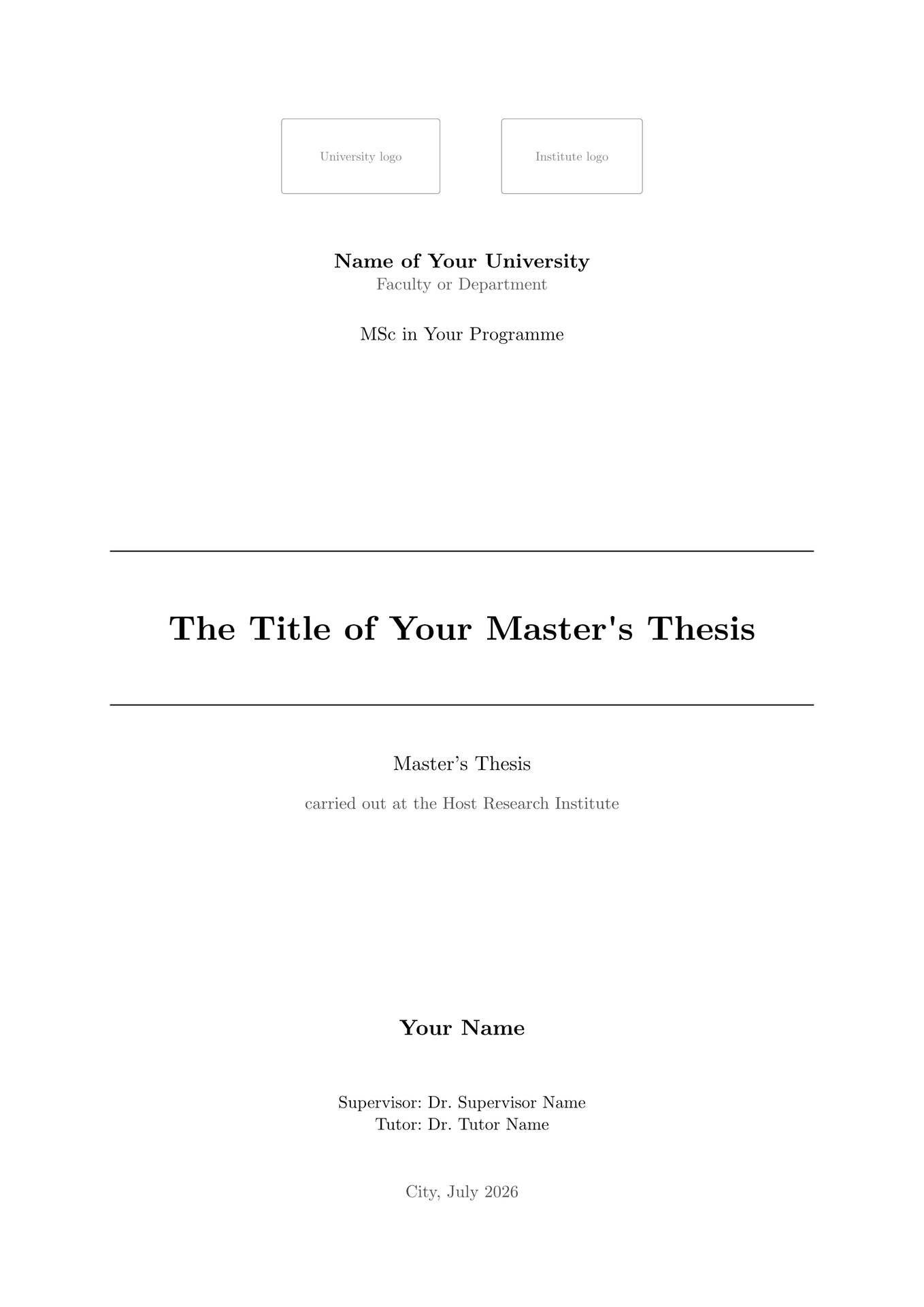
A classic, formal Typst template for a Master’s thesis: black serif headings, a clean rule-framed title page, roman front matter followed by arabic main matter, and author–year (APA) citations. It ships with a complete example — front matter, four chapters, an appendix, figures, and a bibliography — so you can replace the placeholder text and start writing immediately.

Features
- Rule-framed title page driven entirely by metadata, with support for one or two institutional logos.
- Structured front matter: Certificate of Direction, Acknowledgments, Abstract (+ keywords), Table of Contents, List of Figures, List of Tables, and List of Abbreviations — each optional.
- Short captions in the lists: a
flex-captionshows a full caption under the figure and a short title in the List of Figures / Tables. - Figures and tables with automatic, separate numbering (
Fig. N/Table N), booktabs-style table rules, and captions placed correctly (below figures, above tables). - Print-friendly: links and cross-references render in black (still clickable in the PDF), so nothing turns colourful on paper.
- Running headers that show the current chapter, roman-then-arabic page numbering, and a lettered appendix (A, A.1, …) after the references.
Quick start
From Typst Universe
Once the package is available on Typst Universe, create a new project from it with the CLI:
typst init @preview/classic-msc-thesis
cd classic-msc-thesis
typst watch main.typ           # live preview while you edit
Or, in the Typst web app, choose Start from template and search for
classic-msc-thesis.
From this repository (local install)
You can also use it without Typst Universe by installing it as a local package.
Clone the repository into your Typst package directory under the preview
namespace, then copy the example out to start your thesis:
# Linux / WSL
DEST="${XDG_DATA_HOME:-$HOME/.local/share}/typst/packages/preview/classic-msc-thesis/0.1.0"
# macOS:   DEST="$HOME/Library/Application Support/typst/packages/preview/classic-msc-thesis/0.1.0"
# Windows: %APPDATA%\typst\packages\preview\classic-msc-thesis\0.1.0

git clone https://github.com/Cobos-Bioinfo/classic-msc-thesis "$DEST"

# start a new thesis from the bundled example
cp -r "$DEST/template" my-thesis
cd my-thesis
typst watch main.typ
The main.typ you copied imports the package as @preview/classic-msc-thesis:0.1.0,
which now resolves to your local install.
Project structure
Starting from the template gives you:
main.typ              # metadata + front matter + #includes + back matter, you edit this
chapters/
  01-introduction.typ
  02-methodology.typ
  03-results.typ
  04-discussion.typ   # the four main-matter chapters
  05-appendix.typ     # rendered after the references (lettered A, A.1, …)
figures/
  placeholder.svg     # swap in your own figures here
references.bib        # your bibliography
You only edit content — main.typ and the chapters/*.typ files. All layout is
controlled by the template.
Section order
The order of sections is fixed by the template:
Title page → Certificate of Direction → Acknowledgments → Abstract → Contents → List of Figures → List of Tables → List of Abbreviations → Introduction → Methodology → Results → Discussion → References → Appendix.
Any front-matter block left as none is skipped, and the three list toggles
(show-toc, show-list-of-figures, show-list-of-tables) can be turned off.
Writing your thesis
Metadata and front matter
Everything on the title page and in the front matter is passed to the template in
main.typ via #show: thesis.with(...). Any argument set to none (or omitted)
drops the corresponding element.
| Argument | Purpose |
|---|---|
title, subtitle |
Title (and optional subtitle) on the title page |
author |
Author name |
degree |
Degree, e.g. "MSc in Bioinformatics" |
university, department |
Institutional lines under the logos |
supervisor, tutor |
Supervision credits |
institute |
Research institute where the work was carried out |
location, date |
Printed with the date (date is a datetime) |
logo, logo-secondary |
One or two title-page logos (see below) |
certificate |
Certificate of Direction (raw content; full control) |
acknowledgments |
Acknowledgments section |
abstract, keywords |
Abstract and an optional keyword line |
abbreviations |
List of (short, long) pairs → List of Abbreviations |
show-toc, show-list-of-figures, show-list-of-tables |
Toggle the lists |
heading-numbering |
true for numbered headings (1.1), false for none |
bibliography |
A bibliography(..) call for the References section |
appendix |
Content rendered after the references (lettered headings) |
Logos. By default logo and logo-secondary are placeholder boxes so the
template compiles out of the box. Replace them with your own files, both sized to
a common height:
logo:           image("figures/university-logo.svg", height: 1.7cm),
logo-secondary: image("figures/institute-logo.png",  height: 1.7cm),
Set either (or both) to none for a text-only header. Institutional logos are
copyrighted — supply your own; none are bundled with this template.
Figures and the List of Figures
Figures use a standard #figure(image(...)). To keep the List of Figures tidy,
give the figure a flex-caption: the long form renders under the figure, the
short form renders in the list. Import it in each chapter that has figures
(chapters are #included and do not inherit main.typ’s imports):
#import "@preview/classic-msc-thesis:0.1.0": flex-caption

#figure(
  image("../figures/your-figure.png", width: 80%),
  caption: flex-caption(
    [The full caption shown beneath the figure, as long as you like …],  // long
    [Short title shown in the List of Figures],                          // short
  ),
) <fig:your-figure>
Refer to it with @fig:your-figure, which renders as Fig. N. A plain
caption: [ … ] still works and simply shows in full in both places.
Tables
Wrap a table(..) in a #figure(..) so it is numbered and listed. The template
applies booktabs-style rules and places the caption above the table; reference it
with @tab:…, which renders as Table N.
Abbreviations
Pass a list of (short, long) pairs to abbreviations: in main.typ and the
List of Abbreviations is generated for you:
abbreviations: (
  ("DNA", "Deoxyribonucleic Acid"),
  ("API", "Application Programming Interface"),
),
Citations and bibliography
Point bibliography: at your .bib (or Hayagriva .yml) file and pick a style:
bibliography: bibliography("references.bib", style: "apa"),
Cite with @citekey. Citations render in black, in author–year style.
Compiling
typst compile main.typ        # -> main.pdf
typst watch   main.typ        # live preview while editing
Developing this template
Clone this repository and symlink it into your local package directory so the
@preview/classic-msc-thesis:0.1.0 imports in template/ resolve to your working
copy:
DEST="${XDG_DATA_HOME:-$HOME/.local/share}/typst/packages/preview/classic-msc-thesis/0.1.0"
mkdir -p "$(dirname "$DEST")"
ln -s "$(pwd)" "$DEST"
typst compile template/main.typ            # test the example

# regenerate the Universe thumbnail (page 1)
typst compile -f png --pages 1 --ppi 250 template/main.typ thumbnail.png
License
Released under the MIT License © 2026 Alejandro Cobos
(@Cobos-Bioinfo). The template code is MIT;
the placeholder text and the placeholder.svg figure are yours to replace.