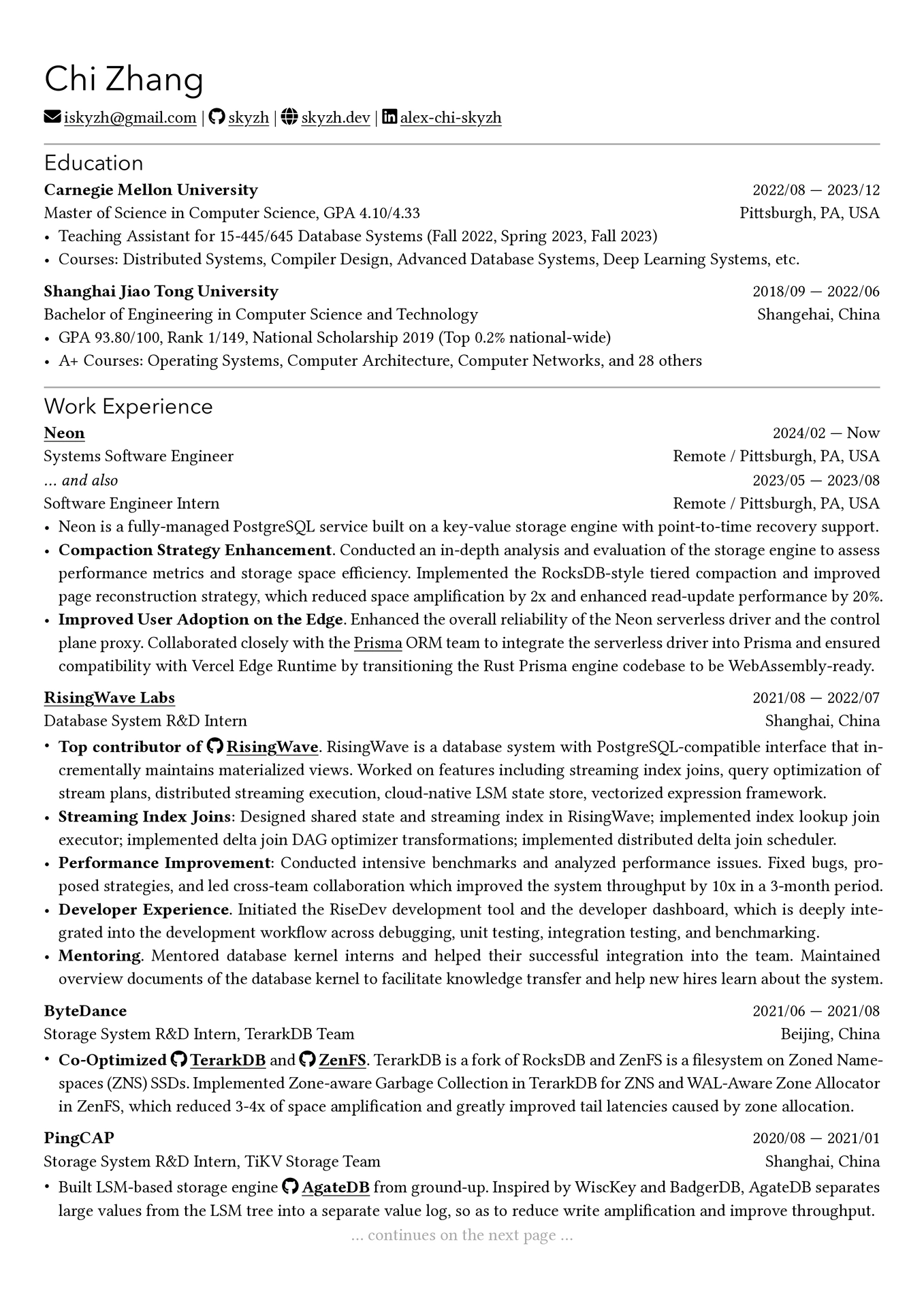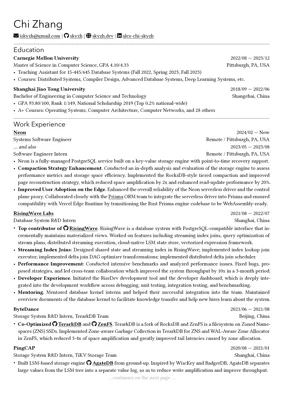
Rip-off of rip-off of skyzh’s CV, using Typst.
Packaged for Typst Universe as chicv-ripoff.
PRs and suggestions are welcome.
The implementation of fontawesome.typ is far from perfect and may conflict with existing typst built-in commands. Please report any issues you find.
[New! (2024/10/09)] I switched to use typst-fontawesome.
fonts/FontAwesome6.otf is generated by merging Font Awesome 6 Free-Solid-900.otf and Font Awesome 6 Brands-Regular-400.otf using fontforge. Original Font Awesome fonts were downloaded from here (Desktop version) (6.0.4 as of 2023/04/01).
[New! (2024/10/09)] As the template is now dependent on typst-fontawesome, I decided to provide the original Font Awesome fonts instead of the merged one.
[New! (2026/06/22)] The template is prepared for Typst Universe. It now uses typst-fontawesome 0.6.1 with Font Awesome 6 settings so the bundled Font Awesome 6 fonts compile without warning.
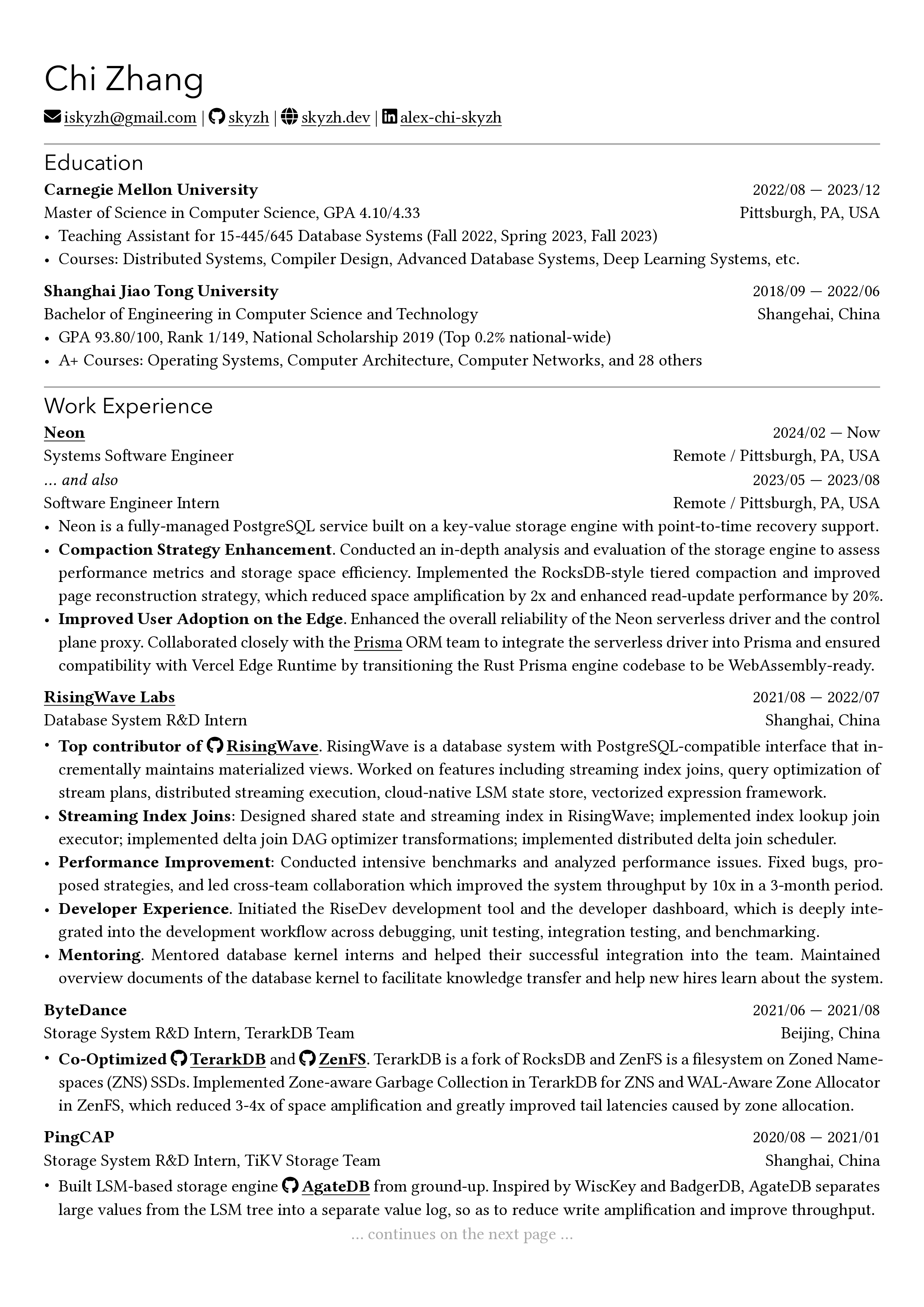
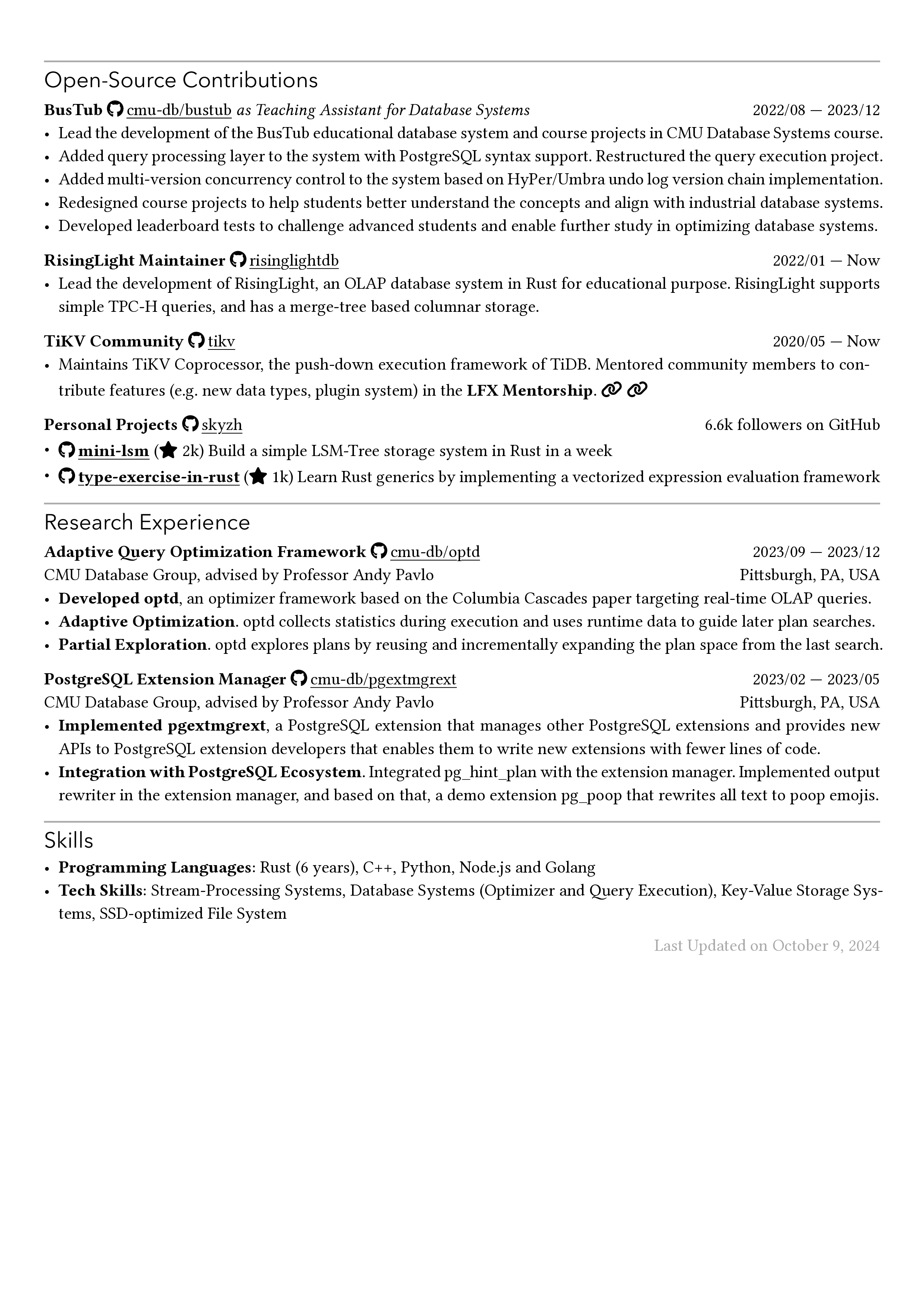
Sample Output
Getting Started
Using Typst Universe
Create a new CV from the template:
typst init @preview/chicv-ripoff:1.1.4
Then compile the generated file:
typst compile resume.typ
Using Typst web app
Create a new project from @preview/chicv-ripoff:1.1.4 in the Typst web app, then upload the required font files (see below).
Locally from this repository
Assume that you have installed the typst CLI and it’s in your $PATH.
git clone https://github.com/matchy233/typst-chi-cv-template.git
cd typst-chi-cv-template
typst compile --font-path ./fonts ./template/resume.typ resume.pdf
For package-style local testing, install the package into the local preview namespace first:
just install-preview
typst compile --font-path ./fonts ./template/resume.typ resume.pdf
The test suite uses tytanic:
just test
just update
Required Fonts
This template depends on fonts that are not bundled with the package (Typst Universe does not allow font files). Install them before compiling:
Montserrat (SIL Open Font License) — used for headings and body text. Download from Google Fonts.
Font Awesome 6 Free (SIL Open Font License) — used for icons.
The package requires Font Awesome 6 Free-Solid-900.otf, Font Awesome 6 Free-Regular-400.otf, and Font Awesome 6 Brands-Regular-400.otf. Download from Font Awesome.
Place the .otf files in a directory and pass it to typst compile with --font-path:
typst compile --font-path ./my-fonts resume.typ
In the Typst web app, upload them directly to your project.
Usage
#import "@preview/chicv-ripoff:1.1.4": *

// Customize the page margin and cventry paragraph padding.
// It's the same as #set page(...).
#show: chicv.with(
  margin: (x: 1cm, top: 1.5cm, bottom: 2cm),
  par-padding: (left: 0pt, right: 0pt),
)

// Chi's name
= Chi Zhang

// Display the input values in one line separated by vertical bars,
// preceded by a Font Awesome icon.
#personal-info(
  // email, phone, github, website, linkedin have pre-defined styles
  email: "iskyzh@gmail.com",
  phone: "+1 (145) 141-919",
  github: "https://github.com/skyzh",
  website: "https://skyzh.dev",
  linkedin: "https://www.linkedin.com/in/alex-chi-skyzh/",
  // It is also possible to feed customized values using:
  // --> Format 1: <icon-name>: <link>
  x-twitter: "https://twitter.com/iskyzh",
  // --> Format 2: a dictionary like below
  (link: "https://typst.app/", text: "Typst", icon: "t", solid: true),
)

== Education

// By default, #cventry will bold top-left text.
#cventry(
  tl: "Carnegie Mellon University",
  // #dates(from: xxx, to: xxx) generates a date range, "to" is optional.
  tr: dates(from: "2022/08", to: "2023/12"),
  bl: "Master of Science in Computer Science, GPA 4.10/4.33",
  br: "Pittsburgh, PA, USA",
)[
  - Teaching Assistant for 15-445/645 Database Systems (Fall 2022, Spring 2023, Fall 2023)
  - Courses: Distributed Systems, Compiler Design, Advanced Database Systems, Deep Learning Systems, etc.
]

// ...
// omitted
// ...

== Work Experience

// You can override the default bold style by passing content blocks.
#cventry(
  tl: [#link("https://neon.tech")[*Neon*]],
  tr: dates(from: "2024/02"),
  bl: [Systems Software Engineer],
  br: [Remote / Pittsburgh, PA, USA],
  // You can also override the default padding of content blocks.
  padding: (bottom: -5pt),
)[]

#cventry(
  tl: [_... and also_],
  tr: dates(from: "2023/05", to: "2023/08"),
  bl: [Software Engineer Intern],
  br: [Remote / Pittsburgh, PA, USA],
)[
 // content omitted
]

// The template also provides #iconlink and #githublink
// (a shorthand for #iconlink(icon: "github", text: ..., ...)).
#iconlink("https://github.com/tikv/tikv/issues/9747", text: "TiKV", icon: "heart")
#githublink("https://github.com/tikv", text: "tikv")
API
The package exports:
chicv: page and heading style wrapper, usually used with#show: chicv.with(...)personal-info: renders contact links with Font Awesome iconscventry: renders a compact two-column CV entrydates: formats a date rangeiconlink: renders a link with a Font Awesome icongithublink: shorthand for GitHub links
License
MIT. See LICENSE.